- Evaluating Legal Sports IPTV UK Packages
- Channel Line-Ups and Live Match Coverage
- Device Compatibility and App Performance
- Contract Lengths and Cancellation Terms
- Understanding Bandwidth and Network Requirements
- Pros and Cons of Licensed Streaming Packages
- Buying Checklist
- Legal and Licensing Note
- Frequently Asked Questions
- What broadband speed do I need for HD football streaming?
- Can I watch 3 PM Saturday kickoffs legally in the UK?
- Do official sports packages require a TV licence?
- Are free trials common for official sports services?
- Can I share my sports subscription with friends?
- What should I do if my stream buffers during a big match?
- Are contract-free sports passes available?
Evaluating Legal Sports IPTV UK Packages
Buying a streaming package for live football and weekend fixtures takes a bit of research. You want to avoid scams and make sure your money goes to a fully licensed provider. Many dodgy services pop up promising every single match for a tenner a month. They vanish overnight, leaving fans out of pocket.

Official broadcasters like Sky Sports, TNT Sports, and Amazon Prime Video hold the proper rights in the UK. When you look at legal sports IPTV UK options, you’re usually buying through official telecom bundles or verified app add-ons. Let’s look at what you need to check before entering your payment details.
Navigating the modern landscape of digital sports broadcasting can feel overwhelming, especially with the constant fragmentation of media rights. In the past, a single television subscription might have covered the majority of domestic fixtures. Today, consumers often need to piece together multiple services to follow a single team across domestic leagues, domestic cups, and European competitions. Understanding the financial and technical commitments required by legitimate providers ensures that you enjoy uninterrupted matchday action without falling foul of deceptive marketing or unstable pirate streams.
Channel Line-Ups and Live Match Coverage
Never assume a provider includes every Premier League or Champions League fixture. Broadcasters split rights across different networks. You need to check the exact channel list on the provider’s official site.
Some platforms offer domestic leagues while others focus on European competitions. If you love Saturday afternoon 3 PM matches, remember that UK blackout rules apply to all official broadcasters. No legal service will show those games live.
Furthermore, it is vital to examine how secondary sports are handled within these packages. If you enjoy rugby union, Formula 1, cricket, or golf alongside your football fix, verify whether supplemental channels or niche sports packages are included in the base price or require an additional monthly fee. Hidden tier structures can quickly inflate the total cost of your sports viewing setup if you do not read the service breakdown thoroughly.
Device Compatibility and App Performance
Your hardware dictates how well your streams run on matchday. Check if the service works natively on your preferred gear. Whether you use a Fire TV Stick, an Apple TV, or a modern smart television, the app needs to be stable. For more details on hardware choices, check out how to check legal sports IPTV UK packages before buying to ensure full compatibility.
Storage space matters too. Low-end streaming sticks can choke if you run too many background processes. Make sure your device has enough memory to handle high-framerate live video without stuttering.
Operating system updates also play a significant role in long-term app performance. Older smart TVs often stop receiving software updates from their manufacturers, which can lead to compatibility issues with newly updated streaming applications. Investing in a dedicated external streaming box or stick often provides a longer lifespan and more reliable performance for high-bandwidth sports broadcasts than relying solely on a television’s built-in operating system.
Contract Lengths and Cancellation Terms
Commitment phobes should read the fine print. Some official providers lock you into 12 or 24-month contracts. Others offer rolling monthly passes that you can cancel anytime.
Rolling passes cost slightly more per month, but they give you flexibility during the off-season. Always check the refund policy before you sign up. Legitimate companies usually give you a brief cooling-off period under UK consumer law.
Be especially mindful of automatic renewal clauses embedded in promotional or discounted introductory rates. Many providers lure customers in with a cheap first three months, only to automatically transition them to a much higher standard tariff without explicit, hard prompting. Setting a calendar reminder a few days before any introductory promotion expires is a smart habit for managing your household subscription budget effectively.
Understanding Bandwidth and Network Requirements
Streaming high-definition and ultra-high-definition live sports places a heavy demand on your home internet connection. Unlike on-demand video services like Netflix or Disney+, which use aggressive buffering and pre-loading to smooth out minor network dips, live IPTV streams require a constant, real-time data flow. If your broadband connection suffers from jitter, packet loss, or high latency during peak evening hours, your sports stream will suffer from pixelation, audio-video desynchronisation, or complete dropouts.
To mitigate these issues, consider connecting your streaming device directly to your router via an Ethernet cable rather than relying on Wi-Fi, especially if your router is located in a different room or obstructed by thick walls. Additionally, check if your internet service provider (ISP) enforces data caps or broadband throttling during heavy usage periods, as continuous high-definition sports streaming can consume hundreds of gigabytes over the course of a busy football month.
Pros and Cons of Licensed Streaming Packages
- Pros: Reliable high-definition streams, official legal backing, consistent audio, and dedicated customer support teams.
- Cons: Higher monthly costs, split rights requiring multiple subscriptions, and regional broadcast restrictions.
Buying Checklist
- Verify the company has official UK broadcasting rights.
- Confirm the app supports your specific TV or streaming stick.
- Check the exact monthly price including any hidden setup fees.
- Read user reviews on independent forums regarding customer service.
- Test your broadband speed to ensure it meets HD or 4K requirements.
Legal and Licensing Note
Official sports broadcasting operates under strict copyright laws governed by UK regulatory bodies. Only use authorised platforms that hold direct distribution rights from sports leagues and federations. Unauthorised streaming services violate copyright law and risk immediate shutdown.
Frequently Asked Questions
What broadband speed do I need for HD football streaming?
You need a stable download speed of at least 15 Mbps for high-definition sports. For 4K streams, aim for 30 Mbps or higher.
Can I watch 3 PM Saturday kickoffs legally in the UK?
No. The traditional Saturday afternoon blackout applies across all legal UK broadcasters to protect match attendances.
Do official sports packages require a TV licence?
Yes, if you watch live television broadcasts as they are being aired on any channel or device in the UK.
Are free trials common for official sports services?
Official networks rarely offer free trials for sports bundles, though they occasionally run promotional discounts.
Can I share my sports subscription with friends?
Most official providers limit simultaneous streams to one or two devices within the same household.
What should I do if my stream buffers during a big match?
Restart your router, check your Wi-Fi connection, or switch to an ethernet cable for a more stable link.
Are contract-free sports passes available?
Yes, services like NOW offer flexible monthly memberships without long-term commitments.
For more information, iptv.
Related reading
- Smart TV IPTV Playlist Loading Issues and How: A Practical UK Fix Guide
- How to Test an IPTV Trial in the UK Safely and Effectively
Update: Myth vs. Fact: What Actually Happens When You Switch to IPTV UK
Update: IPTV Buffering Fixes UK: Step-by-Step Troubleshooting for Smart TVs and Firestick
- Choosing legal sports IPTV UK packages for match days
- Channel lineups and live match coverage
- Device compatibility and multi-room setups
- Pros and cons of licensed sports streaming
- Contracts, pricing, and cancellation terms
- Legal and licensing realities
- Evaluating internet bandwidth and home network readiness
- Your buying checklist for match day success
- Frequently Asked Questions
- Can I get every Premier League match with one subscription?
- What internet speed do I need for HD football streaming?
- Are free trials common for legal sports services?
- Do smart TVs need an external box for sports apps?
- Why does live football sometimes lag behind live radio?
- Can I use my UK subscription while travelling abroad?
Choosing legal sports IPTV UK packages for match days
Finding the right legal sports IPTV UK package takes a bit of patience. You want every Saturday 3 PM blackout workaround sorted legally, plus reliable streams for midweek Champions League fixtures. Let’s look at what actually matters when you spend your hard-earned cash on a subscription.

The modern landscape of British sports broadcasting has fractured across multiple commercial networks, streaming giants, and traditional satellite channels. Navigating this ecosystem requires understanding how legal distribution models operate, ensuring you get maximum value for money while staying completely within UK broadcasting laws. Whether you are following the Premier League, international rugby, or Formula 1, investing in a robust, authorized service guarantees peace of mind and superior technical performance.
Channel lineups and live match coverage
Sky Sports and TNT Sports dominate British football, but Amazon Prime and BBC iPlayer sneak in too. A solid legal sports IPTV UK provider needs to bundle these channels cleanly. Check the exact lineup before you sign up. Don’t assume every match appears on every platform because broadcast rights shift constantly.
Match day atmosphere relies on uninterrupted feeds. Look for providers offering high-definition streams as a bare minimum. Some platforms push for higher frame rates to keep the ball crisp during fast camera pans. That smoothness stops motion blur ruining your viewing.
Furthermore, comprehensive sports packages should extend beyond football. Consider whether the service includes racing channels like Sky Sports F1, rugby union coverage via TNT or Premier Sports, golf majors, and international cricket. True sports enthusiasts often find that a well-rounded package prevents the need to buy multiple fragmented add-ons throughout the calendar year.
Device compatibility and multi-room setups
You probably watch matches on a Fire TV Stick, an Apple TV, or your living room smart TV. Your chosen service must run smoothly on your preferred hardware. If you share a house with other fans, check simultaneous stream limits. Nobody wants arguments over who gets the north London derby on the big screen.
For bigger households, exploring options like the Best IPTV device for multi-room streaming helps prevent bandwidth bottlenecks. Apps need clean interfaces so you can jump between simultaneous fixtures without fumbling through endless menus.
It is also worth evaluating mobile compatibility. Official apps for tablets and smartphones allow you to keep track of scores or watch live feeds when you are away from the main television setup. Check whether the provider supports casting features or native applications for iOS and Android platforms to ensure seamless viewing on the go.
Pros and cons of licensed sports streaming
- Pros: Guaranteed stream stability, official broadcaster support, clear legal standing, high-definition quality, and access to catch-up highlights.
- Pros: Protection of consumer rights under UK law if things go wrong.
- Cons: Subscriptions can get expensive when stacking multiple platforms.
- Cons: Regional blackout rules still apply to certain Saturday fixtures.
Contracts, pricing, and cancellation terms
Monthly rolling contracts give you freedom during the summer off-season. Annual plans save money, but you’re locked in if your team gets relegated or broadcast rights change hands. Read the small print regarding auto-renewal. Customer support matters too. A live chat that actually connects beats an automated email bot every single time when your stream drops five minutes before kick-off.
When analyzing pricing structures, watch out for hidden activation fees or sudden promotional rate hikes after the initial three months. Transparent billing practices are a strong indicator of a reputable, customer-focused enterprise. Always calculate the total annual cost rather than just looking at the attractive monthly teaser rate.
Legal and licensing realities
Every legitimate broadcaster operates under strict licensing agreements with leagues and governing bodies. Always purchase subscriptions directly from authorised companies. Avoid unauthorized third-party resellers promising cheap lifetime access to premium sports channels. Ofcom and intellectual property protection groups actively target these illegal operations.
Utilizing unauthorized pirate streams not only exposes your home network to security vulnerabilities, malware, and data theft, but it also deprives your favorite clubs and sports organizations of vital revenue used to fund grassroots development, stadium security, and talent pipelines. Sticking to legal avenues protects both the integrity of sport and your personal cybersecurity.
Evaluating internet bandwidth and home network readiness
Even the best legal IPTV packages will suffer if your home broadband cannot cope with high-bitrate live video streams. Live sports demand consistent download speeds and low packet loss, particularly during peak evening hours when neighborhood network congestion spikes.
Consider connecting your primary streaming device directly via an Ethernet cable rather than relying entirely on Wi-Fi. Hardwiring eliminates wireless interference from neighboring networks and household appliances, resulting in a rock-solid connection that prevents sudden drops in resolution right when a penalty is being taken.
Your buying checklist for match day success
- Verify official broadcasting partnerships with major UK leagues.
- Test app performance on your specific hardware before committing long-term.
- Confirm simultaneous stream allowances for your household.
- Review contract flexibility and cancellation notice periods.
- Check for reliable customer support channels.
Frequently Asked Questions
Can I get every Premier League match with one subscription?
No single provider holds the rights to every single match in the UK due to broadcasting splits between Sky, TNT, and Amazon.
What internet speed do I need for HD football streaming?
Aim for a stable connection of at least 15 to 25 Mbps to handle high-definition live sports without stuttering.
Are free trials common for legal sports services?
They appear occasionally, though major official broadcasters rarely offer them for live sports packages.
Do smart TVs need an external box for sports apps?
Most modern smart TVs run official apps natively, but dedicated streaming sticks often offer quicker menu navigation.
Why does live football sometimes lag behind live radio?
Encoding and network transmission buffers introduce a small delay of thirty seconds or more on digital streams.
Can I use my UK subscription while travelling abroad?
Most domestic subscriptions restrict viewing to the UK due to geo-licensing rules set by sports rights holders.
For more information, iptv.
Related reading
- What to Expect from an IPTV Subscription UK: Setup, Requirements and Everyday Use
- Best Official Streaming Hardware for Legal IPTV in the UK
Update: A Step-by-Step Guide to Setting Up and Using an IPTV Service in the UK
Update: Fixing IPTV Freezing and Buffering on Firestick and Smart TVs
- What to Expect from an IPTV Subscription UK: Setup, Requirements and Everyday Use
- What broadband speed do I actually need for IPTV UK streaming?
- How does an IPTV service route television signals to British living rooms?
- Do I need special hardware to watch IPTV on my television?
- How do I install and configure media apps on my streaming device?
- How do I evaluate a service before committing to a full package?
- What are the common pitfalls when setting up an IPTV service?
- Common Questions About UK Internet Television
What to Expect from an IPTV Subscription UK: Setup, Requirements and Everyday Use
Switching your television viewing habits over to an internet-based delivery model changes how you watch live broadcasts across the country. If you are looking into an IPTV UK setup for your living room, you probably want to know what it actually takes to get things running smoothly. Traditional aerials and satellite dishes are slowly taking a back seat as broadband speeds improve nationwide. You get hundreds of channels delivered straight through your router. But how do you prepare your home network for this transition? Let’s break down the actual technical demands, equipment choices, and daily realities.

What broadband speed do I actually need for IPTV UK streaming?
Internet connection speed dictates whether your live streams stay crisp or turn into a pixelated mess. Many households assume standard fibre is enough, but live video packets demand steady bandwidth. Ofcom reports average UK broadband speeds climbing past 60 Mbps in many urban areas, which is plenty of overhead. Still, peak evening congestion can drag your connection down.
For standard definition content, a modest 10 Mbps connection gets the job done. High definition broadcasts push that requirement closer to 25 or 30 Mbps. If you are eyeing 4K sports coverage or UHD movie channels, you really want a minimum of 50 Mbps. Anything less invites annoying buffer wheels right during a crucial match.
Wi-Fi interference causes massive headaches for streaming enthusiasts. Thick Victorian walls or microwave ovens mess with wireless signals. Plugging your streaming box directly into your router via an Ethernet cable solves this instantly. If trailing wires across the hallway drives you mad, powerline adapters offer a solid middle ground by using your home electrical wiring to carry the data.
You can check your current connection stability using tools mentioned in our guide on how to test your broadband speed for IPTV UK streaming. Running a quick diagnostic before committing to a long-term plan saves you plenty of frustration later.
How does an IPTV service route television signals to British living rooms?
Traditional television signals travel through radio waves from local masts or bounce off satellites in geostationary orbit. Internet protocol television bypasses all of that hardware completely. Broadcasters convert television feeds into digital data packets. These packets travel across standard fibre optic cables owned by Openreach or alternative network providers.
When you select a channel on your remote, your streaming device requests that specific data stream from a remote server. The server responds by feeding compressed video chunks directly to your IP address. Because traffic travels over the public internet, your local exchange load matters a lot.
Internet service providers handle this data differently during peak hours. Some providers throttle heavy streaming protocols if network congestion spikes. Choosing a reliable broadband supplier makes a noticeable difference in how consistently your streams load during major televised events.
Do I need special hardware to watch IPTV on my television?
You do not need a massive satellite dish bolted to your chimney anymore. Most modern living rooms already contain everything required. Smart TVs running webOS, Tizen, or Android TV can download media player applications straight from their respective app stores.
However, built-in television processors often lack the muscle needed for heavy video decoding. If your smart TV feels sluggish when navigating menus, external streaming hardware steps in to save the day. Compact media sticks plug straight into an HDMI port behind your screen and handle heavy workloads effortlessly.
Popular choices include Amazon Fire TV devices, Google TV dongles, and Apple TV boxes. Each option brings its own interface and remote control layout. If you want a deeper dive into choosing the right box, our best IPTV subscription in the UK overview outlines how different packages pair with specific gadgets.
How do I install and configure media apps on my streaming device?
Getting your software up and running rarely takes more than a few minutes. First, power on your streaming device and connect to your home Wi-Fi network. Open the device app store and search for a trusted media player client, such as VLC, XCIPTV, or TiviMate.
Once the application finishes downloading, open it up on your screen. You will typically see a prompt asking for playlist details or portal URLs. Your chosen provider supplies these connection parameters when you set up your account. Enter the server address, username, and password using your remote control.
Mistyping a single character in the server URL causes immediate connection failures. Double-check every letter before hitting submit. After authenticating your details, the application downloads the channel guide, logos, and category lists. This process populates your electronic programme guide so you can browse schedules just like traditional cable.
How do I evaluate a service before committing to a full package?
Handing over money for an annual media package without testing the waters first is risky business. Reputable providers usually offer short trial periods so you can check stream stability during peak evening hours. Take full advantage of these windows.
During your test period, pay attention to specific performance markers. Do channels switch instantly, or do you stare at a loading screen for ten seconds every time? Are the audio tracks properly aligned with the video feed, or do you need to hunt for fixes like those detailed in our guide on how to fix IPTV subtitles not working?
Check how the service handles live sports broadcasts on Saturday afternoons when server loads hit their absolute maximum. If the picture freezes during high-motion scenes, the provider’s infrastructure might be struggling under heavy user volume. Testing helps you separate reliable services from overcrowded networks.
What are the common pitfalls when setting up an IPTV service?
Plenty of beginners stumble over simple configuration mistakes. Forgetting to update your media player app regularly leaves security holes and causes playback bugs. Read our article on how to update IPTV apps on UK smart tv and firesticks to keep your software running smoothly.
Another common trap involves ignoring background applications. Leaving video games, cloud backups, or heavy downloads running on other household devices starves your streaming box of vital bandwidth. Clear your local network traffic before settling down for movie night.
Finally, do not rely on cheap, unbranded networking gear. Older wireless routers struggle to manage multiple concurrent video streams across a busy family home. Upgrading to a modern dual-band or mesh router solves countless mysterious disconnects.
Common Questions About UK Internet Television
Can I use my mobile data connection to watch live television?
Yes, modern 4G and 5G mobile networks offer impressive speeds. However, live video streaming consumes gigabytes of data very quickly. Unless you have an unlimited mobile data tariff, stick to home broadband to avoid nasty surprise bills.
Do I still need a standard television licence if I use internet broadcasts?
According to official guidance from TV Licensing, anyone watching live broadcasts on any channel or device, or downloading content on BBC iPlayer, must hold a valid UK television licence regardless of how the signal reaches their screen.
Why do some channels buffer during major football matches?
Massive spectator events draw enormous concurrent traffic to media servers. If a provider oversubscribes their server capacity, bandwidth bottlenecks occur. Upgrading your own internet speed will not fix server-side congestion on the provider’s end.
Is it difficult to set up parental controls on media apps?
Most dedicated media player applications include built-in PIN protection features. You can lock specific channel categories or adult content behind a master password to keep younger family members safe.
For more information, iptv.
Learn more on Wikipedia: ITV (TV network).
Related reading
- Best Official Streaming Hardware for Legal IPTV in the UK
- How to Fix IPTV Buffering and Lag on UK Smart TVs and Firestick
Update: UK Streaming Device Comparison for Legal IPTV Apps
Update: A Step-by-Step Guide to Setting Up and Using an IPTV Service in the UK
- Choosing the Right Hardware for Official Streaming
- Operating Systems and App Availability
- Device Comparison Table
- Performance, Storage, and Network Speed
- Remote Controls and Voice Assistants
- Understanding Audio and Visual Formats for Live Broadcasts
- Pros and Cons
- Amazon Fire TV Stick 4K Max
- Apple TV 4K
- Setup Guidance and Compatibility Notes
- Frequently Asked Questions
- Can I install any IPTV app on an Apple TV?
- Do I need a 4K TV to use these devices?
- Does the Fire TV Stick require a monthly fee?
- Which device offers better Wi-Fi stability?
- Are these devices legal to use in the UK?
- Can I control smart home devices with the Fire remote?
- How much storage do I need for IPTV apps?
- Will my remote control my TV's volume?
Choosing the Right Hardware for Official Streaming
Getting live television over the internet works differently depending on the hardware plugged into your telly. IPTV is simply a technology used to deliver broadcast signals through your broadband connection rather than a traditional aerial or dish. But whether those streams run smoothly comes down to the processor and operating system inside your box. Two popular routes for British viewers involve Amazon’s budget-friendly sticks and Apple’s premium media hubs. Both handle official broadcast apps, yet they approach user experience from opposite ends of the market.
Operating Systems and App Availability
Amazon runs Fire OS, which sits on top of Android. You’ll find most major UK catch-up and live apps in the Amazon Appstore, including BBC iPlayer, ITVX, Channel 4, and Sky Go. Apple TV uses tvOS. It offers a clean, ad-free interface with access to the same major broadcasters via the App Store. Neither platform guarantees every single IPTV service app will be listed. You must always check your provider’s official app requirements before buying hardware.
Device Comparison Table
Here is how the top tiers of both ecosystems stack up for legal UK IPTV usage:
- Operating System: Fire TV Stick 4K Max runs Fire OS; Apple TV 4K runs tvOS.
- App Availability: Both support major UK official broadcasters, but third-party app stores vary.
- 4K and HDR Support: Both offer Dolby Vision, HDR10+, and 4K resolution.
- Network Options: Fire sticks rely mostly on Wi-Fi 6; Apple TV 4K has an Ethernet port on the 128GB model.
- Storage: Amazon offers 16GB; Apple provides up to 128GB.
Performance, Storage, and Network Speed
Live streams demand stable bandwidth to avoid stuttering during peak football matches. Apple TV 4K packs the powerful A15 Bionic chip. It switches between menus instantly and handles high-bitrate feeds without breaking a sweat. The top-end Fire TV Stick 4K Max runs on a capable quad-core processor that handles everyday tasks well, though it occasionally stutters when multitasking heavily. If your Wi-Fi router sits far from your living room, you might want to look into getting the best streaming device for IPTV beginners which offers robust wireless connectivity.
Remote Controls and Voice Assistants
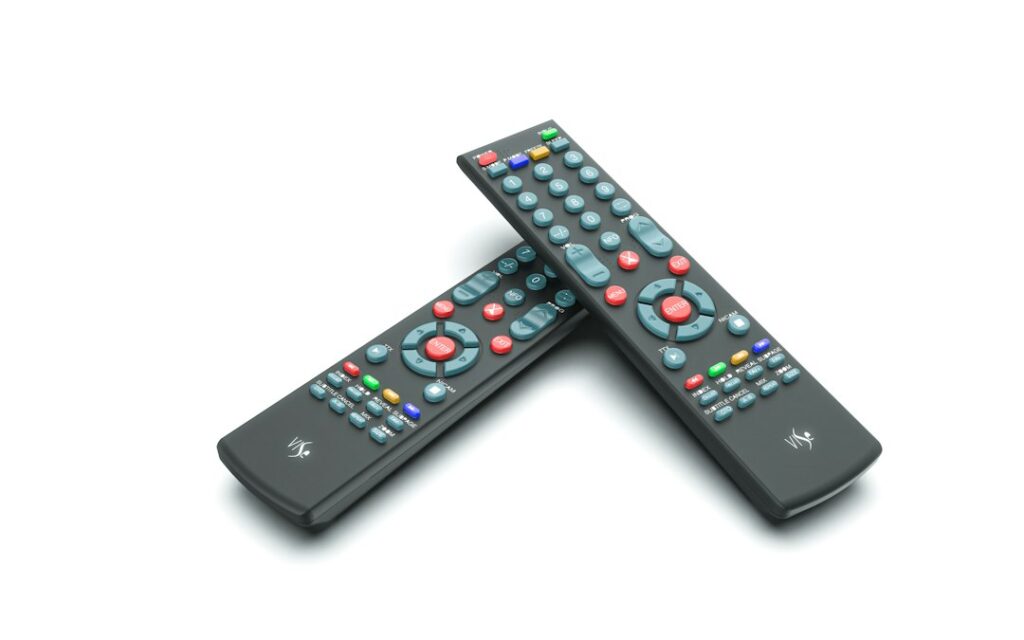
Amazon bundles an Alexa voice remote with dedicated buttons for streaming apps. It feels light in the hand and gets the job done. Apple’s Siri Remote uses a touch-sensitive clickpad and an aluminium build that feels much sturdier. Siri handles searches well across UK platforms, though Alexa integrates deeper into smart home setups if you use smart plugs or bulbs.
Understanding Audio and Visual Formats for Live Broadcasts
Modern live television is evolving beyond standard high definition, with major sports fixtures and special events increasingly broadcast in 4K resolution accompanied by advanced spatial audio formats. When evaluating hardware, it is vital to understand how well each device decodes these heavy data streams in real time. The Apple TV 4K excels in audio-visual synchronization, offering full support for Dolby Atmos soundtracks which are becoming standard for premium sports and cinematic events on platforms like Sky Go and TNT Sports. Meanwhile, the Fire TV Stick 4K Max also supports Dolby Atmos and HDR formats, but its lower memory bandwidth can occasionally lead to minor buffering hiccups when switching rapidly between high-framerate sports channels and standard definition menus. Ensuring your television and soundbar match the output capabilities of your chosen streaming box will dramatically improve your overall viewing immersion, turning your living room into a true home cinema setup without requiring a complicated separate cable box or satellite dish receiver.
Pros and Cons
Amazon Fire TV Stick 4K Max
Pros: Affordable price point, frequent sales, compact form factor, extensive app selection.
Cons: Interface features heavy promotional ads, less internal storage.
Apple TV 4K
Pros: Zero ads on the home screen, premium build quality, robust ethernet port option, fast processor.
Cons: Significantly higher upfront cost, remote takes time to master.
Setup Guidance and Compatibility Notes
Plug either device into a spare HDMI port and connect it to power. Follow the on-screen prompts to sign in with your Amazon or Apple account. Remember that the legality of any stream depends entirely on the service provider holding the correct broadcasting rights in the UK. For a deeper look at alternative hardware configurations, check out this guide on choosing official IPTV hardware in the UK to ensure compliance with local broadcasting standards.
Frequently Asked Questions
Can I install any IPTV app on an Apple TV?
No. You can only download apps that are officially approved and listed on the tvOS App Store.
Do I need a 4K TV to use these devices?
No. Both units work with standard 1080p high-definition televisions by scaling the output automatically.
Does the Fire TV Stick require a monthly fee?
The hardware itself requires no subscription, though individual content providers may charge for their services.
Which device offers better Wi-Fi stability?
Apple TV 4K includes Wi-Fi 6 and an Ethernet port on the higher-end model, making wired connections much easier.
Are these devices legal to use in the UK?
Yes. Both Fire TV devices and Apple TV are completely legal hardware products sold by major retailers.
Can I control smart home devices with the Fire remote?
Yes. Alexa integration lets you control compatible lights, heating, and smart plugs directly.
How much storage do I need for IPTV apps?
Official streaming apps take up very little space, so the base storage on either device is plenty.
Will my remote control my TV’s volume?
Both remotes include infrared emitters to control power and volume on most modern television sets.
For more information, iptv.
Related reading
- Choosing Legal Sports IPTV UK Packages for Match Days
- How to Fix IPTV Audio Out of Sync on UK Smart TVs and Firestick
Update: Best Official Streaming Hardware for Legal IPTV in the UK
Update: What to Expect from an IPTV Subscription UK: Setup, Requirements and Everyday Use
- Understanding Legal Sports IPTV UK Pricing Models
- Channel Availability and Match Selection
- Device Compatibility and App Performance
- Comparing Official Streaming Options
- Pros and Cons of Official Internet Streaming
- Pros
- Cons
- Legal and Licensing Note
- Buying Checklist for Football Fans
- Frequently Asked Questions
- Can I watch 3 PM Saturday Premier League games legally via streaming?
- How much internet speed do I need for HD football streaming?
- Do I need a TV licence for sports streaming apps?
- Can I share my streaming login with friends?
- Why is my streaming picture delayed compared to live radio?
- What is the cheapest way to watch Champions League matches?
Watching your team play every weekend takes planning now that matches are split across different broadcasters. Traditional satellite dishes are fading away as internet streaming takes over living rooms across the country. If you want to watch live fixtures without breaking club rules or missing a kick, legal sports IPTV UK subscriptions offer a reliable route.

You don’t need a bulky box bolted to your wall anymore. Official apps deliver HD feeds straight to your smart TV, tablet, or streaming stick. But picking the right package gets confusing when prices climb and channel rights change every season. Let’s break down what you actually get for your money.
Understanding Legal Sports IPTV UK Pricing Models
Broadcasters charge different rates depending on how you sign up. Sky Sports, TNT Sports, and Premier Sports dominate the landscape. You can buy them through your broadband provider, via satellite, or as standalone streaming passes.
Monthly rolling contracts give you freedom. You can cancel during the summer break when no football airs. Annual commitments lower the monthly cost. But they lock you in when your team hits bad form. Virgin Media and Sky often bundle broadband with TV packages. These bundles look cheaper on paper. They trap you in long contracts though.
NOW memberships offer a flexible middle ground. You buy day or month passes for sports channels. There’s no dish required. You just log into the app on your Firestick or Apple TV and watch. Prices fluctuate with special offers around the start of the season. Always check if HD costs extra. Some providers charge more for high-definition and 44k streams.
For a deeper dive into how these services stack up against traditional setups, take a look at our guide on evaluating legal sports IPTV UK packages for live football to see what matters most.
Channel Availability and Match Selection
No single provider shows every single match. The Premier League splits games between Sky Sports, TNT Sports, and Amazon Prime Video. If you want domestic cup action, you need BBC and ITV for the FA Cup. Carabao Cup games sit on Sky Sports.
European football adds another layer. TNT Sports holds the rights to the Champions League, Europa League, and Conference League. You need multiple subscriptions if you follow a team in Europe.
Check the schedule before committing to a long-term plan. Some lower-tier matches air on club-specific streaming channels rather than main TV networks. Official internet-delivered packages show what’s listed on the electronic programme guide. They don’t magically unlock games blocked by blackout rules. The Saturday afternoon blackout rule still applies to all UK broadcasts. Kick-offs at 3 PM never appear on live television here.
Device Compatibility and App Performance
Your hardware dictates your viewing experience. Amazon Fire TV sticks dominate UK households because they cost little and run most apps well. Samsung and LG smart TVs use different operating systems. Their app stores vary. EE TV and BT boxes offer dedicated sports apps built into the hardware.
Streaming live football demands stable internet speeds. You need at least 15 Mbps for a crisp HD feed. 4K broadcasts require double that bandwidth. Wi-Fi drops cause buffering right when a team enters the penalty box. Ethernet cables solve most connection dropouts. Plug your streaming box straight into your router if your setup allows it.
Audio sync issues plague some budget streaming devices during busy matchdays. If commentary lags behind the picture, restart your app or check your TV audio settings. Most official apps update automatically to fix these bugs.
Comparing Official Streaming Options
| Provider | Main Sports Covered | Typical UK Cost | Best Device |
|---|---|---|---|
| Sky Sports via NOW | Premier League, EFL, F1, Cricket | £26 – £35 / month | Fire Stick, Roku, Smart TV |
| TNT Sports | Champions League, Premier League, Rugby | £18 – £30 / month | EE TV, Discovery+ App |
| Premier Sports | Scottish Premiership, La Liga, Rugby | £10 – £15 / month | Smart TV, Mobile App |
| BBC Sport / ITVX | FA Cup, International Friendlies | Free (with TV Licence) | Any Connected Device |
Pros and Cons of Official Internet Streaming
Switching to app-based sports viewing changes how you watch matches. Weigh the benefits against the drawbacks before spending your cash.
Pros
- No drilling holes or installing satellite dishes on your roof.
- Pause and rewind live matches during half-time analysis.
- Move your streaming stick between rooms or take it on holiday.
- Flexible rolling monthly passes let you pause subscriptions in the off-season.
Cons
- Multiple subscriptions are necessary to watch all competitions.
- Internet dropouts can ruin crucial moments in tight games.
- Streaming delays mean your neighbour celebrates a goal thirty seconds before you see it.
- High-definition extras sometimes cost extra money.
Legal and Licensing Note
Official sports broadcasting rights cost billions of pounds. Broadcasters protect those investments fiercely. Using unauthorized streams, cracked M3U playlists, or modified apps breaks UK copyright law. Law enforcement and internet service providers block illegal servers constantly. Stick to licensed platforms like NOW, Discovery+, and official club channels. You get stable feeds and support British sports production without risking legal trouble.
Buying Checklist for Football Fans
Go through this short list before you hand over your credit card details.
- Check which broadcasters hold the rights to your specific team’s league.
- Test your home broadband speed using an online tool.
- Verify that the provider’s app runs on your current television or streaming stick.
- Look for contract terms and cancellation fees before signing a twelve-month deal.
- Confirm whether HD or 4K streams incur extra monthly charges.
Frequently Asked Questions
Can I watch 3 PM Saturday Premier League games legally via streaming?
No. The UK blackout rule bans live broadcasts of Saturday afternoon matches. No legal provider shows them.
How much internet speed do I need for HD football streaming?
Aim for a minimum speed of 15 Mbps for clear high-definition feeds. 4K streams need around 30 Mbps.
Do I need a TV licence for sports streaming apps?
You need a valid UK TV licence if you watch live broadcasts on any channel or app, including BBC iPlayer and Sky Sports.
Can I share my streaming login with friends?
Most official platforms limit simultaneous streams. Sharing your password usually breaches terms of service and triggers account locks.
Why is my streaming picture delayed compared to live radio?
Internet video streams take time to buffer and encode. This causes a delay of thirty seconds or more behind live radio commentary.
What is the cheapest way to watch Champions League matches?
TNT Sports via Discovery+ offers the official route. Look out for broadband provider bundles that include the channel for free.
Finding the right legal sports IPTV UK setup takes a bit of research. Match your team’s schedule with the correct broadcaster package. Keep your internet connection fast, choose flexible monthly terms, and enjoy the season without interruption.
For more information, iptv.
Related reading
- How to Fix IPTV Audio Out of Sync on UK Smart TVs and Firestick
- IPTV UK Myths vs Facts: Separating Streaming Technology from Misconceptions
Update: How to Fix IPTV Buffering and Lag on UK Smart TVs and Firestick
Update: Best Official Streaming Hardware for Legal IPTV in the UK
- Decoding the Realities of IPTV UK Technology
- Myth 1: The Technology Itself Is Automatically Illegal
- Myth 2: You Do Not Need a TV Licence If You Only Stream
- Myth 3: Any Internet Speed Can Handle High-Definition Feeds
- Fact: Hardware Choice Drastically Impacts Your Daily Viewing Experience
- Fact: Home Network Architecture Shapes Streaming Stability
- Common Questions About UK IPTV
- Do I need special equipment to get started?
- Why does my picture quality fluctuate during peak times?
- Are free streaming applications safe to use?
Decoding the Realities of IPTV UK Technology
Switching on your television no longer means waiting for a traditional satellite dish or terrestrial aerial to catch your favourite evening programmes. Instead, internet protocol television has completely shifted how households across the country consume live broadcasts and on-demand media. Yet, plenty of confusion still surrounds IPTV UK setups, leaving many viewers unsure about how the underlying technology actually functions.

Regulators like Ofcom monitor modern broadcasting standards closely as digital adoption grows. Despite this oversight, persistent myths keep circulating online. Let’s separate fact from fiction regarding modern streaming methods.
Myth 1: The Technology Itself Is Automatically Illegal
People often assume that using an internet-based television protocol breaks the law. That is completely false. The delivery method is just a network medium, much like fibre broadband carrying your web browsing data or voice calls. Major mainstream broadcasters use this exact infrastructure to stream their output directly to smart devices every single day.
The core distinction lies in authorization and distribution rights rather than the underlying data packets. If a platform holds proper licensing agreements to broadcast specific content, the stream is fully authorized. Problems only arise when unauthorized distributors bypass copyright holders. Understanding how IPTV UK services handle live broadcasting rights helps clarify why legitimate providers operate under strict contractual frameworks.
Furthermore, major telecommunications giants and authorized streaming apps rely entirely on Content Delivery Networks (CDNs) to distribute legal digital signals across the country. These networks optimize traffic routing to ensure that authorized feeds reach millions of concurrent users without packet loss or structural bottlenecks. When consumers choose fully compliant services, they are simply utilizing the modern evolution of traditional cable and satellite distribution, adapted for an era defined by high-speed broadband infrastructure.
Myth 2: You Do Not Need a TV Licence If You Only Stream
Many viewers believe that cutting the cord on traditional aerials completely removes any obligation to hold a television licence. According to TV Licensing regulations, the rules depend entirely on what you watch rather than the gadget you use. If you view live broadcasts on any channel, or consume content on BBC iPlayer, a valid licence remains a legal requirement.
This rule applies equally whether your household receives signals via a rooftop antenna, a cable box, or a fibre broadband connection. Catching up on demand after broadcast transmission sometimes has different rules, but live streams always trigger the licensing requirement.
This legal mandate applies across an expansive array of modern consumer electronics, including smartphones, tablets, desktop computers, games consoles, and dedicated streaming boxes. The defining legal criterion is not the hardware specification or the transmission protocol, but rather the chronological nature of the viewing habit. If content is being watched or recorded live as it is being broadcasted anywhere in the UK, the household must be covered by a valid licence, ensuring that public service broadcasting remains funded regardless of how consumers choose to access their media.
Myth 3: Any Internet Speed Can Handle High-Definition Feeds
Bandwidth matters immensely when you move away from traditional broadcast frequencies. A sluggish ADSL connection from a decade ago will struggle to maintain a stable, high-definition stream during peak evening hours. Modern fibre optic packages provide the steady throughput needed for crisp picture quality.
Dropping frames or experiencing endless buffering usually points back to local network congestion or weak Wi-Fi signals in your living room. Tweaking your hardware setup or switching to an Ethernet cable often solves these performance hiccups instantly. For sports fans preparing for busy weekends, checking out how to configure audio and video settings for live football streaming in the UK can prevent frustrating delays during crucial match moments.
Fact: Hardware Choice Drastically Impacts Your Daily Viewing Experience
Not all connected screens process data with equal efficiency. Older television models running clunky proprietary software often lack the memory capacity required for smooth media playback. Plugging a dedicated media stick into an HDMI port breathes new life into an ageing display.
Processor speeds, RAM allocations, and operating system updates dictate how quickly menus load and streams initialize. Investing in capable hardware ensures your chosen IPTV subscription UK runs without stuttering or unexpected crashes.
Fact: Home Network Architecture Shapes Streaming Stability
Beyond raw internet speed, the way your home network distributes data plays a massive role in your daily viewing experience. Wireless interference from thick walls, neighbouring routers, and household appliances can severely degrade Wi-Fi packet delivery, causing micro-stutters even on fast broadband connections.
Implementing a wired Ethernet connection or upgrading to a modern mesh Wi-Fi system eliminates these local network vulnerabilities. By prioritizing video streaming packets through Quality of Service (QoS) settings on your home router, you can guarantee that live broadcasts receive the necessary bandwidth priority over background downloads or smart home device updates.
Common Questions About UK IPTV
Do I need special equipment to get started?
Usually, a standard broadband connection and a compatible display device are all you need. Most modern smart TVs download official applications directly from their built-in app stores.
Why does my picture quality fluctuate during peak times?
Local internet service provider throttling or congestion on your street cabinet can temporarily reduce available bandwidth. Upgrading your broadband tier often resolves this issue.
Are free streaming applications safe to use?
Official applications provided by licensed broadcasters maintain high security standards. Unverified third-party apps found on unregulated forums often carry security risks or malware.
Getting past the noise lets you enjoy modern television on your own terms. Focus on stable broadband, official apps, and reputable providers to keep your home entertainment setup running smoothly.
For more information, iptv.
Learn more on Wikipedia: ITV (TV network).
Related reading
- How to Set Up Legal IPTV Apps on UK Streaming Devices
- Legal Sports IPTV UK: Choosing Providers with the Best Football Coverage
Update: Choosing Legal Sports IPTV UK Packages for Match Days
Update: Fire TV Stick vs Apple TV: Choosing the Right Official Streaming Hardware for UK IPTV
- Finding Proper Legal Sports IPTV UK Packages
- What to Check Before You Subscribe
- Comparing Official Providers
- Pros and Cons of Legal Streaming Apps
- Optimizing Your Home Network for Live Sports IPTV
- Legal and Licensing Note
- Buying Checklist for Football Fans
- Frequently Asked Questions
- Can I watch every Premier League match with one subscription?
- What internet speed do I need for HD football streaming?
- Do official streaming apps require a satellite dish?
- Can I pause and rewind live matches?
- Are there free legal alternatives for football highlights?
- How many devices can stream simultaneously?
Finding Proper Legal Sports IPTV UK Packages
Watching your team play shouldn’t mean wrestling with dodgy streams or sketchy apps that vanish overnight. If you want legitimate live sports TV UK options, you need services holding proper broadcasting rights. Let’s look at how legal sports IPTV UK platforms stack up for UK football fans.

Official broadcasters like Sky Sports, TNT Sports, and the BBC share the rights landscape. Internet protocol television delivers these channels straight to your living room through broadband instead of an aerial or dish. Choosing the right provider means balancing cost, channel lineups, and device support without breaking any rules.
Navigating the modern landscape of British sports broadcasting requires an understanding of how media rights are distributed. Unlike some regions where a single mega-corporation owns every fixture, the UK sports market is fragmented by design. This competitive bidding process ensures that sports leagues receive maximum financial backing, but it places the burden on the consumer to piece together a viewing package that matches their specific sporting passions. Whether you are a die-hard fan of the English Premier League, a follower of the Scottish Professional Football League, or someone who loves European continental competitions like the UEFA Champions League, understanding your options through legitimate channels guarantees high-definition viewing without the constant fear of sudden stream blackouts or malware infections associated with illegal pirate IPTV operations.
What to Check Before You Subscribe
Signing up for a new TV package requires checking a few key details. Don’t just look at the monthly fee.
- Match Selection: See Legal Sports IPTV UK: Checking Channel Lineups Before You Buy to make sure your preferred league matches actually air on your chosen platform.
- Picture Quality: Look for genuine 1080p HD support at a minimum. 4K streams need fast broadband speeds.
- Simultaneous Streams: Check how many screens you can watch on at once. Families need at least two or three.
- Contract Terms: Monthly rolling deals offer flexibility. Annual passes save money if you’re committing long-term.
Beyond these foundational checks, consumers should also look closely at user interface design and customer support infrastructure. A legal streaming app should offer intuitive navigation, allowing you to jump straight from a pre-match build-up show to live tactical analysis without digging through poorly organized menus. Furthermore, official platforms invest heavily in content delivery networks (CDNs), which means that even during high-traffic matches—such as a Manchester derby or an Old Firm clash—millions of concurrent viewers can log on without experiencing the frustrating buffering wheels that frequently plague underground, unverified streaming networks.
Comparing Official Providers
Several legitimate options give you access to football and other sports across the country. Here is a quick breakdown of major legal platforms available to UK viewers.
| Provider | Main Football Rights | Approx. Monthly Cost | Key Device Support |
|---|---|---|---|
| Sky Sports via Now | Premier League, EFL, WSL | £34.99 (Boost extra) | Smart TVs, Firestick, Games Consoles |
| TNT Sports | Champions League, Premier League | £29.99 | Smart TVs, EE TV, Firestick |
| Amazon Prime Video | Select Premier League fixtures | £8.99 | Most streaming devices |
| Viaplay Sports | Scottish Cup, international matches | £14.99 | Web, iOS, Android, smart TVs |
When analyzing these subscription tiers, it is vital to factor in hidden costs such as HD or 4K add-ons. For instance, platforms like Now often require an additional ‘Boost’ pass to unlock full 1080p resolution and surround sound capabilities, alongside increasing your simultaneous stream limits. Evaluating the total cost of ownership across an entire football season helps prevent unpleasant financial surprises after your initial promotional discount period expires.
Pros and Cons of Legal Streaming Apps
Using authorized services brings distinct advantages along with a few trade-offs.
Pros:
- Rock-solid reliability during high-profile weekend matches.
- Official apps built specifically for popular hardware like Apple TV and Firestick.
- Access to catch-up TV and match highlights legally.
- Guaranteed data privacy and secure billing systems that protect your financial details.
- Professional studio punditry, multi-angle replays, and expert half-time analysis.
Cons:
- Subscribing to multiple services to watch every competition gets expensive.
- Slight broadcast delay compared to traditional terrestrial television or stadium view.
- Geographic restrictions that prevent seamless viewing while travelling outside the UK without authorized VPN configurations.
Optimizing Your Home Network for Live Sports IPTV
Transitioning from traditional cable or satellite to an internet-based delivery model places specific demands on your home infrastructure. To truly enjoy legal sports IPTV UK services without annoying stuttering or sudden drops in resolution, your broadband connection must be properly optimized. First, consider hardwiring your primary streaming device—whether that is a smart TV, Apple TV, or Amazon Fire Stick—using an Ethernet cable rather than relying entirely on Wi-Fi. While modern Wi-Fi routers are powerful, physical walls, interference from neighboring networks, and heavy household traffic can cause micro-packet loss, which instantly ruins the fluid motion required for fast-paced sports like football or rugby.
Additionally, look into your router’s Quality of Service (QoS) settings if other members of your household frequently engage in large file downloads or online gaming while matches are airing. Prioritizing video streaming packets ensures that your live football stream remains buttery smooth even when someone else in the house is downloading updates or streaming movies in another room. Checking that your Internet Service Provider (ISP) does not enforce unfair traffic shaping or throttling during peak evening hours will further guarantee an uninterrupted matchday experience.
Legal and Licensing Note
All streaming services mentioned here operate under strict UK broadcasting regulations and hold valid licenses from rights holders. This article focuses entirely on authorized, licensed platforms. We never cover unofficial M3U playlists, cracked apps, or unauthorized re-broadcasters.
Buying Checklist for Football Fans
Follow these steps before entering your payment details:
- Test your home internet speed to ensure it handles high-definition video.
- Verify that your current streaming device runs the official app.
- Read the cancellation policy carefully before locking into a long contract.
- Check for bundle deals with your mobile phone or broadband provider to lower overall monthly expenditures.
Frequently Asked Questions
Can I watch every Premier League match with one subscription?
No single provider holds rights to every single game in the UK because matches are split between Sky Sports, TNT Sports, and Amazon.
What internet speed do I need for HD football streaming?
You need a stable connection of at least 15 Mbps for smooth 1080p playback without pixelation.
Do official streaming apps require a satellite dish?
No, these apps stream entirely over your broadband connection, making them ideal for flats and rented properties.
Can I pause and rewind live matches?
Most legal sports IPTV UK applications include catch-up features and live pausing tools.
Are there free legal alternatives for football highlights?
BBC Sport shows highlights on Match of the Day, and official YouTube channels publish goals shortly after full time.
How many devices can stream simultaneously?
Limits vary by provider. Sky via Now requires a Boost add-on for multiple screens, while others include two or three streams by default.
For more information, iptv.
Related reading
- Troubleshooting Guide: Fixing Freezing and Playback Errors on Legal UK IPTV Apps
- Understanding How UK IPTV Delivers Live Television Across the Country
Update: IPTV UK Myths vs Facts: Separating Streaming Technology from Misconceptions
Update: How to Fix IPTV Audio Out of Sync on UK Smart TVs and Firestick
- The Core Mechanics of IPTV Streaming
- Unicast Versus Multicast Delivery Methods
- Video Compression and Bitrate Standards
- The Role of Content Delivery Networks (CDNs) in UK Coverage
- The Regulatory Framework and Official Standards
- Frequently Asked Questions
- Does streaming television over the internet require a TV licence?
- Why does my live stream lag behind traditional cable?
- What internet speed is necessary for high-definition streaming?
Understanding How UK IPTV Delivers Live Television Across the Country
Switching on a television used to mean angling an aerial or paying a satellite engineer to mount a dish outside your window. Nowadays, many households across the UK simply connect a streaming box to their broadband router and watch live channels instantly. This delivery method is known as UK IPTV, shifting television signals from traditional radio waves and cables straight into digital data packets.

Behind this modern viewing experience lies a complex network of servers, data centers, and internet protocols. Understanding what happens between a broadcaster’s studio and your living room screen helps clarify why some streams run smoothly while others stall or buffer during peak evening hours.
The Core Mechanics of IPTV Streaming
Traditional television broadcasts send every single channel continuously through a broadcast tower or satellite transponder. Your TV or set-top box tunes into a specific frequency and displays whatever data happens to arrive at that exact second. Internet protocol television operates on a completely different principle.
Instead of broadcasting everything at once, an IPTV service UK provider only sends the specific channel you select. When you press the remote button to watch a football match or a news bulletin, your device sends a direct request back to the server. The server responds by streaming that individual video feed directly to your unique IP address.
This point-to-point delivery model conserves immense amounts of bandwidth. However, it also means your home internet connection bears the full weight of the data stream. If your broadband speed fluctuates, the continuous stream of video packets encounters delays, leading to visible stutter on your display. For example, during a high-stakes Saturday afternoon Premier League fixture, millions of simultaneous requests can strain residential fiber connections if local routing nodes experience unexpected congestion.
Unicast Versus Multicast Delivery Methods
Telecom operators and independent platforms handle data routing differently depending on their network infrastructure. Understanding these technical distinctions reveals why performance varies widely between different providers.
- Unicast: Used primarily by public internet streaming apps. Every single viewer receives an independent stream. If one million people watch the same soap opera, the server must transmit one million separate data streams.
- Multicast: Typically used by major telecommunications companies delivering television over closed fibre networks. The network sends a single data stream to a router hub, which then duplicates it locally for everyone tuned into that channel in the same neighbourhood.
Because multicast technology requires deep integration with broadband provider networks, standard third-party apps generally rely on unicast delivery over the public internet. This makes network congestion a common hurdle for everyday consumers.
Video Compression and Bitrate Standards
Raw video files are far too large to travel across standard broadband lines without choking network capacity. Broadcasters rely on advanced video codecs to shrink file sizes while preserving visual clarity. Modern platforms frequently utilise codecs like H.264 or the more efficient H.265 (HEVC) to compress live feeds.
When evaluating an IPTV subscription UK, the bitrate dictates the overall picture quality. A high-definition feed running at 50 frames per second requires a stable download speed to prevent dropped frames during rapid camera movements in sports broadcasts. Lower bitrates reduce bandwidth demands, but they often introduce pixelation and blurring during fast-paced action sequences. Furthermore, modern streaming architectures frequently employ Adaptive Bitrate (ABR) technology, which dynamically scales down video resolution in real-time if network packet loss or jitter is detected, preventing total playback freezes at the expense of temporary visual softening.
The Role of Content Delivery Networks (CDNs) in UK Coverage
To ensure smooth delivery across England, Scotland, Wales, and Northern Ireland, modern streaming architectures rely heavily on Content Delivery Networks (CDNs). Instead of routing every single viewer request back to a single centralized server—which would quickly overload and crash—CDNs distribute cached copies of video content across multiple edge servers located closer to regional internet exchanges in major hubs like London, Manchester, and Edinburgh.
When a user requests a live channel, the video data travels a much shorter physical distance across the network topology, drastically reducing latency and the likelihood of dropped packets. This localized approach is particularly crucial for national broadcasters handling sudden, massive spikes in concurrent traffic during breaking news announcements, emergency government broadcasts, or high-profile international football tournaments.
The Regulatory Framework and Official Standards
The delivery of television services across Britain is subject to strict regulatory oversight. Organisations such as Ofcom monitor broadcasting standards and spectrum allocation, ensuring that commercial entities operate within established legal frameworks. Furthermore, intellectual property rights govern who holds the authority to transmit copyrighted television programmes and live sporting events to British audiences.
When selecting any IPTV provider UK, verifying that the service holds valid licensing agreements for its content channels is essential. Unauthorized distribution of protected broadcasts violates UK copyright legislation, making it vital for consumers to stick to fully authorised platforms and official broadcasters.
Frequently Asked Questions
Does streaming television over the internet require a TV licence?
Yes. According to TV Licensing guidelines, anyone watching or recording live television programmes as they are being broadcast or streamed on any device must hold a valid UK TV licence.
Why does my live stream lag behind traditional cable?
IPTV signals undergo encoding, packetisation, and buffering before reaching your screen. This digital processing introduces a small delay of several seconds compared to terrestrial or satellite transmissions.
What internet speed is necessary for high-definition streaming?
A stable broadband connection delivering at least 15 to 25 megabits per second is generally recommended for smooth high-definition video playback without interruption.
For more information, iptv.
Learn more on Wikipedia: UK Pitbulls.
Related reading
- UK IPTV Hardware Guide: Choosing the Right Device for Legal Streaming
- Choosing Legal IPTV for UK Football Fans: What to Look For
Update: Legal Sports IPTV UK: Choosing Providers with the Best Football Coverage
Update: How to Set Up Legal IPTV Apps on UK Streaming Devices
- Myth vs Fact: Clearing Up Confusion Around IPTV UK
- Myth 1: IPTV Is Always Illegal
- Myth 2: You Need a Brand New Smart TV to Stream
- Myth 3: Buffering Is Always Caused by Your Provider
- Myth 4: A Free Trial Guarantees a Stable Service
- Myth 5: More Channels Always Mean Better Quality
- The Reality of Setting Up UK IPTV Services
Myth vs Fact: Clearing Up Confusion Around IPTV UK
Choosing an IPTV UK service can feel confusing when so much conflicting information floats around online forums and social media. Let us separate the myths from reality so you understand how television over internet protocol actually works across British households.

Myth 1: IPTV Is Always Illegal
Many people assume that any internet protocol television feed falls outside the law. That is completely false. Major mainstream broadcasters like the BBC and ITV use internet streaming technology every day to deliver live content to millions of viewers through official applications like BBC iPlayer and ITVX. The technology itself is simply a method of data delivery, much like traditional cable or satellite. Legal considerations only arise depending on who holds the distribution rights for specific content. You can learn more about how official networks handle broadcasting rights by checking official guidelines from organisations such as Ofcom, which regulates UK communications.
To expand on this further, the legal distinction usually boils down to authorisation and licensing. When a broadcaster secures the copyright and distribution permissions to transmit a programme over the internet, it is completely legal. Conversely, unauthorized third-party services that redistribute copyrighted material—such as pay-per-view sports events or premium movie channels—without proper licensing agreements operate outside the law. UK authorities, alongside groups like FACT (Federation Against Copyright Theft), actively monitor and take action against illicit streaming networks. Therefore, distinguishing between official over-the-top (OTT) media services and unauthorized re-streamers is crucial for any consumer navigating the digital television landscape.
Myth 2: You Need a Brand New Smart TV to Stream
Some buyers think older television sets cannot handle digital streams. In practice, affordable media players plug directly into HDMI ports to bring modern streaming capabilities to almost any display. If you plan to use compact hardware, our guide on what to check before buying an IPTV device covers essential hardware features to keep in mind.
Many households across the UK still rely on older flat-screen televisions that lack modern operating systems like Tizen (Samsung) or webOS (LG). Rather than investing hundreds of pounds in a brand-new television, devices such as Amazon Fire TV Sticks, Google Chromecast with Google TV, Roku boxes, or Apple TV can transform an older “dumb” TV into a fully functional smart entertainment hub. These compact dongles and set-top boxes handle modern video codecs like H.264 and HEVC (H.265) effortlessly, ensuring that hardware limitations do not stand in the way of high-definition viewing. As long as your television features an available HDMI port and a standard resolution capability, you can easily integrate digital streaming into your living room setup.
Myth 3: Buffering Is Always Caused by Your Provider
When a stream stutters, viewers usually blame their subscription provider immediately. Local network congestion, Wi-Fi interference, or background downloads on other household devices often cause freezing issues instead. Checking your broadband speed or moving closer to your wireless router frequently resolves performance hiccups without needing any changes to your subscription package.
In a typical British household, multiple devices—smartphones, tablets, gaming consoles, laptops, and smart home appliances—compete for bandwidth simultaneously. If someone in the house is downloading a large video game update or streaming 4K content in another room, your live television stream can suffer from packet loss and increased latency. Furthermore, physical obstructions like thick walls, household appliances, and interference from neighboring Wi-Fi networks on the 2.4GHz band can severely degrade wireless signal quality. Upgrading to a 5GHz Wi-Fi connection, utilizing a wired Ethernet cable directly from your router to your streaming device, or performing a simple router reboot can dramatically improve stream stability and eliminate frustrating stuttering.
Myth 4: A Free Trial Guarantees a Stable Service
Short trial periods help you test video quality and user interfaces before committing to longer plans. However, trial streams can sometimes run on different servers or face heavier traffic loads than paid tiers. Testing a service during peak evening hours gives a much more accurate picture of daily performance than checking it on a quiet Tuesday afternoon.
Many providers allocate separate, high-capacity demonstration servers for free trials, meaning the seamless experience you encounter during a quick test might not reflect the actual production servers used by paying customers. Additionally, server loads fluctuate drastically throughout the day. A service that performs flawlessly at 10:00 AM on a Tuesday may struggle significantly during a high-profile Premier League football match or a major Saturday night entertainment broadcast when thousands of users log on concurrently. Evaluating a service under peak-load conditions is the only reliable way to measure its true capacity and network resilience.
Myth 5: More Channels Always Mean Better Quality
A common marketing tactic in the digital television market is advertising thousands of live channels and video-on-demand titles. However, sheer quantity rarely equates to quality. Having access to ten thousand poorly maintained, low-bitrate feeds provides a far worse user experience than having a curated selection of reliable, high-definition channels.
When evaluating a setup, pay closer attention to frame rates (such as stable 50fps or 60fps for sports) and overall bitrate rather than raw channel counts. High-bitrate streams require robust server infrastructure and dedicated bandwidth. Services that overcrowd their servers often experience frequent dropouts, audio-video desynchronisation, and compressed, pixelated imagery during fast-moving scenes. Prioritising stability and visual clarity over an overwhelming number of redundant international channels ensures a much more enjoyable daily viewing experience.
The Reality of Setting Up UK IPTV Services
Getting started requires a reliable broadband connection and compatible hardware. Most modern internet service providers in the UK easily handle high-definition video streams without breaking a sweat. If you run into any initial playlist loading hurdles on your television app, helpful troubleshooting steps are outlined in our Smart TV IPTV playlist loading fixes.
Beyond basic hardware and connectivity, setting up a smooth viewing experience involves configuring your software correctly. Modern media players and applications rely on Electronic Program Guides (EPG) to display up-to-date schedules, channel logos, and programme descriptions. Ensuring your EPG updates automatically and managing your playlist cache properly will prevent common loading errors and keep your interface responsive. Furthermore, understanding how different media players handle URL formats, M3U playlists, and Xtream Codes API logins can save you considerable time during initial configuration.
Ultimately, understanding the underlying technology helps you make informed choices without falling for common online misconceptions. Keep your setup simple, check your equipment specifications, and always rely on official broadcasters for legitimate viewing options.
For more information, iptv.
Learn more on Wikipedia: ITV (TV network).
Related reading
- Legal IPTV Devices UK: Official Hardware Buying Guide
- Which Official Broadcasters Hold UK Sports Streaming Rights?
Update: Choosing Legal IPTV for UK Football Fans: What to Look For
Update: UK IPTV Hardware Guide: Choosing the Right Device for Legal Streaming
Understanding How UK IPTV Broadcasters Deliver High-Definition Streams
Switching from traditional aerials to an IPTV UK setup changes how moving images travel into your living room. Instead of radio waves hitting a rooftop antenna, packets of data flow right through your broadband router. This shift relies on complex server architecture and efficient data compression.

The transition from analog and standard digital terrestrial broadcasting to internet protocol television represents one of the most significant engineering overhauls in modern telecommunications. Households across the United Kingdom are increasingly turning away from legacy coaxial cables and satellite dishes, opting instead for flexible, internet-delivered entertainment. This evolution does not merely change the physical cable plugged into the back of a television set; it fundamentally alters the entire pipeline of media distribution, shifting the burden of delivery from dedicated broadcast towers to vast, interconnected global data networks and local Internet Service Provider (ISP) infrastructure.
The Journey of a Live Television Packet
Broadcasters capture live events using professional cameras. They convert those physical signals into digital bits instantly. Next, encoder hardware shrinks the file size down significantly. Without compression, a single uncompressed high-definition feed would choke most residential home connections.
Once encoded, the stream heads to an origin server. From there, content delivery networks distribute copies across multiple regional nodes. When you press play on your remote, your device requests the nearest data fragment. That fragment travels across fibre optic cables straight to your internet service provider.
To visualize this journey, consider a Premier League football match broadcast live from a London stadium. The raw video feed captured by sideline cameras generates data at rates exceeding gigabits per second. Specialized hardware encoders ingest this massive data stream and apply advanced compression algorithms in real-time. This compressed file is then fragmented into tiny, manageable chunks—typically lasting between two to six seconds each. These chunks are packaged using streaming protocols such as HTTP Live Streaming (HLS) or Dynamic Adaptive Streaming over HTTP (DASH). The origin server receives these chunks and instantly replicates them across Content Delivery Network (CDN) edge servers strategically positioned in data centers across Manchester, London, Edinburgh, and other key peering locations. When a viewer in Birmingham clicks to watch the match, their set-top box or smart TV initiates an HTTP request to the nearest CDN node, pulling the data packets across high-capacity fibre backbones directly into the local neighborhood exchange and finally through the residential copper or fibre drop.
Codecs and Bitrates Explained
Codecs do the heavy lifting behind the scenes. They pack data tight for travel and unpack it rapidly on your display. H.264 remains widely used, but newer formats like HEVC handle 4K content far better. Higher bitrates mean sharper details during fast sports matches. Lower bitrates save bandwidth when your connection slows down.
- Standard definition requires minimal bandwidth.
- High definition demands stable medium-speed broadband.
- Ultra-high definition pushes hardware limits further.
Ofcom monitors broadband performance standards across the country, ensuring networks maintain the capacity needed for modern digital media consumption.
Delving deeper into compression technology, codecs (coder-decoders) are mathematical formulas that determine how video data is squeezed and restored. Older codecs like MPEG-2 required massive bandwidth, which is why early digital television was restricted in channel counts. H.264 (AVC) revolutionized the industry by analyzing motion between consecutive video frames, transmitting only the pixels that actually changed rather than refreshing an entire image sixty times a second. Today, HEVC (H.265) and emerging codecs like AV1 push efficiency even further, allowing 4K ultra-high-definition streams to travel across connections that previously could barely support stable 1080p feeds. Bitrate dictates how much data is dedicated to every single second of video. A high-action broadcast featuring rapidly moving confetti, fast-paced ball movement, or complex lighting requires a high bitrate—often 8 to 15 megabits per second for 1080p—to prevent unsightly blocky artifacts, known as macroblocking, from ruining the visual experience.
Handling Latency and Network Jitter
Live viewing introduces unique challenges. Traditional terrestrial broadcasts have a minor delay, but internet delivery adds packet jitter and buffering variables. If network congestion spikes, your player drops frames to catch up. Wired Ethernet connections usually bypass local wireless interference, keeping streams steady during peak evening viewing hours.
Network jitter—the variability in packet arrival times—poses a constant threat to smooth video playback. While a web browser can happily wait an extra second to load a webpage, a live video player must maintain a strict timeline to keep audio and video synchronized. When thousands of households in the same neighborhood log on to watch a major televised event at 8:00 PM, local node congestion can cause packet delays. To combat this, modern IPTV players utilize playback buffers, holding a few seconds of video in local memory to smooth out minor network hiccups. However, if jitter becomes too severe, the buffer empties, forcing the stream to stutter or pause entirely while it downloads more data. Users can significantly mitigate these issues by replacing crowded Wi-Fi connections with physical Category 5e or Category 6 Ethernet cables, thereby avoiding the packet loss caused by household obstacles, microwave ovens, and overlapping wireless channels.
The Crucial Role of Content Delivery Networks (CDNs)
Without Content Delivery Networks, the modern internet television ecosystem would collapse under its own weight. If every single person streaming a popular television show attempted to download the data directly from the broadcaster’s central server in London, that server would instantly crash due to overwhelming traffic requests.
CDNs solve this problem through geographic distribution. By maintaining cache servers distributed globally and locally within UK internet exchange points (such as LINX in London), CDNs ensure that data travels the shortest possible physical distance to reach the end consumer. When a broadcaster updates a live stream or pushes on-demand assets, the files are replicated across this vast web of edge servers ahead of peak viewing times. This decentralized architecture not only reduces latency and eliminates single points of failure but also drastically decreases transit costs for broadcasters, making high-definition streaming economically viable on a mass scale.
Future Trends in Domestic Television
As fibre networks expand deeper into neighbourhoods, data bottlenecks shrink. Broadcasters keep experimenting with adaptive bitrates that shift quality dynamically. Understanding these underlying mechanics helps viewers troubleshoot everyday playback quirks without frustration.
Looking ahead, the convergence of 5G fixed wireless access, multi-access edge computing, and artificial intelligence-driven video processing promises to make IPTV delivery even more resilient. Broadcasters are increasingly adopting AI-powered upscaling and perceptual encoding techniques that optimize compression based on what the human eye actually perceives, saving bandwidth without sacrificing perceived visual fidelity. As full-fibre (FTTP) infrastructure continues to replace ageing copper lines across the United Kingdom, buffering could soon become a relic of the past, paving the way for ubiquitous 8K broadcasting, interactive multi-camera angles, and ultra-low-latency streaming that rivals or even surpasses traditional broadcast standards.
For more information, iptv.
Learn more on Wikipedia: ITV (TV network).
Related reading
- Legal IPTV UK Device Comparison: Streaming Hardware Features
- How to Stream Live UK Football Legally Using Official Apps and Services
Update: Which Official Broadcasters Hold UK Sports Streaming Rights?
Update: Legal IPTV Devices UK: Official Hardware Buying Guide