- What is a Legal IPTV UK Device?
- Direct Answer: Which Hardware Wins the Legal IPTV UK Device Race?
- Comparing Popular Streaming Hardware Features
- Operating Systems and App Availability
- 4K, HDR, and Audio Support
- Connectivity: Wi-Fi and Ethernet
- Hardware Comparison Table
- Pros and Cons of Using a Dedicated Legal IPTV UK Device
- Pros
- Cons
- Setup Guidance and Compatibility Notes
- Frequently Asked Questions
- Can I use a legal IPTV UK device with my older non-smart television?
- Do I need a TV licence to watch live streaming services in the UK?
- Will these devices work with any internet provider?
- Is a wired Ethernet connection necessary for streaming?
- Can I control my streaming stick using my voice?
- How do parental controls work on these media players?
- Do manufacturers offer a warranty in the UK?
What is a Legal IPTV UK Device?
Internet Protocol Television delivers broadcast signals through your broadband connection rather than a traditional satellite dish or aerial. When you pick a legal IPTV UK device, you’re choosing hardware capable of running official apps from broadcasters like the BBC, ITV, and Sky. The technology itself is completely normal, but whether your setup is legal depends entirely on the service provider you use. If they hold the proper broadcasting rights, everything is above board.

Many popular streaming gadgets plug straight into your television’s HDMI port. You’ll find options running Fire OS, Android TV, tvOS, or Roku OS. Each platform handles apps a bit differently. We regularly look at choosing the right streaming hardware for legal IPTV in the UK to help readers navigate these choices without getting overwhelmed by tech jargon.
Direct Answer: Which Hardware Wins the Legal IPTV UK Device Race?
No single piece of hardware suits every single household. Amazon’s Fire TV Stick 4K Max and Google TV Streamer currently offer the most reliable balance of app availability, processor speed, and smooth 4K playback for UK streaming apps. Apple TV 4K provides a slicker user experience and better privacy controls, but it costs significantly more than standard media sticks.
Comparing Popular Streaming Hardware Features
Different operating systems change how you interact with your live TV apps. Let’s break down how the major platforms stack up across essential performance metrics.
Operating Systems and App Availability
Android TV and Google TV give you access to the Google Play Store. Fire TV devices use the Amazon Appstore. Both ecosystems cover all major UK catch-up and subscription services. Apple TV relies on tvOS, which supports every major official UK broadcaster app. Roku devices run Roku OS, offering great free ad-supported streaming TV channels alongside standard terrestrial apps, though their advanced media player support differs from Android alternatives.
4K, HDR, and Audio Support
Most modern streaming boxes handle 4K Ultra HD, Dolby Vision, and HDR10+. If you own a high-end soundbar, check whether your chosen hardware passes through Dolby Atmos audio correctly. Apple TV 4K excels here, matching frame rates dynamically to prevent stutter during fast-moving sports broadcasts.
Connectivity: Wi-Fi and Ethernet
Streaming live television demands a stable broadband connection. While Wi-Fi 6 works brilliantly if your router sits close to the television, wired Ethernet offers unbeatable reliability for 4K sports feeds. Devices like the Apple TV 4K and Google TV Streamer include built-in Ethernet ports on their high-end models. Budget Fire sticks require an extra adapter cable for wired networking.
Hardware Comparison Table
| Device | Operating System | 4K / HDR | Ethernet Option | Approx. UK Price (2024) |
|---|---|---|---|---|
| Amazon Fire TV Stick 4K Max | Fire OS | Yes / Dolby Vision | Adapter required | £60 |
| Apple TV 4K | tvOS | Yes / Dolby Vision | Built-in (Top model) | £149 |
| Google TV Streamer | Google TV | Yes / Dolby Vision | Built-in | £99 |
| Roku Streaming Stick 4K | Roku OS | Yes / Dolby Vision | No | £50 |
Pros and Cons of Using a Dedicated Legal IPTV UK Device
Upgrading your television setup with an external media player changes your viewing habits. Here are the main advantages and drawbacks to keep in mind.
Pros
- Faster menu navigation than built-in smart TV software.
- Regular security updates directly from manufacturers.
- Access to official app stores without sideloading risks.
- Easy portability if you travel within the UK.
Cons
- Adds another remote control to your coffee table.
- High-end models carry a steep initial price tag.
- Some free streaming apps feature heavy advertising.
Setup Guidance and Compatibility Notes
Setting up your new player takes just a few minutes. Plug the device into an available HDMI port on your television. Connect the power cable to a wall socket rather than a USB port on the back of the telly, because wall power delivers stable voltage. Follow the on-screen prompts to connect your home Wi-Fi network and sign in with your account details.
Always download official applications directly from the device’s built-in app store. Never assume every single app works identically across different brands. App developers update their software constantly, so check current compatibility notes on the official provider website before purchasing a subscription.
Frequently Asked Questions
Can I use a legal IPTV UK device with my older non-smart television?
Yes, as long as your television features an active HDMI port. The streaming stick processes the digital signal and converts it into picture and sound your screen understands.
Do I need a TV licence to watch live streaming services in the UK?
You need a valid UK TV Licence if you watch or record live television broadcasts on any channel or service, or if you use BBC iPlayer, regardless of the device you use.
Will these devices work with any internet provider?
They work with any UK broadband provider, including BT, Sky, Virgin Media, TalkTalk, and smaller fibre networks like CityFibre partners.
Is a wired Ethernet connection necessary for streaming?
Wi-Fi 5 or Wi-Fi 6 handles standard streaming easily, but a wired Ethernet cable prevents sudden drops in resolution during peak evening hours.
Can I control my streaming stick using my voice?
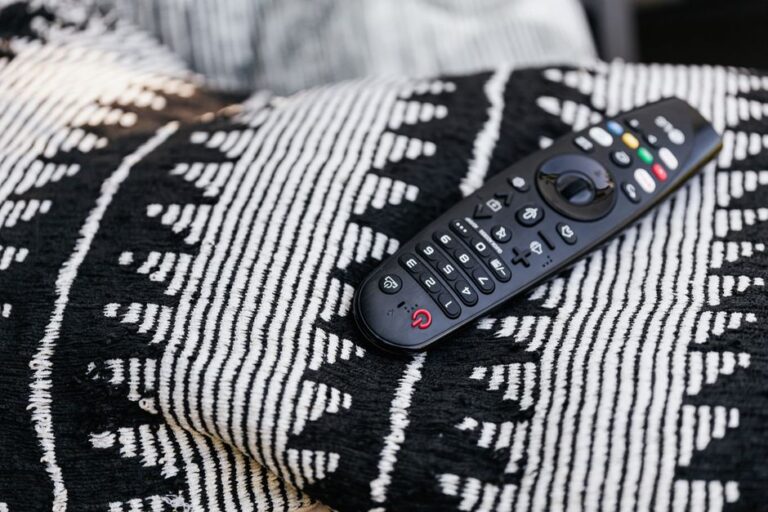
Most modern remotes include built-in microphones compatible with Alexa, Google Assistant, or Siri, letting you launch apps and search for shows hands-free.
How do parental controls work on these media players?
Each operating system includes native parental controls that let you lock app downloads behind a PIN and restrict mature content ratings.
Do manufacturers offer a warranty in the UK?
Major brands like Amazon, Apple, and Google provide a standard one-year hardware warranty covering manufacturing defects for UK purchases.
For more information, iptv.
Related reading
- How to Stream Live UK Football Legally Using Official Apps and Services
- Comparing Firestick and Smart TV Apps for Legal IPTV Setup and Troubleshooting
Update: How to Fix Firestick Buffering During Live UK IPTV Streams
Update: Which Official Broadcasters Hold UK Sports Streaming Rights?