- What is a Legal IPTV UK Device?
- Direct Answer: Which Hardware Wins the Legal IPTV UK Device Race?
- Comparing Popular Streaming Hardware Features
- Operating Systems and App Availability
- 4K, HDR, and Audio Support
- Connectivity: Wi-Fi and Ethernet
- Hardware Comparison Table
- Pros and Cons of Using a Dedicated Legal IPTV UK Device
- Pros
- Cons
- Setup Guidance and Compatibility Notes
- Frequently Asked Questions
- Can I use a legal IPTV UK device with my older non-smart television?
- Do I need a TV licence to watch live streaming services in the UK?
- Will these devices work with any internet provider?
- Is a wired Ethernet connection necessary for streaming?
- Can I control my streaming stick using my voice?
- How do parental controls work on these media players?
- Do manufacturers offer a warranty in the UK?
What is a Legal IPTV UK Device?
Internet Protocol Television delivers broadcast signals through your broadband connection rather than a traditional satellite dish or aerial. When you pick a legal IPTV UK device, you’re choosing hardware capable of running official apps from broadcasters like the BBC, ITV, and Sky. The technology itself is completely normal, but whether your setup is legal depends entirely on the service provider you use. If they hold the proper broadcasting rights, everything is above board.

Many popular streaming gadgets plug straight into your television’s HDMI port. You’ll find options running Fire OS, Android TV, tvOS, or Roku OS. Each platform handles apps a bit differently. We regularly look at choosing the right streaming hardware for legal IPTV in the UK to help readers navigate these choices without getting overwhelmed by tech jargon.
Direct Answer: Which Hardware Wins the Legal IPTV UK Device Race?
No single piece of hardware suits every single household. Amazon’s Fire TV Stick 4K Max and Google TV Streamer currently offer the most reliable balance of app availability, processor speed, and smooth 4K playback for UK streaming apps. Apple TV 4K provides a slicker user experience and better privacy controls, but it costs significantly more than standard media sticks.
Comparing Popular Streaming Hardware Features
Different operating systems change how you interact with your live TV apps. Let’s break down how the major platforms stack up across essential performance metrics.
Operating Systems and App Availability
Android TV and Google TV give you access to the Google Play Store. Fire TV devices use the Amazon Appstore. Both ecosystems cover all major UK catch-up and subscription services. Apple TV relies on tvOS, which supports every major official UK broadcaster app. Roku devices run Roku OS, offering great free ad-supported streaming TV channels alongside standard terrestrial apps, though their advanced media player support differs from Android alternatives.
4K, HDR, and Audio Support
Most modern streaming boxes handle 4K Ultra HD, Dolby Vision, and HDR10+. If you own a high-end soundbar, check whether your chosen hardware passes through Dolby Atmos audio correctly. Apple TV 4K excels here, matching frame rates dynamically to prevent stutter during fast-moving sports broadcasts.
Connectivity: Wi-Fi and Ethernet
Streaming live television demands a stable broadband connection. While Wi-Fi 6 works brilliantly if your router sits close to the television, wired Ethernet offers unbeatable reliability for 4K sports feeds. Devices like the Apple TV 4K and Google TV Streamer include built-in Ethernet ports on their high-end models. Budget Fire sticks require an extra adapter cable for wired networking.
Hardware Comparison Table
| Device | Operating System | 4K / HDR | Ethernet Option | Approx. UK Price (2024) |
|---|---|---|---|---|
| Amazon Fire TV Stick 4K Max | Fire OS | Yes / Dolby Vision | Adapter required | £60 |
| Apple TV 4K | tvOS | Yes / Dolby Vision | Built-in (Top model) | £149 |
| Google TV Streamer | Google TV | Yes / Dolby Vision | Built-in | £99 |
| Roku Streaming Stick 4K | Roku OS | Yes / Dolby Vision | No | £50 |
Pros and Cons of Using a Dedicated Legal IPTV UK Device
Upgrading your television setup with an external media player changes your viewing habits. Here are the main advantages and drawbacks to keep in mind.
Pros
- Faster menu navigation than built-in smart TV software.
- Regular security updates directly from manufacturers.
- Access to official app stores without sideloading risks.
- Easy portability if you travel within the UK.
Cons
- Adds another remote control to your coffee table.
- High-end models carry a steep initial price tag.
- Some free streaming apps feature heavy advertising.
Setup Guidance and Compatibility Notes
Setting up your new player takes just a few minutes. Plug the device into an available HDMI port on your television. Connect the power cable to a wall socket rather than a USB port on the back of the telly, because wall power delivers stable voltage. Follow the on-screen prompts to connect your home Wi-Fi network and sign in with your account details.
Always download official applications directly from the device’s built-in app store. Never assume every single app works identically across different brands. App developers update their software constantly, so check current compatibility notes on the official provider website before purchasing a subscription.
Frequently Asked Questions
Can I use a legal IPTV UK device with my older non-smart television?
Yes, as long as your television features an active HDMI port. The streaming stick processes the digital signal and converts it into picture and sound your screen understands.
Do I need a TV licence to watch live streaming services in the UK?
You need a valid UK TV Licence if you watch or record live television broadcasts on any channel or service, or if you use BBC iPlayer, regardless of the device you use.
Will these devices work with any internet provider?
They work with any UK broadband provider, including BT, Sky, Virgin Media, TalkTalk, and smaller fibre networks like CityFibre partners.
Is a wired Ethernet connection necessary for streaming?
Wi-Fi 5 or Wi-Fi 6 handles standard streaming easily, but a wired Ethernet cable prevents sudden drops in resolution during peak evening hours.
Can I control my streaming stick using my voice?
Most modern remotes include built-in microphones compatible with Alexa, Google Assistant, or Siri, letting you launch apps and search for shows hands-free.
How do parental controls work on these media players?
Each operating system includes native parental controls that let you lock app downloads behind a PIN and restrict mature content ratings.
Do manufacturers offer a warranty in the UK?
Major brands like Amazon, Apple, and Google provide a standard one-year hardware warranty covering manufacturing defects for UK purchases.
For more information, iptv.
Related reading
- How to Stream Live UK Football Legally Using Official Apps and Services
- Comparing Firestick and Smart TV Apps for Legal IPTV Setup and Troubleshooting
Update: How to Fix Firestick Buffering During Live UK IPTV Streams
Update: Which Official Broadcasters Hold UK Sports Streaming Rights?
Understanding How IPTV UK Services Handle Live Broadcasting Rights
Finding a reliable IPTV UK service means looking beyond simple channel lists and understanding how content distribution actually works. Streaming television over broadband has changed how households watch live events, but the underlying legal frameworks governing what broadcasters can show remain strict. Ofcom regulates electronic communications and broadcasting standards across the country, ensuring that licensed providers adhere to strict statutory rules.

Many consumers confuse the delivery method with the content license itself. Television over internet protocol is simply a method of transporting video data packets across a network connection, much like loading a video on YouTube or streaming a film on Netflix. Problems arise when distributors lack the necessary agreements to retransmit copyrighted television signals to the public.
The Difference Between Technology and Content Rights
Internet Protocol Television is a neutral technology. It transforms traditional broadcast signals into digital data sent over your router. Broadcasters like the BBC use this exact technology to power BBC iPlayer, delivering live feeds straight to your living room legally.
When you choose an IPTV service UK providers offer, checking the provenance of their channel packages matters immensely. Legitimate platforms secure explicit retransmission consent from rights holders. Unlicensed operations often redistribute feeds without permission, which violates intellectual property statutes enforced by the UK Intellectual Property Office.
Why Licensing Matters for Live Sports
Live football remains the primary driver behind subscription demand in Britain. Premier League matches involve complex global media rights sold at immense costs to entities like Sky Sports, TNT Sports, and Amazon Prime Video.
If an independent provider offers these exact sports channels at a fraction of the official subscription cost, it usually indicates a lack of proper licensing. The Premier League actively works alongside the UK government and internet service providers to block unauthorized streams at the network level.
Regulatory Bodies and Consumer Protection
Consumer rights in Britain are protected by legislation enforced via the Competition and Markets Authority. When you purchase any digital subscription, you expect reliable uptime and clear terms of service. Unlicensed providers rarely offer consumer guarantees or recourse if their streams vanish overnight.
For more details on official broadcast regulations, you can consult Ofcom regarding how television standards are maintained across different distribution platforms. Furthermore, understanding what a standard IPTV trial UK providers offer can help you test technical compatibility without committing long-term funds to an unverified platform.
Spotting Authorized Versus Unauthorized Packages
Distinguishing between legal platforms and rogue operators usually comes down to a few clear indicators. Official apps are readily available on mainstream app stores like Google Play, Apple App Store, or manufacturer stores for Samsung and LG televisions. They require standard account registration, clear billing methods, and transparent company information.
Conversely, operations relying on sideloaded APK files, cryptocurrency payments, or vague web forms often operate outside the legal framework. Staying informed helps you enjoy your favourite programmes while supporting the creators and broadcasters who produce the content.
For more information, iptv.
Learn more on Wikipedia: ITV (TV network).
Related reading
- How to Check Legal Sports IPTV UK Packages Before Buying
- How to Fix UK IPTV Buffering and Freezing on Firestick
Update: How to Fix UK IPTV Audio Delay on Firestick and Smart TVs
Update: Spotting IPTV Scams: How to Buy Legal Sports IPTV UK Safely
- Choosing the Right Hardware for Legal IPTV Streaming
- Platform Comparison: Operating Systems and App Stores
- Hardware Specifications Breakdown
- Connectivity, Storage, and Performance
- Pros and Cons of Top Hardware Choices
- Setting Up Your Hardware for UK Broadcasting
- Frequently Asked Questions
- Do I need a TV licence to watch legal IPTV in the UK?
- Can I use one subscription across multiple devices?
- Why does my live stream stutter during peak evening hours?
- Are smart TV built-in apps better than external streaming boxes?
- How do I know if an app is officially licensed?
- Do all streaming sticks support 4K HDR playback?
- What is the easiest device for elderly family members to use?
Choosing the Right Hardware for Legal IPTV Streaming
Internet Protocol television delivers live channels and on-demand video over your home broadband connection rather than through an aerial or a satellite dish. If you are setting up official, licensed streaming services on your living room screen, the hardware you choose dictates everything from interface speed to app availability. Finding suitable IPTV devices UK users rely on means looking closely at operating systems, remote layout, and overall performance.

Not all streaming boxes handle digital feeds the same way. A budget stick might struggle with high-bitrate live feeds, while a premium box handles heavy workloads effortlessly. Let us look at what makes each major platform tick.
Platform Comparison: Operating Systems and App Stores
Your hardware’s underlying software decides which applications you can install. Amazon Fire TV devices run a heavily modified version of Android, granting access to a massive app store full of official broadcaster apps and media players. Google TV and Android TV offer an even cleaner storefront experience with deep integration for Google Assistant. Apple TV uses tvOS, delivering a smooth, ad-light environment, though you must rely on Apple’s curated App Store. Meanwhile, Roku relies on its own proprietary OS, which limits sideloading entirely but guarantees stability for officially supported UK catch-up apps.
Smart TVs from brands like Samsung and LG run Tizen and webOS respectively. These integrated platforms save you from plugging in external boxes, but their app ecosystems update less frequently than dedicated media streamers. If your television feels sluggish, you might need to speed up slow IPTV apps on your smart tv by clearing system caches or disabling background tasks.
Hardware Specifications Breakdown
| Device | OS | 4K/HDR Support | Connectivity |
|---|---|---|---|
| Amazon Fire TV Cube | Fire OS (Android) | Dolby Vision, HDR10+ | Wi-Fi 6E, Ethernet Port |
| Apple TV 4K | tvOS | Dolby Vision, HDR10+ | Wi-Fi 6, Gigabit Ethernet |
| Google TV Streamer | Android TV | Dolby Vision, HDR10 | Wi-Fi 5, Ethernet Port |
| Amazon Fire TV Stick 4K | Fire OS (Android) | Dolby Vision, HDR10+ | Wi-Fi 6 (Ethernet via adapter) |
Connectivity, Storage, and Performance
Streaming high-definition video requires stable bandwidth. Ethernet ports provide the most reliable connection, eliminating wireless interference entirely. High-end boxes like the Apple TV 4K and Fire TV Cube include built-in Ethernet ports, whereas cheaper sticks require separate adapter accessories. Wireless standards also matter significantly. Wi-Fi 6 and Wi-Fi 6E routers handle multiple heavy streams much better than older generation networking hardware.
Internal storage dictates how many applications and cached electronic programme guides you can maintain. Entry-level hardware often ships with just 8GB of storage, which fills up fast once you install a few media players and catch-up apps. Premium devices offer 16GB to 64GB, giving your operating system room to breathe.
Pros and Cons of Top Hardware Choices
Amazon Fire devices provide unbeatable value and wide compatibility with legitimate media portals, but their interfaces feature prominent promotional banners. Apple TV delivers a pristine, ad-free experience paired with unmatched processing power, though hardware costs run considerably higher than typical streaming sticks. Android TV boxes strike a balance, offering versatile app sideloading capabilities and robust Google Assistant voice controls, though hardware quality varies wildly between budget manufacturers.
Setting Up Your Hardware for UK Broadcasting
Getting started involves plugging your chosen device into an available HDMI port on your television and connecting to your home Wi-Fi network. Sign in with your manufacturer account to access the official app store. Search for your licensed provider’s official application. Never assume that every app works identically across all available IPTV devices UK households use. Check your provider’s official documentation to confirm full compatibility before committing to a long-term subscription.
Frequently Asked Questions
Do I need a TV licence to watch legal IPTV in the UK?
Yes, if you watch live television broadcasts on any channel or use BBC iPlayer, current UK regulations require a valid TV licence regardless of whether you receive broadcasts via an aerial, satellite dish, or internet streaming.
Can I use one subscription across multiple devices?
This depends entirely on your licensed service provider’s account terms. Some legal streaming subscriptions permit multi-screen viewing, while others restrict usage to a single active stream at any given time.
Why does my live stream stutter during peak evening hours?
Network congestion on your local broadband loop often causes temporary speed drops. Switching from Wi-Fi to a wired Ethernet connection usually resolves these bandwidth bottlenecks.
Are smart TV built-in apps better than external streaming boxes?
External boxes generally receive software updates for longer periods and offer faster processors than most built-in television operating systems.
How do I know if an app is officially licensed?
Official applications are downloaded directly from authorized storefronts like the Google Play Store, Amazon Appstore, or Apple App Store, and are published by recognized broadcasting companies.
Do all streaming sticks support 4K HDR playback?
No. Budget streaming sticks often max out at 1080p Full HD resolution. You must specifically purchase 4K-certified hardware to enjoy ultra-high-definition broadcasts.
What is the easiest device for elderly family members to use?
Roku devices and Apple TVs offer straightforward, uncluttered home screens that minimize confusion and make navigating live channels simple.
For more information, iptv.
Related reading
- Legal Sports IPTV UK: Checking Channel Lineups Before You Buy
- Firestick IPTV Connection Guide: Troubleshooting Network Errors in the UK
Update: How to Fix Firestick Audio Delay on UK IPTV Channels
Update: Legal Sports IPTV UK: Evaluating Licensed Channel Packages
Best IPTV subscription alternative to Sky TV
Switching away from traditional satellite dishes often leads households to explore the best IPTV subscription alternative to Sky TV options available in the UK. Sky has dominated living rooms for decades with its heavy boxes and fixed contracts. Modern broadband speeds mean you no longer need a dish on your wall to watch live sport, movies, and entertainment.

Moving Beyond Satellite Dishes
Traditional pay-TV providers tie you into long agreements with steep price jumps after the first year. Streaming television over your internet connection changes how you access your favourite shows. Many viewers want flexibility without paying for channels they never watch. If you want to check how standard channel lineups compare before making a switch, take a look at our guide on UK channel lineups and catch-up TV.
What to Look for in a Modern Provider
Finding a reliable service requires looking past flashy marketing claims. You need consistent streams during peak evening hours when broadband traffic spikes across your neighbourhood. Regulations matter too, and staying informed helps you navigate the market safely. For broader legal context, you can read the Ofcom broadcasting guidelines to understand how UK media laws apply to digital delivery.
Device Compatibility
Your hardware dictates your streaming experience. Whether you plug a media stick into your HDMI port or run an app directly on your flat-screen panel, performance varies. Many users prefer compact hardware options. If you lean towards Amazon devices, our Firestick playlist backup guide shows you how to secure your setup.
Cost Versus Value
Saving money remains the main driver for people leaving traditional satellite packages. Yet the cheapest option often brings buffering issues and poor customer support during major football matches. Balance your budget with a stable connection speed of at least 50Mbps to ensure smooth high-definition playback.
Choosing the Right Fit for Your Living Room
Every household uses television differently. Some care only about Premier League weekends, while others want endless box sets for rainy afternoons. Take time to test trial periods before committing your hard-earned cash to any long-term digital package.
For more information, iptv.
Related reading
- Smart TV app vs streaming stick for IPTV
- NOW Sports vs TNT Sports App: Which Legal Streaming Option Suits UK Football Fans?
Update: Legal Sports IPTV UK: What to Check Before You Subscribe
Update: Best IPTV device for multi-room streaming
- Operating System and App Availability
- Performance, Storage, and Hardware
- Wi-Fi, Ethernet, and Connectivity
- Comparison Table
- Pros and Cons
- Setup Guidance and Legal Advice
- Frequently Asked Questions
- Do all smart TVs support every IPTV app?
- Is a wired Ethernet connection necessary?
- Can I use one remote for everything?
- Why do smart TV menus feel slow?
- Are external media players difficult to install?
- Does every device support 4K resolution?
- How do parental controls work?
Using a dedicated streaming stick often changes how your household watches live television over the internet. Many UK viewers plug a compact HDMI dongle into the back of their television and immediately notice a smoother interface than their built-in TV software. Choosing the right hardware for your setup matters because older displays struggle with modern video codecs and fast menu navigation.

Operating System and App Availability
Your television’s native platform dictates which software you can install. Samsung relies on Tizen, while LG uses webOS. Both platforms host official apps from major UK broadcasters like BBC iPlayer and ITVX, but their app stores have limited selections for third-party tools. If your provider supplies an official application, check the manufacturer store first. Many smart displays simply lack the flexibility found on Android TV or Amazon Fire TV operating systems.
Performance, Storage, and Hardware
Built-in processors inside most flat-screen televisions are notoriously underpowered. Manufacturers usually spend their budget on panels rather than internal memory or fast chipsets. A separate media player usually packs more RAM and dedicated storage, meaning your electronic programme guide loads faster and scrolls without stuttering. You can read more about setting up your TV guide via Smart TV IPTV EPG Setup: Getting UK TV Guides Working Properly to see how performance impacts everyday viewing.
Wi-Fi, Ethernet, and Connectivity
Stable internet connectivity keeps your live streams running without annoying interruptions. While modern smart sets feature decent wireless cards, they rarely come with built-in Ethernet ports unless you buy a high-end model. Many portable media players offer Ethernet adapters or dedicated dongles for wired connections. A wired connection completely removes local wireless interference from microwave ovens or thick walls.
Comparison Table
- Amazon Fire TV Stick / Cube: Fire OS | Excellent 4K & HDR | Wi-Fi & optional Ethernet | Alexa voice control
- Samsung & LG Smart TVs: Tizen / webOS | Varies by model | Usually Wi-Fi only | Basic voice search
- Apple TV 4K: tvOS | Premium 4K & Dolby Vision | Gigabit Ethernet & Wi-Fi | Siri remote
- Google TV / Chromecast: Android TV | Strong 4K support | Wi-Fi (some Ethernet) | Google Assistant
Pros and Cons
Weighing up your options helps prevent buyer’s remorse.
- Smart TV App Pros: No extra remote required, fewer cables trailing down the wall, clean aesthetic.
- Smart TV App Cons: Sluggish processors, limited software updates over time, fewer customisation options.
- Streaming Stick Pros: Frequent updates, fast app loading times, easy to replace or upgrade cheaply.
- Streaming Stick Cons: Requires an extra HDMI port, another power plug, and a separate remote control.
Setup Guidance and Legal Advice
Setting up your hardware should take less than ten minutes. Plug the device into a spare HDMI socket, connect it to your mains power supply, and follow the on-screen prompts to join your home wireless network. Always download official applications directly from the verified app store. IPTV simply delivers television channels over internet protocols, but legality depends entirely on whether your service provider holds the proper broadcasting rights for the UK market.
Frequently Asked Questions
Do all smart TVs support every IPTV app?
No. App availability varies wildly between brands, operating systems, and even manufacturing years. Always check the official store on your specific screen.
Is a wired Ethernet connection necessary?
It isn’t strictly mandatory, but a wired link delivers much better stability for high-definition live broadcasts.
Can I use one remote for everything?
Most modern media players support HDMI-CEC, letting your television remote control the dongle’s basic interface functions.
Why do smart TV menus feel slow?
Television manufacturers typically install budget-friendly processors to keep retail prices competitive.
Are external media players difficult to install?
They require basic plug-and-play knowledge, connecting via standard HDMI and USB power cables.
Does every device support 4K resolution?
Entry-level models often max out at 1080p Full HD, so check the hardware specifications before purchasing.
How do parental controls work?
Most platforms let you set PIN codes to restrict mature content or unauthorized app downloads.
For more information, iptv.
Learn more on Wikipedia: Streaming stick.
Related reading
- NOW Sports vs TNT Sports App: Which Legal Streaming Option Suits UK Football Fans?
- How to Update IPTV Apps on UK Smart TVs and Firesticks
Update: How to Fix Common Login and Playlist Errors on UK Smart TV IPTV Apps
Update: Legal Sports IPTV UK: What to Check Before You Subscribe
- Navigating the Maze of IPTV UK Options
- What to Look For in a Quality UK IPTV Provider
- Evaluating Stream Stability and Server Locations
- Device Compatibility and Setup Simplicity
- Comparing Broadcaster Apps Versus Alternative IPTV Packages
- The Reality of Weekend Sports Coverage
- Subscription Terms: Why Short-Term Plans Win
- Frequently Asked Questions
- Do I need a TV licence for internet streaming?
- Why does my live stream lag during peak hours?
- Are free trials safe to use?
- Final Recommendations for British Viewers
Navigating the Maze of IPTV UK Options
Switching your television setup to an internet-based stream feels simple until you actually start looking. Hundreds of providers promise crystal-clear picture quality and endless channels. Most of them fall short under real-world conditions. Finding a reliable IPTV UK service requires cutting through clever marketing and looking at how these platforms actually perform on a standard home broadband connection.

Ofcom notes that average UK broadband speeds continue to rise, but local bottlenecks still ruin live matches and peak-time viewing. You cannot rely on flashy banner ads alone. You need to check server stability, channel reliability, and compatibility with your living room hardware before handing over any money.
What to Look For in a Quality UK IPTV Provider
Choosing a proper subscription means looking past the sheer volume of channels. Thousands of international feeds mean very little if your local news or weekend sports drop frames every ten minutes. A solid provider focuses on stability rather than inflated numbers.
Evaluating Stream Stability and Server Locations
Server proximity matters immensely for live television. Providers using servers located close to Britain generally deliver lower latency. That translates to fewer spinning loading wheels when millions of people tune into the same evening broadcast. Ask about server redundancy too. If one data center goes down, a good network switches your stream to a backup feed automatically without crashing your player.
Device Compatibility and Setup Simplicity
Your hardware dictates your streaming experience. Some services work brilliantly on custom Android boxes but struggle terribly on Apple hardware or smart TV apps. Check whether the service supports popular applications like TiviMate or IBO Player. If you prefer watching via your television stick, make sure the installation process does not require complicated DNS workarounds. Read our guide on checking sports streaming features before committing to a package if live events form the core of your viewing habits.
Comparing Broadcaster Apps Versus Alternative IPTV Packages
Viewers generally choose between two distinct routes. You can stick entirely to official broadcast apps like BBC iPlayer, ITVX, and Sky’s NOW platform, or you can explore broader alternative packages that aggregate thousands of global feeds into a single interface.
Official apps offer absolute peace of mind regarding legality and stream reliability. They rarely buffer, and they comply fully with UK broadcasting rules set out by the Ofcom regulator. However, managing five or six different monthly subscriptions gets expensive very quickly.
Alternative third-party packages bundle entertainment, news, and sports into one neat guide. They cost a fraction of traditional multi-platform setups. But they also carry distinct risks. Unlicensed re-broadcasting violates copyright laws enforced by the UK Intellectual Property Office. Users who bypass paywalls expose themselves to security risks and sudden service shutdowns when authorities clamp down on illegal server networks.
The Reality of Weekend Sports Coverage
Football fans face the toughest challenge in British broadcasting. Saturday afternoon matches often vanish behind blackout rules, forcing fans to look elsewhere for live feeds. If you care deeply about weekend fixtures, take a moment to read our complete Premier League streaming breakdown to understand how different packages handle 3 PM kick-offs and heavy weekend traffic.
Subscription Terms: Why Short-Term Plans Win
Never buy a twelve-month package upfront. Shady operators love locking customers into long contracts before vanishing offline a week later. Always test the waters first.
- Look for short monthly rolling agreements.
- Avoid lifetime subscriptions completely.
- Verify payment methods carefully.
- Check if a short trial period is available.
Opting for flexible monthly payment plans protects your wallet. If the service degrades or starts dropping channels, you can cancel without losing hundreds of pounds.
Frequently Asked Questions
Do I need a TV licence for internet streaming?
Yes. If you watch live television broadcasts on any channel or consume content on BBC iPlayer, UK law requires you to hold a valid TV licence regardless of the delivery technology.
Why does my live stream lag during peak hours?
Your internet service provider might throttle streaming traffic, or the provider’s servers are simply overloaded. Switching to a wired Ethernet connection often solves local buffering issues instantly.
Are free trials safe to use?
Short testing periods let you check stream quality without financial risk. Be cautious of services demanding credit card details upfront for a free test.
Final Recommendations for British Viewers
Choosing the right IPTV service comes down to balancing cost, reliability, and peace of mind. Official platforms provide unmatched stability and keep you on the right side of UK law. Third-party aggregators offer variety on a budget, but they demand constant caution. Stick to short commitments, test before you buy, and prioritize stable servers over an impossible number of dead channels.
For more information, iptv.
Learn more on Wikipedia: ITV (TV network).
Related reading
- Best low-cost streaming device for IPTV in the UK
- How to Configure Audio and Video Settings for Live Football Streaming in the UK
Update: Evaluating Internet Speeds for Legal Sports IPTV UK
Update: Firestick IPTV buffering: device and network fixes
Choosing Your Payment Schedule
Choosing how to pay for an IPTV UK service involves balancing upfront savings against long-term commitment. Most providers offer both monthly and annual billing cycles. You need to weigh these options carefully before handing over your money.

Many buyers rush into a twelve-month contract because the monthly breakdown looks cheaper. But streaming quality can fluctuate wildly. Committing cash for a full year requires trust that the provider will maintain stable servers over time.
Step 1: Evaluating Your Viewing Habits
Start by looking at how much television you actually watch. Do you only tune in for specific winter football fixtures? Or do you stream daily throughout the year?
Casual viewers often waste money on annual plans. If you only use your streaming setup for a few months during the Premier League season, a monthly rolling agreement makes sense. You can cancel it easily when summer arrives and stop paying for idle time.
Heavy users who watch every single day might find annual savings more attractive. Still, you must check your connection first. If you struggle with bandwidth drops, you might need to fix live TV stream buffering before locking yourself into a long-term billing agreement.
Step 2: Weighing Cost Against Reliability in the Market
Annual packages usually offer a significant discount. Providers love yearly commitments because guaranteed cash flow helps them cover server hosting costs. You might save forty percent or more by paying upfront for twelve months.
However, the streaming market moves fast. Servers get overloaded. Channels go offline. Sometimes, providers shut down unexpectedly or change their server infrastructure entirely.
If you pay monthly, you retain maximum flexibility. If a provider drops your favourite channels or suffers constant downtime, you can walk away next month without losing a large lump sum. Ofcom notes that consumer protections in subscription markets depend heavily on contract terms and upfront payment methods, making shorter commitments safer for unregulated digital services.
Step 3: Calculating Financial Risk
Look closely at your bank account before making a choice. Can you afford to write off an annual payment if the service fails after three months? Most budget-friendly providers do not offer refunds once you pay.
Monthly billing acts as a safety buffer. You pay a slightly higher rate, but your financial exposure remains low. If a service stops working properly next Tuesday, you only lose the small fee you paid for that single month.
Step 4: Making Your Final Payment Decision
Test the waters before committing to any long-term plan. Grab a short-term pass or a trial if available. Put the provider through its paces during peak evening viewing hours when network congestion peaks across the country.
If the streams stay stable for thirty days, upgrading to a longer billing cycle becomes a safer bet. If you experience constant freezing or missing channels during your trial month, stick with month-to-month billing or look for a different provider altogether.
For more information, iptv.
Learn more on Wikipedia: ITV (TV network).
Related reading
- Can you use IPTV on Apple TV in the UK?
- Comparing Legal Sports IPTV UK Packages for Weekend Football
Update: Legal Sports IPTV UK: Choosing Your Provider Wisely
Update: IPTV subscription comparison for UK households
Choosing a Reliable IPTV Device for Live Sports
Watching a 3 PM Saturday Premier League blackout match or an international rugby test requires solid hardware. If your hardware lags, you miss the goal. Finding the right IPTV device for sports streaming means looking at processor speeds, Wi-Fi stability, and official app support. Internet Protocol Television delivers television feeds over broadband rather than traditional aerials or cables. Of course, the legality of any stream always depends on whether the provider holds the correct broadcasting rights for the UK market.
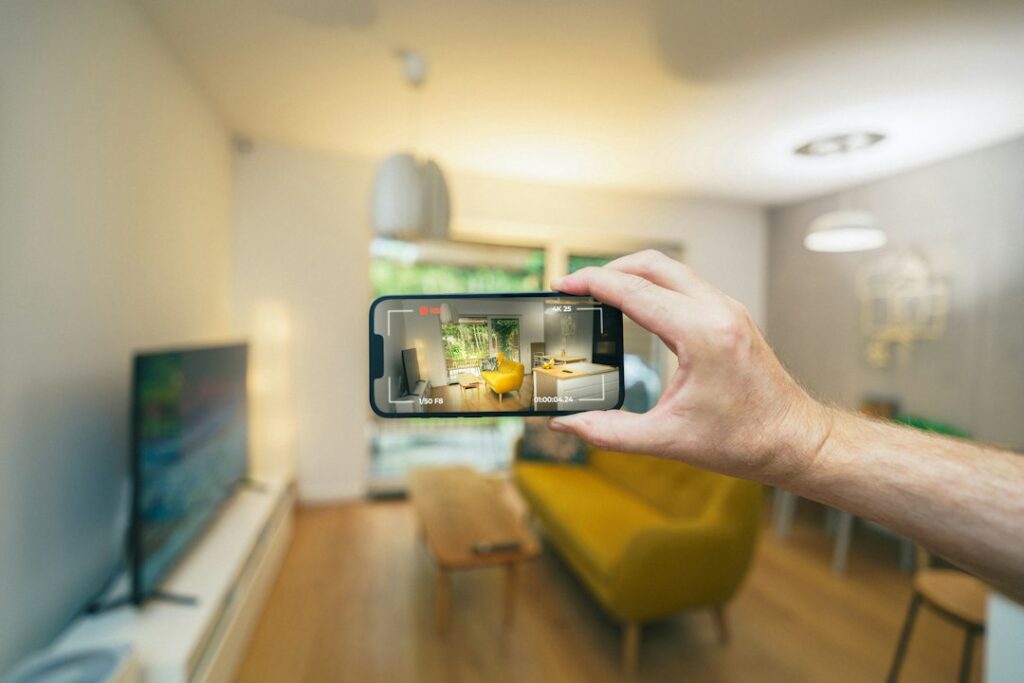
You don’t want a sluggish interface when you’re switching between simultaneous Champions League matches. Let’s look at how the top hardware choices stack up.
Amazon Fire TV Stick and Fire TV Cube
Amazon’s hardware dominates living rooms across the UK. The Fire TV Stick 4K Max handles fast-moving motion well, which matters when a tennis ball flies across a grass court. You get Wi-Fi 6 support on newer models. This helps prevent drop-outs during network congestion, especially if you experience matchday network congestion on your local broadband node. Setup is straightforward via an HDMI port and a standard USB power plug.
App availability is broad. You can download official broadcaster apps like BBC iPlayer, ITVX, and Sky Go directly from the Amazon Appstore. Storage is modest on the basic stick, but adequate for a handful of media applications. Voice control via Alexa lets you search for matches without typing on an onscreen keyboard.
Apple TV 4K
If you want sheer processing muscle, Apple TV 4K sits at the top of the pile. The A15 Bionic chip inside makes menu navigation instant. Live sports look remarkably crisp because the upscaling engine handles fast pans smoothly. Ethernet ports come built into the higher-tier models. Hardwiring your box usually beats Wi-Fi for live match viewing.
Apple’s tvOS marketplace features most major legal streaming clients. Privacy controls are strict, and security updates arrive regularly. The remote uses a touch-sensitive clickpad. Some users love it, while others find it overly sensitive during quick replays. You pay a premium price tag for this level of performance, but it lasts for years.
Android TV and Google TV Boxes
Google TV brings a clean, recommendation-heavy interface to devices like the Chromecast with Google TV and various branded set-top boxes. Finding an IPTV device for sports streaming that runs pure Google TV gives you access to the massive Google Play Store. You can install official apps from broadcasters and verified network operators easily.
Performance varies depending on the specific box you buy. Budget sticks might stutter during high-bitrate 4K football feeds. High-end Android boxes include dedicated Ethernet ports and robust storage for local caching. Voice search works via Google Assistant, making it simple to pull up fixture schedules.
Roku and Smart TV Operating Systems
Roku devices offer simplicity. The user interface stays out of your way. However, customisation is limited compared to Android alternatives. Samsung Smart TVs run Tizen, while LG relies on webOS. Both brands offer solid built-in app stores for official sports apps. Check out our guide on smart TV brand IPTV player support to see if your screen handles your preferred provider without external hardware.
Built-in apps save you from juggling extra remotes. Still, smart TV processors often age faster than dedicated streaming sticks. They might struggle with heavy interface updates after a few years.
Quick Hardware Comparison
- Amazon Fire TV Stick 4K Max: Quad-core processor, Wi-Fi 6, excellent official app support.
- Apple TV 4K: A15 chip, optional Ethernet, premium build quality, high price.
- Google TV Streamer: Smooth interface, vast app store, reliable voice search.
- Samsung/LG Smart TVs: No extra box needed, though operating system updates eventually cease.
Getting Everything Set Up Properly
Plug your chosen hardware into an HDMI port on your television. Connect to your home Wi-Fi network or plug in an Ethernet cable. Sign in with your account credentials. Download the official application provided by your licensed service broadcaster. Never rely on unverified third-party APK files or shady M3U playlists found on forums. Stick to official app stores to keep your home network secure and legal.
For more information, iptv.
Related reading
- Choosing Legal Sports IPTV UK Subscriptions for Football Fans
- How to Fix IPTV Buffering on Firestick in the UK
Update: How to Fix IPTV Audio Out of Sync on Firestick and Smart TVs
Update: How to Verify Licensing for Legal Sports IPTV UK Providers
- Before You Start Troubleshooting
- 6 Common Issues You Can Fix Yourself
- 1. Freezing and Buffering
- 2. Low Device Storage
- 3. Audio and Subtitle Mismatches
- 4. Outdated Playlist URLs
- 5. Router Placement and DNS Glitches
- 6. Incorrect App Configuration
- Common Mistakes to Avoid
- When to Contact Your IPTV Provider
- Safety and Legal Notes
- Frequently Asked Questions
- Will restarting my router fix my IPTV service?
- Why do only sports channels buffer?
- Should I factory reset my Firestick for streaming errors?
Knowing when to ask for IPTV technical support saves you hours of frustration. Some streaming hiccups come from your own Wi-Fi router, while others happen because the broadcasting server is down. You should reach out to customer service when server-side errors persist despite your best troubleshooting efforts.

Quick answer: Contact your provider if your login fails repeatedly with correct credentials, your active subscription shows as expired, or a live stream keeps dropping across multiple different devices on your home network.
Before You Start Troubleshooting
Don’t jump straight to messaging support. Run through these basic checks first to rule out local issues:
- Restart your streaming device completely.
- Power cycle your broadband router by unplugging it for thirty seconds.
- Check if your app has pending updates in the device app store.
- Verify your internet speed meets the minimum requirements for HD or 4K streams.
6 Common Issues You Can Fix Yourself
Many everyday streaming glitches don’t require outside help at all. You can sort them out in minutes.
1. Freezing and Buffering
If your picture keeps pausing, your internet connection might be struggling. Poor Wi-Fi signal strength often causes video lag. Move your router closer to the television, or switch to an Ethernet cable for a wired connection. You can read more about this in our guide on how to fix IPTV buffering on Smart TV in the UK.
2. Low Device Storage
Smart TVs and streaming sticks have limited memory. When storage fills up completely, apps start crashing. Clear your cache or delete unused applications to free up space.
3. Audio and Subtitle Mismatches
Out-of-sync sound usually stems from the media player app settings rather than the broadcast itself. Open your player settings menu and adjust the audio delay offset until voices match the picture.
4. Outdated Playlist URLs
Sometimes your channel list fails to load because the M3U link or API details changed. Double-check your login credentials and re-enter them carefully.
5. Router Placement and DNS Glitches
Physical obstructions like thick walls block Wi-Fi signals. Changing your DNS settings to a public provider like Cloudflare or Google can also fix stubborn connection drops.
6. Incorrect App Configuration
Using the wrong stream format settings inside your player will break playback. Make sure your hardware decoder settings match your television’s capabilities.
Common Mistakes to Avoid
People often make a few typical errors when dealing with streaming faults. Don’t reinstall your app before backing up your playlist details, or you will lose your setup. Avoid factory resetting your television as a first resort, because it rarely fixes broadcast errors.
When to Contact Your IPTV Provider
Certain problems sit entirely outside your control. You need to raise a support ticket when:
- Your subscription status is active, but the service claims your account is blocked.
- Specific live channels show a permanent black screen while others work fine, indicating a source feed failure.
- Your provider announces server maintenance or migration work.
- Authentication errors persist even after resetting your password and checking your network.
Safety and Legal Notes
Always use legal, authorized streaming services and official applications downloaded from recognized app stores like Google Play or Amazon Appstore. Never attempt to bypass geographical restrictions or use unverified third-party playlists. This article is for informational purposes only.
Frequently Asked Questions
Will restarting my router fix my IPTV service?
Yes, if your internet connection dropped packets or suffered from a temporary IP assignment glitch. It won’t help if the provider’s main server is offline.
Why do only sports channels buffer?
Live sports draw massive audience numbers. If the broadcaster’s servers overload, buffering happens regardless of your home internet speed.
Should I factory reset my Firestick for streaming errors?
Rarely. Clearing the app cache and restarting the device usually solves the problem without wiping your data.
For more information, iptv.
Related reading
Update: How to set up legal IPTV on Firestick in the UK
Update: Best IPTV subscription with multi-device support
- Checking Your Broadband and Network Setup
- Verifying Hardware and Codec Compatibility
- Evaluating Provider Stream Bitrates
- Configuring Your Media Player Application
- Frequently Asked Questions
- What internet speed do I need for ultra-high-definition streams?
- Why does my ultra-high-definition stream keep buffering?
- Do standard television licences apply to internet streaming?
Checking Your Broadband and Network Setup
Getting ultra-high-definition television streams over the internet requires serious bandwidth. You cannot rely on basic copper wire connections if you want crisp pixels. Fibre broadband is essential for any reliable IPTV UK setup. Most providers recommend a minimum download speed of 25 megabits per second for a single ultra-high-definition stream.

Wi-Fi interference ruins live sports feeds. Thick walls and household appliances block wireless signals easily. Hardwire your streaming box with an Ethernet cable whenever possible. Powerline adapters work well if your router sits in another room. A stable wired connection stops buffering before it starts.
Verifying Hardware and Codec Compatibility
Not all set-top boxes handle ultra-high-definition video codecs properly. Older hardware often lacks HEVC decoding capability. Your device must support H.265 hardware acceleration to process high-resolution feeds smoothly. Check your streaming stick specifications before buying any new TV package.
Popular devices like modern Fire TV sticks or Google TV boxes handle heavy video files with ease. Apple TV units also offer brilliant processing power. Match your player hardware to the demands of modern IPTV streaming UK broadcasts.
Evaluating Provider Stream Bitrates
Marketing claims about ultra-high-definition content often exaggerate reality. Many services label standard high-definition feeds as top-tier resolution. Ask providers about their actual stream bitrates before committing to a long contract. True 4K broadcasts demand much higher data throughput than standard feeds.
You should test any potential service safely before paying for an annual subscription. Short trial periods reveal whether a provider actually delivers stable high-resolution feeds during peak evening hours. According to broadband reports published by Ofcom, network congestion peaks between 7 pm and 10 pm across British households.
Configuring Your Media Player Application
The app you install matters just as much as your service provider. Built-in player software on cheap boxes usually performs poorly. Dedicated applications manage electronic programme guides and buffer sizes much better. Apps like Tivimate or Ibo Player offer advanced video settings.
Adjust your buffer settings inside the app menus. Larger buffers absorb minor network drops without freezing your screen. Turn off unnecessary background processes on your streaming device to free up memory.
Frequently Asked Questions
What internet speed do I need for ultra-high-definition streams?
You need at least 25 megabits per second of stable download speed for a single high-resolution stream. Multiple devices running simultaneously require much faster fibre connections.
Why does my ultra-high-definition stream keep buffering?
Network congestion or weak Wi-Fi usually causes stuttering. Switch to an Ethernet cable or clear background apps on your streaming device.
Do standard television licences apply to internet streaming?
Yes. Watching live broadcasts or BBC iPlayer content via any device requires a valid UK TV licence.
For more information, iptv.
Learn more on Wikipedia: ITV (TV network).
Related reading
Update: What to check before buying a sports IPTV subscription