- Which devices run UK legal IPTV hardware apps best?
- How do popular streaming devices compare for licensed broadcasting?
- How do you set up official streaming devices for licensed broadcasts?
- Which UK legal IPTV hardware offers the best app compatibility?
- Are there important privacy and security differences between these systems?
- What network speeds are required for smooth UK IPTV streaming?
- What do you need to know about UK broadcasting laws and IPTV?
- Frequently Asked Questions
- Can I use any IPTV playlist on a Fire TV Stick?
- Do smart TVs need an external streaming stick?
- Which UK legal IPTV hardware supports Dolby Vision?
- Is an Ethernet cable necessary for live sports?
- Can I control my streaming device with my voice?
- How long do streaming sticks last before replacement?
- Are Roku devices good for live TV streaming?
Which devices run UK legal IPTV hardware apps best?
You need reliable hardware to stream live television over the internet smoothly. UK legal IPTV hardware options range from pocket-sized streaming sticks to premium set-top boxes. Choosing the right device depends on your budget, your TV’s age, and which official apps you plan to use.
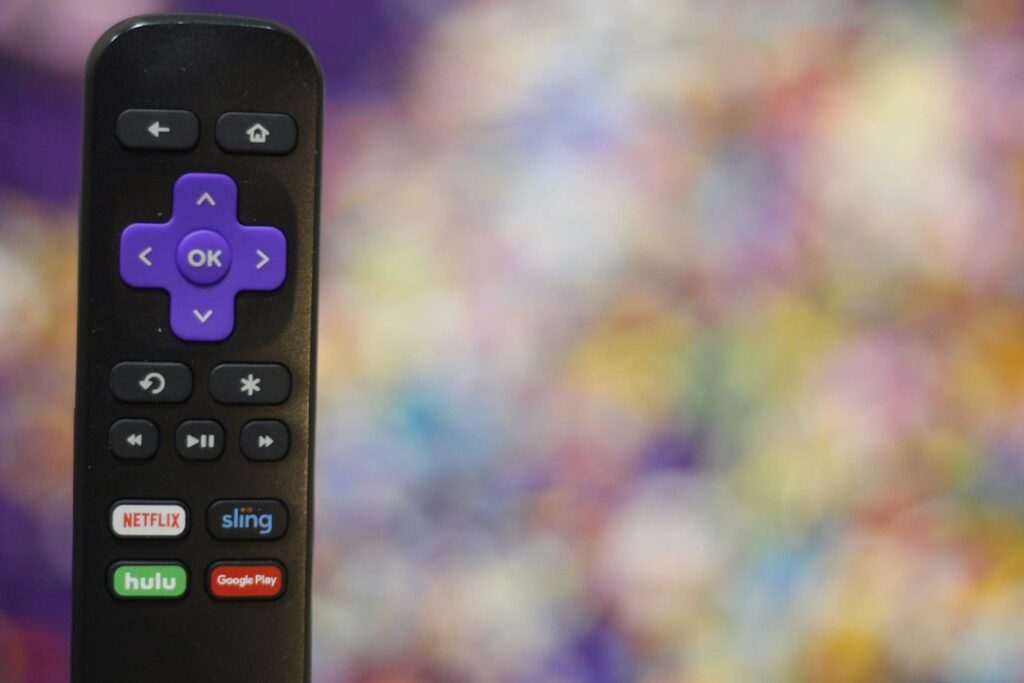
Amazon Fire TV sticks dominate British living rooms because they are cheap and simple. Apple TV appeals to households already deep into the iOS ecosystem. Google TV and Android TV boxes offer great flexibility with app sideloading restrictions handled properly. Samsung and LG smart TVs skip external boxes entirely. They run native operating systems like Tizen and webOS.
How do popular streaming devices compare for licensed broadcasting?
| Device | Operating System | 4K/HDR | Ethernet Option |
|---|---|---|---|
| Amazon Fire TV Stick 4K | Fire OS | Yes (Dolby Vision) | Adapter required |
| Apple TV 4K | tvOS | Yes (HDR10+) | Built-in (Ethernet model) |
| Google TV Streamer | Android TV | Yes | Built-in |
| Roku Streaming Stick 4K | Roku OS | Yes | No |
| Samsung Smart TV (2024 models) | Tizen | Yes | Built-in |
Every option handles standard definition feeds easily. High-bitrate 4K sports broadcasts require strong Wi-Fi or wired Ethernet connections. Apple TV and the new Google TV Streamer include Ethernet ports on their top tiers. Fire sticks require an extra Ethernet adapter.
How do you set up official streaming devices for licensed broadcasts?
Unbox your device and plug it into an available HDMI port on your television. Connect the power cable to a wall socket rather than a USB port on the TV. This ensures stable voltage during heavy streaming sessions. Follow the on-screen prompts to connect your home Wi-Fi network.
Sign in with your vendor account details. Navigate to the built-in app store. Search for official broadcaster apps like BBC iPlayer, ITVX, Channel 4, or licensed subscription services. Download your chosen application. Log in with your subscription credentials or TV licence details. You are ready to watch.
Configuring HDMI-CEC settings on your television and streaming device also allows you to control power and volume with a single remote, streamlining your daily entertainment experience.
Which UK legal IPTV hardware offers the best app compatibility?
Android TV and Google TV devices offer the widest selection of media apps. Amazon Fire devices run a modified Android fork with broad developer support. Apple TV features a dedicated App Store with strict quality controls. Roku relies on its own channel store, which lacks some niche IPTV player apps found on Android.
Never assume every app works on every platform. Check the service provider’s official app store listing before buying hardware. Samsung and LG app stores carry major UK catch-up and live TV apps, but they rarely support custom playlist loaders.
Are there important privacy and security differences between these systems?
Apple prioritizes user privacy. They limit data tracking across apps. Google collects viewing habits for targeted recommendations. Amazon integrates shopping ads directly into the Fire TV home screen. Consider these trade-offs if data privacy matters to your household.
What network speeds are required for smooth UK IPTV streaming?
Delivering high-definition and ultra-high-definition live television over the internet demands consistent broadband performance. Ofcom guidelines indicate that standard definition streams require a minimum download speed of about 3 Mbps. However, modern UK legal IPTV platforms broadcasting in high-definition (HD)—such as live Premier League matches on BBC iPlayer or TNT Sports via discovery+—typically demand a stable connection of at least 15 Mbps. For breathtaking 4K HDR streams, network architects recommend sustained speeds of 25 Mbps to 50 Mbps per active stream to prevent buffering and resolution drops during peak evening hours.
Household congestion frequently causes streaming hiccups even on fast fiber-optic packages. When multiple family members simultaneously download large files, play online video games, or run video conference calls, latency spikes can disrupt live broadcast packets. Utilizing Quality of Service (QoS) settings on your home router can prioritize streaming traffic toward your Apple TV or Fire Stick. Furthermore, switching from crowded 2.4 GHz Wi-Fi bands to the less congested 5 GHz or 6 GHz frequencies—or connecting directly via a Cat6 Ethernet cable—drastically reduces packet loss and jitter, ensuring uninterrupted viewing of critical live events.
What do you need to know about UK broadcasting laws and IPTV?
IPTV simply means television delivered via internet protocols rather than traditional aerials or satellite dishes. Legality depends entirely on the broadcaster holding valid transmission rights. Using official apps from licensed networks guarantees compliance with UK copyright law. Unauthorised M3U playlists and pirated streams remain illegal under UK legislation.
Frequently Asked Questions
Can I use any IPTV playlist on a Fire TV Stick?
No. Official app stores block unauthorized playlist readers. You must use licensed applications provided by authorized broadcasters.
Do smart TVs need an external streaming stick?
Usually no. Modern Samsung and LG sets run native apps well. External boxes offer faster processor upgrades over time.
Which UK legal IPTV hardware supports Dolby Vision?
Amazon Fire TV Stick 4K, Apple TV 4K, and high-end Google TV devices support Dolby Vision and HDR10+ formats.
Is an Ethernet cable necessary for live sports?
Wi-Fi works fine for most homes. Wired Ethernet prevents stuttering during high-traffic match days if your router sits far away.
Can I control my streaming device with my voice?
Yes. Amazon uses Alexa, Google uses Assistant, and Apple uses Siri via their respective hardware remotes.
How long do streaming sticks last before replacement?
Expect three to five years of reliable software updates from major manufacturers like Apple, Amazon, and Google.
Are Roku devices good for live TV streaming?
Roku handles major catch-up apps brilliantly. They offer fewer third-party media player options compared to Android TV.
For more information, iptv.
Related reading
- How to Fix IPTV Buffering and Lag on UK Smart TVs and Firestick
- Fire TV Stick vs Apple TV: Choosing the Right Official Streaming Hardware for UK IPTV
Update: Buying Legal Sports IPTV UK Packages: A Fan's Checklist
Update: UK Streaming Device Comparison for Legal IPTV Apps
Living Room Hardware Choices
You bought a shiny new television. The screen looks crisp. Now you need to decide how to run your streaming software. Many owners just download a Smart IPTV app directly from the manufacturer store and call it a day. Others plug a dedicated media stick into the back HDMI port. Each route changes how your daily viewing feels.
Built-in software wins on minimalism. You keep one remote on the coffee table. You skip extra power cables dangling behind the unit. Brands like Samsung and LG run proprietary operating systems with huge app libraries. Yet, manufacturer software often feels sluggish over time.
Hardware Performance and Speed
Smart televisions usually feature modest internal processors. Manufacturers cut costs on chipsets to keep screen prices low. When you launch a heavy media player, the CPU struggles. Menus stutter. Channel guides load slowly.
External hardware like Amazon Fire sticks or Android boxes carry dedicated processing power. They handle heavy video codecs much better. You get quicker channel switching. The electronic programme guide glides smoothly instead of freezing halfway through a sports broadcast.
Storage Limitations on Televisions
Internal memory on modern screens fills up fast. Manufacturers install just a few gigabytes of storage for user apps. Cache files from video streams clog that space within months. You end up constantly clearing cache or uninstalling tools just to keep the system running.
External dongles offer more breathing room. They also let you manage storage easily. You can even check Firestick storage management tips if your media player starts running low on capacity.
Remote Control Ergonomics
The standard remote that comes with your television rarely suits media playback well. Directional pads feel mushy. Dedicated shortcut buttons take you to subscription services you might not use. Number pads have vanished from modern clickers entirely.
Using a dedicated media player often gives you better remote options. Third-party alternatives like TiviMate map navigation buttons naturally. You can jump through channel lists with single thumb presses.
App Compatibility and Updates
App availability varies wildly by platform. LG uses webOS. Samsung relies on Tizen. Neither platform supports every third-party media player you might want to install. You often rely on web-based players or sideloading workarounds that break during routine firmware updates.
Android TV and Fire OS dominate the media player market. Developers focus their energy on these platforms first. Your chosen Smart IPTV app receives updates much faster on an external stick than on a three-year-old television model.
Audio and Video Standards
Modern home audio setups demand proper passthrough. Connecting your television directly to a soundbar or AV receiver complicates things. Built-in software can struggle with Dolby Atmos or DTS audio formats when routing streams through HDMI ARC.
External players plug straight into your sound system or receiver first. They decode audio locally before passing clean video to the display. You get fewer sync issues and better surround sound performance.
Making the Final Choice
If you only watch casual television once a week, built-in software does the job. You avoid clutter. You save a socket on the wall.
Heavy daily viewers should always pick an external device. The snappy menus, wider software choices, and superior update lifecycles justify the extra remote. Do yourself a favour and plug a dedicated stick into that HDMI port.
For more information, iptv.
Related reading
- How to Choose an IPTV Service in the UK
- TiviMate vs IPTV Smarters Pro on Firestick: Which Player Wins?