- Choosing the Right Firestick for Your Living Room
- Hardware Breakdown: Processing Power and Storage
- Comparing the Lineup: Specs and Performance
- Operating Systems and App Availability
- Pros and Cons of Amazon Streaming Sticks
- Setup and Daily Use
- FAQ
- Do I need a TV licence to watch IPTV in the UK?
- Can I connect an Ethernet cable to a Firestick?
- Are all IPTV apps legal?
- Why does my streaming stick buffer during live sports?
- Does the remote require special batteries?
- Can I use my phone to control the device?
- What resolution do I need for standard streaming?
- Will my streaming stick get automatic software updates?
Choosing the Right Firestick for Your Living Room
Amazon’s lineup of streaming media players dominates British living rooms. You plug them straight into an HDMI port and get instant access to apps. But finding the Best Firestick for IPTV and legal broadcasting requires looking past the low entry price. Performance varies wildly across the generation line, from the basic Lite model up to the heavy-hitting Fire TV Cube.
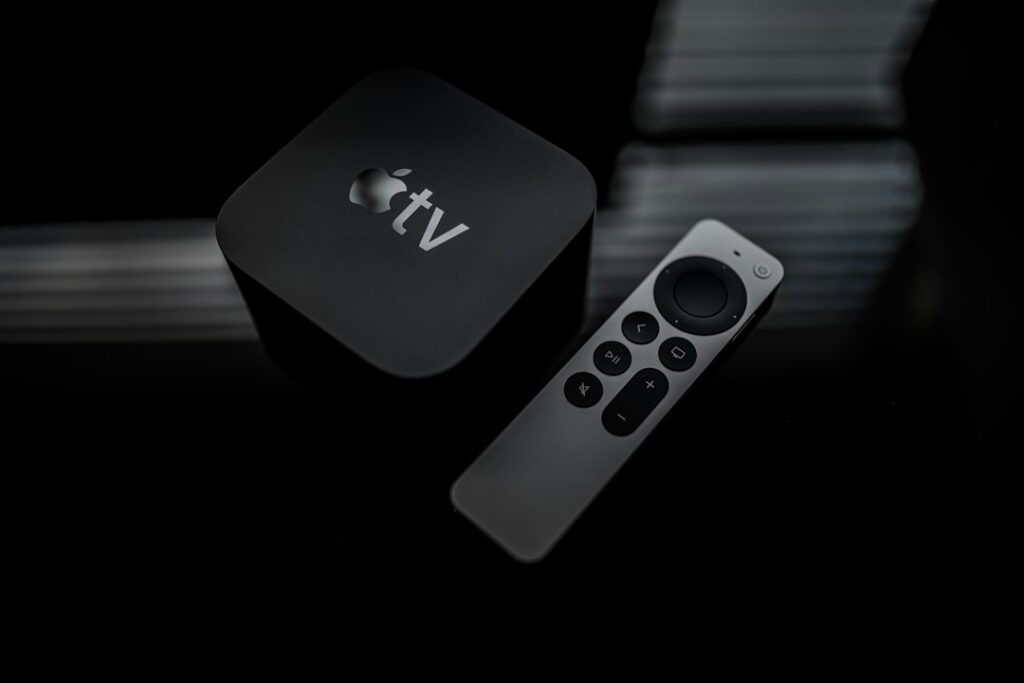
IPTV simply delivers television signals over the internet rather than traditional aerial or dish cables. Whether it’s legal depends entirely on the broadcaster holding the correct rights. You need hardware that handles high-bitrate video feeds without stuttering. Let’s look at how the main contenders stack up for UK viewers.
Hardware Breakdown: Processing Power and Storage
Processor speed matters when you run live television streams. The entry-level stick often struggles with complex interface navigation. Upgrading to a beefier processor keeps menus snappy. Storage space also disappears quickly once you install multiple official apps and catch-up services. You want at least 16GB of internal storage if you plan on keeping a busy app drawer. Many users find out too late that cheaper variants run out of room fast.
Comparing the Lineup: Specs and Performance
Let’s break down what separates Amazon’s various streaming sticks. The current generation ranges from basic HD units to premium 4K powerhouses. You’ll want to match your television’s native resolution to the device you buy. If you own an older bedroom TV, basic HD suffices. For a main lounge setup, 4K HDR support is non-negotiable.
Wi-Fi connectivity dictates your stream stability. Dual-band Wi-Fi 6 keeps live feeds locked in solidly. Ethernet adapters remain optional extras for most sticks, though. If your router sits far from the television, wired connections prevent dropped frames during peak evening hours.
Operating Systems and App Availability
Fire OS powers every Amazon streaming device. It’s built on Android, meaning sideloading is technically possible, but official app stores remain the safest bet. When setting up a reliable Best IPTV devices for UK users approach, stick to official applications found directly in the Amazon Appstore. Major legal UK providers like BBC iPlayer, ITVX, and Channel 4 all feature natively. Never touch modified APK files or unverified software from strange web sources. Ofcom and intellectual property holders actively monitor unauthorised streaming tools.
Pros and Cons of Amazon Streaming Sticks
- Pros: Affordable entry price, excellent voice control via Alexa, wide official app support, regular security updates.
- Cons: Heavy Amazon interface promotion, limited storage on base models, occasional Bluetooth remote pairing quirks.
Setup and Daily Use
Unboxing a Fire TV device takes minutes. You plug it into wall power, connect the HDMI extender if space is tight, and sign in with your Amazon account. Remote controls have evolved to include dedicated app buttons and volume rockers. Voice search via Alexa saves endless typing on onscreen keyboards. Parental controls let you lock explicit content behind a PIN, keeping younger family members safe.
FAQ
Do I need a TV licence to watch IPTV in the UK?
Yes. If you watch live broadcasts on any channel or use BBC iPlayer on-demand, you legally require a valid UK TV Licence.
Can I connect an Ethernet cable to a Firestick?
Standard sticks require a separate Ethernet adapter, while the high-end Fire TV Cube includes an ethernet port out of the box.
Are all IPTV apps legal?
Legality depends entirely on whether the provider holds valid distribution rights for the content they broadcast.
Why does my streaming stick buffer during live sports?
Live streams demand stable internet speeds and adequate device processing power to decode high bitrates smoothly.
Does the remote require special batteries?
Standard AAA batteries power the voice remotes, and replacements are easy to swap out when needed.
Can I use my phone to control the device?
Amazon offers a free mobile app that turns your smartphone into a functional remote control.
What resolution do I need for standard streaming?
1080p HD works fine for older screens, but 4K HDR offers sharper visuals on modern living room displays.
Will my streaming stick get automatic software updates?
Amazon pushes security patches and interface updates over the air automatically.
For more information, iptv.
Related reading
Update: How to fix IPTV login problems legally
Update: IPTV vs Sky Sports for UK football fans
- Finding the Right Legal Sports Streaming Services in the UK
- Official Broadcasters and Their Lineups
- How to Choose Your Setup
- Comparison of Major UK Platforms
- Weighing Up the Pros and Cons
- Essential Buying Checklist
- Legal and Licensing Note
- Frequently Asked Questions
- Can I get all Premier League games on one app?
- What internet speed do I need for live 4K sport?
- Are contract-free sports passes available?
- Do I need a TV licence to watch sports streaming apps?
- Can I share my sports streaming login with friends?
- Why is my legal sports stream delayed compared to live radio?
- How do legal IPTV alternatives compare to unauthorized streams?
Finding the Right Legal Sports Streaming Services in the UK
Watching live sport shouldn’t feel like a puzzle. You want the match on your screen without pixelation or sudden drop-outs. Finding reliable legal sports streaming services matters because it keeps your setup secure and your broadcast stable. Let’s break down your official options for live sports TV UK.

Official Broadcasters and Their Lineups
Sky Sports dominates much of the football calendar. They hold rights for a huge chunk of Premier League matches, the EFL, and Formula 1. You can access them through traditional satellite, cable, or their dedicated streaming app called NOW. NOW works well if you hate contracts because you can buy monthly memberships.
TNT Sports took over the old BT Sport brand. They show the UEFA Champions League, Premiership Rugby, and various boxing events. Discovery+ is the home for their streaming output now. You’ll need their premium tier to catch live sport.
Amazon Prime Video grabs a smaller slice of the Premier League pie each season. Their matches usually land around bank holidays and midweek rounds. If you already hold a standard Prime delivery subscription, these games come included at no extra cost.
BBC and ITV hold free-to-air rights for major tournaments like the World Cup, FA Cup matches, and international rugby. Their respective apps, BBC iPlayer and ITVX, stream these events in HD without requiring a paid sports tier, though you still need a valid TV licence.
How to Choose Your Setup
Picking the right platform depends entirely on what you watch. Do you only care about Saturday afternoon Premier League kick-offs? If so, Sky is your main stop. Are you obsessed with European football on Tuesday and Wednesday nights? You’ll need TNT Sports instead.
Check your device compatibility before paying anything. Most legal services run smoothly on Firestick, Apple TV, modern Smart TVs, and mobile phones. If you want to dive deeper into hardware setups, read our guide on how to set up a football streaming player on Firestick for tips on getting the best out of your streaming hardware.
Comparison of Major UK Platforms
| Provider | Main Sports Rights | Streaming App | Contract Type |
|---|---|---|---|
| Sky Sports / NOW | Premier League, EFL, F1, Cricket | NOW App | Flexible Monthly or 24-Month |
| TNT Sports | Champions League, Premiership Rugby | Discovery+ | Monthly Rolling or Annual |
| Amazon Prime | Select Premier League, Autumn Internationals | Prime Video | Annual or Monthly Retail |
| Viaplay Sports | La Liga, United Rugby Championship | Viaplay App | Monthly Flexible |
Weighing Up the Pros and Cons
Official broadcasting apps offer incredible stability. Streams rarely crash during high-profile derbies. Picture quality reaches true 1080p or 4K HDR depending on your device and subscription tier. You also get official customer support if something goes wrong with your billing or login.
The downside is cost. Combining Sky Sports, TNT Sports, and other niche channels gets expensive fast. You might find yourself paying three or four separate subscriptions just to follow one football team across different competitions.
Essential Buying Checklist
Run through this quick list before entering your credit card details:
- Confirm the exact matches or leagues you want are actually broadcast by that specific network.
- Check if your current television or streaming stick supports the provider’s native app.
- Look closely at the cancellation terms if you choose a rolling monthly pass.
- Verify your broadband speed meets the minimum requirements for HD or 4K streaming.
Legal and Licensing Note
All platforms mentioned here operate under strict UK broadcasting regulations and hold valid licences from Ofcom and rights holders. Using authorised legal sports streaming services ensures you support the leagues, clubs, and production crews directly while staying completely compliant with UK law.
Frequently Asked Questions
Can I get all Premier League games on one app?
No single app shows every match due to how broadcasting rights are split between Sky, TNT, and Amazon.
What internet speed do I need for live 4K sport?
You generally want at least 25 Mbps of stable download bandwidth for a smooth 4K feed without stuttering.
Are contract-free sports passes available?
Yes, services like NOW offer monthly rolling memberships that let you cancel whenever you want.
Do I need a TV licence to watch sports streaming apps?
You need a valid UK TV licence if you watch live broadcasts on any channel or service, including BBC iPlayer.
Can I share my sports streaming login with friends?
Most official platforms limit simultaneous streams based on your subscription tier to prevent account sharing.
Why is my legal sports stream delayed compared to live radio?
Digital streaming requires encoding time, which usually creates a 30-second to minute delay behind traditional radio broadcasts.
How do legal IPTV alternatives compare to unauthorized streams?
Legal alternatives guarantee uptime, high definition, and zero risk of malware or sudden service shutdowns.
For more information, iptv.
Related reading
Update: Best Legal IPTV Subscription UK Monthly Plans
Update: How to fix IPTV login problems legally
- Before You Start Checklist
- Common Mistakes to Avoid
- Step-by-Step Troubleshooting Guide
- When to Contact Your Provider
- Safety and Legal Notes
- Frequently Asked Questions
- Why does my stream freeze only during peak evening hours?
- Does a VPN help stop buffering?
- How much internet speed do I need for smooth live TV?
When your stream stutters right during a crucial match, the frustration is instant. If you find that IPTV keeps freezing on Firestick, you’re certainly not alone in dealing with this annoying interruption. Millions of UK households use Amazon streaming sticks for live television, but hardware limits and network congestion often cause playback to stall.
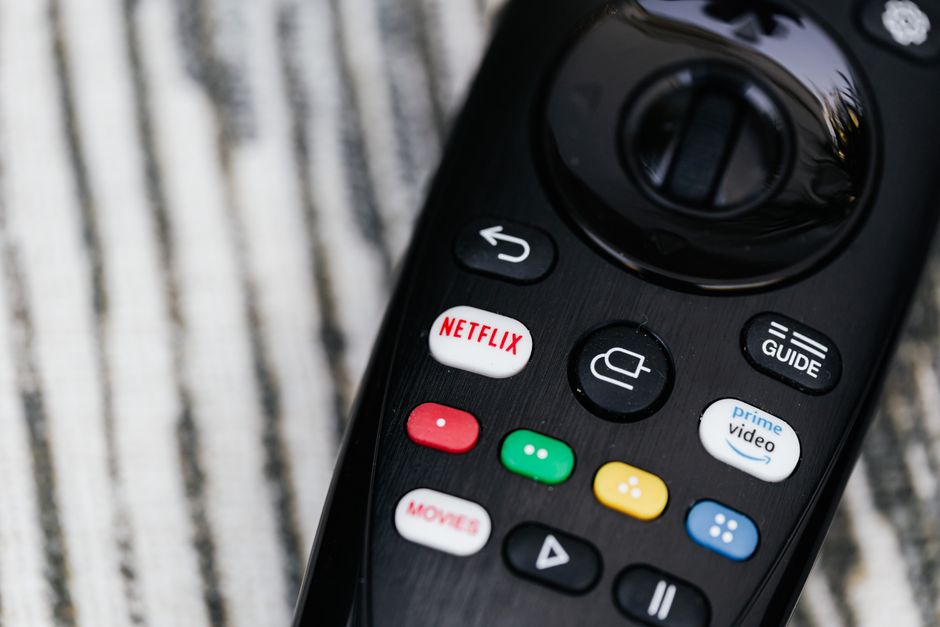
Here is the short answer: freezing usually happens because your Firestick is running low on internal memory, your Wi-Fi signal is too weak, or the streaming source is temporarily overloaded. Most times, a quick cache clear or a network restart solves the problem.
Before You Start Checklist
Run through these basic checks before diving into advanced troubleshooting:
- Note whether the stuttering happens on every channel or just one specific feed.
- Check if other apps on your home network stream without any trouble.
- Make sure your Firestick is plugged directly into a wall socket rather than a TV USB port for steady power.
- Confirm your subscription is active and logged in properly.
Common Mistakes to Avoid
People often make a few typical errors when trying to stop IPTV keeps freezing on Firestick issues. Don’t immediately factory reset your device before checking your broadband speed. Avoid using unverified third-party apps that claim to boost speed magically. Never ignore app updates, as older software versions handle video codecs poorly.
Step-by-Step Troubleshooting Guide
Follow these numbered steps in order to diagnose and fix your playback stutters:
- Restart your Firestick completely: Go to Settings, choose My Fire TV, and select Restart. Alternatively, unplug the power cable for thirty seconds.
- Clear the app cache: Navigate to Settings, open Applications, and manage installed applications. Find your chosen player, then select Clear Cache. Do not touch Clear Data unless you want to log out completely.
- Free up storage space: Firesticks have notoriously small internal storage. Delete unused apps or games to give your streaming player breathing room.
- Change your Wi-Fi band: If your router supports dual-band connections, connect your Firestick to the 5GHz frequency instead of the crowded 2.4GHz band for faster data rates. Read more about optimising your connection in our guide on how to fix IPTV buffering on Smart TV in the UK.
- Update your player app: Check the Amazon Appstore or your provider’s official download instructions to ensure you are running the latest software version.
When to Contact Your Provider
Sometimes the issue sits entirely outside your living room. If only live sports channels stutter while catch-up content plays fine, your provider’s server might be overwhelmed. Reach out to customer support if freezing persists across multiple devices on the same network, or if your electronic programme guide fails to load entirely.
Safety and Legal Notes
Always use legitimate streaming applications sourced directly from official app stores. Ensure your internet service provider complies with local UK regulations regarding digital media consumption. This guide is for educational purposes only and does not endorse accessing unauthorized content or bypassing network security features.
Frequently Asked Questions
Why does my stream freeze only during peak evening hours?
Internet traffic peaks between 7 PM and 10 PM across the UK. Your local cabinet or Wi-Fi network might experience congestion, lowering available bandwidth.
Does a VPN help stop buffering?
A virtual private network sometimes routes your traffic through congested nodes, making freezing worse. Turn it off to test if your raw speed improves.
How much internet speed do I need for smooth live TV?
A stable connection of at least 15 to 25 megabits per second handles high-definition live streams comfortably.
For more information, iptv.
Related reading
Update: Best Firestick for IPTV and streaming in the UK
Update: Best Legal IPTV Subscription UK Monthly Plans
Finding the best IPTV subscription in the UK requires looking past flashy marketing pages and checking actual network performance in your living room. Most households upgrade their television setup because standard terrestrial aerials or traditional cable packages fail to deliver flexible viewing. You want crisp HD streams, minimal channel switching delays, and a stable connection that doesn’t drop during a crucial Premier League match or a Sunday evening drama on BBC One.
Step One: Test Your Broadband Speed and Latency
Before you spend money on any service, check what your internet line can actually handle. Internet Protocol Television demands consistent bandwidth rather than just peak download numbers. Openreach fibre networks and Virgin Media cable lines handle heavy data loads differently depending on your postcode. Run a wired speed test from your router if possible. Wi-Fi interference in typical British brick-built homes often ruins high-bitrate video streams.
You need a minimum download speed of 30 Mbps for reliable high-definition feeds. Ultra HD broadcasts require double that figure. Packet loss matters just as much as raw speed. If your line drops data packets every few minutes, your video feed will stutter or freeze completely. Check your broadband provider’s traffic management policies too. Some ISPs throttle video streaming traffic during peak evening hours between 7 PM and 11 PM.
Step Two: Match Your Hardware to Your Streaming Habits
Hardware choice dictates how smooth your viewing experience feels day-to-day. Smart TV built-in processors often struggle with heavy electronic program guides and complex playlist updates. A dedicated streaming stick or set-top box usually delivers snappier performance. Many viewers lean towards Amazon Fire TV sticks because they handle modern video codecs cleanly and cost very little.
If you want a deeper dive into device performance, read our Firestick vs Android TV Boxes for IPTV UK: Hardware Showdown to see which unit fits your setup. Apple TV offers a premium interface, but sideloading media players takes extra effort compared to Android-based alternatives. Pick a device with at least 2GB of RAM so the interface stays responsive when loading thousands of channels and video-on-demand posters.
Step Three: Evaluate Providers and Request an IPTV Trial UK
Never commit to a long-term contract straight away. Reliable providers always offer a short test window so you can evaluate stream stability during peak UK broadcasting times. Check whether the service covers major domestic channels like ITV, Channel 4, and Sky Sports without excessive buffering. Watch out for providers promising tens of thousands of channels with zero downtime. That claim usually signals oversold servers that will fail when everyone tunes in for a major sporting event.
Regulatory bodies like Ofcom regularly publish reports on UK broadband speeds and consumer rights, helping you understand what level of service to expect from your internet connection. When evaluating a service provider, look closely at their customer support responsiveness. Do they offer a dedicated web portal, or do they disappear behind anonymous messaging apps the moment a stream goes down?
Step Four: Configure Your Playlist Format
Once you secure your login credentials, you need to link your chosen app to the provider’s server. Most services give you two main connection routes. You can use a direct web link or enter API credentials directly into your media player. Choosing the right configuration method saves you hours of frustration later on.
To understand the technical differences between these formats, check our guide on M3U URLs vs Xtream Codes API: Which IPTV Setup Method Suits UK Smart TVs?. Xtream Codes logins usually update your electronic program guide much faster than standard text links. They also handle server reconnections automatically if your internet blips for a second.
Step Five: Optimise Your Setup for Stability
After everything runs, minor adjustments keep your streams running smoothly. Position your Wi-Fi router away from thick walls and household appliances that cause radio frequency interference. Clear your media player’s cache once a week to prevent sluggish menu navigation. If you notice persistent stuttering during live sports broadcasts, switch your app’s hardware decoding settings from software mode to hardware acceleration.
Remember to check your legal responsibilities regarding broadcast reception. As noted by TV Licensing, watching live television broadcasts across any online platform or device in the UK still requires a valid television licence. Keeping your setup compliant protects you from unexpected fines and keeps your home entertainment system running without legal grey areas.
For more information, iptv.
Related reading
Update: Best legal sports streaming services in the UK
Update: Best Firestick for IPTV and streaming in the UK
- Amazon Fire TV Stick 4K Max
- Apple TV 4K
- Google TV Streamer and Chromecast
- Comparison of IPTV Hardware Options
- Smart TVs vs Dedicated Streaming Boxes
- Pros and Cons of Popular Streaming Hardware
- Setup and Compatibility Guidance
- Frequently Asked Questions
- Do I need a TV Licence to use IPTV devices in the UK?
- Can I use my smartphone as an IPTV device?
- Why is my live stream buffering?
- Are Roku devices good for official streaming?
- Do these devices support 4K streaming?
- How do I keep my streaming stick running fast?
- Can I control my streaming box with my voice?
- Where should I buy legal IPTV apps?
Finding the right hardware to stream television over the internet can transform your living room setup. IPTV is simply a technology used to deliver television content over broadband networks, but your viewing experience depends heavily on the box or stick you plug into your TV. Whether you want to watch live feeds from the BBC or manage your digital subscriptions, the hardware matters. Let’s look at the top hardware choices available to UK households right now.

Amazon Fire TV Stick 4K Max
Amazon’s flagship streaming stick remains a popular choice across British homes. It packs a quad-core processor and support for Wi-Fi 6, which helps reduce lag during busy evening streaming windows. You’ll get access to official apps through the Amazon Appstore, making it easy to download licensed player software. Storage sits at 16GB, giving you plenty of room for apps without constantly clearing space.
The included Alexa Voice Remote lets you search for shows hands-free. However, finding a model with a dedicated Ethernet port usually requires buying an extra adapter, as it relies primarily on wireless connections. If your router sits far from the television, you might experience dropouts unless you optimize your network.
Apple TV 4K
For sheer processing grunt and a slick interface, Apple TV 4K stands out. It runs tvOS and delivers rapid app switching without stutter. High-end HDR formats like Dolby Vision look stunning on compatible OLED panels. Storage options go up to 128GB, and the top-tier model even includes a built-in Ethernet port alongside Thread networking support.
The Siri Remote feels premium with its touch-enabled clickpad, though it takes some getting used to if you’re coming from traditional plastic clickers. Price is the main hurdle here, as it costs significantly more than standard streaming sticks. Still, if you live inside the Apple ecosystem, it integrates smoothly.
Google TV Streamer and Chromecast
Google’s newer set-top box replaces the older puck-style Chromecast design with a dedicated tabletop unit. It runs Android TV, offering an expansive app library loaded with official streaming clients. You get built-in Google Assistant integration for voice searches and smart home controls. Performance is snappy, and the inclusion of an Ethernet port right on the back ensures a stable wired connection.
Smart TVs running Google TV or Android TV directly also share these benefits, though processor speeds vary wildly depending on whether you buy a budget telly or a high-end Sony model. Always check individual TV specs before relying on built-in software alone.
Comparison of IPTV Hardware Options
| Device | Operating System | Ethernet Option | Approx. UK Price |
|---|---|---|---|
| Amazon Fire TV Stick 4K Max | Fire OS | Requires adapter | £70 |
| Apple TV 4K (Wi-Fi + Ethernet) | tvOS | Built-in | £149 |
| Google TV Streamer | Android TV | Built-in | £99 |
| Roku Streaming Stick 4K | Roku OS | No | £50 |
Smart TVs vs Dedicated Streaming Boxes
Built-in apps on Samsung and LG smart TVs seem convenient at first glance. Tizen and webOS platforms load quickly, saving you an extra remote on the coffee table. Yet, manufacturer support often drops after a few years, leaving older screens unable to run updated streaming applications. Dedicated boxes like the Apple TV or Fire Cube receive software updates much longer.
Performance matters too. A budget television often cuts corners on internal memory and processor power, leading to sluggish menus. Plugging in an external device bypasses weak hardware entirely, giving you a faster interface and better long-term reliability.
Pros and Cons of Popular Streaming Hardware
- Amazon Fire TV: Great price and widespread app availability, but heavily pushes Amazon ads on the home screen.
- Apple TV: Exceptional build quality and zero ads, but carries a steep price tag.
- Google TV: Highly customizable with a massive app selection, though budget boxes can feel cluttered.
Setup and Compatibility Guidance
Setting up a new streaming stick usually takes just a few minutes. Plug it into an available HDMI port, connect your power cable, and follow the on-screen prompts to hook into your home Wi-Fi network. Remember that no single device works with every single app or service on the market. Always verify compatibility by checking the provider’s official guidelines and the device’s built-in app store before committing your cash.
Legality remains crucial when streaming television in the UK. Stick strictly to officially licensed apps from verified broadcasters and legal service providers. Avoid unauthorized playlists, hacked applications, or shady side-loaded APK files that promise free access to paid channels.
Frequently Asked Questions
Do I need a TV Licence to use IPTV devices in the UK?
Yes. If you watch live television broadcasts on any channel or use BBC iPlayer via your device, current UK law requires you to hold a valid TV Licence.
Can I use my smartphone as an IPTV device?
Android phones, iPhones, and tablets run official streaming apps nicely, and you can often cast content directly to your main television screen.
Why is my live stream buffering?
Network congestion during major sporting events often causes slowdowns. Switching from Wi-Fi to a wired Ethernet connection frequently resolves these speed drops.
Are Roku devices good for official streaming?
Roku hardware supports most major UK catch-up and subscription apps, though its closed operating system limits certain niche player installations.
Do these devices support 4K streaming?
Models like the Fire TV Stick 4K Max and Apple TV 4K handle ultra-high-definition video easily, provided your broadband speed and TV display support it.
How do I keep my streaming stick running fast?
Clear temporary app data regularly and restart your device once a week to prevent sluggish menu performance.
Can I control my streaming box with my voice?
Most modern hardware includes microphone-equipped remotes compatible with Alexa, Siri, or Google Assistant.
Where should I buy legal IPTV apps?
Only download applications directly from official stores like the Apple App Store, Google Play Store, or Amazon Appstore.
For more information, iptv.
Related reading
Update: Why IPTV keeps freezing on Firestick and safe fixes
Update: Best legal sports streaming services in the UK
- Finding Legal IPTV for Football Fans in the UK
- Top Official Providers for Live Sports TV UK
- Comparison of Official Sports Streaming Options
- Pros and Cons of Using Official Platforms
- Pros
- Cons
- Buying Checklist for Football Streaming UK
- Legal and Licensing Realities
- Frequently Asked Questions
- Can I watch every Premier League match legally in the UK?
- What internet speed do I need for HD football streaming?
- Are free streaming apps legal?
- Can I use my UK sports subscription abroad?
- What is the cheapest way to watch live football?
- Do I need a satellite dish for Sky Sports?
- Can I share my streaming login with mates?
- Final Thoughts on IPTV Alternatives
Finding Legal IPTV for Football Fans in the UK
Watching every Saturday 3pm blackout game through an unlicensed box might look tempting, but it usually ends with dead streams and nasty letters. If you want the best legal IPTV for football fans in the UK, you have to look at official broadcasters. Sky Sports, TNT Sports, and Amazon Prime hold the rights. Streaming them through licensed apps gives you HD quality without the risk of sudden takedowns.

Many viewers get confused about what counts as legitimate internet protocol television. If a provider charges a tenner a month for thousands of channels, it is pirated. Real providers like Sky, EE, and Virgin Media deliver television signals over your broadband connection legitimately. You get reliable uptime and support when things go wrong.
Top Official Providers for Live Sports TV UK
Sky Sports remains the heavyweight champion for Premier League and EFL matches. You can buy a standalone monthly pass through NOW without locking into a long contract. This flexibility helps when your team drops out of the title race and you want to save some cash.
TNT Sports covers the Champions League and early Saturday kickoffs. You can bolt this onto your EE broadband or get it through Discovery+. Picture quality is sharp, and you rarely suffer from the terrible lag that ruins pirate feeds.
Virgin Media packages combine broadband with TV 360 boxes, giving you a traditional setup with modern streaming features. If you prefer keeping everything on one bill, this works well.
Comparison of Official Sports Streaming Options
Here is how the main legitimate platforms stack up against each other for UK supporters.
- Sky Sports (NOW): Great flexibility, monthly rolling passes, excellent Premier League coverage.
- TNT Sports (Discovery+): Essential for European football, available via multiple network providers.
- Amazon Prime Video: Covers select festive fixtures and mid-week rounds with no extra subscription needed if you already have Prime.
- BBC iPlayer: Free for FA Cup highlights and select live games, though you need a valid TV licence.
Pros and Cons of Using Official Platforms
Going the official route changes your viewing experience completely. Let us break down the advantages and drawbacks.
Pros
- Crystal clear high definition and select 4K broadcasts.
- Zero risk of legal trouble or sudden stream blackouts mid-match.
- Reliable customer service and dedicated app support across smart TVs, phones, and streaming sticks.
- Official catch-up features let you watch full match replays if you miss the live broadcast.
Cons
- Subscriptions add up quickly if you want to watch every competition.
- Geoblocking prevents you from using your UK subscription outside the country without a supported setup.
- Broadcasters split rights across different platforms, forcing you to juggle multiple apps.
Buying Checklist for Football Streaming UK
Before you hand over your hard-earned cash for a sports package, run through this quick checklist.
First, check your internet speed. You need at least 15 Mbps for stable HD streaming and double that for 4K. Second, verify device compatibility. Ensure your smart TV or streaming stick actually supports the app you want to buy. Third, read the contract terms. Rolling monthly passes cost more per month than twelve-month commitments, but they let you cancel during the summer off-season.
You might also want to look at how to set up your hardware properly by reading our guide on how to add an IPTV playlist to Smart TV for official app installation steps.
Legal and Licensing Realities
The Premier League and UK police actively target illegal streaming operations. Using unauthorized services is a legal grey area for viewers, but selling or running them carries severe criminal penalties. Stick to authorized platforms to protect your home network and personal data.
Frequently Asked Questions
Can I watch every Premier League match legally in the UK?
No. The 3pm blackout rule means Saturday afternoon matches are never broadcast live on UK television, protecting matchday attendances.
What internet speed do I need for HD football streaming?
Aim for a minimum download speed of 15 to 25 Mbps to prevent annoying stuttering during goalmouth scrambles.
Are free streaming apps legal?
Only if they are official catch-up services like BBC iPlayer or ITVX. Anything offering free Sky Sports channels is unlicensed.
Can I use my UK sports subscription abroad?
Most official apps restrict playback to the UK due to broadcasting rights agreements.
What is the cheapest way to watch live football?
Buying specific monthly passes only during the months your team plays crucial matches helps cut costs.
Do I need a satellite dish for Sky Sports?
No. Sky Stream and NOW work entirely over your internet connection without any physical dish installation.
Can I share my streaming login with mates?
Broadcasters increasingly crack down on simultaneous streams outside a single household, so check individual terms.
Final Thoughts on IPTV Alternatives
Finding legal IPTV for football fans in the UK requires balancing your budget with your desire to watch every match. While official subscriptions cost more than dodgy web links, the peace of mind and stable picture quality make them worth every penny.
For more information, iptv.
Related reading
- How to fix IPTV buffering on Smart TV in the UK
- Decoding Bitrates: What Your IPTV UK Setup Really Needs for Live Sports
Update: Best IPTV subscription in the UK
Update: Why IPTV keeps freezing on Firestick and safe fixes
- How to fix IPTV buffering on Smart TV in the UK
- Before You Start Checklist
- 1. Check Your Internet Speed and Connection Type
- 2. Clear App Cache and Manage Device Storage
- 3. Update or Switch Your Streaming Player
- Common IPTV Buffering Mistakes UK Households Make
- When to Contact Your Provider
- Safety and Legal Notes
- Frequently Asked Questions
- Why does my stream only buffer during football matches?
- Will changing my DNS settings stop the freezing?
- How do I know if my TV hardware is too old?
How to fix IPTV buffering on Smart TV in the UK
Experiencing IPTV buffering on Smart TV setups can ruin a Saturday afternoon match or your favourite drama. It usually happens when your internet speed drops, your Wi-Fi signal struggles, or your streaming app gets overloaded with cached data. Fortunately, most UK households can fix these stuttering streams with a few straightforward checks.

Before diving into complicated settings, you need a quick answer. If your screen keeps freezing, restart your router first, switch from Wi-Fi to an Ethernet cable if possible, and clear the cache inside your television app.
Before You Start Checklist
- Check your current broadband speed using an online test tool.
- Make sure your TV’s operating system has the latest software updates installed.
- Locate your router and check for physical obstructions blocking the signal.
- Verify that your streaming subscription is active and your login details are correct.
1. Check Your Internet Speed and Connection Type
Ofcom notes that average UK broadband speeds vary wildly depending on your location and whether you have full fibre or older copper cables. If your connection drops below ten megabits per second, live high-definition video will struggle. Wi-Fi interference from thick brick walls in British homes makes matters worse. Plug an ethernet cable directly from your router into the back of your television to eliminate wireless dropouts entirely. If a wired cable isn’t practical, move your router closer to the living room or use a reliable mesh network.
2. Clear App Cache and Manage Device Storage
Smart TVs have surprisingly small amounts of internal storage. When your television runs out of space, apps slow down and streams start lagging. Samsung and LG operating systems store temporary data that builds up over months of daily use. Go to your TV settings, find the apps menu, locate your chosen player, and clear its cache. If problems persist, you might need to check out our guide on how to delete IPTV playlist on Smart TV to free up memory and start fresh with a clean installation.
3. Update or Switch Your Streaming Player
Outdated software causes compatibility issues with modern broadcast streams. Visit your TV’s app store and install any pending updates for your media player. Sometimes, the built-in software on older Samsung or LG models simply lacks the muscle to decode heavy video feeds smoothly. When this happens, switching to an external streaming stick changes everything. If you notice persistent stuttering during peak evening hours, you can learn how to fix buffering on Firestick IPTV player if you decide to use an Amazon device instead of your built-in television smart hub.
Common IPTV Buffering Mistakes UK Households Make
Many people blame their broadband provider when the real culprit is poor home network management. Running multiple heavy downloads in the background while trying to stream live television drains your bandwidth. Another frequent error involves ignoring router firmware updates. Restarting your router once a week clears out memory leaks and keeps your local network running at peak performance.
When to Contact Your Provider
If your broadband speed tests high, your ethernet cable is plugged in firmly, and your app cache is completely clear, the issue might not be on your end. Sometimes, streaming servers experience heavy traffic congestion during major televised sporting events. Reach out to your service provider if the freezing happens exclusively on specific channels or during peak evening hours every single day. They can check for routing issues or server downtime affecting UK subscribers.
Safety and Legal Notes
Always use official, authorised apps downloaded directly from your television manufacturer’s official app store. Avoid sideloading unknown files from unverified websites, as these files often contain security vulnerabilities or malware that can compromise your home network. This guide is for informational purposes only and assumes you are using legal, licensed broadcasting services.
Frequently Asked Questions
Why does my stream only buffer during football matches?
Live sports draw massive concurrent viewer numbers across the UK. This sudden surge in demand can overload streaming servers, causing temporary freezes even on fast broadband connections.
Will changing my DNS settings stop the freezing?
Switching to a faster public DNS provider like Cloudflare or Google can sometimes speed up connection times to video servers, but it won’t fix underlying Wi-Fi or broadband speed bottlenecks.
How do I know if my TV hardware is too old?
If menus feel sluggish, apps crash frequently, and clearing the cache doesn’t help, your television’s processor likely struggles to decode modern video codecs in real-time.
For more information, iptv.
Related reading
- Decoding Bitrates: What Your IPTV UK Setup Really Needs for Live Sports
- Choosing the Right Smart TV IPTV Players for Your Living Room Setup
Update: Best IPTV devices for UK users
Update: Best IPTV subscription in the UK
- The Speed Myth That Trips Up Viewers
- Understanding Bitrates and Resolution
- Why Wi-Fi Fails Live Video
- Evaluating Your Internet Provider's Traffic Management
- Practical Steps for Better Streaming Performance
- Frequently Asked Questions
- Why does my stream buffer only during weekend football matches?
- Is fibre broadband mandatory for high-definition streams?
- Does VPN usage affect live video playback?
The Speed Myth That Trips Up Viewers
People often assume that grabbing the fastest broadband package solves every streaming issue. Advertisers promise gigabit speeds, so consumers pay top pound. Yet, live television streams demand more than raw download numbers. Packet stability matters far more than peak speed when you use live stream buffering fixes to sort out stuttering playback. Ofcom reports that average UK broadband connections exceed eighty megabits per second in many areas, but a high headline figure doesn’t guarantee a smooth feed.
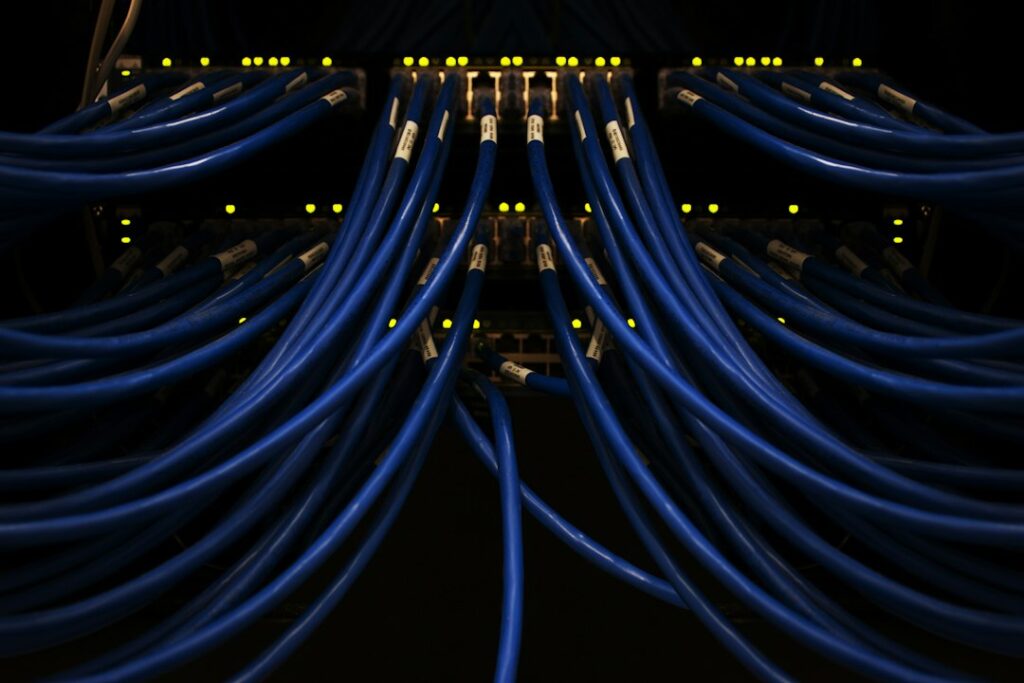
Network congestion during peak evening kick-off times creates bottlenecks. Your internet service provider might throttle specific protocols. Wi-Fi interference from household appliances wrecks packet delivery. Raw bandwidth is just one piece of a complex puzzle.
Understanding Bitrates and Resolution
High-definition feeds require steady data delivery. A standard 1080p stream at fifty frames per second needs around five to eight megabits per second of constant throughput. 4K broadcasts demand double that amount. If your connection dips below these thresholds for even two seconds, the player drops frames or stalls completely.
Buffer bloat occurs when routers queue too many packets. Latency spikes ruin real-time video delivery. Your ping rate matters just as much as your download speed. Wired Ethernet cables beat wireless connections every single time for stability.
Why Wi-Fi Fails Live Video
Radio waves bounce off walls, interfere with microwaves, and share airspace with your neighbours’ routers. Packet loss on Wi-Fi sits around two to five percent on average. Live video protocols hate packet loss. They require continuous, orderly data streams. Dropped packets force the video player to request retransmissions. That extra step introduces visible delays and stutter.
Switching to a wired connection drops packet loss close to zero. Ethernet ports on streaming boxes eliminate interference completely. If running a cable across the lounge isn’t practical, powerline adapters offer a reliable middle ground by using domestic electrical wiring.
Evaluating Your Internet Provider’s Traffic Management
Internet service providers handle traffic differently. Some networks manage peak hours by shaping traffic types. Live video streaming protocols sometimes trigger traffic management policies. Network congestion builds up at local street cabinets during popular weekend fixtures.
Run regular speed tests during actual match times rather than quiet Tuesday mornings. Real-world performance tells the true story of your connection. Check your router settings for Quality of Service options. Prioritising your streaming device gives it network preference over background downloads.
Practical Steps for Better Streaming Performance
Fixing stream stability starts at the physical layer. Unplug your router and streaming stick once a month to clear temporary memory caches. Update your device firmware whenever manufacturers release patches. Check background apps running on your streaming hardware.
Close background tasks to free up RAM. Too many active apps drain system resources and slow down video decoding. Simple maintenance routines keep hardware running smoothly over years of daily use.
Frequently Asked Questions
Why does my stream buffer only during weekend football matches?
Local network congestion causes this issue. Neighbouring households stream high-traffic events at the same time, overloading local street cabinets managed by Openreach or Virgin Media.
Is fibre broadband mandatory for high-definition streams?
Fibre connections provide the stable speeds required for HD feeds. Older copper-based ADSL lines struggle to maintain the consistent bitrates needed for live television broadcasts.
Does VPN usage affect live video playback?
Virtual private networks add routing steps. Encrypting data takes processing power and increases ping times, which sometimes triggers stuttering if server loads run too high.
For more information, iptv.
Learn more on Wikipedia: ITV (TV network).
Related reading
- Choosing the Right Smart TV IPTV Players for Your Living Room Setup
- Firestick Remote Battery Drain: Troubleshooting Tips
Update: Best legal IPTV for football fans in the UK
Update: Best IPTV devices for UK users
Your living room television came with an operating system baked right into the hardware, and relying on smart tv iptv players changes how you watch live feeds. You don’t always need a separate set-top box dangling from the back of your screen anymore. Modern displays handle heavy video streams natively. Still, finding the right software feels confusing when every brand uses a different app store. Samsung runs Tizen, LG relies on webOS, and Sony or Philips often choose Android TV. Each platform treats external media differently.

Navigating Smart TV IPTV Players on Samsung and LG
Samsung and LG dominate British living rooms. Their proprietary operating systems limit what you can download directly from the official app store. You won’t find every niche media reader listed under the entertainment tab. Instead, developers publish specific utilities that require activation via web portals or MAC addresses.
Take IPTV Smarters or IBO Player as prime examples. They dominate the Tizen and webOS application lists because they bridge the gap between closed ecosystems and flexible internet television technology. You download the app, note down your device ID, and pair your playlist through a desktop browser. It skips typing long URLs with a clumsy remote control. Manufacturers update these systems frequently, so older models sometimes lose compatibility as security certificates expire.
Tizen and webOS Limitations
Memory management on Samsung and LG sets remains strict. These platforms close background processes aggressively to keep the user interface snappy. If you leave a live stream paused for too long, the application often crashes back to the home screen. Caching buffers are smaller than what you get on a dedicated streaming stick. You might notice stuttering during high bitrate football broadcasts because the internal processor works overtime handling both the video decoding and the smart interface graphics. Storage space is tiny too. You can only install a handful of media utilities before the television warns you about low internal memory.
Android TV and Google TV Flexibility
Sony, Philips, and TCL take a different route by adopting Google’s operating system. This opens up the Google Play Store directly on your main display. Finding smart tv iptv players here takes seconds rather than minutes. Applications like Tivimate or XCIPTV install natively without requiring external activation tricks or browser pairings.
Android gives you direct access to file managers and local storage. You can sideload applications using an APK file if a specific utility isn’t available in your regional store. This freedom comes with minor drawbacks. The interface feels busier, and cheap budget televisions running Android often lack the processing grunt to handle heavy channel guides smoothly. RAM matters immensely here. A television with only two gigabytes of memory will struggle once your channel list hits several thousand entries.
Loading Playlists and Managing the EPG
Getting your content onto the screen requires organizing your source links properly. Most users lean towards XC API logins over raw M3U files because API portals pull electronic programme guides automatically. Setting up an EPG keeps your schedule accurate and stops feeds from mismatching timeslots.
UK broadcasters operate on Greenwich Mean Time, so timezone offsets cause headaches if your player defaults to Coordinated Universal Time. Adjusting the offset manually ensures your guide matches the actual on-screen action. Refresh rates also matter. British broadcasts typically run at 50 frames per second. Forcing a 60Hz output on your TV creates micro-stutters during fast camera pans on live sports matches. Check your display settings and match the source frame rate if your software allows it.
Performance and Hardware Bottlenecks
People often blame their broadband connection when streams buffer, but the bottleneck usually hides inside the television itself. Wi-Fi chips built into budget smart TVs are notoriously weak. They drop packets easily if your router sits behind a thick living room wall or inside a media cabinet. Wired Ethernet ports on many modern sets are capped at 100 megabits per second. That limitation rarely affects standard viewing, but high-bitrate feeds demand a rock-solid connection.
Processor thermal throttling is another hidden issue. Thin LED panels trap heat. When a television runs a demanding video stream for three hours straight, internal temperatures rise. The processor slows itself down to cool off, leading to dropped frames and audio sync drift. Investing in an external streaming device often solves these headaches if your TV hardware proves too weak for heavy media apps. Still, keeping your software updated and clearing temporary cache files helps squeeze the best possible performance out of native smart tv iptv players.
For more information, iptv.
Related reading
- Firestick Remote Battery Drain: Troubleshooting Tips
- How Broadcasters Deliver Premier League Live Streams to UK Living Rooms
Update: How to fix IPTV buffering on Smart TV in the UK
Update: Best legal IPTV for football fans in the UK
You pop fresh alkaline cells into your Amazon streaming controller, and they die within a fortnight. That rapid Firestick remote battery drain frustrates many UK viewers who just want to watch an evening movie without fuss. Why do those small AAA batteries vanish so fast? Sometimes it’s hardware age, but often software glitches cause the excessive power draw.

Faulty Bluetooth Pairing Loops
Your clicker talks to the television stick using Bluetooth technology. When that connection drops and reconnects constantly, the internal chip works overtime. That constant searching drains power in hours. Unplug your main streaming stick from the wall socket for thirty seconds to clear the cache. Then, re-pair the accessory by holding down the home button for ten seconds until the orange light flashes.
Stuck Buttons and Physical Damage
A jammed directional pad keeps the transmitter awake indefinitely. You might not notice a slightly depressed button beneath a silicone case. Press every single key firmly several times to dislodge trapped crumbs or dust. If you spilled tea or coffee on the controller last week, sticky residue might bridge internal electrical contacts. Clean the circuit board carefully with isopropyl alcohol if you feel confident taking the plastic shell apart.
Motion Sensors and Backlighting
Premium models feature built-in microphones for voice search and glowing keys for dark rooms. Those extra perks demand serious electrical current. If you own a backlit edition, turn off the ambient light sensor in the main settings menu. Voice assistant features also listen passively for wake words. Disable hands-free listening if you rarely use voice commands.
Alternative Power Solutions
Cheap zinc-carbon cells struggle with high-drain electronics. Swap them for quality lithium or rechargeable NiMH alternatives. Rechargeables hold voltage longer under load. If your current controller hardware remains terminally broken despite fresh cells, consider grabbing a replacement unit or using the official mobile app as a backup control method.
For more information, iptv.
Related reading
- How Broadcasters Deliver Premier League Live Streams to UK Living Rooms
- Understanding IPTV UK: A Complete Guide to Internet Television Technology
Update: Decoding Bitrates: What Your IPTV UK Setup Really Needs for Live Sports