Understanding IPTV UK: A Complete Guide to Internet Television Technology
Switching from traditional aerials and satellite dishes to broadband-delivered television has changed how millions watch programmes across the country. If you are looking into IPTV UK setups, you might wonder how streaming video over an internet connection actually works and what you need to get started.

What is IPTV UK Technology?
Internet Protocol Television delivers television programming and video content using internet packets instead of traditional terrestrial or satellite signals. When you watch a broadcast through an IPTV service UK setup, your broadband router handles data streams rather than an antenna on your roof. Major broadcasters like the BBC and ITV use internet delivery methods heavily alongside traditional broadcasts.
Unlike standard web video, dedicated streaming setups use managed networks or direct broadband connections to maintain picture quality. Ofcom monitors broadcasting standards across all delivery methods in the country, ensuring services meet regulatory expectations regardless of whether they arrive via fibre cables or radio waves.
How Does an IPTV Subscription UK Work?
An IPTV subscription UK typically connects your streaming device to a media server via specific protocols. Two common methods include M3U playlist links and XC API portals, which load channel lists and Electronic Programme Guides directly onto your media player. Choosing the right connection method depends on your preferred hardware.
If you want to know more about compatible hardware, take a look at this Firestick remote battery drain guide for tips on keeping your streaming setup running smoothly.
Key Features of Modern Streaming Setups
- Electronic Programme Guides showing what is on now and next
- Catch-up and on-demand video libraries
- High-definition and 4K stream resolution options
- Compatibility with multiple devices including smart televisions and streaming sticks
Legal Framework and Regulation
The technology itself is entirely legal and forms the backbone of modern catch-up services and streaming apps. However, the legal status depends heavily on who distributes the content and whether they hold the correct broadcasting rights. The UK Intellectual Property Office oversees copyright laws protecting television programmes, films, and sporting events.
Using authorised apps from licensed broadcasters guarantees compliance with UK copyright law. Consumers should always check that any service they use operates with proper licensing permissions from copyright holders.
Frequently Asked Questions
Do I need a TV licence for IPTV services?
According to TV Licensing guidelines, you need a valid TV licence if you watch or record live television programmes on any channel or service, or if you use BBC iPlayer. This rule applies regardless of whether you receive broadcasts via an aerial, satellite dish, or broadband connection.
What broadband speed do I need for streaming?
Most high-definition streams require a stable broadband connection of at least 15 to 25 Mbps. If you plan to watch 4K content or run multiple streams in the same household, higher fibre speeds prevent buffering and dropouts during peak evening viewing hours.
For more information, iptv.
Learn more on Wikipedia: ITV (TV network).
Related reading
- How to Organise Custom Channel Groups in Smart TV IPTV Apps
- Firestick Remote Battery Drain: Real Fixes for UK Streaming Setups
Update: Firestick Remote Battery Drain: Troubleshooting Tips
Update: Choosing the Right Smart TV IPTV Players for Your Living Room Setup
- Comparing Connection Methods for IPTV UK
- Understanding How M3U Playlist URLs Work
- The Good and Bad of Static Playlists
- What is an XC API Portal and Why Do Apps Use It?
- Speed, EPG Sync, and XC Advantages
- Everyday Performance on UK Broadband Networks
- Security, Privacy, and Ease of Setup
- The Final Verdict: Which Method Should You Choose?
Comparing Connection Methods for IPTV UK
Setting up your media player on a streaming device often brings up a choice you might not expect. You have to pick how your app talks to your provider’s server. Two main formats dominate the market. You either paste a long M3U playlist link or type in XC API details. Both methods get your channels working, but they handle data very differently behind the scenes.

Many people setting up services for understanding internet television technology overlook this choice entirely. They just use whatever option their provider sends first. That mistake can lead to slow loading times, missing TV guides, and endless frustration when live sports kick off.
Understanding How M3U Playlist URLs Work
The M3U format has been around for decades. It started out as a simple plain-text file used for audio playlists on computers. Over time, it evolved to handle video streams and entire channel line-ups. When you use an M3U link, your media player downloads a static text file every single time you open the app or refresh your channels.
This file contains a massive list of web addresses. Each address points to a specific live stream or video-on-demand asset. Your player reads this list top to bottom. It maps out the channels, categories, and logos based purely on the text inside that file. Because it is essentially a big text document, it can be heavy. A massive channel list with thousands of items can take a noticeable chunk of time to download and parse.
The Good and Bad of Static Playlists
Simplicity is the biggest strength of the M3U format. Almost every media player on the market supports it. You don’t need a username, password, and server URL broken into separate boxes. You just paste one long web link into the app. If you switch apps, you can move that link over in seconds.
However, problems pop up quickly. Because the file is downloaded statically, any change your provider makes requires a full playlist refresh. If a channel link breaks or the provider updates their stream addresses, your player keeps trying the old, dead links until you force a manual update. On slower devices, processing a massive text file freezes the user interface entirely.
What is an XC API Portal and Why Do Apps Use It?
Xtream Codes API changed how modern media players interact with subscription servers. Instead of downloading a massive text file of links, an XC API login connects your app directly to the provider’s server database. You enter three pieces of information: a server URL, a username, and a password.
Once connected, your app asks the server for only the information it needs at that exact moment. When you click on the sports category, the app fetches just the sports channels. When you scroll down to a movie folder, it pulls the video-on-demand library on demand. This client-server dialogue keeps local memory usage low and makes the overall experience feel snappy.
Speed, EPG Sync, and XC Advantages
The electronic programme guide is where XC connections truly shine. Downloading a 7-day TV guide through a static M3U link often overwhelms budget streaming sticks. The file size balloons, and the guide fails to load completely.
XC portals handle EPG data much better. The app requests guide data in smaller chunks, or the server compresses it efficiently before sending it over. Channels load faster because the player isn’t parsing thousands of lines of text locally. Authentication is also more secure. Your credentials are sent securely to the server rather than exposing a direct download link in plain text.
Everyday Performance on UK Broadband Networks
How well these connection methods perform depends heavily on your home internet setup. Fibre broadband speeds across the UK vary wildly depending on your location and whether you use FTTC or full fibre FTTH. A poor connection exposes the flaws in heavy M3U playlists instantly.
If your broadband drops packets or suffers from temporary congestion, a static M3U playlist often fails to recover gracefully. The app might get stuck in an endless buffering loop because the local playlist cache becomes desynchronised with the live server state. XC API portals handle minor network hiccups better. They allow the player to request a quick stream reconnect without forcing the app to reload the entire channel directory from scratch.
For a deeper look at how home network speeds impact your viewing, check out our guide on broadband connections and IPTV UK factors. Network jitter and Wi-Fi interference amplify small delays, making efficient data handling essential.
Security, Privacy, and Ease of Setup
Setting up your player for the first time highlights clear differences in user experience. Typing a 150-character M3U URL using a small streaming remote is genuinely painful. One typo breaks the link, and you have to start over. XC API details are usually much shorter. Entering a server address, a short username, and a password takes half the time.
Security is another factor worth considering. An M3U link is essentially a public web address containing your unique subscription token. If someone gets hold of that link, they can use your stream on their own device. XC API logins require both a username and password to authenticate against the server API. While not bulletproof, it adds a layer of separation compared to a raw URL.
The Final Verdict: Which Method Should You Choose?
Use an XC API login whenever your chosen media player supports it. It loads faster, manages your electronic programme guide with fewer errors, and reduces strain on your streaming hardware. Save M3U playlist links strictly as a fallback option for older apps or niche hardware that lacks proper API login fields.
Most modern players built for UK viewers support both formats out of the box. Sticking with API portals gives you a cleaner, faster, and more reliable daily experience.
For more information, iptv.
Learn more on Wikipedia: ITV (TV network).
Related reading
- How to Set Up IPTV Smarters on Samsung and LG Smart TVs
- Firestick Black Screen Errors During Live IPTV Playback: Myths and Fixes
Update: Firestick Remote Battery Drain: Real Fixes for UK Streaming Setups
Update: How to Organise Custom Channel Groups in Smart TV IPTV Apps
IPTV UK Setup Realities: Dispelling Common Technical Myths
Getting your home entertainment system ready for IPTV UK streams often brings a wave of conflicting advice. Every online forum claims a different fix for stuttering video feeds. Most of that advice misses the mark entirely. Real network performance comes down to physics and local infrastructure rather than secret configuration tricks.

Many households jump straight into changing router settings without checking basic connection paths. Ofcom reports that average broadband speeds across Britain keep rising, yet individual home setups frequently bottleneck data flow. Let us look at what actually causes stream failures and how to fix them.
The Speed Fallacy Behind IPTV UK Streams
A common belief says you need a gigabit connection to watch live television over internet protocols. That idea is simply false. Most high-definition feeds require only a fraction of that bandwidth. Standard high-definition streams consume around five to eight megabits per second. Ultra high-definition channels demand roughly twenty megabits.
If your fibre connection delivers thirty megabits, raw speed isn’t your issue. Packet loss causes the freezing you see on screen. Wi-Fi congestion ruins more viewing sessions than slow broadband packages ever will. Microwave ovens, thick Victorian brick walls, and competing devices on the same frequency band wreak havoc on wireless packets. Moving to an Ethernet cable solves these dropouts instantly.
Hardware Bottlenecks Hiding in Plain Sight
People often blame their service provider when the actual culprit sits quietly plugged into the back of the television. Streaming hardware works hard during live broadcasts. Devices heat up. Cache fills past capacity. Older streaming sticks lack the processing power needed for modern video codecs.
If you want to understand the foundational technology powering these setups, read this beginner’s guide to IPTV. It breaks down how data travels from source to screen. Beyond basic understanding, physical maintenance matters. Clearing temporary files keeps memory free. Restarting your streaming hardware clears out stuck background processes that starve video decoders of vital RAM.
Decoding the Realities of IPTV Channels UK Lineups
Another persistent myth involves channel organization and electronic programme guide loading times. Users often assume missing channel logos or blank schedules stem from network drops. Usually, the electronic programme guide server simply times out because too many clients pull data simultaneously.
Caching limits on smaller streaming boxes cause guide data to vanish overnight. Apps need regular manual updates to keep schedule tables accurate. Checking your local storage space prevents these frustrating sync failures.
Practical Steps for Stable Viewing
Fixing stubborn streaming glitches requires a systematic approach. Start by unplugging both your router and your streaming box for sixty seconds. This clears temporary IP lease issues and cools down overworked processors. Next, check your app settings. Lowering the buffer size stops memory overflow on budget hardware.
Avoid running heavy downloads on other household devices while watching live matches. Network traffic prioritization on modern routers helps maintain a steady stream. Take control of your home network environment today to enjoy uninterrupted viewing.
For more information, iptv.
Learn more on Wikipedia: ITV (TV network).
Related reading
Update: Firestick Black Screen Errors During Live IPTV Playback: Myths and Fixes
Update: How to Set Up IPTV Smarters on Samsung and LG Smart TVs
- Myth 1: A Twenty-Four Hour Test Proves Overall Reliability
- The Reality of Peak Time Strain
- Myth 2: Every Channel in the Lineup Works Flawlessly
- Focusing on Core UK Channels
- Myth 3: Setup Is Identical Across All Devices
- Hardware Limitations and App Performance
- Problem and Solution: Spotting Hidden Buffering Triggers
- Isolate Your Home Network
- Making Your Final Decision After the Test
- Sources & References
Choosing an IPTV trial UK option sounds straightforward enough. You grab a short-term test, load up your app, and see if the live feeds hold up on a rainy Tuesday evening. Yet, many users run into unexpected snags because they test the wrong things or fall for common marketing myths.

Internet Protocol Television delivers live broadcasts and on-demand video over broadband rather than traditional satellite dishes or aerials. When you look at an IPTV provider UK market filled with competing choices, a short test period acts as your primary window to check real-world performance. Let’s break down the major myths surrounding short-term access and look at practical ways to evaluate an IPTV subscription UK trial.
Myth 1: A Twenty-Four Hour Test Proves Overall Reliability
Many providers offer brief twenty-four-hour tests. Some users think this window tells them everything about stability. It rarely does. A quiet Tuesday afternoon test tells you nothing about how a service handles peak demand when millions tune in for a major weekend fixture.
The Reality of Peak Time Strain
Server loads shift dramatically throughout the week. Networks face severe congestion between 7 PM and 10 PM. If you only test a service during off-peak hours, you miss the exact moments when infrastructure quality matters most. Always run your test during live weekend sport or prime evening television slots. That is when weak servers reveal themselves through stuttering frames or sudden disconnects.
Ofcom regularly reports on UK broadband usage spikes during major broadcast events, showing how home networks and distribution servers handle heavy concurrent loads. Understanding these traffic patterns helps you judge whether a service manages bandwidth effectively.
Myth 2: Every Channel in the Lineup Works Flawlessly
A massive channel list looks impressive on paper. Advertisements often boast thousands of global streams, including obscure local networks from around the world. Reality paints a different picture during a trial.
Focusing on Core UK Channels
You probably only watch a fraction of those global feeds. Instead of scrolling through thousands of international options, check the specific IPTV channels UK viewers rely on daily. Test the main BBC networks, ITV, Channel 4, and major sports packages. Do the electronic programme guides load quickly? Does catch-up content actually play without throwing error codes?
If local regional variations fail to load or feature mismatched audio, note those issues during your test. A cluttered lineup filled with dead links is a clear warning sign of poor maintenance.
Myth 3: Setup Is Identical Across All Devices
Some people assume that if an app works seamlessly on a phone, it will perform the exact same way on a living room streaming stick. Hardware differences matter significantly.
Hardware Limitations and App Performance
Processing power and available memory vary wildly between devices. A Firestick handles video codecs differently than a high-end Smart TV operating system or an Android TV box. Test the service on the exact screen and hardware you plan to use long-term. If you use a compatible media player, check how quickly playlists update and whether custom electronic programme guide configurations stick after a reboot.
Memory constraints often cause crashes on budget hardware. Pushing a device beyond its storage limits during a trial period will quickly expose hardware bottlenecks.
Problem and Solution: Spotting Hidden Buffering Triggers
Buffering remains the single biggest frustration for viewers. People often blame the provider instantly when a stream freezes. Sometimes the issue lies closer to home.
Isolate Your Home Network
Run a speed test on your broadband connection before blaming the stream. UK fiber lines usually deliver stable speeds, but Wi-Fi interference can ruin a live broadcast. Move your streaming device closer to the router or switch to a wired Ethernet connection if possible. If the stream still staggers after you optimize your local hardware, the issue sits squarely with the provider’s server capacity.
Transparent communication is another vital factor during any evaluation period. Check if the provider offers clear support channels or setup guides. Vague instructions often lead to configuration mistakes that ruin the viewing experience.
Making Your Final Decision After the Test
A trial period exists to protect your investment and test technical compatibility. Do not rush the process. Check the streaming quality during peak hours, verify your core local channels, and test the app on your primary television hardware. Taking these steps ensures you pick a reliable service that matches your daily viewing habits without unpleasant surprises later.
Sources & References
- Ofcom Communications Market Report – Official regulator data on UK broadband performance and viewing habits.
- GOV.UK Consumer Protection Guidance – Official guidelines on digital service contracts and consumer rights.
For more information, iptv.
Related reading
- Smart TV IPTV App Storage: Storage Myths and Real Memory Fixes
- Wired vs Wireless Firestick Connections: Which Setup Wins for UK IPTV?
Update: How to Clean Firestick Cache
Update: How to Free Up Storage on Smart TVs for IPTV Apps
Your live TV stream freezes right as the ball hits the back of the net. Frustration sets in immediately. Most people blame their provider straight away. Often, the real culprit is your living room network setup. When looking at a wired vs wireless firestick configuration, small technical differences change your entire viewing experience.

Setting Up a Wired vs Wireless Firestick Connection
Amazon ships every Fire TV Stick with built-in wireless hardware. You plug it in, type your Wi-Fi password, and watch. Simple. Out of the box, wireless wins on convenience. Cables stay hidden. Setup takes two minutes. But Wi-Fi in British homes faces heavy interference from thick brick walls, microwave ovens, and neighbour networks sharing the same airspace.
Ethernet requires extra gear. Fire sticks lack built-in LAN ports. You need an official Ethernet adapter or a compatible micro-USB hub with power pass-through. Plug an Ethernet cable straight from your BT, Sky, or Virgin Media router into the adapter. Your streaming stick now talks directly to your broadband box without airwaves getting in the way.
Wi-Fi Performance Realities in British Homes
Modern Wi-Fi routers use dual-band or tri-band frequencies. The five gigahertz band offers fast speeds over short distances. Walk behind a wall or a piece of furniture, and that signal drops fast. The older two-point-four gigahertz band punches through walls better. It also suffers from massive congestion because smart doorbells, baby monitors, and phones crowd that same frequency.
Live television demands steady packet delivery. Wi-Fi sends data in bursts through the air. Packets get lost when interference spikes. Your player compensates by buffering. Ethernet eliminates that invisible air struggle entirely. Before changing hardware, run a quick broadband speed test to see what your line actually delivers.
The Ethernet Adapter Option for Fire TV Sticks
Adding a cable to a wireless streaming device sounds counterintuitive. It works surprisingly well. You remove the power cable, plug it into the USB port on the Ethernet adapter, run the network cable to your router, and connect the adapter’s micro-USB lead into your Fire stick.
Power delivery matters here. Cheap third-party adapters sometimes starve the stick of juice, causing random reboots. Buy a reliable unit that supports full power pass-through. Once connected, your Fire stick detects the wired network automatically. You won’t see a Wi-Fi icon in the corner anymore. You will see a small ethernet symbol, signalling a direct link.
Buffering and Stability During Peak Viewing Hours
Evening viewing brings heavy strain to local internet exchanges across the UK. Neighbourhood bandwidth usage peaks between seven and ten at night. Wireless networks inside houses take an extra hit during these hours as families stream multiple devices at once.
Packet loss ruins live feeds faster than slow download speeds. A wireless connection might register fifty megabits per second, yet still stutter during a live football match because micro-drops disrupt the continuous stream. A wired connection keeps packet loss near zero. Latency drops significantly too. Your channels change faster. Streams load quicker when you click them.
Older Fire TV Stick models benefit the most from a wired upgrade. Their internal Wi-Fi chips are weaker than those found in modern 4K Max models. Giving an older stick a direct line bypasses aging wireless receivers completely, breathing new life into hardware you might otherwise replace.
Final Verdict: Which Connection Wins for Your Living Room?
Choosing a wired vs wireless firestick setup comes down to your router location and your tolerance for buffering. If your router sits right next to your television, running a short cable takes five minutes and solves half your streaming headaches.
Wireless still works fine if your broadband router is in the same room with clear line-of-sight. Modern Wi-Fi handles high-definition streams easily under ideal conditions. But for zero compromise on live matchdays, a wired ethernet adapter wins every time. Buy a cheap adapter, plug it in, and enjoy uninterrupted streams.
For more information, iptv.
Related reading
- Sky Sports vs TNT Sports: Premier League TV Packages Compared
- Understanding IPTV Channels UK Lineups: How to Navigate Live TV and Catch-Up
Update: Evaluating an IPTV Trial UK: Myths, Facts, and What to Test
Update: How Premier League Broadcasters Deliver Live Football Across the UK
- Introduction to Broadcasting Standards for IPTV UK
- 1. The Role of Ofcom in Modern Television
- 2. Licensing and Content Distribution Rules
- 3. TV Licensing Requirements for Internet Viewing
- 4. Understanding Copyright and Intellectual Property
- 5. Consumer Rights and Standards for IPTV Providers
- Frequently Asked Questions
- Is using IPTV legal in the UK?
- Do I need a TV licence for internet streaming?
- How can I check if a provider is legitimate?
Introduction to Broadcasting Standards for IPTV UK
Television delivery has changed dramatically over the last decade. Traditional aerials and satellite dishes now share living rooms with broadband routers and streaming apps. If you watch television via an internet connection, understanding how the law applies to your setup matters. Regulatory bodies such as Ofcom oversee broadcasting standards across the nation. But how do these rules affect everyday viewers using an IPTV UK service?

1. The Role of Ofcom in Modern Television
Ofcom acts as the official communications regulator in the UK. They set rules for television broadcasts, radio, and telecommunications. Traditional broadcasters must hold specific licences to transmit content. These licences ensure adherence to content standards, scheduling codes, and advertising limits. Internet-delivered video behaves differently from standard terrestrial television. Catch-up services and on-demand platforms face a slightly different regulatory framework compared to live linear broadcasts.
2. Licensing and Content Distribution Rules
Every legitimate broadcaster requires authorisation to transmit copyrighted material to the public. Intellectual property laws strictly protect films, live sports, and television series. When looking at any IPTV service UK providers offer, content rights remain central. A proper provider secures legal distribution agreements with copyright holders before offering channels to subscribers. Without these agreements, transmitting protected content breaches UK intellectual property legislation.
3. TV Licensing Requirements for Internet Viewing
The rules around the UK TV licence can confuse households that rely solely on broadband streaming. According to TV Licensing, anyone watching live television broadcasts on any device must hold a valid licence. This requirement applies whether you use a standard aerial, a cable box, or an IPTV subscription UK households rely on for live channels. Watching BBC iPlayer also requires a licence, even for on-demand content. However, watching purely on-demand services like Netflix or Amazon Prime Video without live elements generally does not require one.
4. Understanding Copyright and Intellectual Property
Copyright law protects the creative work behind every television show and sports match. The UK Intellectual Property Office oversees these legal protections. Unauthorised retransmission of protected broadcasts creates significant commercial and legal issues. Rights holders invest heavily in exclusive broadcasting contracts, such as Premier League football matches or major film releases. When unauthorized streams distribute these events, it undermines the official broadcasting ecosystem regulated under UK law.
5. Consumer Rights and Standards for IPTV Providers
Consumers purchasing digital services in the UK enjoy protection under consumer law. The Competition and Markets Authority ensures fair trading practices. Legitimate commercial providers must offer clear pricing, transparent terms of service, and accessible customer support. If a service misrepresents its channel lineup or fails to deliver promised quality, buyers have statutory rights. Unregulated vendors rarely offer these consumer protections, leaving buyers with little recourse if services fail.
Frequently Asked Questions
Is using IPTV legal in the UK?
The technology itself is entirely legal. Delivering television over internet protocols powers legitimate services like BBC iPlayer, ITVX, and Sky Glass. Legality depends entirely on whether the provider holds the correct licences and rights to distribute specific channels.
Do I need a TV licence for internet streaming?
Yes, if you watch live television broadcasts as they are being shown on TV, or if you use BBC iPlayer. This applies regardless of whether the signal arrives via an aerial, satellite, or broadband internet connection.
How can I check if a provider is legitimate?
Check for clear company details, transparent terms, and official licensing information. Legitimate providers operate openly and comply with UK advertising standards overseen by the ASA.
For more information, iptv.
Learn more on Wikipedia: ITV (TV network).
Related reading
- Smart TV IPTV EPG Setup: Getting UK TV Guides Working Properly
- Firestick Playlist Backup and Restore: A Step-by-Step Guide for UK Users
Update: Sky Sports vs TNT Sports: Premier League TV Packages Compared
Update: Wired vs Wireless Firestick Connections: Which Setup Wins for UK IPTV?
Your Amazon remote slips from the sofa, the app crashes, and all your custom channel groups vanish instantly. Rebuilding favourites from scratch takes hours. Doing a Firestick playlist backup prevents that headache entirely.
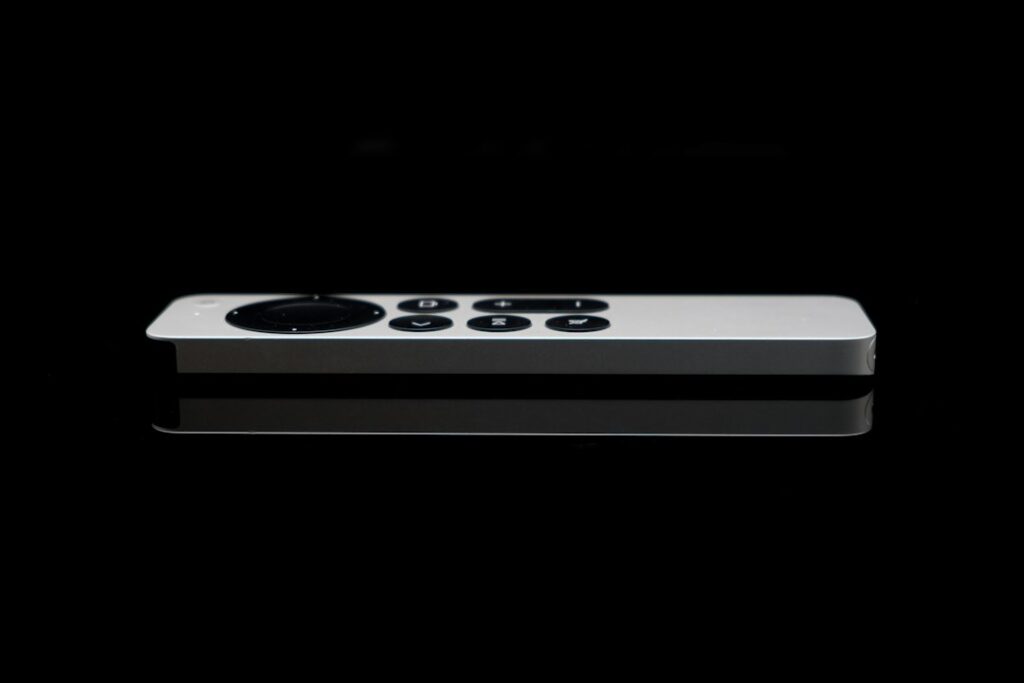
Streaming devices run low on memory often. Apps misbehave after automatic updates. Having a local copy of your setup saves you from repeating tedious manual entry. Let us look at how you can protect your configuration before things break.
Why Every UK Viewer Needs a Reliable Firestick Playlist Backup
Apps like TiviMate or IPTV Smarters Pro store data locally on the streaming stick. When storage fills up or an app cache corrupts, settings disappear. Firestick playlist backup routines take less than two minutes. They safeguard your custom logos, electronic programme guides, and hidden categories.
You might want to check Firestick storage management for IPTV users: how to free up space if your device runs slowly before you start exporting files. Freeing up physical memory helps the backup process finish without freezing.
Most UK households use multiple Fire devices around the house. Exporting your configuration lets you copy your setup to a second television instantly. You skip typing long server addresses with an on-screen remote. That convenience alone makes routine backups worth doing.
Exporting Settings: Creating Your Firestick Playlist Backup
Different player applications handle data exports in unique ways. TiviMate uses a built-in backup utility found within the general settings menu. Open your player, go to settings, and locate the backup option.
Select backup data and choose a destination folder. Your Firestick internal storage works fine for temporary files. Move the finished file to cloud storage or a computer for safe keeping. Cloud options like Google Drive or Dropbox require companion apps on your Fire TV stick to upload files directly.
If you use an app that lacks an automated export button, you rely on manual configuration notes. Jot down your server login details, port numbers, and login tokens. Keep those notes in a secure password manager rather than a loose scrap of paper.
Restoring Your Configuration After a Reset
Factory resets happen. Sometimes you need to wipe your streaming hardware to fix persistent performance drops. A proper Firestick playlist backup turns a painful two-hour restoration into a two-minute click.
Plug your USB drive in or download your backup file from cloud storage. Open your player application and navigate back to the settings panel. Choose the restore option instead of the backup one.
Point the application to your saved file. The app reads the configuration data, imports your channel groups, and restores your custom logos. Restart your Fire TV stick once the restoration finishes. Check your live feeds to confirm everything loaded correctly.
Common Pitfalls During the Export Process
Backups fail when users ignore file permissions. Amazon devices restrict direct access to system folders for security reasons. Always use the built-in export tool of your chosen player rather than a generic file explorer app.
Another frequent mistake involves outdated backup files. Your setup changes whenever you add new channel groups or update server paths. Make a fresh Firestick playlist backup every time you make major changes to your configuration.
Storage space matters too. If your streaming stick has less than one gigabyte of free space, exports might fail midway. Clear temporary cache files before running your next data export.
Automating Your Maintenance Routine
Manual backups require discipline. Set a calendar reminder on your phone every three months. Open your streaming app, run the export tool, and save the file somewhere safe.
Some advanced players include scheduled backup features. Point these automated tools to a shared network folder if your home network supports local storage. Your device handles the weekly routine quietly in the background.
Taking ten minutes today prevents hours of frustration tomorrow. Protect your custom setup before your hardware throws an unexpected error.
For more information, iptv.
Related reading
- Official Broadcasters vs IPTV Apps for Premier League Matchdays
- Firestick vs Android TV Boxes for IPTV UK: Hardware Showdown
Update: UK IPTV Regulation and Broadcasting Laws: What Viewers Need to Know
Update: Understanding IPTV Channels UK Lineups: How to Navigate Live TV and Catch-Up
Why Saturday 3 PM Premier League Matches Still Won’t Stream on UK IPTV
Saturday afternoon feels sacred for British football fans. Millions tune in or head to the ground for the traditional three o’clock kick-offs. Yet, if you open a legal Premier League live stream in the UK, those games are missing.

Broadcasters like Sky Sports and TNT Sports carry hundreds of fixtures each season. But they never show a Saturday three o’clock match. The blank screen frustrates supporters who expect modern television to offer every game. Understanding this gap requires looking back at a rule designed decades ago to protect stadium crowds.
The Origin of the Saturday Afternoon Blackout
The blackout rule dates back to the 1960s. Burnley chairman Bob Lord argued that televised matches would stop fans from paying at the gate. Lower league clubs rely heavily on matchday revenue. The Football Association agreed to protect attendances across the pyramid.
Television technology changed completely over the next sixty years. Satellites and broadband replaced terrestrial aerials. Still, the blackout survived every broadcasting rights auction. It remains embedded in domestic media contracts.
How Article 48 Protects Matchday Attendance
UEFA regulations allow member associations to block televised football during peak hours. In the UK, Article 48 of the UEFA statutes gives legal backing to this restriction. The Premier League applies this blackout window between 2:45 PM and 5:15 PM every Saturday.
No domestic channel can broadcast a match during these hours. This rule applies to traditional cable, satellite dishes, and any authorized online feed. If an app claims to show a 3 PM fixture legally to a UK IP address, it violates these core broadcasting agreements.
Will the Saturday Blackout Ever End?
Fans constantly debate whether modern viewing habits render the rule obsolete. Some argue that lower league attendances remain strong despite televised games. Others worry that smaller clubs would suffer without gate receipts.
The Premier League reviews its domestic broadcast strategy every few years. The current cycle maintains the blackout policy. Changing this rule requires consensus among clubs and approval from football authorities. For now, Saturday afternoons belong strictly to the stadiums.
For more information, iptv.
Related reading
- Broadband Connections and IPTV UK: 6 Factors Affecting Your Home Setup
- M3U URLs vs Xtream Codes API: Which IPTV Setup Method Suits UK Smart TVs?
Update: How to Delete IPTV Playlist on Smart TV
Update: Firestick vs Android TV Boxes for IPTV UK: Hardware Showdown
- How to Test Your Broadband Speed for IPTV UK Streaming
- Why Internet Speed Matters for IPTV UK
- Step One: Choose the Right Speed Test Tool
- Step Two: Test via Wi-Fi vs Ethernet Connection
- Step Three: Run Diagnostics at Peak Evening Hours
- Step Four: Interpreting Results and Fixing Bottlenecks
- When to Contact Your Internet Provider
How to Test Your Broadband Speed for IPTV UK Streaming
Getting your home network ready for high-definition video requires more than just plugging in a router and hoping for the best. If you use an IPTV UK setup, sudden drops in picture quality or unexpected freezing usually point straight back to your internet connection. Ofcom regularly publishes reports on average UK broadband speeds, but your actual line speed right at the device matters much more than headline advertising claims.

You might think your fibre package handles everything effortlessly. Reality often looks different when multiple household devices compete for bandwidth during peak evening hours. Let us walk through a practical, step-by-step method to test your connection properly so your live streams run smoothly from start to finish.
Why Internet Speed Matters for IPTV UK
High-definition television feeds demand a steady, uninterrupted flow of data. Unlike downloading a file where a temporary dip goes unnoticed, real-time video streams drop frames immediately when bandwidth dips below required thresholds. Standard definition needs very little bandwidth, but modern 1080p and 4K feeds put a heavy strain on domestic routers.
A stable connection prevents frustrating stuttering mid-match or during your favourite drama series. When you evaluate your setup, look past simple download numbers. Packet loss, latency, and jitter play massive roles in how well your IPTV service performs day-to-day. If your ping spikes unpredictably, even a gigabit line will struggle to deliver a glitch-free picture.
Step One: Choose the Right Speed Test Tool
Running a quick browser check on your phone gives you a rough baseline, but it doesn’t reflect what your actual streaming hardware experiences. Firesticks, Apple TVs, and smart TVs process data differently than a modern smartphone connected to a nearby Wi-Fi node.
Download a dedicated network testing app directly on your streaming device if possible. Many app stores feature standard diagnostic tools that measure raw throughput, latency, and server response times accurately. Run the test three times in a row. Take the average of those results rather than relying on a single outlier score.
- Check both download and upload speeds, focusing heavily on download stability.
- Note your ping time; anything consistently under 30 milliseconds is ideal for live video.
- Watch for jitter measurements exceeding 10 milliseconds, as high jitter causes noticeable micro-freezes.
Step Two: Test via Wi-Fi vs Ethernet Connection
Wireless interference ruins countless streaming sessions across British homes. Thick Victorian brick walls, microwave ovens, and neighbouring router channels battle constantly for airtime in densely populated areas. Before blaming your broadband provider, isolate how your device connects to the internet.
Plug an Ethernet cable directly from your router into your streaming box or smart TV if your hardware permits it. Run your speed test again. You will often see a dramatic jump in speed and a drastic drop in latency. If your wired test shows brilliant results while your wireless test fails miserably, you have found your bottleneck. If you want to dive deeper into resolving playback hiccups, our guide on how to fix buffering on Firestick IPTV player offers specific troubleshooting steps for wireless devices.
Step Three: Run Diagnostics at Peak Evening Hours
Testing your line at two o’clock on a Tuesday afternoon gives you a false sense of security. Neighbourhood network congestion peaks between seven and ten o’clock in the evening when everyone streams box sets and plays online games simultaneously. Cable networks and copper-based fibre-to-the-cabinet setups suffer most during these busy periods.
Schedule your speed checks during peak evening viewing windows to see how your connection truly performs under pressure. If your daytime speed sits comfortably at 70 Mbps but plummets to 12 Mbps on a Wednesday night, your local street cabinet or exchange is likely oversubscribed. When evaluating your options before committing to a new provider, learning how to choose a UK IPTV service also involves understanding your broadband capabilities during these exact peak hours.
Step Four: Interpreting Results and Fixing Bottlenecks
Once you gather your data, compare those figures against your broadcaster’s minimum requirements. A standard high-definition stream typically requires around 10 to 15 Mbps of dedicated bandwidth. Ultra-HD or 4K feeds demand at least 25 to 30 Mbps of consistent throughput.
If your numbers fall short, try restarting both your modem and your router to clear the cache and negotiate a fresh connection with your internet service provider. Move wireless routers away from thick obstructions, metal shelving, and cordless phone bases. Changing your Wi-Fi frequency band from the crowded 2.4 GHz spectrum to the faster 5 GHz channel often solves persistent speed drops instantly.
When to Contact Your Internet Provider
Sometimes local hardware isn’t the root cause of your bandwidth woes. If you pay for a superfast full-fibre package but tests consistently reveal speeds far below your guaranteed minimum entry level, log a fault with your provider. Ask them to run a line test from their end to check for internal faults, damaged street wiring, or faulty exchange equipment. Keep a written record of your test results over a few consecutive evenings so you have concrete evidence when you speak to customer support.
For more information, iptv.
Learn more on Wikipedia: ITV (TV network).
Related reading
Update: Smart TV IPTV Setup Mistakes UK Households Keep Making
Update: Smart TV Built-in Apps vs. Streaming Sticks: What Works Best for IPTV UK?
What is IPTV UK? Understanding Internet Television Technology
Switching on your television used to mean dealing with rooftop aerials or heavy satellite dishes. Today, IPTV UK setups bring channels straight through your broadband connection instead. Understanding how this technology works helps you make sense of modern digital broadcasting.

How Does IPTV UK Actually Work?
Traditional TV broadcasts send every channel simultaneously down a cable or through the air. Your telly tunes into one specific frequency and ignores the rest. Internet protocol television does things differently.
Instead of broadcasting everything at once, data travels as packet streams over your internet connection. When you pick a channel, your media player requests that specific stream from a server. Ofcom monitors these digital communications standards across the country to ensure fair access and clear guidelines for internet service providers.
What Types of Streams Are Available?
Not all internet television operates the same way. Live broadcasts mimic traditional television by sending real-time feeds of ongoing events. Catch-up services let you watch programmes that aired hours or days earlier. Video on demand works much like Netflix, where you pick a title and start it whenever you fancy.
Many viewers also utilise an IPTV playlist to organise their favourite live channels and media sources into one handy list. This keeps everything tidy across devices like Firesticks and smart televisions.
What Equipment Do You Need for IPTV UK?
Getting started requires three main components:
- A stable broadband connection with decent download speeds.
- A compatible playback device like a smart TV, streaming stick, or set-top box.
- A dedicated media player application to decode the incoming streams.
Wireless connections can sometimes struggle with high-definition live feeds if your Wi-Fi router sits far away. Plugging an ethernet cable straight into your streaming device usually solves most buffering headaches before they start.
Is IPTV UK Legal to Use?
The technology itself is entirely legal and powers legitimate services used by major broadcasters every single day. The BBC and ITV deliver their standard catch-up platforms using internet protocol streaming technology.
Legality depends entirely on who provides the content and whether they hold the proper broadcasting rights. Watching official apps from licensed networks remains completely lawful. Problems arise when unverified sources distribute copyrighted material without permission from the rights holders, which the UK Intellectual Property Office cracks down on regularly.
Why Are People Switching to IPTV Services?
Traditional satellite and cable packages often lock viewers into long contracts with costly hardware rentals. Internet-based setups offer more flexibility because you can run apps on existing hardware you already own. You do not need an engineer to drill holes in your wall or install a dish on your roof.
Flexibility remains a massive draw for modern households. You can take a portable streaming stick away on holiday and watch your usual setup wherever decent Wi-Fi is available.
For more information, iptv.
Learn more on Wikipedia: ITV (TV network).
Update: Firestick IPTV Cache Clearance
Update: How to Configure Smart TV IPTV Apps for UK Broadcasting