Best IPTV subscription alternative to Sky TV
Switching away from traditional satellite dishes often leads households to explore the best IPTV subscription alternative to Sky TV options available in the UK. Sky has dominated living rooms for decades with its heavy boxes and fixed contracts. Modern broadband speeds mean you no longer need a dish on your wall to watch live sport, movies, and entertainment.

Moving Beyond Satellite Dishes
Traditional pay-TV providers tie you into long agreements with steep price jumps after the first year. Streaming television over your internet connection changes how you access your favourite shows. Many viewers want flexibility without paying for channels they never watch. If you want to check how standard channel lineups compare before making a switch, take a look at our guide on UK channel lineups and catch-up TV.
What to Look for in a Modern Provider
Finding a reliable service requires looking past flashy marketing claims. You need consistent streams during peak evening hours when broadband traffic spikes across your neighbourhood. Regulations matter too, and staying informed helps you navigate the market safely. For broader legal context, you can read the Ofcom broadcasting guidelines to understand how UK media laws apply to digital delivery.
Device Compatibility
Your hardware dictates your streaming experience. Whether you plug a media stick into your HDMI port or run an app directly on your flat-screen panel, performance varies. Many users prefer compact hardware options. If you lean towards Amazon devices, our Firestick playlist backup guide shows you how to secure your setup.
Cost Versus Value
Saving money remains the main driver for people leaving traditional satellite packages. Yet the cheapest option often brings buffering issues and poor customer support during major football matches. Balance your budget with a stable connection speed of at least 50Mbps to ensure smooth high-definition playback.
Choosing the Right Fit for Your Living Room
Every household uses television differently. Some care only about Premier League weekends, while others want endless box sets for rainy afternoons. Take time to test trial periods before committing your hard-earned cash to any long-term digital package.
For more information, iptv.
Related reading
- Smart TV app vs streaming stick for IPTV
- NOW Sports vs TNT Sports App: Which Legal Streaming Option Suits UK Football Fans?
Update: Legal Sports IPTV UK: What to Check Before You Subscribe
Update: Best IPTV device for multi-room streaming
- Operating System and App Availability
- Performance, Storage, and Hardware
- Wi-Fi, Ethernet, and Connectivity
- Comparison Table
- Pros and Cons
- Setup Guidance and Legal Advice
- Frequently Asked Questions
- Do all smart TVs support every IPTV app?
- Is a wired Ethernet connection necessary?
- Can I use one remote for everything?
- Why do smart TV menus feel slow?
- Are external media players difficult to install?
- Does every device support 4K resolution?
- How do parental controls work?
Using a dedicated streaming stick often changes how your household watches live television over the internet. Many UK viewers plug a compact HDMI dongle into the back of their television and immediately notice a smoother interface than their built-in TV software. Choosing the right hardware for your setup matters because older displays struggle with modern video codecs and fast menu navigation.

Operating System and App Availability
Your television’s native platform dictates which software you can install. Samsung relies on Tizen, while LG uses webOS. Both platforms host official apps from major UK broadcasters like BBC iPlayer and ITVX, but their app stores have limited selections for third-party tools. If your provider supplies an official application, check the manufacturer store first. Many smart displays simply lack the flexibility found on Android TV or Amazon Fire TV operating systems.
Performance, Storage, and Hardware
Built-in processors inside most flat-screen televisions are notoriously underpowered. Manufacturers usually spend their budget on panels rather than internal memory or fast chipsets. A separate media player usually packs more RAM and dedicated storage, meaning your electronic programme guide loads faster and scrolls without stuttering. You can read more about setting up your TV guide via Smart TV IPTV EPG Setup: Getting UK TV Guides Working Properly to see how performance impacts everyday viewing.
Wi-Fi, Ethernet, and Connectivity
Stable internet connectivity keeps your live streams running without annoying interruptions. While modern smart sets feature decent wireless cards, they rarely come with built-in Ethernet ports unless you buy a high-end model. Many portable media players offer Ethernet adapters or dedicated dongles for wired connections. A wired connection completely removes local wireless interference from microwave ovens or thick walls.
Comparison Table
- Amazon Fire TV Stick / Cube: Fire OS | Excellent 4K & HDR | Wi-Fi & optional Ethernet | Alexa voice control
- Samsung & LG Smart TVs: Tizen / webOS | Varies by model | Usually Wi-Fi only | Basic voice search
- Apple TV 4K: tvOS | Premium 4K & Dolby Vision | Gigabit Ethernet & Wi-Fi | Siri remote
- Google TV / Chromecast: Android TV | Strong 4K support | Wi-Fi (some Ethernet) | Google Assistant
Pros and Cons
Weighing up your options helps prevent buyer’s remorse.
- Smart TV App Pros: No extra remote required, fewer cables trailing down the wall, clean aesthetic.
- Smart TV App Cons: Sluggish processors, limited software updates over time, fewer customisation options.
- Streaming Stick Pros: Frequent updates, fast app loading times, easy to replace or upgrade cheaply.
- Streaming Stick Cons: Requires an extra HDMI port, another power plug, and a separate remote control.
Setup Guidance and Legal Advice
Setting up your hardware should take less than ten minutes. Plug the device into a spare HDMI socket, connect it to your mains power supply, and follow the on-screen prompts to join your home wireless network. Always download official applications directly from the verified app store. IPTV simply delivers television channels over internet protocols, but legality depends entirely on whether your service provider holds the proper broadcasting rights for the UK market.
Frequently Asked Questions
Do all smart TVs support every IPTV app?
No. App availability varies wildly between brands, operating systems, and even manufacturing years. Always check the official store on your specific screen.
Is a wired Ethernet connection necessary?
It isn’t strictly mandatory, but a wired link delivers much better stability for high-definition live broadcasts.
Can I use one remote for everything?
Most modern media players support HDMI-CEC, letting your television remote control the dongle’s basic interface functions.
Why do smart TV menus feel slow?
Television manufacturers typically install budget-friendly processors to keep retail prices competitive.
Are external media players difficult to install?
They require basic plug-and-play knowledge, connecting via standard HDMI and USB power cables.
Does every device support 4K resolution?
Entry-level models often max out at 1080p Full HD, so check the hardware specifications before purchasing.
How do parental controls work?
Most platforms let you set PIN codes to restrict mature content or unauthorized app downloads.
For more information, iptv.
Learn more on Wikipedia: Streaming stick.
Related reading
- NOW Sports vs TNT Sports App: Which Legal Streaming Option Suits UK Football Fans?
- How to Update IPTV Apps on UK Smart TVs and Firesticks
Update: How to Fix Common Login and Playlist Errors on UK Smart TV IPTV Apps
Update: Legal Sports IPTV UK: What to Check Before You Subscribe
- NOW Sports vs TNT Sports App: Which Legal Streaming Option Suits UK Football Fans?
- Understanding the Big Two Platforms
- Match Coverage and Channel Availability
- App Performance, Picture Quality, and Broadcast Delay
- Pricing, Contracts, and Device Flexibility
- Pros and Cons of Each Platform
- NOW Sports Pros
- NOW Sports Cons
- TNT Sports App Pros
- TNT Sports App Cons
- Legal and Licensing Note
- Buying Checklist for UK Sports Fans
- Frequently Asked Questions
- Can I watch NOW Sports on my Amazon Firestick?
- Does TNT Sports show Premier League matches?
- Why does my football stream look blurry during fast passes?
- Can I share my sports streaming login with friends?
- Do I need a TV licence to watch live sports apps in the UK?
- How do I cancel my sports streaming subscription?
- Is 4K sports streaming widely available in the UK?
NOW Sports vs TNT Sports App: Which Legal Streaming Option Suits UK Football Fans?
Finding reliable live sports TV UK options can feel like a chore with so many apps and subscriptions vying for your monthly direct debit. If you love football, you probably split your loyalty between Premier League clashes, European nights, and weekend domestic fixtures. Two giants dominate the legal streaming landscape in British living rooms: NOW Sports and the TNT Sports app. Both deliver top-tier action straight to your internet-connected devices without requiring a traditional satellite dish. But which one deserves your hard-earned cash?

Understanding the Big Two Platforms
NOW Sports operates on a membership model, giving you contract-free access to Sky Sports channels. You stream everything via an app on your smart TV, Firestick, games console, or mobile phone. It mimics traditional TV channels while offering on-demand catch-up clips.
TNT Sports, formerly BT Sport, takes a slightly different approach. It lives inside the Discovery+ platform for most streaming subscribers. You get access to UEFA Champions League matches, Premier League games, and Gallagher Premiership rugby. Both apps rely heavily on robust broadband speeds to maintain high-definition feeds.
Match Coverage and Channel Availability
Football fans care about one thing above all else: getting the matches they actually want to watch. Sky Sports holds the lion’s share of Premier League package rights in the UK. That means NOW Sports gets you most weekend fixtures, the EFL Championship, and Scottish Premiership action.
TNT Sports owns the rights to European club competitions. If your team plays in the Champions League or Europa League, you need TNT. Neither service covers every single game due to the infamous Saturday afternoon blackout rule enforced across English football.
| Feature | NOW Sports | TNT Sports App |
|---|---|---|
| Primary Football Content | Premier League, EFL, Scottish Premiership | Champions League, Europa League, select Premier League |
| Typical Monthly Cost | £26 – £35 (often with discounts) | Around £30 (via Discovery+) |
| Contract Length | Monthly rolling or 6-month minimum | Monthly rolling |
| HD / 4K Support | Boost add-on required for 1080p/50fps | Included in standard tier for most devices |
App Performance, Picture Quality, and Broadcast Delay
Streaming live football brings unique technical challenges. Nobody wants a crucial penalty spoiled by a neighbour cheering three seconds early. Both NOW Sports and TNT Sports experience a slight broadcast delay compared to traditional terrestrial television.
NOW Sports historically lagged behind on frame rates, broadcasting standard matches at 25 frames per second unless you bought their extra Boost package. Buying Boost unlocks 50fps and full 1080p HD, which makes fast-moving football look much smoother on large screens. TNT Sports includes higher frame rates out of the box on supported devices, reducing motion blur during frantic penalty box scrambles.
Buffering usually stems from your home Wi-Fi rather than the streaming servers. A wired Ethernet connection fixes most stuttering issues during peak Sunday afternoon kick-offs.
Pricing, Contracts, and Device Flexibility
Subscription models dictate how much flexibility you get. If you only want to watch your club’s run-in during spring, rolling monthly plans save you money. When evaluating costs, you should check out guides on how to choose the best IPTV subscription in the UK to understand hidden fees and add-ons.
NOW frequently runs promotional discounts for new members. But remember that cancelling requires navigating a maze of retention offers. TNT Sports through Discovery+ integrates cleanly into existing EE or BT broadband bills, making payment management simpler for households already tied into those telecoms providers.
Simultaneous streams vary too. NOW limits you to one stream unless you pay for Boost, which bumps it up to three. Discovery+ allows up to two concurrent streams on standard plans.
Pros and Cons of Each Platform
NOW Sports Pros
- Massive volume of live Premier League matches.
- No long-term satellite dish contracts required.
- Frequent discount codes and promotional bundles available online.
NOW Sports Cons
- HD and 50fps require an extra monthly fee (NOW Boost).
- Customer service can prove difficult to contact quickly.
TNT Sports App Pros
- Essential home for European football like the Champions League.
- Decent picture quality included without sneaky hidden add-on costs.
- Integrates well with mobile and broadband provider accounts.
TNT Sports App Cons
- Missing domestic league fixtures compared to Sky’s catalogue.
- Discovery+ app interface can feel cluttered with non-sport content.
Legal and Licensing Note
Every service mentioned here operates under strict UK broadcasting regulations and holds official licences from rights holders. Using authorised apps protects your home network from malware and ensures reliable streams that won’t vanish mid-match due to sudden server shutdowns.
Buying Checklist for UK Sports Fans
Before purchasing your next streaming pass, run through this quick checklist:
- Check your broadband download speed (aim for at least 25 Mbps for steady HD).
- Confirm which competitions your favourite team actually plays in.
- Verify if your current smart TV or streaming stick supports the native app.
- Decide whether you need simultaneous streams for family members.
- Note your renewal date to avoid auto-renewing at standard high rates.
Frequently Asked Questions
Can I watch NOW Sports on my Amazon Firestick?
Yes, the official NOW app is available directly through the Amazon Appstore on compatible Fire TV devices.
Does TNT Sports show Premier League matches?
Yes, TNT Sports broadcasts a select number of early kickoff and midweek Premier League matches each season.
Why does my football stream look blurry during fast passes?
Low frame rates cause motion blur. Ensure your subscription includes 50fps support and your internet connection is stable.
Can I share my sports streaming login with friends?
Most legal apps restrict simultaneous streams to your household and strictly prohibit account sharing outside your home address.
Do I need a TV licence to watch live sports apps in the UK?
You need a valid UK TV licence if you watch any live television broadcasts on any channel or device, including streaming services.
How do I cancel my sports streaming subscription?
You can cancel via your account settings page on the provider’s website before your next billing cycle begins.
Is 4K sports streaming widely available in the UK?
4K availability is growing, but most live sports apps still broadcast primarily in 1080p HD at 50fps.
For more information, iptv.
Related reading
- How to Update IPTV Apps on UK Smart TVs and Firesticks
- What should a legitimate IPTV subscription include?
Update: Best IPTV subscription alternative to Sky TV
Update: How to Fix Common Login and Playlist Errors on UK Smart TV IPTV Apps
- The Short Answer
- Before You Start Checklist
- Why Do I Need to Update IPTV Apps Regularly?
- How Do I Update IPTV Apps on an Amazon Fire Stick?
- How Do I Update IPTV Apps on a Samsung Smart TV?
- How Do I Update IPTV Apps on an LG Smart TV?
- How Do I Update IPTV Apps on Android TV Devices?
- Common Mistakes People Make When Updating Apps
- When to Contact Your Provider
- Frequently Asked Questions
- Do I lose my playlist settings when I update my IPTV app?
- Why does my TV say there is no storage space for updates?
- Can I set my IPTV apps to update automatically?
- What happens if an app update makes my player crash?
- Safety and Legal Notes
Outdated software causes most streaming headaches in British living rooms. When your interface lags or channels fail to load, the fix is often simpler than you think. You just need to update IPTV apps to the latest version released by the developer.

Television manufacturers and streaming stick makers push background updates constantly. Sometimes, however, your third-party media players require manual intervention. Old code clashes with new operating system patches. That causes crashes, audio sync bugs, and blank screens.
Below, we walk through the exact steps required to refresh your software across different hardware brands popular in UK households. Let us get your setup running properly.
The Short Answer
To fix software bugs and improve performance, you must update IPTV apps directly through your device’s built-in app store or settings menu. Amazon Firesticks require navigating to your profile manage settings, while Samsung and LG televisions use their respective app management panels. Always check your connection stability before downloading new files, as interrupted downloads corrupt application data.
Before You Start Checklist
Do not rush into changing settings until you tick off these basic items:
- Check that your broadband connection is active and stable. (You can review baseline internet speed requirements to ensure your network isn’t the bottleneck.)
- Note your current app login details or playlist URLs, just in case a reinstall wipes saved data.
- Ensure your television or streaming stick has at least 500MB of free internal storage space.
- Verify your device’s main operating system is up to date.
Why Do I Need to Update IPTV Apps Regularly?
Software rots quietly. Developers push patches every month to fix security vulnerabilities and memory leaks. If you skip updates, your player gets slower. Modern web streams rely on updated video codecs. Old app versions lack these codecs. That means your screen stays black when a broadcaster switches encoding formats.
Security matters too. Outdated applications leave open ports on your local network. Hackers exploit these flaws. Updating closes those gaps. It also gives you access to fresh user interfaces and better subtitle management tools.
How Do I Update IPTV Apps on an Amazon Fire Stick?
Amazon devices handle software updates differently than standard Android boxes. Fire OS uses a customized interface that hides manual application controls deep inside the menu tree. Follow these exact steps to check for pending updates on your Fire TV Stick, Fire TV Cube, or Fire TV Pendant.
- Turn on your television and switch to the correct HDMI input.
- From the main Fire TV home screen, click the gear icon on the far right of the menu bar to open Settings.
- Scroll down and select Applications.
- Click on Appstore.
- Turn on Automatic Updates if it is disabled. This tells the device to pull patches in the background.
- To force an immediate check, hold down the Home button on your remote for three seconds until the quick menu pops up.
- Select Apps from that menu, highlight your IPTV player, press the menu button (three horizontal lines) on your remote, and select More Info or check for updates if available.
If the store does not show an update button, your current version is the latest one released by the developer. If your Firestick storage is full, the download will fail silently. Clear out unused apps before trying again.
How Do I Update IPTV Apps on a Samsung Smart TV?
Samsung uses the Tizen operating system for its Smart TVs manufactured after 2015. Tizen handles applications through the native Samsung Apps portal. You rarely need external files here because the system manages everything natively.
- Press the Home button on your Samsung remote control.
- Navigate left along the bottom menu bar and select Apps.
- Click the gear icon (Settings) located in the top-right corner of the Apps screen.
- Look for your installed IPTV player in the list.
- If an update is waiting, a notification badge appears next to the title, or you can highlight the app and select Update App from the sub-menu.
- Make sure the Auto Update toggle at the top of the screen is switched to ON. This saves you from doing manual checks every week.
Samsung TVs have limited storage. If you own an older model from 2018 or 2019, you might need to delete old streaming apps to make room for newer, larger codebases.
How Do I Update IPTV Apps on an LG Smart TV?
LG televisions run webOS. The interface looks sleek, but finding hidden app update buttons frustrates many users. webOS relies heavily on automatic background checks, but manual overrides exist.
- Press the Home button on your Magic Remote.
- Open the LG Content Store application.
- Click on your profile icon or name in the top right corner.
- Select My Apps or Purchased Apps.
- Find your media player in the grid.
- If a newer version exists, an Update button sits right beside the title. Click it to begin the download.
- Scroll down your home screen and open the Apps tab.
- Select the Google Play Store icon.
- Click on your profile picture or initial in the top right corner.
- Select Manage apps & games.
- Click on Updates to view a list of all pending software patches for your installed tools.
- Select Update all or choose your IPTV application individually.
- Your subscription login credentials suddenly stop working across multiple devices.
- Specific channel categories vanish from your electronic programme guide.
- Server error codes appear repeatedly despite a working internet connection.
- What should a legitimate IPTV subscription include?
- Best IPTV device for older televisions in the UK
- Best IPTV device for older televisions in the UK
- How to Choose a Legal Sports IPTV UK Provider for Weekend Football
- Breathing New Life into Retro UK Sets
- How Do You Connect Modern Streaming Sticks to Older TVs?
- Comparing Hardware Options for Legacy Displays
- Audio and Resolution Hurdles on Vintage Screens
- Frequently Asked Questions
- Can I use an IPTV device for older televisions without an HDMI port?
- Will my old remote control work with a modern streaming stick?
- Do older TVs handle 4K IPTV streams?
- Why is the text blurry on my converted legacy screen?
- Are legal streaming apps compatible with older hardware?
- Do I need a TV licence for IPTV apps in the UK?
- How do I power an external HDMI converter?
- Amazon Fire TV Stick: Highly compact, runs Fire OS, supports thousands of official apps, and draws very little power.
- Roku Express: Inexpensive, straightforward interface, great for basic catch-up apps, but offers fewer advanced configuration choices.
- Google TV / Chromecast: Excellent voice search, robust app store, though physical dongles can hang awkwardly from side-mounted ports.
- Apple TV: Premium performance and build quality, but overkill and physically cumbersome for a secondary legacy bedroom TV.
- How to Choose a Legal Sports IPTV UK Provider for Weekend Football
- TiviMate vs IBO Player: Choosing the Best IPTV App for Your UK Firestick
- Evaluating Channel Availability and Match Coverage
- Picture Quality, Frame Rates, and Audio
- Understanding Broadcast Delay
- Comparing Pricing, Contracts, and Cancellation Terms
- Pros and Cons of Legal Streaming Packages
- Essential Buying Checklist
- Frequently Asked Questions
- Can I watch 3 PM Saturday blackout matches through legal UK services?
- Do I need a TV licence for streaming sports online?
- What internet speed do I need for HD football streaming?
- Can I use one subscription across multiple rooms?
- What happens to my subscription if my provider loses broadcast rights?
- Are free streaming apps legal?
- Pros: Guaranteed stable streams, high-definition picture quality, official app support for smart TVs and streaming sticks, and complete peace of mind regarding UK copyright law.
- Cons: Monthly costs can add up if you need multiple subscription services to cover every competition, and regional blackout rules occasionally apply to afternoon kick-offs.
- Verify the company holds valid UK broadcasting rights or partners with authorised networks.
- Check device compatibility with your current hardware setup, whether that is a smart TV, a streaming stick, or a games console.
- Confirm the maximum number of simultaneous streams allowed on a single account if your household watches different matches at once.
- Test customer support response times by sending a simple pre-sale query through their official website.
- TiviMate vs IBO Player: Choosing the Best IPTV App for Your UK Firestick
- How to check if an IPTV subscription is legal
- Before You Start Checklist
- Comparing TiviMate vs IBO Player Features
- Step-by-Step Setup and Troubleshooting
- Common Mistakes to Avoid
- When to Contact Your Provider
- Safety and Legal Notes
- Frequently Asked Questions
- Can I use both apps on one Firestick?
- Why does my live stream buffer during peak evening hours?
- Which app is better for older relatives?
- Check your Firestick model. 4K Max sticks handle heavy playlist guides much better than older Lite versions.
- Test your broadband speed. You need a stable connection of at least 25Mbps for crisp live sports.
- Keep your legal service login details handy. You will need your Xtream Codes API URL, username, and password.
- Make sure your Fire OS is fully updated via the device settings menu.
- Restart your Firestick completely. Unplug the power cable from the wall socket for thirty seconds, then plug it back in.
- Clear the app cache. Go to Firestick Settings, open Applications, find your chosen player, and select Clear Cache.
- Check your Wi-Fi frequency. Switch your router from the congested 2.4GHz band to the faster 5GHz band if your router sits close to the TV.
- Verify your playlist details. Logouts happen when providers update their server ports. Re-enter your login credentials carefully.
- Test your internet speed inside the app or via a browser tool to rule out local broadband throttling by your UK Internet Service Provider.
- Absurdly low pricing: Premium live sports, cinema, and entertainment bundles cost major networks billions to broadcast. No legitimate company can sell access to all of them for ten pounds a year.
- Cryptocurrency or bank transfer demands: Unlicensed sellers frequently ask for Bitcoin, gift cards, or direct bank transfers because traditional merchant accounts refuse to work with them due to high fraud rates.
- No official app store presence: Legitimate apps download directly from Google Play, the Apple App Store, or Amazon’s official storefront. Sideloading via obscure file managers is common for grey-market setups (though you can also check our guide on setting up legal IPTV on Firestick for safe installation methods).
- Firestick IPTV buffering: device and network fixes
- Evaluating Internet Speeds for Legal Sports IPTV UK
- Evaluating Internet Speeds for Legal Sports IPTV UK
- UK Smart TV IPTV App Freezing: Step-by-Step Troubleshooting Guide
If you cannot find the app store, press the Settings button twice, go to General, and check for software updates on the television itself. Sometimes an outdated webOS version blocks app store access completely.
How Do I Update IPTV Apps on Android TV Devices?
Sony, Philips, TCL, and Nvidia Shield devices run standard Android TV or Google TV. These platforms make updating straightforward because they tie directly into the Google Play Store.
Keep your Google account logged in. Without an active login, the Play Store blocks software refreshes entirely.
Common Mistakes People Make When Updating Apps
People often panic when an update freezes. They pull the power plug immediately. That corrupts the file system. Always wait five minutes before interrupting a frozen download screen.
Another frequent error is ignoring device storage limits. Firesticks and smart TVs have tiny hard drives. When storage drops below 200MB, update scripts crash. Clear your cache files before starting any major software overhaul.
Some users try downloading random installation files from unofficial forums onto their smart TVs. That introduces malware. Stick exclusively to official app stores provided by your hardware manufacturer.
When to Contact Your Provider
Hardware updates won’t fix everything. If you updated your application, cleared your cache, and checked your broadband speed, but your channels still refuse to load, the issue sits elsewhere. Contact your service provider when:
Providers manage the backend streams. If their servers go down, no amount of client-side software updating will restore your broadcast.
Frequently Asked Questions
Do I lose my playlist settings when I update my IPTV app?
Usually, no. Most modern media players preserve your login tokens and custom playlist links during an over-the-air update. However, major version jumps can occasionally reset local storage. Always keep a backup copy of your configuration details stored safely offline.
Why does my TV say there is no storage space for updates?
Smart TVs and streaming sticks come with very small internal memory chips. Installed games, cached video data, and unused streaming apps consume that space quickly. Uninstall two or three apps you never use, restart your device, and try downloading the update again.
Can I set my IPTV apps to update automatically?
Yes. Every major platform—including Fire OS, Android TV, webOS, and Tizen—offers an automatic update toggle inside the app store settings. Turning this feature on ensures your software stays current without manual intervention.
What happens if an app update makes my player crash?
If a fresh patch introduces bugs, you can clear the app cache through your device’s settings menu. In rare cases where a developer pushes a broken build, you may need to wait for a hotfix or temporarily revert to a stable backup version if your hardware permits it.
Safety and Legal Notes
This guide is provided for educational and troubleshooting purposes only to help users manage their legally purchased hardware and software. Always respect intellectual property laws and copyright regulations in the United Kingdom. Ensure any media services you use comply fully with UK broadcasting standards and local legislation enforced by regulatory bodies like Ofcom.
For more information, iptv.
Related reading
Disclaimer: This article offers general technical troubleshooting steps for educational purposes only and does not constitute professional IT advice. Mentioned brand names, such as Samsung, LG, and Amazon, belong to their respective owners, and no corporate endorsement is implied. Factual details regarding software menus were accurate at the time of publication but are subject to change as manufacturers update their user interfaces.Update: Smart TV app vs streaming stick for IPTV
Update: Best IPTV subscription alternative to Sky TV
ContentsWhat is included in a standard IPTV UK package?
When you look at the landscape of broadcasting, a proper streaming package needs more than just a massive channel list. A legitimate IPTV UK service provides clear licensing details, transparent pricing in pounds sterling, and proper customer support channels. You won’t find vague promises of thousands of international channels for a fiver a month. Instead, authorised providers operate within UK broadcasting regulations set by bodies like Ofcom.
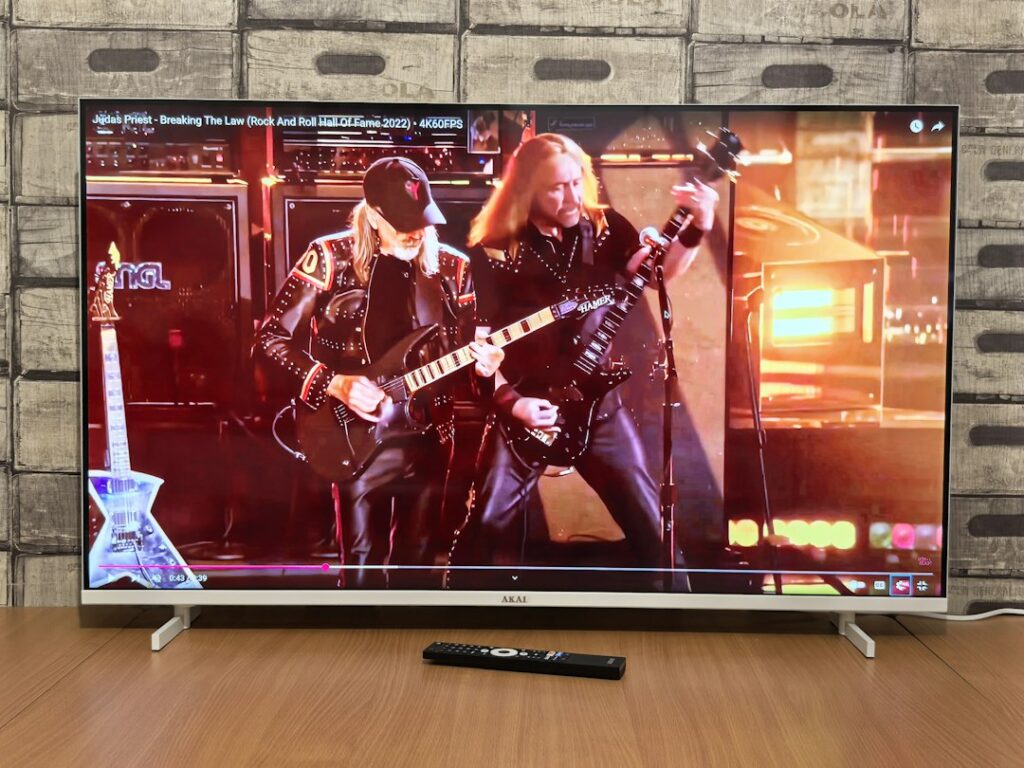
You should expect official apps that work smoothly on your hardware. If you are setting up your gear, a Smart TV IPTV App Setup guide helps explain how official applications function. Legitimate platforms offer stable infrastructure, meaning your streams won’t constantly buffer during peak evening hours.
Does a proper provider offer an IPTV trial UK option?
Most reputable commercial services let you test their platform before you commit long-term. A short IPTV trial UK period lets you check stream stability on your specific broadband connection. Virgin Media and Openreach networks handle data differently, so testing is vital.
Watch out for services demanding long contracts without letting you test the feed first. A proper provider stands by their uptime and stream quality. They want you to experience the HD or 4K feeds without risk.
What about hardware compatibility for IPTV for Smart TV UK?
Modern television sets run various operating systems like Tizen, webOS, or Android TV. A proper subscription supports these natively. If you need help getting started, read through a How to Set Up IPTV on Your Smart TV in the UK walkthrough for clear steps.
Beyond smart sets, compatibility should extend to streaming sticks. Dedicated apps make installation straightforward. You shouldn’t need to sideload sketchy third-party files just to watch licensed content.
How do legitimate providers handle channel lineups and EPG data?
An electronic programme guide is essential for any modern television service. Legitimate providers include accurate EPG data so you can see what is airing now and next. Channel lists must match what the provider actually has the rights to broadcast.
If a service claims to offer every pay-per-view sports event and premium movie channel globally for a tiny monthly fee, that is a massive red flag. Rights holders protect their content fiercely under UK copyright law, overseen by the Intellectual Property Office.
What kind of customer support comes with a legal UK IPTV subscription?
Real businesses have real support teams. You should find a contact email, a ticketing system, or even a telephone number on their website. Automated bots on Telegram or WhatsApp are common among rogue operators, but legitimate companies offer proper billing portals and account management dashboards.
Clear terms of service and refund policies must be visible before you buy. Consumer rights in the UK give you specific protections when purchasing digital services, and authorised sellers respect these laws completely.
For more information, iptv.
Learn more on Wikipedia: ITV (TV network).
Related reading
Disclaimer: This article is published for general informational purposes only and does not constitute legal or consumer advice. Mention of any brand names or regulatory bodies does not imply a formal endorsement or business partnership. Pricing, features, and broadcasting standards can change over time, so readers should always verify current terms directly with providers.Update: NOW Sports vs TNT Sports App: Which Legal Streaming Option Suits UK Football Fans?
Update: Smart TV app vs streaming stick for IPTV
ContentsBreathing New Life into Retro UK Sets
Plugging modern streaming hardware into a vintage flat-screen or a chunky CRT set with a scart adapter is a common DIY project across British living rooms. When you want to stream television over the internet using a proper IPTV device for older televisions, legacy ports present a real hurdle. Most current media players dropped analog outputs entirely. They rely solely on digital HDMI connections. You still have plenty of workarounds if your trusted old panel lacks modern ports. Let’s look at how to get your vintage display working with modern UK apps without buying a brand-new television.

How Do You Connect Modern Streaming Sticks to Older TVs?
HDMI is non-negotiable for nearly every major streaming player on sale today. If your television has a spare HDMI port, even an older version, you’re halfway there. You can plug a compact streaming stick straight in. Devices like the Amazon Fire TV Stick or Roku Express fit physically into tight spaces behind wall-mounted or cabinet-bound legacy screens. You might need an HDMI extension cable because these gadgets are often wider than the gap around recessed ports on older models.
What happens if your screen only has RCA phono inputs or a SCART socket? You will need an active HDMI-to-AV converter box. These little converter units require external USB power. They take the digital HDMI signal from your streaming box and scale it down to standard definition analog video. Picture quality drops noticeably through these adapters. Text in electronic programme guides can look fuzzy. Still, it lets you watch licensed catch-up apps and legal IPTV services on a display that refuses to die.
Comparing Hardware Options for Legacy Displays
Not all streaming hardware handles older displays equally well. Processing power, physical size, and power draw matter when you’re adapting signals for vintage gear.
If you are exploring low-cost hardware choices specifically, check out this guide on the best budget streaming hardware to see how entry-level sticks stack up on price and performance.
Audio and Resolution Hurdles on Vintage Screens
Older high-definition panels often support 720p or 1080i rather than full 1080p or 4K. During initial setup, your streaming box might try to output a resolution the panel rejects. You’ll stare at a blank screen until you drop the display settings down manually. Hooking up a different modern TV temporarily lets you change these output resolutions before moving the stick back to your older set.
Audio presents another quirk. Older televisions often lack HDMI ARC or optical audio output. If you run audio through an analog converter, you might experience minor lip-sync drift. Adjusting the audio delay settings inside your streaming app usually fixes this mismatch.
Frequently Asked Questions
Can I use an IPTV device for older televisions without an HDMI port?
Yes, but you must buy a separate HDMI-to-AV or HDMI-to-SCART converter box to bridge the connection gap.
Will my old remote control work with a modern streaming stick?
No, you’ll use the remote supplied with the streaming device. Many modern streaming remotes can be programmed to control your old TV’s power and volume via infrared.
Do older TVs handle 4K IPTV streams?
No. Your screen will display content at its native resolution, typically 720p or 1080i, regardless of the stream’s source quality.
Why is the text blurry on my converted legacy screen?
Analog conversion scales down digital high-definition video, which softens fine details like channel guides and menus.
Are legal streaming apps compatible with older hardware?
App developers drop support for ancient operating systems over time. Always check current store listings before buying secondhand sticks.
Do I need a TV licence for IPTV apps in the UK?
You need a valid UK TV Licence if you watch live broadcasts on any channel or stream BBC iPlayer content on your setup.
How do I power an external HDMI converter?
Most converters come with a USB power cable that plugs into a standard USB port on your TV or a separate wall plug.
For more information, iptv.
Related reading
Disclaimer: This article is provided for general informational purposes only and does not constitute technical installation or legal advice. All product names, brands, and registered trademarks mentioned belong to their respective owners. Facts and hardware specifications were correct at the time of writing and may change as manufacturers update their software and support policies.Update: How to Update IPTV Apps on UK Smart TVs and Firesticks
Update: NOW Sports vs TNT Sports App: Which Legal Streaming Option Suits UK Football Fans?
ContentsFinding a reliable legal sports IPTV UK service for your weekend football fix takes a bit of homework. You want crystal clear high-definition streams without the constant worry of sudden channel blackouts or dodgy feeds. Official broadcasters hold strict rights to the Premier League and international fixtures, meaning you need a legitimate provider that works within UK broadcasting laws. Let’s walk through what you actually need to look for before handing over your hard-earned cash.

Evaluating Channel Availability and Match Coverage
Not every licensed streaming package carries the exact matches you want to watch. Sky Sports, TNT Sports, and Amazon Prime Video split the rights for top-tier fixtures across the season. When you look at legal sports IPTV UK packages, check which specific broadcast channels are included in the base subscription. Some providers offer standalone sports passes, while others bundle entertainment channels you might never watch. Make sure your team’s fixtures actually land on the networks included in your plan.
Picture Quality, Frame Rates, and Audio
Football moves fast, and low frame rates ruin the viewing experience. You want a provider that delivers solid 1080p at 50 frames per second as a bare minimum for live sports. Some platforms now experiment with 4K streams for marquee fixtures, but your internet speed needs to cope with the heavy data demand. Audio sync matters just as much as picture sharpness. Nobody wants to hear the crowd cheer three seconds after the ball hits the back of the net.
Understanding Broadcast Delay
Every digital stream suffers from a slight delay compared to traditional satellite or terrestrial TV. Internet streams typically lag by thirty seconds to a minute. If your neighbours shout before you see the goal, your streaming setup is the culprit. While you can’t eliminate delay entirely on internet-based delivery, reputable providers keep buffering to a bare minimum through robust Content Delivery Networks (CDNs).
Comparing Pricing, Contracts, and Cancellation Terms
Monthly rolling contracts give you the freedom to cancel during the summer football off-season. Annual plans usually offer a discount, but you’re locked in if the service quality drops or your team gets relegated and changes broadcast tiers. Always read the small print regarding auto-renewal. If you want to dive deeper into payment structures, our guide on how to check if an IPTV subscription is legal covers the red flags to watch out for before paying.
Pros and Cons of Legal Streaming Packages
Essential Buying Checklist
Before you commit to any provider, run through this quick checklist to protect your wallet and your viewing experience:
Frequently Asked Questions
Can I watch 3 PM Saturday blackout matches through legal UK services?
No. UK broadcasting laws strictly prohibit live broadcasts of Saturday afternoon 3 PM kick-offs to protect match attendance at lower-league and Premier League grounds alike.
Do I need a TV licence for streaming sports online?
Yes. If you watch live television broadcasts on any channel or service, or use BBC iPlayer, you legally require a valid UK TV licence.
What internet speed do I need for HD football streaming?
A stable broadband connection of at least 15 to 25 Mbps handles high-definition live sports streams comfortably without constant stuttering.
Can I use one subscription across multiple rooms?
It depends entirely on the provider’s concurrent stream limit. Some packages restrict you to a single screen, while others permit multi-device viewing for an extra fee.
What happens to my subscription if my provider loses broadcast rights?
Rights packages change every few seasons. Legitimate providers usually adjust their channel lineups or offer flexible cancellation terms when sports rights shift.
Are free streaming apps legal?
Official broadcasters occasionally offer free clips or highlights, but entire live match broadcasts found on unverified apps are almost certainly unauthorised.
For more information, iptv.
Related reading
Disclaimer: This article is provided for general informational purposes only and does not constitute legal or financial advice regarding streaming subscriptions. All brand names, broadcasters, and trademarks mentioned belong to their respective owners with no endorsement implied. Facts and broadcasting rights details were accurate at the time of publication and may change as rights agreements are renewed.Update: What should a legitimate IPTV subscription include?
Update: How to Update IPTV Apps on UK Smart TVs and Firesticks
ContentsSetting up a legal broadcast stream on an Amazon Firestick in the UK often comes down to one big choice. Picking the right media player changes everything about how your TV responds. When looking at TiviMate vs IBO Player, you are weighing a feature-packed electronic interface against a lightweight, code-based setup.

Before You Start Checklist
Take a few minutes to prepare your hardware before installing any software. Rushing through this stage usually leads to frustrating playback errors later.
Comparing TiviMate vs IBO Player Features
Both applications sit comfortably on the Amazon Appstore or load via official download methods, but they serve different types of viewers. TiviMate feels like a traditional Sky Q or Virgin Media box. It brings a polished Electronic Programme Guide, custom groups, and multi-view options for watching two matches at once. You can catch up on missed broadcasts easily if your provider supports archive features.
IBO Player takes a different route. It relies on a web-activation model where you type a MAC address into a browser portal to sync your playlist. It runs exceptionally well on budget hardware because it consumes very little RAM. If you want a straightforward, no-fuss layout that just plays your channels without deep customisation, IBO Player wins on simplicity.
Step-by-Step Setup and Troubleshooting
Even the best apps run into snags. If your screen freezes or your remote stops responding, work through these numbered steps to fix the issue.
Common Mistakes to Avoid
Many users overload their apps with massive external EPG sources. This causes severe stuttering and crashes the Firestick due to low storage space. Another frequent error is ignoring app updates. Developers push patches regularly to fix audio sync issues and minor bugs.
When to Contact Your Provider
Some problems live outside your living room. If error messages persist after a full router reboot and app reinstallation, the issue is likely server-side. Reach out to your broadcasting provider if specific channel groups disappear entirely or if your account status shows as expired despite active billing.
Safety and Legal Notes
Always use official, licensed streaming applications downloaded directly from verified app stores. Ensure your internet connection complies with UK broadcasting regulations. This guide is strictly informational and does not endorse unauthorized streaming platforms.
Frequently Asked Questions
Can I use both apps on one Firestick?
Yes, you can install multiple apps on Amazon devices, provided you have enough free storage. For help managing your device capacity, see our guide on Firestick storage management for IPTV users.
Why does my live stream buffer during peak evening hours?
Local network congestion often causes evening slowdowns. Connecting via an Ethernet adapter instead of Wi-Fi usually solves this.
Which app is better for older relatives?
IBO Player is often easier for beginners because the interface requires minimal configuration once activated on a web browser.
For more information, iptv.
Related reading
Disclaimer: This article is provided for general informational purposes only and does not constitute technical or legal advice. All product names, logos, and brands mentioned belong to their respective owners and are used purely for identification. We do not endorse any specific third-party applications or guarantee uninterrupted service performance.Update: Best IPTV device for older televisions in the UK
Update: What should a legitimate IPTV subscription include?
ContentsHow to check if an IPTV subscription is legal
Finding a reliable IPTV subscription in the UK can feel confusing when thousands of online sellers promise thousands of channels for a few pounds a month. The core technology itself is entirely legitimate. Major broadcasters like the BBC and ITV use internet protocol television to deliver high-definition streams to millions of households every day. Trouble starts when unauthorized resellers package copyrighted content without permission from rights holders.

The two main approaches to IPTV services
When you start looking at UK IPTV options, you generally encounter two distinct categories. Understanding the difference helps you spot legitimate platforms immediately.
1. Official broadcast networks and accredited apps
Official providers include traditional terrestrial broadcasters, licensed telecommunications companies, and established streaming platforms. These services hold direct distribution rights. They pay substantial fees to sports leagues, film studios, and television networks. When you subscribe here, your payment goes towards legitimate licensing. You also get stable servers, customer support, and peace of mind regarding UK broadcasting laws enforced by bodies like Ofcom.
2. Unregulated third-party resellers
Independent websites and social media vendors often advertise fully loaded playlists containing every premium sports channel, movie network, and international package worldwide for a fraction of standard costs. These vendors operate without agreements from copyright holders. They bypass paywalls, strip encryption from feeds, and often vanish overnight when law enforcement or internet service providers block their domains. Using these services carries severe security risks and potential legal consequences under UK copyright legislation.
Key red flags of unauthorized IPTV providers
Spotting an unlicensed service usually comes down to pricing and payment methods. If an offer defies basic economic logic, it’s almost certainly unauthorized.
How to verify a provider’s legitimacy
Before entering payment details, take a few moments to investigate the company behind the service.
Check for a registered UK company address, clear terms of service, and transparent contact details. Licensed operators prominently display copyright notices and partnership details with major networks. If the website consists only of a contact form and a Telegram link, walk away. You can also review guidance from the UK Intellectual Property Office regarding digital piracy and copyright protection.
Sticking to known, verified entities protects your personal financial data and ensures your viewing isn’t suddenly interrupted by a sudden police crackdown or domain seizure.
For more information, iptv.
Related reading
Disclaimer: This article is for general informational purposes only and does not constitute legal advice. All network and product names mentioned remain the property of their respective owners with no endorsement implied. Facts and regulatory guidance were correct at the time of publication but remain subject to change.Update: How to Choose a Legal Sports IPTV UK Provider for Weekend Football
Update: Best IPTV device for older televisions in the UK
ContentsTackling Firestick IPTV Buffering Head-On
Watching your favourite live broadcast freeze right before a crucial moment causes instant frustration. When Firestick IPTV buffering ruins your evening, the culprit usually hides inside your home network or the device itself. You don’t need a degree in network engineering to fix these annoying stutters. Let’s walk through some straightforward adjustments that actually make a difference.
Check Your Wi-Fi Band and Router Distance
Most modern UK broadband routers broadcast on two distinct frequencies. Your Firestick probably connects to the crowded 2.4GHz band by default. That frequency picks up interference from microwave ovens, baby monitors, and neighbouring Wi-Fi networks.
Jump into your Firestick network settings and switch over to the 5GHz band instead. It handles heavy data loads much better, provided your router sits in the same room. If walls block the signal, speeds drop dramatically. A simple Ethernet adapter for your Fire TV stick often solves stubborn wireless drops completely.
Clear App Cache and Free Up Storage Space
Amazon packs its basic streaming sticks with limited internal storage. Once that space fills up, the operating system struggles to process live video feeds smoothly. Outdated temporary files clog up your chosen player app too.
Open your Firestick settings, navigate to applications, and manage installed apps. Find your IPTV application and clear its cache right away. Don’t touch the data button unless you want to log back in completely. Deleting unused apps frees up valuable breathing room for the processor.
Manage Your Broadband Connection
Internet service providers across the UK handle peak evening traffic differently. Sometimes your ISP throttles high-bandwidth connections during busy hours. Read more about broadband connections and IPTV UK to understand how local line speeds impact your daily viewing experience. Restarting your broadband router once a week clears out temporary memory leaks and refreshes your external IP address.
Check App Compatibility and Updates
Running an outdated version of a streaming player causes constant decoding errors. Head to the official Amazon Appstore and install every pending system or application update immediately. If your feed keeps stuttering, verify your setup against the smart TV IPTV playlist loading issues and how to resolve them guide for broader troubleshooting steps that apply across living room hardware.
For more information, iptv.
Related reading
Disclaimer: This guide covers general troubleshooting for Amazon Firestick hardware and network configurations for informational purposes only. Brand names and trademarks belong to their respective corporate owners, and no commercial endorsement is implied. Streaming performance depends heavily on external factors beyond local device control, and users must ensure all services they access operate in full compliance with UK broadcasting regulations.Update: TiviMate vs IBO Player: Choosing the Best IPTV App for Your UK Firestick
Update: How to Choose a Legal Sports IPTV UK Provider for Weekend Football