A Practical Step-by-Step Guide to Setting Up Legal IPTV Services on Your UK Television
Switching your television viewing over to an internet-based format doesn’t have to feel complicated. If you’re currently exploring how an IPTV UK setup actually works in your living room, you’ll find the process quite straightforward once you break it down into a few manageable tasks. Traditional broadcasting via rooftop aerials and satellite dishes is rapidly evolving, with millions of households across the United Kingdom transitioning toward flexible, data-driven streams that deliver high-definition entertainment directly through broadband routers.

Checking Your Home Internet Speed for Streaming
Before you download any applications or plug in new hardware, you need to check your broadband connection. Smooth video playback relies heavily on a steady, fast connection. Ofcom regularly reports on average UK broadband speeds, noting that standard fibre packages easily handle high-definition streaming. Try running a quick speed test on your phone or TV. You want at least 15 to 20 Mbps for smooth HD content, and closer to 50 Mbps if your household streams in 4K resolution.
If your router sits too far from your television, consider moving it closer or using an Ethernet cable. Wi-Fi interference from thick walls or microwave ovens often causes unexpected stuttering during live broadcasts. A wired connection gives you the most stable experience possible.
Beyond raw download speeds, you should also look at metrics like jitter and packet loss, which significantly impact live video streams. UK internet service providers such as BT, Virgin Media, Sky, and TalkTalk experience peak traffic hours typically between 7 PM and 10 PM. During these windows, network congestion can occasionally cause temporary bandwidth throttling or micro-buffering. Running a ping test alongside your speed check will reveal whether your connection maintains the low latency required for uninterrupted live sports and real-time broadcasting.
Choosing Your Hardware and Compatible Apps
Next up, you need a compatible device to run your chosen streaming software. Most modern smart TVs from brands like Samsung, LG, and Sony come with built-in app stores. Alternatively, many viewers prefer dedicated hardware plugged into an HDMI port. For a detailed breakdown of compatible hardware, take a look at our IPTV Smart TV App Setup Guide for UK Viewers to see which options suit your specific screen.
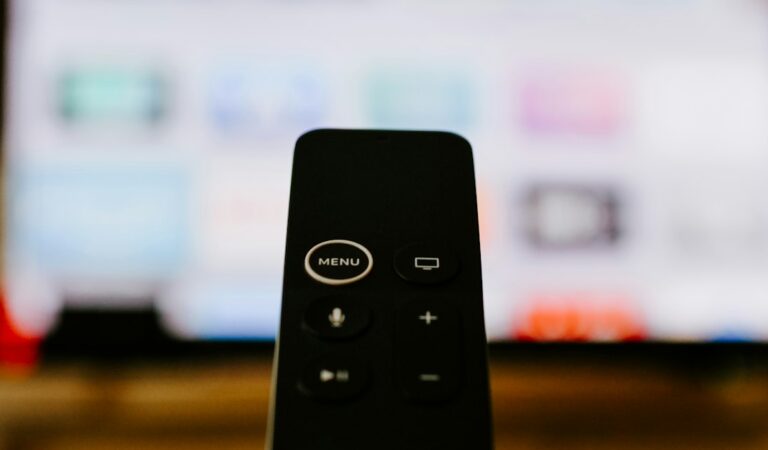
When selecting dedicated media players, devices like the Amazon Fire TV Stick 4K, Apple TV 4K, or Google Chromecast with Google TV offer vastly superior processing power compared to the native operating systems built into older television sets. This extra computing power translates into faster menu navigation, quicker channel switching, and reliable support for advanced video codecs. For a comprehensive overview, research how different devices handle hardware acceleration, as this directly affects how smoothly high-frame-rate sports broadcasts render on your screen.
Once your device is ready, head to its official app store and search for approved media player applications. Popular options include VLC, TiviMate, or specialized provider apps available from legitimate broadcasters. Avoid sideloading unknown files from random websites, as official stores keep your system secure.
Ensuring Compliance and Understanding UK Broadcasting Regulations
Navigating the digital television landscape in the United Kingdom also requires an understanding of broadcasting compliance and licensing. Legitimate streaming services operate in full alignment with UK copyright laws, partnering directly with content creators, sports leagues, and television networks to deliver authorized feeds. When selecting an IPTV provider, always verify that they hold the proper licensing rights for the regions and channels they broadcast. This ensures not only crystal-clear, legal streams without sudden service blackouts, but also protects your home network from security vulnerabilities often associated with unauthorized, illicit streaming sites.
Furthermore, maintaining a legal setup means you remain fully compliant with UK TV Licensing laws if you are watching live broadcasts or utilizing catch-up services like BBC iPlayer. Legitimate application interfaces make it seamless to access certified UK platforms alongside your primary subscription, creating a unified entertainment hub without compromising your digital safety or privacy.
Configuring Your UK IPTV Subscription
After installing your chosen app, you’ll need to link your active subscription. Legitimate services usually provide you with login credentials, an M3U playlist link, or a secure API code. Type these details carefully into the app settings. Many people make typos with long web addresses, so double-check every character.
Once connected, the application downloads your channel guide and on-demand menus. This initial sync might take a minute or two depending on your internet speed. Take a moment to organise your favourite channels so you don’t have to scroll through endless lists every time you sit down to watch the news or a match.
Proper configuration goes beyond merely entering your login details. Take advantage of customisation features within advanced media players to map out Electronic Program Guides (EPG), adjust time zone offsets so program schedules align correctly with British Standard Time (BST) or Greenwich Mean Time (GMT), and assign parental controls if younger members of the household use the same television. Setting up these preferences early saves immense frustration later on.
Testing and Troubleshooting Your Setup
Before you settle in for an evening of entertainment, run a quick test across a few different channels. Check both live broadcasts and catch-up features to ensure everything loads properly. If you notice a bit of picture lag, try restarting both your television and your home router. Simple reboots clear out temporary memory glitches that often disrupt video feeds.
Keep your app updated to the latest version released by the developer. Developers frequently push patches that fix minor bugs and improve overall playback stability. If you encounter persistent buffering even with a high-speed broadband package, try clearing the application cache within your device’s storage settings or switching the video decoder mode from hardware to software decoding within the app’s advanced playback menu. Enjoy your newly organised setup!
For more information, iptv.
Learn more on Wikipedia: ITV (TV network).
Related reading
- EE TV vs Sky Stream: Choosing Legal Sports IPTV UK Packages
- Fixing UK Smart TV IPTV App Freezing and Buffering Issues
Update: UK Legal IPTV Streaming Devices: The Hardware Comparison Myth-Buster