- Finding the Right Matchday Setup
- Sky Stream: The Dedicated Entertainment Hub
- EE TV: Flexibility and Multi-Screen Freedom
- Head-to-Head Comparison
- Weighing the Pros and Cons
- Sky Stream Pros
- Sky Stream Cons
- EE TV Pros
- EE TV Cons
- Understanding Matchday Bandwidth and Network Demands
- Licensing and Compliance Note
- Matchday Buying Checklist
- Frequently Asked Questions
- Do I need a satellite dish for Sky Stream?
- Can I watch matches in 4K resolution?
- Will my broadband speed affect live sports quality?
- Can I take my streaming box on holiday within the UK?
- Are sports packages cheaper if I bundle them with broadband?
- What is the minimum internet speed required?
- Final Decision for Fans
Finding the Right Matchday Setup
Watching live football in the UK gets expensive quickly. You split your loyalties between multiple subscription services just to catch your team play every weekend. Finding a reliable legal sports IPTV UK setup simplifies this chaos. Instead of juggling random apps, you want a single platform pulling everything together. Two major contenders dominate the market right now: Sky Stream and EE TV.

Both platforms deliver channels over your broadband connection rather than a traditional satellite dish. That modern delivery method changes how matches load on your screen. Let us break down how they stack up against each other for dedicated fans.
Sky Stream: The Dedicated Entertainment Hub
Sky Stream boxes arrive in your post ready to plug straight into your HDMI port. You don’t need an engineer drilling holes in your walls. The puck relies entirely on a stable internet connection. If you want Sky Sports alongside TNT Sports and Premier Sports, Sky bundles them into distinct add-on packs.
Picture quality reaches solid 4K HDR standards on supported matches. Audio gets a massive boost too if you have a compatible soundbar. But you pay for that polish. Sky usually locks you into rolling monthly contracts or cheaper 18-month commitments. If you cancel early, termination fees apply. Streaming live football eats up significant broadband data, so make sure your home internet package handles heavy matchdays without throttling your speed.
Furthermore, Sky’s playlist feature allows you to tag upcoming fixtures so they automatically record to the cloud. This means if a Saturday 3 PM blackout catches you out or you are running late from work, you can easily catch up on full-match replays or extended highlights shortly after the final whistle blows without navigating messy on-demand menus.
EE TV: Flexibility and Multi-Screen Freedom
EE TV takes a slightly different approach to streaming live sport. Formerly known as BT TV, the service anchors itself around the Apple TV 4K box or their own customized set-top hardware. You can grab the Big Sport package, which rolls up TNT Sports, Eurosport, and a full NOW Sports membership into one monthly bill.
This setup works wonders for households with multiple screens. EE lets you watch content across different devices simultaneously much easier than older satellite setups. The user interface feels fast. You can switch from a Premier League fixture to a rugby union match without lagging menus slowing you down.
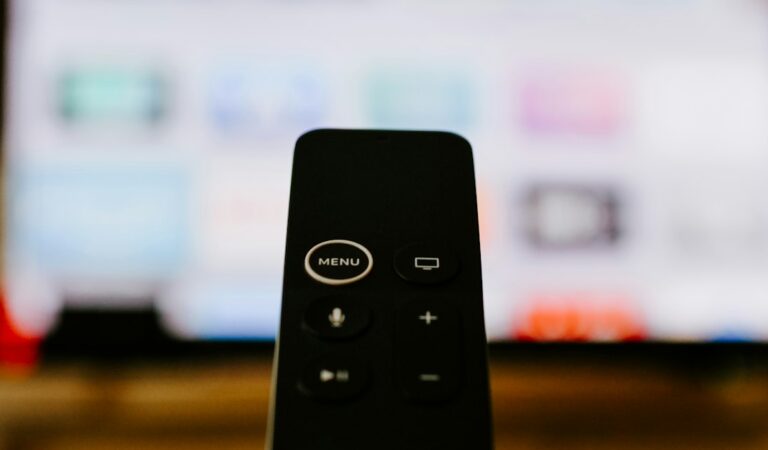
Additionally, because EE TV heavily utilizes the Apple TV platform as a hardware option, users gain access to a vast ecosystem of apps, seamless integration with other Apple devices, and superior remote control design compared to standard plastic cable boxes. This makes it an appealing choice for tech enthusiasts who want their sports streaming hub to double as a high-end media player for movies and box sets.
Head-to-Head Comparison
| Feature | Sky Stream | EE TV |
|---|---|---|
| Primary Hardware | Sky Puck | Apple TV 4K / EE Box |
| Sports Add-ons | Sky Sports, TNT Sports | TNT Sports, NOW Sports |
| Contract Length | 30-day or 18-month | 24-month typical |
| 4K Sports Support | Available on select events | Available on select events |
Weighing the Pros and Cons
Every platform compromises somewhere. Let us look at the good and bad points for both services.
Sky Stream Pros
- Simple plug-and-play hardware setup.
- Comprehensive Sky Sports integration.
- Good cloud DVR features for recording games.
Sky Stream Cons
- Longer contracts save money but lock you in.
- UI ads can feel intrusive.
EE TV Pros
- Flexible hardware options like Apple TV.
- Combines TNT Sports and NOW effectively.
- Great multi-device support at home.
EE TV Cons
- Longer minimum broadband ties.
- Customer service can take longer to reach.
Understanding Matchday Bandwidth and Network Demands
When transitioning from traditional aerial or satellite television to internet-delivered sports channels, managing your home network becomes paramount. Streaming live football in high definition or ultra-high definition 4K puts a sustained load on your router for ninety minutes or more. If other members of your household are simultaneously gaming, downloading large files, or streaming 4K movies in another room, your live sports feed might suffer from buffering or automatic resolution drops.
To prevent these frustrating interruptions during crucial penalty shootouts or last-minute goals, consider connecting your streaming puck or Apple TV directly to your router using an Ethernet cable rather than relying solely on Wi-Fi. Hardwiring your legal sports IPTV UK device eliminates wireless interference from neighboring networks and ensures a consistently low ping, keeping your matchday viewing experience as stable as a traditional broadcast.
Licensing and Compliance Note
Every channel, stream, and match mentioned here operates strictly under official UK broadcasting rights. Choosing a genuine legal sports IPTV UK provider guarantees your subscription supports the leagues, clubs, and production crews making the matches happen. Unlicensed pirate streams risk sudden shutdowns, poor feeds, and potential security threats to your home network.
Matchday Buying Checklist
Before you click buy on any TV bundle, check these quick items off your list:
- Test your broadband speed to ensure it meets HD or 4K streaming demands.
- Count how many TVs in your house need access at the same time.
- Check which broadcaster holds the rights to your specific team’s matches this season.
- Review the exact contract length to avoid surprise cancellation fees.
Frequently Asked Questions
Do I need a satellite dish for Sky Stream?
No. Sky Stream works entirely over Wi-Fi or an Ethernet cable connected to your broadband router.
Can I watch matches in 4K resolution?
Yes, both providers offer selected fixtures in 4K HDR, provided you pay for the relevant HD/UHD boost add-ons.
Will my broadband speed affect live sports quality?
Yes. Live streams drop resolution automatically if your internet connection dips during peak evening hours.
Can I take my streaming box on holiday within the UK?
Sky Stream units can move between UK broadband connections easily, though geo-restrictions apply abroad.
Are sports packages cheaper if I bundle them with broadband?
Usually, yes. Providers often discount the TV portion if you take your home internet from them too.
What is the minimum internet speed required?
You want at least 25 Mbps for reliable HD streaming, and 50 Mbps or higher for stable 4K sports coverage.
Final Decision for Fans
If you want pure simplicity and love the Sky interface, grab Sky Stream. If you prefer Apple hardware and flexible sports bundling via EE TV, go that route instead. Both options deliver solid legal sports IPTV UK performance without risking dodgy streams.
For more information, iptv.
Related reading
- Fixing UK Smart TV IPTV App Freezing and Buffering Issues
- Official Broadcasters vs. Independent IPTV Services: A UK Comparison
Update: UK IPTV Troubleshooting Guide: Fixing Smart TV and Firestick Streaming Errors
Update: UK Legal IPTV Streaming Devices: The Hardware Comparison Myth-Buster