- Navigating Legal IPTV Streaming Hardware
- Hardware Comparison: Operating Systems and App Stores
- Performance, Resolution, and Connectivity
- Direct Device Comparison Table
- Pros and Cons of Popular UK Streaming Hardware
- Setup, Voice Control, and Parental Controls
- UK Availability and Warranty Support
- Optimizing Home Network Infrastructure for IPTV
Navigating Legal IPTV Streaming Hardware
Choosing legal IPTV devices UK households can rely on isn’t just about picking the cheapest stick on Amazon. Internet protocol television delivers broadcasts through your broadband connection rather than an aerial or dish. Legality depends entirely on the broadcaster and app you use, not the box sitting under your telly. Official services like BBC iPlayer, ITVX, and Sky Go run smoothly on specific hardware, but performance varies wildly across platforms. You need a setup that handles official streaming apps without crashing.

In the modern British living room, the shift away from traditional linear television toward app-based streaming is virtually complete. Households increasingly rely on fibre broadband connections to stream live news, Premier League football, and on-demand box sets. However, the hardware you plug into your HDMI port acts as the critical bridge between your router and your television screen. A substandard processor or insufficient memory can turn a relaxing evening of entertainment into a frustrating cycle of buffering wheels, audio sync errors, and frozen menus. Investing in capable, certified hardware ensures that licensed content is delivered at its highest possible bitrate, preserving the visual fidelity and audio immersion intended by the broadcasters.
Hardware Comparison: Operating Systems and App Stores
Your streaming experience hinges on the underlying software. Amazon Fire TV devices use Fire OS, a fork of Android. They offer deep integration with Prime Video and host most legal broadcaster apps. Google TV and Android TV boxes provide a cleaner interface with the full Google Play Store. Apple TV relies on tvOS, delivering a snappy, ad-free environment that syncs nicely with iPhones. Smart TV platforms from Samsung and LG run Tizen and webOS respectively. They save you from needing a separate box, but their app stores lack the flexibility of dedicated media players.
App availability is a major stumbling block. Never assume every device supports every service. Always check the provider’s official app requirements before buying hardware. You can learn more about official app ecosystems by comparing official UK sports streaming apps and licensed IPTV providers to see how platforms differ in daily use.
Furthermore, the philosophy behind each operating system dictates how you interact with your media daily. Android-based systems prioritize versatility, allowing side-loading of specialized tools and a high degree of home screen customization. Apple’s tvOS focuses heavily on a curated, streamlined user journey, completely omitting the sponsored banner ads that plague cheaper alternatives. Understanding these software ecosystems helps you avoid frustration, ensuring that your preferred catch-up services, subscription video-on-demand platforms, and niche streaming apps are natively supported without requiring messy workaround solutions like casting from a smartphone or tablet.
Performance, Resolution, and Connectivity
Streaming live 50fps sports or crisp 4K films demands proper horsepower. Apple TV 4K and Nvidia Shield TV lead the pack for sheer speed, loading menus instantly and handling heavy streams effortlessly. Cheaper sticks like the standard Fire TV Stick or Roku Express get the job done for basic HD viewing, but they stutter when pushed hard.
Wi-Fi congestion ruins live broadcasts. Look for devices featuring Ethernet ports or strong Wi-Fi 6 compatibility. If your router sits far from your living room, a wired connection keeps streams stable. HDR10+ and Dolby Vision support also matter if you own a modern telly, making colours pop during evening dramas.
When dealing with high-frame-rate content—crucial for fast-moving sports like football, rugby, and Formula 1—hardware decoding capabilities become paramount. A device must possess a robust graphics processing unit (GPU) capable of rendering 50 frames per second smoothly without introducing motion judder or frame drops. Additionally, audio pass-through support for formats like Dolby Atmos ensures that if you have a connected soundbar or multi-channel surround sound system, you get theater-quality spatial audio accompanying your high-definition broadcasts.
Direct Device Comparison Table
| Device | Operating System | 4K / HDR | Ethernet Option |
|---|---|---|---|
| Amazon Fire TV Cube | Fire OS | Yes (Dolby Vision) | Built-in port |
| Apple TV 4K | tvOS | Yes (Dolby Vision) | Top tier model only |
| Google TV Streamer | Android TV | Yes (HDR10+) | Built-in port |
| Roku Streaming Stick 4K | Roku OS | Yes (HDR10+) | No (Wi-Fi only) |
Pros and Cons of Popular UK Streaming Hardware
Every option comes with trade-offs. Amazon devices are cheap and widely available on the British high street, but their interfaces are packed with sponsored adverts. Apple hardware runs brilliantly and respects user privacy, but the initial purchase price stings. Android TV boxes give you endless customisation, yet menus occasionally feel cluttered.
Smart TVs are convenient because you only need one remote. Their processors often degrade over time, leading to sluggish menus after a couple of years of software updates. Dedicated boxes are easier to replace when technology moves on.
Evaluating the long-term value of these platforms also requires looking at manufacturer update lifecycles. Premium streaming boxes tend to receive critical security patches and operating system upgrades for many years, preserving app compatibility long after purchase. Budget dongles, conversely, may be abandoned by manufacturers much sooner, eventually rendering them incapable of running updated versions of essential UK catch-up apps due to underlying web-engine or security certificate requirements.
Setup, Voice Control, and Parental Controls
Getting started usually takes five minutes. Plug the device into an HDMI port, connect to your home Wi-Fi, and sign into your accounts. Alexa, Google Assistant, and Siri handle voice searches across different platforms, letting you jump straight into live channels without typing. Parental controls let you lock adult content behind a PIN, keeping younger viewers safe.
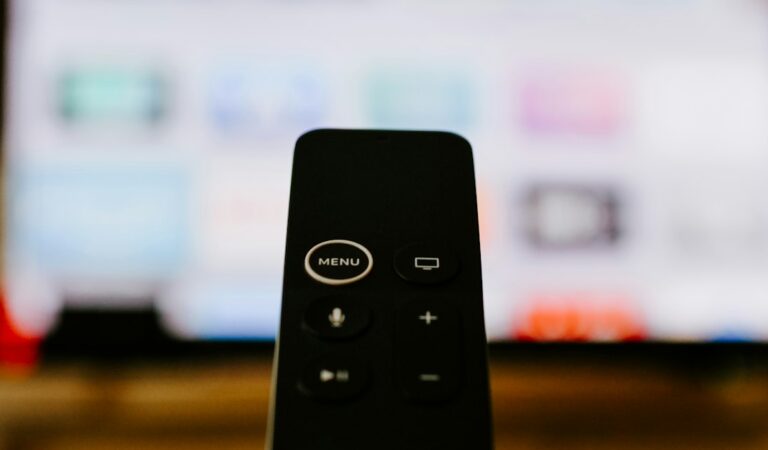
Modern remote controls have evolved significantly beyond simple infrared clickers, often featuring dedicated shortcut buttons for popular British services like Netflix, Prime Video, or Disney+. Voice integration has also transformed accessibility; instead of navigating complex on-screen keyboards with directional pads, users can simply speak a show title or channel name to initiate immediate playback. Furthermore, robust household management tools ensure that content ratings can be locked down globally across all installed applications, giving parents absolute peace of mind regarding what content is accessible in shared family spaces.
UK Availability and Warranty Support
Buying from established UK retailers guarantees proper consumer rights under the Consumer Rights Act. Currys, Argos, and John Lewis stock certified hardware with standard one-year or two-year warranties. Avoid grey imports from overseas auction sites that lack UK power plugs or local support channels.
Purchasing through authorized domestic distribution channels ensures complete compliance with UK safety standards, including proper CE or UKCA marking on power supplies and plugs. Furthermore, dealing with local customer service desks simplifies returns, repairs, or replacements should a hardware fault develop during the warranty period. Localized plug configurations eliminate the safety hazards and inconvenience associated with travel adapters or unverified third-party power bricks often bundled with grey-market imports sourced from international third-party marketplace sellers.
Optimizing Home Network Infrastructure for IPTV
Even the most advanced streaming hardware will falter if your home network infrastructure cannot sustain consistent data throughput. Live IPTV streams require an uninterrupted, steady stream of packets; unlike downloading a file where temporary speed drops go unnoticed, a momentary dip in your broadband speed during a live broadcast results in annoying buffering spinners or automatic resolution downscaling. Ensuring your broadband package comfortably exceeds the minimum recommendations—typically 25 Mbps for stable 4K streaming—is only the first step. Positioning your Wi-Fi router in an open, central location away from thick interior brick walls, large metallic appliances, and competing wireless networks heavily mitigates packet loss. For ultimate reliability, investing in a mesh Wi-Fi system or running a physical Ethernet cable directly from your router to your streaming box eliminates wireless interference entirely, guaranteeing zero-latency live television delivery throughout your home.
For more information, iptv.
Related reading
- Understanding UK Legal IPTV Service Costs and Contract Options for Sports Fans
- Firestick IPTV Connection Guide: Troubleshooting Network Errors in the UK
Update: Fixing UK Smart TV IPTV App Freezing and Buffering Issues
Update: EE TV vs Sky Stream: Choosing Legal Sports IPTV UK Packages