- Operating System and App Availability
- Performance, Storage, and Hardware
- Wi-Fi, Ethernet, and Connectivity
- Comparison Table
- Pros and Cons
- Setup Guidance and Legal Advice
- Frequently Asked Questions
- Do all smart TVs support every IPTV app?
- Is a wired Ethernet connection necessary?
- Can I use one remote for everything?
- Why do smart TV menus feel slow?
- Are external media players difficult to install?
- Does every device support 4K resolution?
- How do parental controls work?
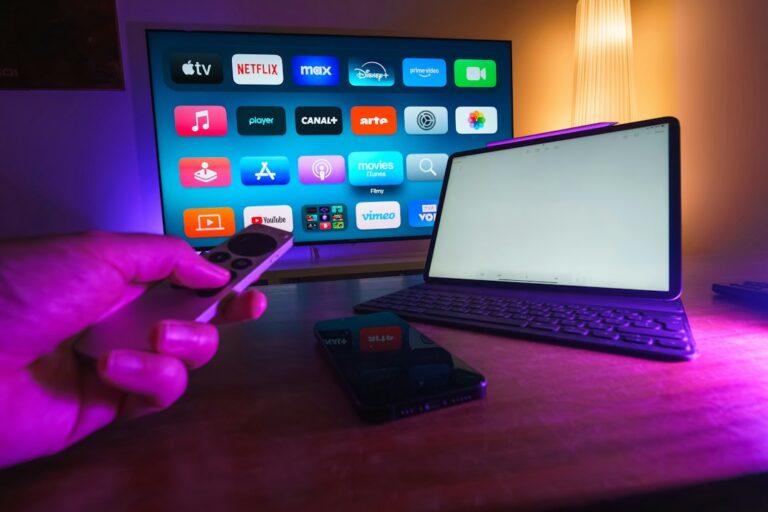
Using a dedicated streaming stick often changes how your household watches live television over the internet. Many UK viewers plug a compact HDMI dongle into the back of their television and immediately notice a smoother interface than their built-in TV software. Choosing the right hardware for your setup matters because older displays struggle with modern video codecs and fast menu navigation.

Operating System and App Availability
Your television’s native platform dictates which software you can install. Samsung relies on Tizen, while LG uses webOS. Both platforms host official apps from major UK broadcasters like BBC iPlayer and ITVX, but their app stores have limited selections for third-party tools. If your provider supplies an official application, check the manufacturer store first. Many smart displays simply lack the flexibility found on Android TV or Amazon Fire TV operating systems.
Performance, Storage, and Hardware
Built-in processors inside most flat-screen televisions are notoriously underpowered. Manufacturers usually spend their budget on panels rather than internal memory or fast chipsets. A separate media player usually packs more RAM and dedicated storage, meaning your electronic programme guide loads faster and scrolls without stuttering. You can read more about setting up your TV guide via Smart TV IPTV EPG Setup: Getting UK TV Guides Working Properly to see how performance impacts everyday viewing.
Wi-Fi, Ethernet, and Connectivity
Stable internet connectivity keeps your live streams running without annoying interruptions. While modern smart sets feature decent wireless cards, they rarely come with built-in Ethernet ports unless you buy a high-end model. Many portable media players offer Ethernet adapters or dedicated dongles for wired connections. A wired connection completely removes local wireless interference from microwave ovens or thick walls.
Comparison Table
- Amazon Fire TV Stick / Cube: Fire OS | Excellent 4K & HDR | Wi-Fi & optional Ethernet | Alexa voice control
- Samsung & LG Smart TVs: Tizen / webOS | Varies by model | Usually Wi-Fi only | Basic voice search
- Apple TV 4K: tvOS | Premium 4K & Dolby Vision | Gigabit Ethernet & Wi-Fi | Siri remote
- Google TV / Chromecast: Android TV | Strong 4K support | Wi-Fi (some Ethernet) | Google Assistant
Pros and Cons
Weighing up your options helps prevent buyer’s remorse.
- Smart TV App Pros: No extra remote required, fewer cables trailing down the wall, clean aesthetic.
- Smart TV App Cons: Sluggish processors, limited software updates over time, fewer customisation options.
- Streaming Stick Pros: Frequent updates, fast app loading times, easy to replace or upgrade cheaply.
- Streaming Stick Cons: Requires an extra HDMI port, another power plug, and a separate remote control.
Setup Guidance and Legal Advice
Setting up your hardware should take less than ten minutes. Plug the device into a spare HDMI socket, connect it to your mains power supply, and follow the on-screen prompts to join your home wireless network. Always download official applications directly from the verified app store. IPTV simply delivers television channels over internet protocols, but legality depends entirely on whether your service provider holds the proper broadcasting rights for the UK market.
Frequently Asked Questions
Do all smart TVs support every IPTV app?
No. App availability varies wildly between brands, operating systems, and even manufacturing years. Always check the official store on your specific screen.
Is a wired Ethernet connection necessary?
It isn’t strictly mandatory, but a wired link delivers much better stability for high-definition live broadcasts.
Can I use one remote for everything?
Most modern media players support HDMI-CEC, letting your television remote control the dongle’s basic interface functions.
Why do smart TV menus feel slow?
Television manufacturers typically install budget-friendly processors to keep retail prices competitive.
Are external media players difficult to install?
They require basic plug-and-play knowledge, connecting via standard HDMI and USB power cables.
Does every device support 4K resolution?
Entry-level models often max out at 1080p Full HD, so check the hardware specifications before purchasing.
How do parental controls work?
Most platforms let you set PIN codes to restrict mature content or unauthorized app downloads.
For more information, iptv.
Learn more on Wikipedia: Streaming stick.
Related reading
- NOW Sports vs TNT Sports App: Which Legal Streaming Option Suits UK Football Fans?
- How to Update IPTV Apps on UK Smart TVs and Firesticks
Update: How to Fix Common Login and Playlist Errors on UK Smart TV IPTV Apps
Update: Legal Sports IPTV UK: What to Check Before You Subscribe