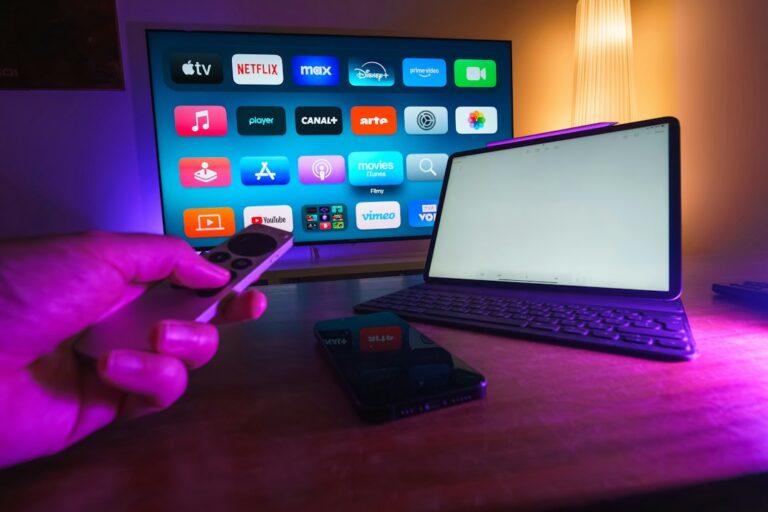
- Amazon Fire TV Stick 4K Max
- Apple TV 4K
- Google TV Streamer and Chromecast
- Comparison of IPTV Hardware Options
- Smart TVs vs Dedicated Streaming Boxes
- Pros and Cons of Popular Streaming Hardware
- Setup and Compatibility Guidance
- Frequently Asked Questions
- Do I need a TV Licence to use IPTV devices in the UK?
- Can I use my smartphone as an IPTV device?
- Why is my live stream buffering?
- Are Roku devices good for official streaming?
- Do these devices support 4K streaming?
- How do I keep my streaming stick running fast?
- Can I control my streaming box with my voice?
- Where should I buy legal IPTV apps?
Finding the right hardware to stream television over the internet can transform your living room setup. IPTV is simply a technology used to deliver television content over broadband networks, but your viewing experience depends heavily on the box or stick you plug into your TV. Whether you want to watch live feeds from the BBC or manage your digital subscriptions, the hardware matters. Let’s look at the top hardware choices available to UK households right now.
Amazon Fire TV Stick 4K Max
Amazon’s flagship streaming stick remains a popular choice across British homes. It packs a quad-core processor and support for Wi-Fi 6, which helps reduce lag during busy evening streaming windows. You’ll get access to official apps through the Amazon Appstore, making it easy to download licensed player software. Storage sits at 16GB, giving you plenty of room for apps without constantly clearing space.
The included Alexa Voice Remote lets you search for shows hands-free. However, finding a model with a dedicated Ethernet port usually requires buying an extra adapter, as it relies primarily on wireless connections. If your router sits far from the television, you might experience dropouts unless you optimize your network.
Apple TV 4K
For sheer processing grunt and a slick interface, Apple TV 4K stands out. It runs tvOS and delivers rapid app switching without stutter. High-end HDR formats like Dolby Vision look stunning on compatible OLED panels. Storage options go up to 128GB, and the top-tier model even includes a built-in Ethernet port alongside Thread networking support.
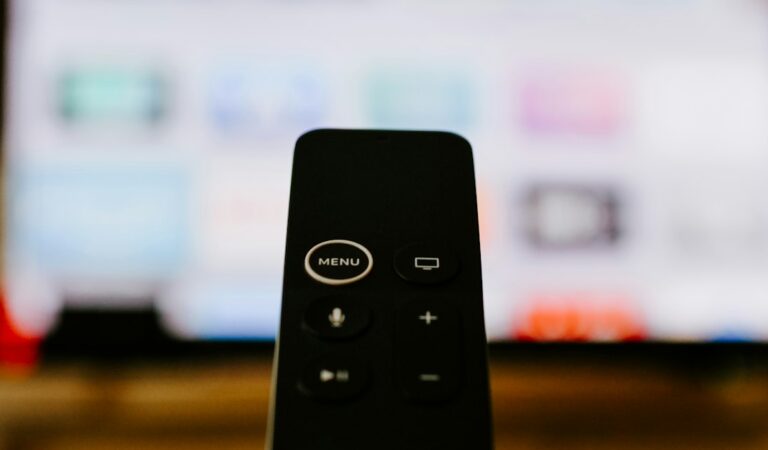
The Siri Remote feels premium with its touch-enabled clickpad, though it takes some getting used to if you’re coming from traditional plastic clickers. Price is the main hurdle here, as it costs significantly more than standard streaming sticks. Still, if you live inside the Apple ecosystem, it integrates smoothly.
Google TV Streamer and Chromecast
Google’s newer set-top box replaces the older puck-style Chromecast design with a dedicated tabletop unit. It runs Android TV, offering an expansive app library loaded with official streaming clients. You get built-in Google Assistant integration for voice searches and smart home controls. Performance is snappy, and the inclusion of an Ethernet port right on the back ensures a stable wired connection.
Smart TVs running Google TV or Android TV directly also share these benefits, though processor speeds vary wildly depending on whether you buy a budget telly or a high-end Sony model. Always check individual TV specs before relying on built-in software alone.
Comparison of IPTV Hardware Options
| Device | Operating System | Ethernet Option | Approx. UK Price |
|---|---|---|---|
| Amazon Fire TV Stick 4K Max | Fire OS | Requires adapter | £70 |
| Apple TV 4K (Wi-Fi + Ethernet) | tvOS | Built-in | £149 |
| Google TV Streamer | Android TV | Built-in | £99 |
| Roku Streaming Stick 4K | Roku OS | No | £50 |
Smart TVs vs Dedicated Streaming Boxes
Built-in apps on Samsung and LG smart TVs seem convenient at first glance. Tizen and webOS platforms load quickly, saving you an extra remote on the coffee table. Yet, manufacturer support often drops after a few years, leaving older screens unable to run updated streaming applications. Dedicated boxes like the Apple TV or Fire Cube receive software updates much longer.
Performance matters too. A budget television often cuts corners on internal memory and processor power, leading to sluggish menus. Plugging in an external device bypasses weak hardware entirely, giving you a faster interface and better long-term reliability.
Pros and Cons of Popular Streaming Hardware
- Amazon Fire TV: Great price and widespread app availability, but heavily pushes Amazon ads on the home screen.
- Apple TV: Exceptional build quality and zero ads, but carries a steep price tag.
- Google TV: Highly customizable with a massive app selection, though budget boxes can feel cluttered.
Setup and Compatibility Guidance
Setting up a new streaming stick usually takes just a few minutes. Plug it into an available HDMI port, connect your power cable, and follow the on-screen prompts to hook into your home Wi-Fi network. Remember that no single device works with every single app or service on the market. Always verify compatibility by checking the provider’s official guidelines and the device’s built-in app store before committing your cash.
Legality remains crucial when streaming television in the UK. Stick strictly to officially licensed apps from verified broadcasters and legal service providers. Avoid unauthorized playlists, hacked applications, or shady side-loaded APK files that promise free access to paid channels.
Frequently Asked Questions
Do I need a TV Licence to use IPTV devices in the UK?
Yes. If you watch live television broadcasts on any channel or use BBC iPlayer via your device, current UK law requires you to hold a valid TV Licence.
Can I use my smartphone as an IPTV device?
Android phones, iPhones, and tablets run official streaming apps nicely, and you can often cast content directly to your main television screen.
Why is my live stream buffering?
Network congestion during major sporting events often causes slowdowns. Switching from Wi-Fi to a wired Ethernet connection frequently resolves these speed drops.
Are Roku devices good for official streaming?
Roku hardware supports most major UK catch-up and subscription apps, though its closed operating system limits certain niche player installations.
Do these devices support 4K streaming?
Models like the Fire TV Stick 4K Max and Apple TV 4K handle ultra-high-definition video easily, provided your broadband speed and TV display support it.
How do I keep my streaming stick running fast?
Clear temporary app data regularly and restart your device once a week to prevent sluggish menu performance.
Can I control my streaming box with my voice?
Most modern hardware includes microphone-equipped remotes compatible with Alexa, Siri, or Google Assistant.
Where should I buy legal IPTV apps?
Only download applications directly from official stores like the Apple App Store, Google Play Store, or Amazon Appstore.
For more information, iptv.