- Choosing Your UK IPTV Hardware
- Amazon Fire TV Stick and Fire TV Cube
- Pros and Cons of Amazon Fire TV
- Apple TV 4K
- Pros and Cons of Apple TV
- Google TV and Android TV Boxes
- Pros and Cons of Google TV
- Device Comparison Matrix
- Smart TV Platforms: Samsung and LG
- Audio and Visual Standards: Dolby Vision and Atmos
- Setup and Network Considerations
- Frequently Asked Questions
- Do I need a special subscription for UK IPTV hardware?
- Can I watch live BBC channels through these devices?
- Will a cheap Android box work just as well as an Apple TV?
- Do these devices come with built-in VPN support?
- How do I update my streaming apps?
- Are IPTV services legal in the UK?
- Can I use my mobile phone as a remote control?
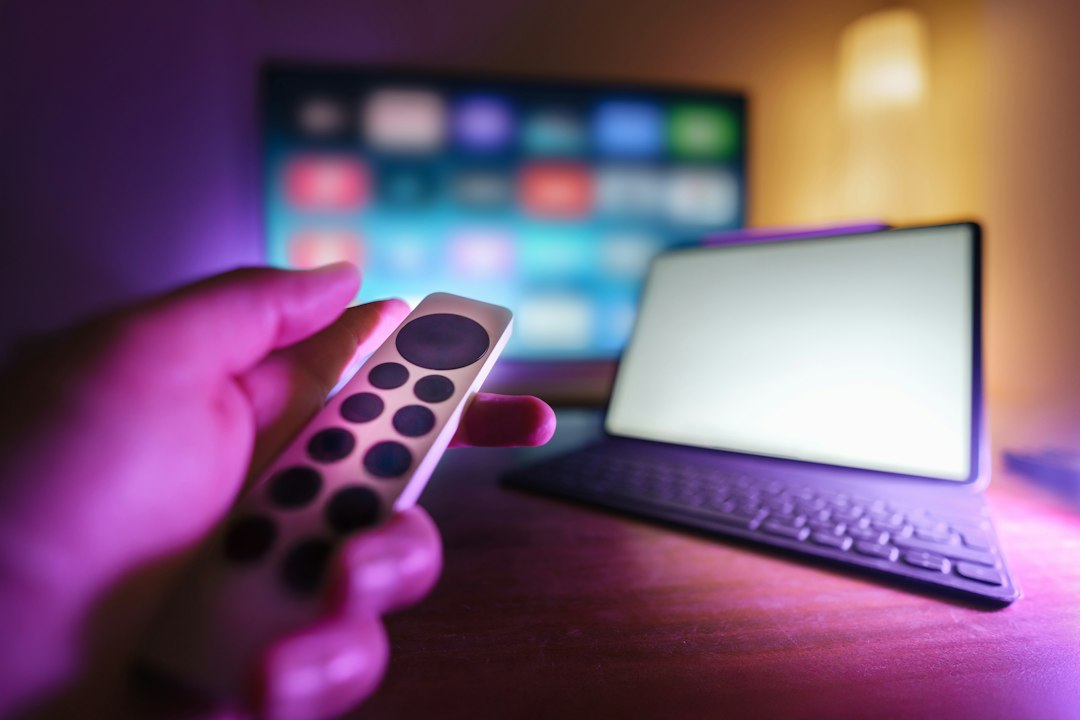
Choosing Your UK IPTV Hardware
Getting your living room ready for internet television means picking the right box or stick. You don’t just plug anything into a modern UK broadband router and expect flawless playback. Performance hinges on the processor, the operating system, and how well the hardware handles official apps from broadcasters like BBC iPlayer, ITVX, and Channel 4. Furthermore, factors like RAM allocation, video decoding codecs (such as AV1 and HEVC), and thermal throttling play massive roles in determining whether your Friday night movie marathon streams smoothly in 4K HDR or stutters constantly during high-motion sports broadcasts like the Premier League.
We tested various boxes across standard UK fibre connections—ranging from BT and Virgin Media to smaller alt-net providers like CityFibre partners—to see what holds up under peak evening traffic. Let’s look at what works.
Amazon Fire TV Stick and Fire TV Cube
Amazon devices dominate UK living rooms due to low pricing and frequent sales like Prime Day. The Fire TV Stick 4K sits comfortably behind most wall-mounted tellies without drawing attention. Fire OS runs smoothly for most official streaming apps. Side-loading unknown APK files brings security risks and potential software crashes, so stick to the official Amazon Appstore. Under the hood, the newer iterations pack upgraded quad-core processors and Wi-Fi 6 support, which significantly cuts down buffering times when pulling heavy data streams across a busy household network.
Pros and Cons of Amazon Fire TV
- Pros: Affordable entry price, excellent Alexa voice integration, regular software updates, and wide accessory support.
- Cons: The user interface pushes Amazon Prime content heavily, limited internal storage on base models requiring careful app management.
Apple TV 4K
If you live inside the Apple ecosystem, the Apple TV 4K is hard to beat for raw performance. tvOS is entirely ad-free, which makes finding your installed apps a breeze without wading through sponsored banner recommendations. Ethernet ports come on the higher-tier storage model, giving you rock-solid stability for live streams. It also packs the A15 Bionic chip—the same silicon found in iPhones—ensuring that navigating menus, switching between heavy apps, and processing Dolby Vision content happens instantaneously without a hint of lag.
Pros and Cons of Apple TV
- Pros: Incredibly fast processor, no forced banner ads on the home screen, great privacy controls, and seamless integration with AirPods and HomeKit.
- Cons: High upfront cost compared to basic streaming sticks, proprietary remote takes time to master and can be easily lost down the sofa cushions.
Google TV and Android TV Boxes
Chromecast with Google TV brings a clean interface that aggregates content across dozens of UK streaming platforms, saving you from jumping between individual apps. Android TV gives you granular control over app permissions, sideloading trusted utilities, and connecting local network storage via VLC or Kodi. Compatibility depends heavily on the specific manufacturer, as boxes from Google, Nvidia, and various TV brands handle system updates differently, with premium devices seeing much longer support lifecycles.
Pros and Cons of Google TV
- Pros: Huge selection of legal applications in the Play Store, excellent voice search via Google Assistant, and highly customizable home screens.
- Cons: Budget Android boxes can suffer from sluggish menus, poor thermal management, and a lack of official Widevine L1 DRM certifications required for HD/4K playback on major services.
Device Comparison Matrix
| Device | OS | 4K / HDR | Ethernet Option |
|---|---|---|---|
| Amazon Fire TV 4K | Fire OS | Yes | Via Adapter |
| Apple TV 4K | tvOS | Yes | Yes (128GB model) |
| Google TV Streamer | Android TV | Yes | Built-in |
Smart TV Platforms: Samsung and LG
Built-in smart platforms mean one less remote on your coffee table. Samsung uses Tizen, while LG relies on webOS. Both operating systems host all major UK catch-up and live streaming apps. However, processor speeds inside televisions rarely match a dedicated streaming box, so menu navigation can feel slightly less responsive after a few years of software updates and new app feature rollouts. Furthermore, smart TV manufacturers tend to drop support for older panel models much faster than dedicated hardware manufacturers update their standalone set-top boxes.
Audio and Visual Standards: Dolby Vision and Atmos
When evaluating hardware for a modern UK home entertainment setup, visual and audio codecs deserve careful scrutiny. High Dynamic Range (HDR) formats like HDR10+ and Dolby Vision drastically enhance contrast and color grading, making dark scenes in gritty British dramas far more legible. Similarly, spatial audio formats such as Dolby Atmos transform standard living room speaker bars into immersive soundscapes. Premium streaming boxes like the Apple TV 4K handle these passthrough signals effortlessly, whereas cheaper generic sticks often default to basic stereo output, limiting the cinematic potential of your sound system.
Setup and Network Considerations
A reliable Wi-Fi connection matters for high-definition video feeds, especially if other members of your household are simultaneously gaming or working from home. If your router sits far from your television, consider powerline adapters or running a direct Ethernet cable to bypass wireless interference caused by thick walls and competing neighborhood networks. Always check your chosen provider’s official compatibility pages before purchasing new UK IPTV hardware to ensure your specific setup is supported and that your broadband package offers sufficient download speeds—ideally 25 Mbps or higher for uninterrupted 4K streaming.
Frequently Asked Questions
Do I need a special subscription for UK IPTV hardware?
No. The hardware is just a computer that runs apps. You subscribe separately to legal streaming services or use free ad-supported broadcasters.
Can I watch live BBC channels through these devices?
Yes, official apps like BBC iPlayer let you stream live broadcasts, provided you hold a valid UK TV Licence.
Will a cheap Android box work just as well as an Apple TV?
Cheaper boxes often lack proper security certifications, which means popular apps might stream in standard definition rather than crisp 4K.
Do these devices come with built-in VPN support?
Some Android and Fire OS devices allow certified VPN applications from their respective app stores for privacy purposes.
How do I update my streaming apps?
Most devices update apps automatically in the background, but you can check manually through the device’s app store menu.
Are IPTV services legal in the UK?
Internet television technology itself is completely legal. Legality depends entirely on whether the service provider holds the proper broadcasting rights for the content they distribute.
Can I use my mobile phone as a remote control?
Most platforms offer companion mobile apps for iOS and Android that let you type and navigate using your smartphone.
For more information, iptv.
Related reading
- What UK Football Fans Need to Know About Legal Sports IPTV UK Packages
- Why Does My Smart TV IPTV App Keep Crashing? (And How to Fix It)