The Complex Web of UK Football Rights
Watching a Saturday afternoon match from your living room sofa feels simple. You turn on the telly, pick a channel, and watch the whistle blow. Behind that picture sits a massive logistical operation. Broadcasters spend billions securing rights from football executives in London. Sky Sports and TNT Sports control the lion’s share of these packages. Amazon Prime also grabs a slice during peak festive periods. Every single fixture requires coordination between stadiums, production trucks, and transmission hubs.

Getting that signal from an Anfield or Emirates touchline into your home relies on fibre optic cables and satellite uplinks. Production crews capture every angle with dozens of high-definition cameras. They mix audio from pitch-side microphones with live commentary tracks. That live feed heads straight to broadcast centres in West London or Salford. From there, the data splits into traditional cable feeds and internet streams.
Traditional Cable Versus Internet Delivery
For decades, coaxial cables and satellite dishes ruled British living rooms. Sky customers know the familiar hum of a satellite box mounted on the exterior wall. Terrestrial signals still reach millions of homes via Freeview antennas. These traditional methods offer incredible stability. Rain fade occasionally disrupts a satellite dish during winter storms, but overall bandwidth remains constant.
Internet delivery changes how fans watch the game. Smart TVs and streaming sticks pull data packets through your broadband router. If your internet speed drops, the video resolution scales down to prevent freezing. Fiber optic connections handle this heavy data load much better than older copper lines. Gigabit packages make buffering a rare annoyance rather than a matchday constant.
Understanding Official Streaming Apps
Official platforms like NOW TV or Discovery+ use adaptive bitrate streaming. Your device talks to remote servers constantly during the match. When network congestion spikes on your street, the stream automatically lowers its frame rate or resolution. That clever trick keeps the picture moving. If you want to know more about getting these apps running on modern displays, check out this guide on how to set up IPTV on your Smart TV in the UK for general software configuration tips.
Audio sync issues occasionally plague internet streams. The pictures might arrive a few seconds behind the live radio commentary. Broadcasters constantly tweak their compression codecs to shrink this delay. They want digital delivery to match the speed of traditional aerial broadcasts. That goal gets closer every season as server infrastructure improves across the country.
The Technical Challenges of Peak Matchdays
Millions of concurrent viewers log on for a marquee Sunday clash between Liverpool and Manchester United. Server loads skyrocket within a five-minute window before kick-off. Engineers monitor traffic dashboards closely to prevent outages. Content delivery networks distribute the video load across multiple regional data centres. This decentralised approach stops a single server crash from ruining a title decider.
Internet Service Providers also manage local traffic peaks. They prioritise streaming packets over background downloads when matches air. Home setups play a massive role in picture quality too. Wi-Fi interference from neighbour networks can ruin an otherwise stable connection. Running an ethernet cable straight from your router to your streaming device eliminates most wireless drops.
The Future of Matchday Transmission
Ultra-high-definition feeds demand massive bandwidth allocations. Broadcasters are slowly rolling out 4K HDR options for select fixtures. These sharp images reveal every blade of grass and sweat droplet on a player’s face. Higher frame rates make fast-moving balls look crisp instead of blurry. As home broadband speeds climb higher year after year, high-definition internet delivery becomes the default standard for British football fans.
For more information, iptv.
Related reading
- Evaluating an IPTV Trial UK: Myths, Facts, and What to Test
- Smart TV IPTV App Storage: Storage Myths and Real Memory Fixes
Update: How to Free Up Storage on Smart TVs for IPTV Apps
Update: IPTV UK Setup Realities: Dispelling Common Technical Myths
Catching every weekend fixture means relying heavily on official Premier League streaming apps, especially if you watch matches away from a traditional television aerial or satellite dish. Choosing the right platform changes how crisp the action looks on screen and whether your feed drops out during a tense penalty shootout.

Sky Sports and TNT Sports dominate the legal broadcast landscape in the UK. Both services let subscribers watch live football on phones, tablets, and living room hardware. Yet their underlying technology behaves quite differently under heavy network strain. Let us break down how each platform performs when millions of fans log on simultaneously.
Comparing Premier League streaming apps on your TV
Running a live sports feed through a Smart TV or streaming stick requires heavy lifting from your broadband connection. The Sky Sports app delivers 1080p video at fifty frames per second on most modern devices. Motion handling matters enormously when tracking a fast-moving football across a green pitch. Sky generally holds up well here, keeping camera pans smooth without too much judder.
TNT Sports now operates primarily through the discovery+ platform for its streaming output. This shift brought some technical changes to how feeds are encoded and delivered to living room hardware. Frame rates on discovery+ match Sky at fifty frames per second for major fixtures, but the bitrate allocation fluctuates more noticeably during peak evening kickoffs.
When you watch live sports, your router takes a hammering. Before you fire up either app on a Saturday afternoon, it pays to understand your matchday data consumption so you do not hit unexpected ISP caps or experience sudden mid-match slowdowns.
App interface and navigation speed
Software design makes a massive difference when you want to switch matches at half-time. The Sky Sports app keeps its menu structure straightforward. You land on a main dashboard showing live fixtures right at the top. Finding a specific game takes two or three clicks on a standard remote control.
Discovery+ takes a slightly different approach for TNT Sports content. Because the app also houses entertainment shows, documentaries, and Olympic coverage, football sits alongside non-sporting menus. Finding the right live stream sometimes requires scrolling past promotional banners or digging into sub-categories. Once you pin the match to your favorites list, subsequent access gets faster.
Loading times vary depending on your hardware. Apple TV units open both apps in under two seconds. Older Firestick models make you wait longer while local caches clear out and live thumbnails populate on screen.
How different Premier League streaming apps handle peak loads
Saturday at 12:30 PM brings a massive surge of concurrent users online. Server infrastructure gets tested to its absolute limit during these slots. Sky manages these spikes through dedicated Content Delivery Network nodes spread across major UK internet exchanges.
What happens in practice? Sky streams occasionally drop to standard definition for a few seconds before scaling back up to full HD if your local cabinet gets congested. It is an automated safety valve to prevent total freezing.
TNT Sports relies on global streaming architecture inherited from major tech partnerships. Buffering events happen less frequently during minor matches, but high-profile derby games occasionally trigger temporary login queues on the discovery+ backend. If you open the app two minutes before kick-off on a title-decider, expect a brief loading spinner while authentication servers clear your request.
Audio quality and multi-screen viewing features
Stadium atmosphere drives half the experience of watching football from your sofa. Sky broadcasts most marquee games with Dolby Digital 5.1 surround sound. The roar of the crowd surrounds you properly if your soundbar or home cinema receiver handles the codec correctly.
TNT Sports supports robust audio profiles too, though stereo output remains the default on budget streaming sticks unless you manually adjust audio settings in the app menu. Crowd noise sounds rich, but commentary balance occasionally overpowers stadium effects on the secondary audio channels.
Multi-screen viewing splits opinions. Sky offers a timeline feature on compatible tablets that lets you jump back to key incidents while the live match runs in a small window. TNT keeps its interface simpler, focusing on a single, uninterrupted video feed without distracting side panels.
Subscription costs and device limits
Money dictates everything in modern football broadcasting. Sky charges steep monthly fees unless you commit to long-term contracts bundling broadband and television packages together. Day passes through alternative providers offer short-term flexibility, though buying individual weekend access adds up quickly over a thirty-eight-game season.
TNT Sports packages tie into various broadband deals or digital TV add-ons. Managing multiple separate streaming apps across different households becomes frustrating because concurrent stream limits restrict how many family members can watch different matches simultaneously on holiday or in separate rooms.
Check your household setup before paying for redundant subscriptions. If your household splits its loyalty between different broadcasters, managing separate user accounts requires patience.
For more information, iptv.
Related reading
- Smart TV IPTV App Setup: Built-in Store vs USB Sideloading
- How Broadcasters Handle Premier League Live Streams in the UK
Catching every match means dealing with a massive choice of software. If you want to watch football without staring at a blank loading screen, picking the right tools matters. Choosing reliable Premier League streaming apps shapes your entire weekend viewing experience. Let us break down how these applications and media players actually handle live UK broadcasts.
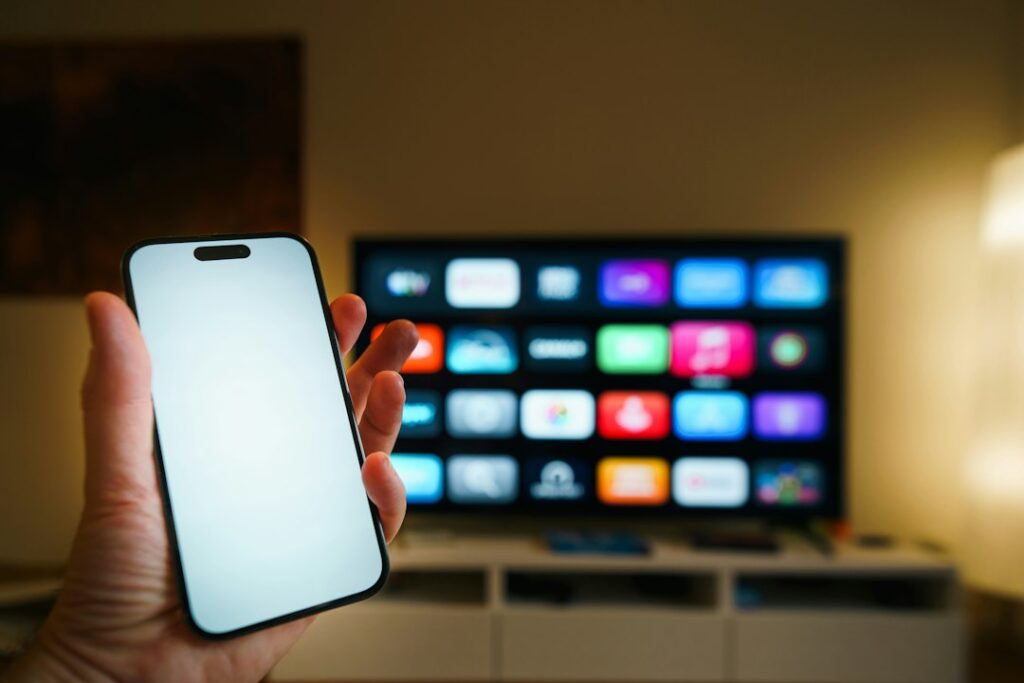
Which Premier League streaming apps dominate the UK market?
Rights for UK matches are split across several official broadcasters. Sky Sports uses its dedicated mobile and smart TV application. TNT Sports broadcasts through the Discovery Plus platform. Amazon Prime Video holds rights for specific fixture blocks each season. BBC Sport shows highlights rather than live games, but their iPlayer app sets the technical standard for smooth video delivery.
Official apps handle heavy traffic differently. Sky scales up server capacity during high-profile derbies like Arsenal versus Tottenham. TNT handles heavy loads through established infrastructure inherited from BT. Each app compresses feeds to save bandwidth while keeping the ball visible against green grass.
Third-party media players operate on a different logic. Software like VLC, TiviMate, or IPTV Smarters doesn’t host content. They act as windows. You plug a playlist link or portal address into the player, and it decodes the video stream. Official apps keep everything inside a closed garden. Third-party players give you total control over aspect ratios, audio tracks, and buffer sizes.
How do media players process live video feeds?
Live video requires intense decoding power. Your device receives compressed data packets over your broadband connection. The player software unpacks these packets instantly. If your processor lags behind, frames drop. That creates the dreaded stuttering effect during a fast counter-attack.
Hardware acceleration plays a huge role here. Modern Fire Sticks and Apple TV boxes have dedicated chips for video decoding. Software players delegate the heavy lifting to these chips. When you use an older phone or a cheap generic Android box, the processor struggles. It attempts software decoding instead. That generates heat and ruins your picture quality.
Adaptive bitrate streaming is another crucial technology. Official apps drop your resolution automatically if your Wi-Fi dips. You might go from 1080p to 720p for a few seconds. Custom IPTV players often let you lock the resolution manually. Locking the stream stops annoying quality shifts, but it causes freezing if your internet speed drops too low.
What hardware pairs best with Premier League streaming apps?
Not all gadgets run football apps equally well. Amazon Fire TV sticks dominate UK living rooms because they are cheap and support almost every app. Apple TV offers a much faster interface and handles high framerates smoothly. Google Chromecast brings the flexibility of Android TV to standard sets.
Smart TV operating systems vary wildly in performance. Samsung uses Tizen. LG relies on WebOS. Sony and Philips build their sets on Google TV. Google-powered televisions usually handle third-party media players best because the Google Play Store allows direct sideloading of APK files. Proprietary systems like Samsung’s Tizen limit you strictly to their official app store.
If you prefer watching on mobile devices, iOS and Android handle official broadcaster streams without breaking a sweat. Tablets offer a great second-screen experience. Just remember that mobile networks handle data throttling during peak evening kick-offs. A solid fibre broadband connection beats 5G mobile data every time for stability.
Why do streams buffer during big matches?
Millions of fans logging on simultaneously creates immense strain. Content Delivery Networks (CDNs) distribute this traffic across regional servers. If a regional server gets overwhelmed, your stream stalls.
Your home network causes issues too. Wi-Fi interference from neighbours ruins data packets. Microwaves and thick brick walls block signals easily. Connecting an Ethernet cable directly to your streaming box solves most home network hiccups.
Internet Service Providers in the UK also manage traffic during busy periods. Some broadband packages throttle heavy data users. Checking your line speed with a wired connection reveals if your ISP is the bottleneck. For a deeper dive into hardware configuration, check out this Smart TV setup guide for UK viewers.
Are third-party media players legal to use?
Media players themselves are completely legal software tools. VLC is a standard media tool used worldwide for playing personal video files. IPTV Smarters is simply a video player interface available on official app stores.
Legality depends entirely on what you feed into those players. Using an authorized service provider via their dedicated app keeps you on the right side of the law. Copyright holders and regulatory bodies like Ofcom monitor unauthorized broadcasting closely.
Stick to official subscriptions for peace of mind. They guarantee stable feeds, expert punditry, and high-definition video without sudden takedowns mid-match. Understanding how these apps function helps you build a reliable home setup for the entire football season.
For more information, iptv.
Related reading
- 1. Football Broadcasting Rights Are Split Across Multiple Networks
- 2. Official Premier League IPTV Streaming in the UK Works Differently Than Cable
- 3. The 3pm Saturday Blackout Is Still Strictly Enforced
- 4. Internet Speeds and Stability Dictate Picture Quality
- 5. Hardware Selection Shapes the Viewing Experience
- 6. Unofficial Premier League IPTV Streams Carry Significant Risks
- 7. Stream Latency Means Your Phone Might Spoil Goals
- Selecting the Right Setup for Your Home
Watching top-flight football in Britain has changed dramatically over the last few years. Satellite dishes and traditional cable boxes are no longer the default choice for domestic supporters. Instead, modern internet protocol television delivers high-definition matches directly over your fibre broadband. If you are exploring Premier League IPTV options in the UK, navigating the rights landscape, tech requirements, and legal rules can feel confusing. Here are seven crucial facts every UK viewer needs to understand before tuning in.

1. Football Broadcasting Rights Are Split Across Multiple Networks
No single provider holds the rights to show all 380 Premier League matches live in the United Kingdom. That reality surprises many foreign fans, but domestic rights are explicitly divided by regulator Ofcom and the league itself to encourage market competition.
Sky Sports holds the largest package of matches, usually broadcasting Friday night, Saturday evening, Sunday afternoon, and Monday night games. TNT Sports (formerly BT Sport) typically covers the Saturday early kickoff slot alongside selected midweek rounds. Amazon Prime Video secures specific holiday packages, including the Boxing Day fixtures. Because rights are split this way, official streaming options require separate subscriptions or a combined package from a major platform like NOW or Virgin Media.
2. Official Premier League IPTV Streaming in the UK Works Differently Than Cable
Traditional television broadcasts signals over coaxial cables or satellite signals pointed at distant orbiters. IPTV delivers video data packets across your home internet connection using standard web protocols. If you want to understand the underlying tech, read our guide on what is IPTV in the UK for a clear breakdown.
When you watch live football via Sky Go, NOW, or TNT Sports on a Smart TV, you are using legitimate IPTV infrastructure. The feed is converted into digital chunks, routed through secure content delivery networks, and reconstructed on your screen within milliseconds. This setup gives you flexibility. You can start watching a match on your living room television, pause it, and continue on a tablet in another room without missing a tackle.
3. The 3pm Saturday Blackout Is Still Strictly Enforced
If you expect to stream every single match live on a Saturday afternoon, you will run into a long-standing British tradition. Article 48 of the UEFA statutes permits national associations to block live televised football during a specific window to protect stadium attendance at lower-league grounds.
In England, no channel or legitimate streaming app can broadcast live football between 2:45 pm and 5:15 pm on Saturdays. That applies regardless of whether the service runs over cable, satellite, or internet streaming. Matches played during this window are covered via audio commentary or live goal updates on services like the BBC, but the full televised picture is withheld until highlights air later that evening.
4. Internet Speeds and Stability Dictate Picture Quality
Streaming live sports puts higher demands on your home broadband connection than playing static movie files on Netflix. Football involves fast movement, panning camera angles, and bright green pitches that showcase compression flaws quickly if bandwidth drops.
- Standard HD (1080p at 50fps): Requires a stable minimum download speed of 12 Mbps.
- Ultra HD / 4K (2160p with HDR): Demands at least 25 Mbps to 35 Mbps of sustained bandwidth.
- Ethernet Connection: Plugging an Ethernet cable directly into your streaming stick or TV prevents Wi-Fi interference.
Frame rate matters immensely for sports. Standard video runs at 25 or 30 frames per second, which causes noticeable motion blur when a goalkeeper kicks the ball downfield. High-quality Premier League IPTV broadcasts output at 50 frames per second, ensuring smooth motion during rapid counter-attacks.
5. Hardware Selection Shapes the Viewing Experience
Not all streaming hardware handles live sports equally well. Modern Smart TVs from brands like LG, Samsung, and Sony come with built-in app stores that support official channels out of the box. However, onboard TV processors can slow down over time as app updates demand more memory.
Dedicated streaming hardware like the Amazon Fire TV Stick 4K, Apple TV 4K, or Roku Streaming Stick often delivers snappier navigation and faster channel switching. Apple TV 4K, in particular, handles high frame rate video processing exceptionally well, making match graphics look crisp. If you are using a new television, take a look at our walkthrough on how to watch Premier League matches in the UK to configure your hardware correctly.
6. Unofficial Premier League IPTV Streams Carry Significant Risks
Search online and you will inevitably encounter unauthorized sellers offering thousands of global channels for a fraction of official subscription prices. While low prices look tempting, using these unofficial platforms comes with steep drawbacks for consumers.
Law enforcement agencies, including the Police Intellectual Property Crime Unit (PIPCU), actively target illegal operations across the UK. Copyright owners regularly obtain court orders forcing major UK internet service providers (ISPs) like BT, Virgin, EE, and Sky to block unauthorized video servers mid-match. That means streams frequently drop out right as a penalty is taken. Furthermore, illicit platforms often expose users to malware, data harvesting, and financial fraud through insecure payment portals.
7. Stream Latency Means Your Phone Might Spoil Goals
Have you ever heard your neighbours cheer a goal five seconds before it happened on your television screen? That delay is called latency, and it is an inherent characteristic of internet streaming.
Satellite and digital terrestrial broadcasts (Freeview) have very low latency, usually around 3 to 5 seconds behind real time. Streaming platforms must buffer data to ensure smooth playback, creating a delay ranging from 15 to 45 seconds depending on your connection and app setup. If you keep phone alerts enabled from betting or sports news apps during a match, turn off push notifications to avoid learning about a goal before you actually see it land in the net.
Selecting the Right Setup for Your Home
Getting the best matchday experience comes down to honest evaluation of your household internet setup. Check your line speed using an online test during peak evening hours rather than quiet mornings. If your router sits far from your main television, invest in a powerline adapter or mesh Wi-Fi node to maintain a reliable stream. Sticking to accredited platforms ensures reliable 50fps video quality without unexpected blackouts or safety concerns when kick-off arrives.
For more information, iptv.
Learn more on Wikipedia: Premier League International Cup.
Related reading
- What Is IPTV UK? A Complete Beginner’s Guide
- 8 Key Considerations When Selecting a Legal IPTV UK Provider
- Navigating UK Football Broadcasts
- The 3pm Saturday Blackout Rule
- Official Broadcasters for Premier League Streaming in the UK
- Optimising Internet Speeds and Streaming Quality
- Hardware Choices for Football Fans
- Setting Up Smart TVs for Live Football
- Legal IPTV and Streaming Applications in the UK
- Managing Subscription Costs Effectively
- Future Trends in UK Football Streaming
Navigating UK Football Broadcasts
Watching Premier League streaming content in the UK requires understanding a complex broadcast market. British football fans face a fragmented system where live coverage split across multiple subscription platforms. Unlike international viewers who often get access to every fixture through a single overseas provider, supporters inside the UK must manage several services to catch all televised matches. Getting your setup right ensures you never miss a kickoff while keeping your home entertainment network fast and reliable.

The domestic television rights for English top-flight football are divided into distinct packages. For years, Sky Sports and TNT Sports (formerly BT Sport) have held the primary broadcasting allocations. Amazon Prime Video also holds specific fixture rounds, particularly over the busy winter festive schedule. Knowing which provider holds the rights to specific match slots helps you plan your subscriptions effectively and avoid paying for channels you do not watch.
The 3pm Saturday Blackout Rule
A unique aspect of British football broadcasting is the traditional 3pm Saturday blackout. Article 48 of the UEFA Statutes allows national associations to block live broadcasts during a specific window. In England, no football match can be broadcast live on television or through digital streams between 2:45pm and 5:15pm on a Saturday. This rule aims to protect stadium attendance figures across the Football League and lower grassroots divisions.
Because of this restriction, 3pm Saturday fixtures are never legally shown live on British television. Supporters looking to follow matches in this time window must listen to radio commentary on BBC Radio 5 Live or TalkSPORT, or wait for evening highlights on Match of the Day. For live televised fixtures, games are shifted to Friday evenings, Saturday early and late slots, Sundays, and Monday nights.
Official Broadcasters for Premier League Streaming in the UK
Sky Sports remains the dominant rights holder in the UK. They show the majority of televised fixtures, including major Sunday afternoon games and Friday or Monday night matches. Subscribers can access these games through traditional satellite setups or stream them digitally via the NOW platform. NOW offers flexible day or monthly sports memberships, making it popular for viewers who prefer not to sign long-term TV contracts.
TNT Sports broadcasts the regular Saturday lunchtime kickoff slot alongside mid-week fixture lists and European club competitions. You can stream TNT Sports through the Discovery+ app, which replaced the old BT Sport digital player. Combining these services allows fans to follow almost every legally televised match throughout the ten-month season.
Amazon Prime Video covers specific mid-week rounds and the full schedule of Boxing Day fixtures. If you already hold an Amazon Prime subscription, these games come included at no extra cost. When selecting your subscriptions, review the key considerations when selecting a legal IPTV UK provider to ensure your chosen platform supports the official apps you need.
Optimising Internet Speeds and Streaming Quality
Live sports streaming demands consistent bandwidth and low latency. Unlike pre-recorded movies that can buffer ahead, live football feeds depend on real-time data delivery. A sudden drop in internet speed causes resolution downgrades, freezing, or annoying playback delay. To enjoy crisp 1080p High Definition or 4K Ultra HD coverage, your internet connection must meet stable speed targets.
- Standard HD Streaming: Requires a minimum continuous speed of 10 Mbps per device.
- 4K Ultra HD Streaming: Demands at least 25 Mbps to 30 Mbps of dedicated download bandwidth.
- Frame Rate Requirements: Live sports require 50 frames per second (fps) for smooth ball movement and action.
Using a direct Ethernet cable connection from your router to your smart TV or streaming box provides much better stability than Wi-Fi. Wi-Fi signals suffer from wall interference and channel congestion, especially in densely populated areas. If running a network cable is impractical, consider using powerline adapters or a modern Wi-Fi 6 mesh router setup.
Hardware Choices for Football Fans
Modern smart TVs usually feature built-in app stores that host Sky Go, NOW, Discovery+, and Amazon Prime Video. However, television processors can become sluggish over time as app software updates demand more system memory. Dedicated streaming hardware often delivers faster app loading and superior picture processing for sports feeds.
Popular connected devices include the Amazon Fire TV Stick 4K, Apple TV 4K, and Google TV devices. Apple TV 4K is particularly well-regarded for its fast interface and excellent frame rate matching. Matching the output frame rate to the broadcast source prevents screen jitter during fast panning shots across the pitch. You can read more about network protocols and performance in our guide on IPTV UK services and streaming technology.
Setting Up Smart TVs for Live Football
Getting your living room display ready for matchday involves more than just launching an app. Motion processing settings on modern TVs can introduce unwanted visual artifacts or excessive display lag during fast sports broadcasts. Taking time to adjust your display parameters ensures the action looks sharp and motion stays clean.
First, disable aggressive motion smoothing features, often named Motionflow, TruMotion, or Auto Motion Plus in your TV settings menu. While these features attempt to make low-frame-rate content smoother, they can create a halo effect around the moving football. Set motion controls to a low or custom setting, or switch your TV picture preset to ‘Direct’ or ‘Standard’.
Second, ensure your streaming device matches the visual output of the app feed. Most UK sports streams broadcast at 50Hz. If your streaming stick is locked to a 60Hz output designed for North American content, you will experience micro-stutter every second. Enable automatic frame rate matching in your streaming box settings. For step-by-step installation instructions on popular displays, check out our guide on how to set up IPTV on your Smart TV in the UK.
Legal IPTV and Streaming Applications in the UK
Internet Protocol Television simply refers to delivering television content over internet networks rather than traditional satellite or terrestrial aerials. Official apps like NOW, Discovery+, and BBC iPlayer are standard, legal forms of IPTV operating in Great Britain. They deliver high-quality feeds with reliable servers and official support.
Viewers must avoid illegal streaming portals that offer unauthorized access to Premier League feeds. Unofficial streams are frequently taken down by law enforcement and internet service providers during major fixtures, leading to sudden blank screens mid-match. Furthermore, illicit services carry significant cybersecurity risks, including malware exposure and personal financial data theft. Review the factors for watching Premier League football via IPTV UK services legally to stay safe online.
Managing Subscription Costs Effectively
Subscribing to every official broadcaster can become expensive over a full season. Fortunately, flexible contract structures let supporters manage their spending without missing key fixtures. Instead of locking into twelve-month contracts across every service, consider rolling monthly memberships.
Map out your club’s fixture list a month in advance. If your team has several televised matches on TNT Sports in October, activate a month pass for Discovery+. If they are mostly featured on Sky Sports the following month, switch your focus to a NOW membership. Taking advantage of promotional bundles through your mobile network or broadband provider can also yield substantial annual savings on Premier League streaming passes.
Future Trends in UK Football Streaming
Broadcasting technology continues to evolve rapidly. The shift from linear television channels to web-based streams allows platforms to experiment with interactive features. Broadcasters are testing multi-camera options, real-time statistical overlays, and instant tactical replays within their apps.
Higher dynamic range formats like Dolby Vision and HDR10+ are also becoming standard for major games. These standards deliver realistic stadium lighting, deeper shadows, and vivid pitch greens. As broadband infrastructure improves across the UK with full-fibre rollouts, 4K Ultra HD streams at 50fps will become the standard expectation for football supporters everywhere.
For more information, iptv.
Related reading
- 6 Crucial Factors for Watching Premier League Football via IPTV UK Services legally
- How to Set Up IPTV on Your Smart TV in the UK