- How Broadband Speeds Impact Your IPTV UK Experience
- Understanding UK Broadband Infrastructure and Performance
- Fibre vs Copper: What Actually Matters for Your Setup
- Realistic Bandwidth Requirements for HD and 4K Streams
- Wi-Fi Interference and Ethernet Connections
- Managing Peak Traffic Hours on British Networks
- Practical Steps to Diagnose and Fix Speed Bottlenecks
How Broadband Speeds Impact Your IPTV UK Experience
Getting a smooth picture on your television screen depends heavily on your home internet connection. When you stream live television channels across the internet, data packets travel constantly from the source to your living room. If your broadband line drops packets or lacks sufficient capacity, your video freezes. Anyone setting up an IPTV UK system at home needs to understand how local infrastructure influences everyday viewing quality.

Many households assume any standard broadband package handles live video streams without issue. That is rarely true during busy evening hours. Internet service providers across Britain manage network traffic differently, and local exchange congestion plays a massive role in how well your chosen IPTV UK setup performs when the evening football match kicks off.
Understanding UK Broadband Infrastructure and Performance
Most British homes now have access to fibre-to-the-cabinet or full-fibre connections. According to recent reports from Ofcom, average residential connection speeds continue to rise year on year. Yet, headline speeds advertised by providers rarely reflect live performance during peak usage times. Your actual download rate depends on the physical cable length running from your local street cabinet right into your living room wall socket.
Older copper telephone lines suffer from signal degradation over distance. If you live a mile away from your local exchange, your actual throughput might drop significantly below what you pay for. Live video streaming requires a steady, uninterrupted flow of data. Sudden drops in speed cause your player app to pause and buffer while it tries to catch up with the live feed.
Fibre vs Copper: What Actually Matters for Your Setup
Full-fibre connections deliver symmetrical or near-symmetrical performance with minimal jitter. Jitter measures the variance in packet arrival time. High jitter ruins live video streams even if your raw download speed looks impressive on paper. When you use an IPTV service UK provider, low latency matters just as much as raw speed because live broadcasts leave very little room for delayed data packets.
Copper-based connections often experience interference from household appliances or nearby electrical wiring. This interference creates micro-drops in your connection. You might not notice a micro-drop while browsing web pages or checking emails, but your IPTV UK app will register the interruption instantly, leading to stuttering playback or sudden error messages.
Realistic Bandwidth Requirements for HD and 4K Streams
Standard-definition video needs very little bandwidth. Hardly anyone watches standard definition today, though. Most modern broadcasts arrive in high definition or ultra-high definition. A standard high-definition stream requires roughly five to eight megabits per second of dedicated throughput. If you stream in 4K, that requirement jumps to twenty-five megabits per second or more.
Problems start when multiple devices share your home network at the same time. If someone else in the house downloads a large game update while you watch a live broadcast, your available bandwidth shrinks. To avoid conflicts, check your current bandwidth limits before committing to any long-term IPTV subscription UK package.
You can test your line using independent speed testing tools. Run tests at different times of day to spot patterns. If your speed plummets every evening between seven and ten o’clock, your local cabinet is likely oversubscribed. No streaming app can fix a bottleneck happening at the street level.
Wi-Fi Interference and Ethernet Connections
Wireless signals degrade rapidly when passing through thick brick walls or internal doors. Many British homes feature solid Victorian or Edwardian masonry that blocks Wi-Fi signals very effectively. If your router sits downstairs in the hallway and your television sits upstairs in the back bedroom, your wireless connection will struggle.
Whenever possible, plug your streaming hardware directly into your router using an Ethernet cable. A wired connection eliminates wireless interference entirely. It provides the stable foundation that live streaming demands. If running a physical cable across your living room floor is out of the question, consider powerline adapters that send network data through your home electrical wiring instead.
For detailed guidance on getting your hardware ready, take a look at this practical step-by-step guide to setting up legal IPTV services on your UK television. Proper hardware placement makes a huge difference in signal stability.
Managing Peak Traffic Hours on British Networks
Evening viewing hours put massive strain on telecommunications networks across the country. Major sporting events or popular drama finales push millions of households online simultaneously. Traffic management policies implemented by internet service providers can sometimes throttle specific protocols during these high-demand windows.
If you experience buffering exclusively on weekend afternoons or weekday evenings, network congestion is the most likely culprit. Some households switch to alternative DNS servers or upgrade their broadband tiers to bypass local bottlenecks. Others simply schedule their viewing around off-peak hours when network traffic flows freely.
Before you blame your software or your playlist loader—and if you have ever struggled with that, read our guide on smart TV IPTV playlist loading issues and how to resolve them—always verify your baseline internet speed. A quick router reboot clears out temporary memory leaks and often restores your full connection speed in seconds.
Practical Steps to Diagnose and Fix Speed Bottlenecks
When your IPTV stream stutters, identifying the exact point of failure saves you from buying unnecessary hardware upgrades or switching providers prematurely. Start by connecting a laptop directly to your main router via an Ethernet cable and running a reputable throughput test to check your baseline delivery. If the wired test reveals full speeds while your smart television over Wi-Fi continues to lag, your wireless environment is clearly the primary source of disruption. Relocating your wireless router away from thick walls, large metal appliances, and crowded electronic hubs often yields an immediate improvement in signal propagation. Additionally, consider checking for background applications or smart home devices consuming bandwidth without your active knowledge, as modern connected households frequently run dozens of background background sync processes simultaneously.
For more information, iptv.
Learn more on Wikipedia: ITV (TV network).
Related reading
- UK Legal IPTV Streaming Devices: The Hardware Comparison Myth-Buster
- UK IPTV Troubleshooting Guide: Fixing Smart TV and Firestick Streaming Errors
Update: Choosing Legal Sports IPTV UK Packages for Saturday 3PM Kick-Offs
Update: Legal IPTV Devices UK: Hardware Comparison and Official Apps
- The Speed Myth That Trips Up Viewers
- Understanding Bitrates and Resolution
- Why Wi-Fi Fails Live Video
- Evaluating Your Internet Provider's Traffic Management
- Practical Steps for Better Streaming Performance
- Frequently Asked Questions
- Why does my stream buffer only during weekend football matches?
- Is fibre broadband mandatory for high-definition streams?
- Does VPN usage affect live video playback?
The Speed Myth That Trips Up Viewers
People often assume that grabbing the fastest broadband package solves every streaming issue. Advertisers promise gigabit speeds, so consumers pay top pound. Yet, live television streams demand more than raw download numbers. Packet stability matters far more than peak speed when you use live stream buffering fixes to sort out stuttering playback. Ofcom reports that average UK broadband connections exceed eighty megabits per second in many areas, but a high headline figure doesn’t guarantee a smooth feed.
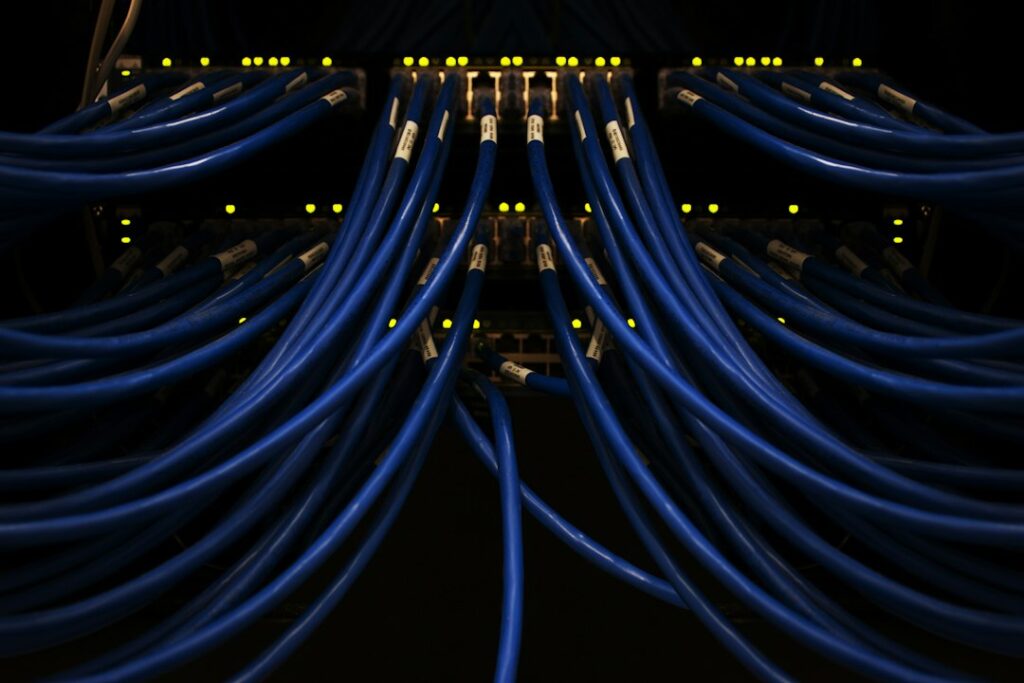
Network congestion during peak evening kick-off times creates bottlenecks. Your internet service provider might throttle specific protocols. Wi-Fi interference from household appliances wrecks packet delivery. Raw bandwidth is just one piece of a complex puzzle.
Understanding Bitrates and Resolution
High-definition feeds require steady data delivery. A standard 1080p stream at fifty frames per second needs around five to eight megabits per second of constant throughput. 4K broadcasts demand double that amount. If your connection dips below these thresholds for even two seconds, the player drops frames or stalls completely.
Buffer bloat occurs when routers queue too many packets. Latency spikes ruin real-time video delivery. Your ping rate matters just as much as your download speed. Wired Ethernet cables beat wireless connections every single time for stability.
Why Wi-Fi Fails Live Video
Radio waves bounce off walls, interfere with microwaves, and share airspace with your neighbours’ routers. Packet loss on Wi-Fi sits around two to five percent on average. Live video protocols hate packet loss. They require continuous, orderly data streams. Dropped packets force the video player to request retransmissions. That extra step introduces visible delays and stutter.
Switching to a wired connection drops packet loss close to zero. Ethernet ports on streaming boxes eliminate interference completely. If running a cable across the lounge isn’t practical, powerline adapters offer a reliable middle ground by using domestic electrical wiring.
Evaluating Your Internet Provider’s Traffic Management
Internet service providers handle traffic differently. Some networks manage peak hours by shaping traffic types. Live video streaming protocols sometimes trigger traffic management policies. Network congestion builds up at local street cabinets during popular weekend fixtures.
Run regular speed tests during actual match times rather than quiet Tuesday mornings. Real-world performance tells the true story of your connection. Check your router settings for Quality of Service options. Prioritising your streaming device gives it network preference over background downloads.
Practical Steps for Better Streaming Performance
Fixing stream stability starts at the physical layer. Unplug your router and streaming stick once a month to clear temporary memory caches. Update your device firmware whenever manufacturers release patches. Check background apps running on your streaming hardware.
Close background tasks to free up RAM. Too many active apps drain system resources and slow down video decoding. Simple maintenance routines keep hardware running smoothly over years of daily use.
Frequently Asked Questions
Why does my stream buffer only during weekend football matches?
Local network congestion causes this issue. Neighbouring households stream high-traffic events at the same time, overloading local street cabinets managed by Openreach or Virgin Media.
Is fibre broadband mandatory for high-definition streams?
Fibre connections provide the stable speeds required for HD feeds. Older copper-based ADSL lines struggle to maintain the consistent bitrates needed for live television broadcasts.
Does VPN usage affect live video playback?
Virtual private networks add routing steps. Encrypting data takes processing power and increases ping times, which sometimes triggers stuttering if server loads run too high.
For more information, iptv.
Learn more on Wikipedia: ITV (TV network).
Related reading
- Choosing the Right Smart TV IPTV Players for Your Living Room Setup
- Firestick Remote Battery Drain: Troubleshooting Tips
Update: Best legal IPTV for football fans in the UK
Update: Best IPTV devices for UK users
Premier League Live Stream Data Demands on UK Broadband
Watching a Premier League live stream on a Saturday afternoon eats through data faster than most people realise. If you stream a full ninety minutes in high definition, your router shifts a massive chunk of bandwidth before the final whistle blows. Most UK households run on unlimited fibre packages nowadays. Still, hitting data caps remains a real headache for rural users on older copper lines or mobile broadband routers.

Standard Definition Versus HD and 4K Bitrates
Resolution dictates how many gigabytes vanish from your allowance during a match. Standard definition feeds hover around one gigabyte per hour. Bump that up to standard HD at 1080p, and you will chew through roughly three gigabytes over the course of a normal matchday. Ultra HD broadcasts take things to a whole different level. They demand stable download speeds above 25 megabits per second and can consume upwards of seven gigabytes every single hour. Do the maths across a packed weekend fixture list, and your monthly household usage spikes dramatically.
Why Peak Saturday Kickoffs Slow Down Your Connection
Three o’clock on Saturday afternoon creates a massive bottleneck across British telecommunications networks. Millions of fans fire up their televisions, tablets, and phones simultaneously. Internet service providers face a colossal surge in local traffic. Even if your home line handles 100 megabits with ease, contention ratios kick in. Your actual throughput drops because the local cabinet works overtime. This congestion triggers annoying buffering mid-match, even when your speed test looked fine an hour earlier.
Practical Steps to Monitor Your Matchday Consumption
Keeping an eye on your router admin page helps prevent unpleasant surprise warnings from your provider. Modern smart TVs and streaming sticks also display network statistics if you dig into the settings menu. If you share a house with heavy gamers or remote workers, running multiple streams at once can choke your entire home network. For a deeper dive into home network preparation, check out our guide on how to check your home broadband speed before streaming Premier League live streams before kickoff arrives.
For more information, iptv.
Related reading
- Understanding IPTV UK: Frequently Asked Questions Answered
- How to Customise Your IPTV Electronic Programme Guide on a Smart TV
Update: Firestick IPTV Audio Delay Fixes: Syncing Sound on Live Streams