- Choosing Legal IPTV Hardware in the UK
- Official Device Comparison
- Hardware Breakdown and Operating Systems
- Step-by-Step Setup Guide
- Pros and Cons of Popular Streaming Platforms
- Compatibility and Legal Realities
- Frequently Asked Questions
- Do I need a TV licence to watch live IPTV in the UK?
- Can I use any IPTV app on an Amazon Fire Stick?
- Does 4K streaming require a fast internet connection?
- Are smart TV built-in apps better than a streaming box?
- How do parental controls work on these devices?
- Can I connect an Ethernet cable to a Roku stick?
- Why is my streaming device running out of storage?
Choosing Legal IPTV Hardware in the UK
Internet Protocol Television delivers live broadcasts and on-demand video straight through your broadband router. When you buy legal IPTV devices UK hardware, you are investing in certified streaming boxes or sticks that run legitimate, licensed apps from broadcasters like BBC iPlayer, ITVX, and Sky’s NOW service. Performance depends heavily on the operating system, the processor speed, and your home Wi-Fi setup.
Many people struggle to pick the right gadget because specifications vary wildly across brands. You need a device that handles 4K resolution smoothly, connects easily to your television via HDMI, and supports official application stores without needing risky modifications or unknown APK downloads.
Official Device Comparison
| Device | Operating System | 4K/HDR Support | Ethernet Option |
|---|---|---|---|
| Amazon Fire TV Cube | Fire OS | Yes (Dolby Vision) | Built-in port |
| Apple TV 4K | tvOS | Yes (HDR10+) | Gigabit port (top model) |
| Google TV Streamer | Android TV | Yes (Dolby Vision) | Built-in port |
| Roku Streaming Stick 4K | Roku OS | Yes (HDR10+) | Wi-Fi only |
| Samsung Smart TV | Tizen | Yes (Model dependent) | Built-in port |
Every listed brand provides reliable access to major British television networks through their respective app stores. Let’s look closer at how these platforms handle daily streaming demands, storage limits, and voice controls.
Hardware Breakdown and Operating Systems
The software running your chosen hardware dictates how easily you can install official television applications. Apple TV relies on tvOS, offering a clean, ad-free interface with robust privacy controls. Amazon Fire TV devices use Fire OS, an Android derivative heavily integrated with Prime Video recommendations. Google TV powers modern Chromecast replacements and Sony televisions, featuring a very flexible app store.
Storage capacity matters when you download multiple catch-up apps. Budget sticks often feature 8GB of internal storage, which fills up fast if you cache large video files. Premium boxes like the Apple TV 4K or Fire TV Cube usually offer 32GB to 64GB of space, leaving plenty of room for utilities and games. Wi-Fi performance also varies. If your router sits far from the living room, look for hardware that includes an Ethernet port or supports Wi-Fi 6 for stable high-definition streams.
Remote controls range from simple clickers with five buttons to backlit handsets with built-in microphones for Alexa or Google Assistant. If you frequently watch live sports, a responsive remote with dedicated channel guides or quick-launch buttons makes navigation much faster.
Step-by-Step Setup Guide
Getting your new streaming hardware up and running takes just a few minutes if you follow a clear sequence.
- Unbox your streaming device and plug the included HDMI cable directly into an available port on your television.
- Connect the power adapter to a wall socket and plug the power cable into the back of your streaming box or stick.
- Switch your television input to the correct HDMI channel using your TV remote.
- Follow the on-screen prompts to connect to your home Wi-Fi network or plug in an Ethernet cable for a wired connection.
- Sign in with your user account (such as an Apple ID or Amazon account) to access the official app store.
- Download the licensed streaming applications you need, such as BBC iPlayer, Channel 4, or ITVX, and log in with your valid subscription details.
Once configured, check your display settings to ensure the output matches your television’s maximum resolution. You can learn more about finding the right hardware features by reading our guide on legal IPTV devices UK official hardware buying guide for additional purchasing tips.
Pros and Cons of Popular Streaming Platforms
Every hardware ecosystem comes with distinct advantages and drawbacks. Apple TV delivers top-tier processing speeds and excellent privacy protection, but it carries a higher upfront cost than standard USB sticks. Amazon Fire devices offer frequent discounts and deep Alexa integration, though the user interface displays prominent sponsored advertisements.
Google TV provides incredible flexibility and a massive library of official apps, but cheaper budget dongles can sometimes feel sluggish when switching between heavy applications. Samsung and LG smart television platforms save you from buying an external box, but built-in operating systems rarely receive software updates for as many years as dedicated streaming hardware.
Compatibility and Legal Realities
Legitimate broadcasting technology relies on proper content distribution rights. When you use legal IPTV devices, you are simply viewing television streams delivered over your internet connection by authorised providers who hold valid broadcasting licences. Ofcom regulates UK television services, and using official apps ensures you stay within UK copyright laws.
Never assume that every application works identically across all hardware. App availability changes frequently as broadcasters update their software agreements. Always check the provider’s official website and your device’s app store before purchasing a new subscription.
Frequently Asked Questions
Do I need a TV licence to watch live IPTV in the UK?
Yes. If you watch live television broadcasts on any online service, including BBC iPlayer or live streams via official apps, UK law requires you to hold a valid TV licence.
Can I use any IPTV app on an Amazon Fire Stick?
You can only download applications that are officially approved and hosted on the Amazon Appstore. Avoid sideloading unknown files or modified software.
Does 4K streaming require a fast internet connection?
Yes. Streaming ultra-high-definition video typically requires a reliable broadband speed of at least 25 Mbps to prevent stuttering or resolution drops.
Are smart TV built-in apps better than a streaming box?
Dedicated boxes usually feature faster processors and receive software updates for longer periods than most integrated smart television operating systems.
How do parental controls work on these devices?
Most platforms allow you to set PIN codes and restrict app downloads based on age ratings through the main system settings menu.
Can I connect an Ethernet cable to a Roku stick?
Standard Roku sticks rely entirely on Wi-Fi, though some advanced Roku set-top boxes include physical Ethernet ports for wired networking.
Why is my streaming device running out of storage?
Cached video data, unused applications, and system updates gradually fill internal storage. Uninstalling apps you no longer use frees up space quickly.
For more information, iptv.
Related reading
- Comparing Official UK Sports Streaming Apps and Licensed IPTV Providers
- IPTV Buffering Fixes UK: Step-by-Step Troubleshooting for Smart TVs and Firestick
Update: Why Does My Smart TV IPTV App Keep Crashing? (And How to Fix It)
- Direct Answer
- Understanding IPTV Technology in the UK
- Evaluating Operating Systems and App Availability
- Hardware Performance: 4K, Storage, and Ethernet
- UK Streaming Device Comparison
- Pros and Cons of Popular UK Options
- Setup Guidance and Compatibility Notes
- Legal Advice and Official Broadcasting Rights
- Frequently Asked Questions
- Can I use my smartphone as an IPTV remote?
- Do I need a 4K television to use these streaming devices?
- Why does my streaming stick run out of storage?
- Are wired Ethernet connections better than Wi-Fi?
- Can I watch UK catch-up TV on imported streaming boxes?
- Do streaming devices require a TV licence in the UK?
- How often should I update my streaming hardware?
Direct Answer
Choosing legal IPTV hardware in the UK depends on your television setup, preferred operating system, and the official app store availability of your licensed streaming provider. Devices like the Amazon Fire TV Stick, Apple TV 4K, and Google TV streamers offer robust performance for running authorised television apps over broadband connections.

Television has shifted away from aerials and dishes toward internet delivery. Millions of households across the UK now stream their favourite channels via broadband. This technology is known as IPTV, which stands for Internet Protocol Television. It simply means your television signal arrives through your internet router instead of a traditional broadcast cable.
Yet, buying the right equipment can feel confusing. Do you need a dedicated box or just a small stick plugged into the back of your screen? Will your current television remote work with it? Finding the right gear requires looking past the marketing jargon and examining the technical specs that actually matter for daily viewing.
Understanding IPTV Technology in the UK
Internet television isn’t entirely new. Catch-up players like BBC iPlayer and ITVX use internet streaming daily. Commercial subscription services also rely on this method to deliver live sports, news, and entertainment straight to your living room.
Your internet service provider supplies the bandwidth. A standard fibre connection easily handles high-definition streams. If you want ultra-high-definition broadcasts, your broadband speed becomes even more crucial. Wired Ethernet connections often provide a steadier stream than Wi-Fi. If your router sits far from your television, fixing IPTV buffering issues usually starts with checking your local network layout rather than replacing your hardware.
Hardware acts as the translator. It decodes the data packets coming through your router and turns them into smooth video and audio. Cheap hardware often stutters under heavy processing loads. Investing in a capable processor keeps your menus snappy and your live feeds stable.
Evaluating Operating Systems and App Availability
Software dictates your entire user experience. Android TV and Google TV dominate the market because they offer immense flexibility. You can install thousands of official applications directly from the Google Play Store.
Amazon uses a modified version of Android called Fire OS. While most major broadcasting apps appear on the Amazon Appstore, some regional or niche services might take longer to arrive. Apple TV runs tvOS. It delivers a clean, ad-free interface and integrates tightly with Apple services, though hardware costs sit significantly higher than typical streaming sticks.
Smart television manufacturers build their own operating systems. Samsung uses Tizen, while LG relies on webOS. These platforms work brilliantly for mainstream apps like Netflix and Disney+. However, their app stores are closed ecosystems. If a specific provider doesn’t write an app for Tizen or webOS, you cannot install it without plugging in an external media player.
Hardware Performance: 4K, Storage, and Ethernet
Resolution matters. Most modern streams support 1080p Full HD, but major sports broadcasters increasingly push 4K HDR feeds. Ensure your chosen device supports HDR10, HDR10+, and Dolby Vision if your television does.
Storage space frequently gets overlooked. Cheap streaming sticks often ship with 8GB of internal storage. Operating system updates and cached app data quickly fill that space. Look for devices offering 16GB or more if you plan to install numerous applications.
Ethernet ports are rare on entry-level sticks. You usually need to buy a separate adapter if you prefer a wired cable connection over Wi-Fi. Premium boxes like the Apple TV 4K or Fire TV Cube include built-in Ethernet ports right out of the box.
UK Streaming Device Comparison
| Device | Operating System | 4K Support | Ethernet | Approx. UK Price (2026) |
|---|---|---|---|---|
| Amazon Fire TV Stick 4K | Fire OS | Yes | Via Adapter | £60 |
| Google TV Streamer | Google TV | Yes | Built-in | £100 |
| Apple TV 4K | tvOS | Yes | Built-in (Top Model) | £149 |
| Roku Streaming Stick 4K | Roku OS | Yes | No | £50 |
| Nvidia Shield TV Pro | Android TV | Yes | Built-in | £199 |
Pros and Cons of Popular UK Options
Amazon devices represent fantastic value for money. They frequently go on sale during major shopping events. The remote controls include handy voice search buttons. On the downside, the user interface features prominent promotional banners for Amazon Prime content.
Apple hardware delivers unmatched processing speed and privacy features. There are no intrusive advertisements on the home screen. Still, the remote design attracts criticism for being slippery, and the initial purchase price is tough to swallow for casual viewers.
Google TV bridges the gap nicely. The interface aggregates content recommendations from multiple subscriptions into one tidy screen. Hardware performance on newer Google devices matches high-end competitors without demanding premium prices.
Setup Guidance and Compatibility Notes
Plug your chosen media player into an available HDMI port on your television. Connect the power cable to a wall socket rather than a television USB port. Wall power provides a stable electrical current, preventing random crashes.
Connect to your home Wi-Fi network or plug in your Ethernet cable. Sign in with your account credentials. Navigate to the device app store and search for your provider’s official application.
Never assume a device runs every app under the sun. Always verify compatibility on the official service provider website before buying new hardware. App availability changes as companies update their software agreements.
Legal Advice and Official Broadcasting Rights
Internet television technology itself is completely legal. Broadcasters use it to deliver content globally. Legality depends entirely on the source of the broadcast.
Always use officially licensed applications distributed through official app stores. Avoid third-party APK files found on random forums. Unauthorised streams violate copyright laws and expose your network to security risks. Stick to legitimate subscriptions backed by proper broadcast rights in the UK.
Frequently Asked Questions
Can I use my smartphone as an IPTV remote?
Yes. Most major streaming platforms offer companion apps for iOS and Android. These apps let you type passwords easily and control playback without traditional clickers.
Do I need a 4K television to use these streaming devices?
No. 4K devices automatically downscale video streams to match 1080p or 720p screens. You can upgrade your hardware now and buy a new television later.
Why does my streaming stick run out of storage?
Operating systems and automatic cache updates consume internal space quickly. Clearing app data in the device settings recovers valuable gigabytes.
Are wired Ethernet connections better than Wi-Fi?
Ethernet cables eliminate wireless interference and signal dropouts. They provide a reliable data flow, which helps prevent video stutter during live broadcasts.
Can I watch UK catch-up TV on imported streaming boxes?
Some imported devices lack region-specific licensing for UK catch-up players. Buy hardware intended for the British market to ensure full app availability.
Do streaming devices require a TV licence in the UK?
Watching live television broadcasts or BBC iPlayer on any device requires a valid UK TV licence. On-demand services like Netflix operate under different rules.
How often should I update my streaming hardware?
Manufacturers typically support devices with security updates for four to five years. Once software updates stop, performance may degrade.
For more information, iptv.
Related reading
- How to Choose Legal Sports IPTV UK Packages for Saturday Kickoffs
- How to Fix IPTV Sound Delays on Firestick and Smart TVs
Update: Smart TV IPTV Playlist Loading Issues and How: A Practical UK Fix Guide
Update: How to Check Legal Sports IPTV UK Packages Before Buying
Choosing the Right Hardware for UK IPTV Streaming
Finding a reliable UK IPTV streaming device means looking beyond flashy marketing and checking what hardware actually sits inside the box. Television over the internet relies heavily on processing speed, memory, and your home network setup to deliver live broadcasts smoothly. Whether you use an Amazon Fire TV Stick, an Apple TV 4K, or a modern Samsung Smart TV, the device dictates how well official apps run your subscription channels. Without adequate processing power, users often experience frustrating latency, audio-video sync issues, and frequent buffering during high-demand live events.
IPTV itself is just a delivery method for television signals, meaning the legality depends entirely on the broadcaster holding the proper distribution rights. When you use authorised applications from providers like BBC iPlayer, Sky Go, or official platform apps, your hardware processes licensed feeds. Let us look at how different pieces of hardware stack up across key performance metrics for UK viewers, keeping in mind that investing in future-proof technology ensures longevity as broadcast standards continue to evolve toward higher frame rates and advanced audio codecs.
Operating Systems and App Availability
Fire TV devices run Fire OS, which builds on Android to give you wide access to official streaming tools. Google TV and Android TV power boxes like the Chromecast with Google TV, offering a clean layout and deep app integration. Meanwhile, Apple TV relies on tvOS, delivering a fast experience with strict developer standards, though it occasionally lacks niche regional players. Roku boxes use a proprietary OS that runs smoothly, but their walled garden makes sideloading impossible and limits certain third-party services. LG and Samsung smart TVs use webOS and Tizen respectively, meaning you rely entirely on their built-in app stores rather than plugging in external gear.
App availability is often the deciding factor for UK consumers. While mainstream platforms like ITVX, Channel 4, and My5 are universally supported across major ecosystems, smaller regional catch-up services or specialized international apps may only be available on Android-based environments. Understanding the limitations of your chosen operating system prevents compatibility headaches down the road and ensures you can access your preferred licensed content providers seamlessly.
Performance, Storage, and 4K Support
Watching live sports or high-definition broadcasts demands solid hardware specs. Premium boxes like the Apple TV 4K pack beefy processors and generous RAM, ensuring rapid menu switching and zero stutter during fast-moving football matches. Budget sticks like the standard Fire TV Lite make do with less memory, which can lead to sluggish performance when loading heavy channel guides. Most modern devices support 4K and HDR formats like HDR10+ and Dolby Vision, but you need a compatible television and a robust broadband connection to actually see the difference. Storage matters too if you cache live streams or install numerous utility apps, as basic models with 8GB of flash storage fill up quickly once system bloatware takes its share.
Furthermore, hardware decoding capabilities play a massive role in playback quality. Modern chipsets feature dedicated hardware decoders for HEVC (H.265) and AV1 codecs, which are increasingly used by UK broadcasters to deliver high-definition video efficiently without consuming excessive bandwidth. Devices lacking efficient hardware decoders will lean heavily on software processing, resulting in elevated device temperatures, higher power consumption, and potential thermal throttling during extended viewing sessions.
Connectivity: Wi-Fi Versus Ethernet
Live television demands a steady data stream, making network stability crucial. While Wi-Fi 6 routers handle wireless feeds brilliantly in the same room, thick walls or interference from neighbours can cause annoying pixelation during peak evening hours. Most streaming sticks rely exclusively on wireless connections unless you buy an external Ethernet adapter. Premium hardware like the Apple TV 4K (Wi-Fi + Ethernet model) or the Fire TV Cube include built-in Ethernet ports for a rock-solid wired connection. If you want to check what a legitimate subscription should include before buying hardware, read our guide on what a legitimate IPTV subscription should include to ensure your setup meets all official requirements.
For households with multiple devices streaming simultaneously—such as someone playing online games while another watches a 4K broadcast—transitioning to a wired Ethernet connection eliminates packet loss and jitter. Even powerline adapters can serve as an effective compromise if running a direct Ethernet cable from your router to the television setup is physically impractical in your living space.
Remotes, Voice Control, and Parental Settings
Daily usability comes down to the remote control in your hand. Voice assistants like Alexa on Fire devices, Google Assistant on Android boxes, and Siri on Apple remotes let you jump straight to specific channels or search for programmes using spoken commands. Parental controls vary wildly between platforms; Apple TV and Google TV offer robust PIN protection and content filtering, while some budget smart TV interfaces make restricting mature live feeds unnecessarily complicated. Warranty support also differs, with major brands offering a standard one-year UK warranty, though buying through authorised high street retailers gives you better consumer protection under the Consumer Rights Act.
Quick Comparison of Popular UK Streaming Hardware
- Amazon Fire TV Stick 4K Max: Excellent app support, Wi-Fi 6, Alexa voice control, affordable price point.
- Apple TV 4K: Premium build, exceptionally fast tvOS, Ethernet port on top model, higher initial cost.
- Google TV Streamer: Clean interface, strong app ecosystem, smart home integration, reliable performance.
- Samsung / LG Smart TVs: No extra hardware clutter, but restricted to webOS or Tizen app stores.
Setup Guidance and Compatibility Notes
Setting up a new streaming box usually takes just a few minutes. Plug the device into an available HDMI port, connect the power cable, and follow the on-screen prompts to sign in with your account. Always verify that your chosen device supports your provider’s official application before making a purchase. Remember that no single piece of hardware supports every application out there, so checking current compatibility lists on official app stores saves you from buying incompatible gear.
For more information, iptv.
Related reading
- Buying Legal Sports IPTV UK Packages: A Fan’s Checklist
- What to Expect from an IPTV Subscription UK: Setup, Requirements and Everyday Use
Update: Fixing IPTV Freezing and Buffering on Firestick and Smart TVs
Update: 5 Key Things to Consider When Buying Legal Sports IPTV UK Packages
- Choosing Legal IPTV Hardware in the UK
- Comparing Popular Streaming Hardware
- Pros and Cons of Dedicated Media Players
- Setting Up Your Official Streaming Box
- Optimizing Your Home Network for High-Definition Streams
- Compatibility and Safety Notes
- Frequently Asked Questions
- Do I need a TV licence to watch legal IPTV apps in the UK?
- Can I use an Ethernet cable with every streaming stick?
- Are smart TV apps better than streaming sticks?
- Why do official streams buffer sometimes?
- Will my device support 4K sports broadcasts?
- How do I set up parental controls?
- Do Apple TV boxes work with UK catch-up apps?
Choosing Legal IPTV Hardware in the UK
Finding the right legal IPTV devices UK viewers need starts with understanding how television streams over broadband. IPTV is simply a technology used to deliver television over the internet rather than traditional aerials or cables. Modern streaming relies heavily on Content Delivery Networks (CDNs) and adaptive bitrate streaming, which automatically adjusts video quality based on your current internet bandwidth. However, the legality depends entirely on the service provider’s rights to distribute the content. Official broadcasters like the BBC, ITV, and Sky run their own apps on certified hardware. You don’t need dodgy setups to watch live television. You just need the right box plugged into your telly.

Hardware choice dictates everything from picture quality to menu speed. A cheap stick might choke on high-bitrate live feeds, while a high-end box flies through menus. Modern streaming devices utilize multi-core processors, dedicated graphics chips, and varying amounts of RAM (typically ranging from 1GB in budget sticks to 4GB or more in premium media hubs) to decode complex video codecs like HEVC and AV1 efficiently. Let’s look at how the main contenders stack up for running official UK streaming apps.
Comparing Popular Streaming Hardware
Different operating systems handle apps differently. Amazon Fire TV devices run Fire OS, while Google TV powers Chromecast and various Sony sets. Apple TV uses tvOS, and Samsung or LG run their own proprietary systems. App availability shifts constantly. Always check the provider’s official app store before buying hardware, as regional licensing agreements can occasionally restrict certain catch-up services to specific platforms or require unique software versions.
| Device | OS | 4K / HDR | Ethernet Option |
|---|---|---|---|
| Amazon Fire TV Stick 4K | Fire OS | Yes (Dolby Vision) | Adapter required |
| Google TV Streamer | Android TV | Yes (HDR10+) | Built-in port |
| Apple TV 4K | tvOS | Yes (Dolby Vision) | Model dependent |
Pros and Cons of Dedicated Media Players
Dedicated streamers offer huge advantages for regular viewers. They boot fast and receive updates for years. Still, they take up an HDMI port and need their own power sockets. Smart TV apps avoid extra boxes entirely, but their processors often lag behind dedicated hardware, leading to sluggish interface navigation and slower app launch times over the lifespan of the television set.
- Pros: Fast processors, regular security patches, wide official app stores.
- Cons: Extra remote controls to juggle, potential cable clutter behind the unit.
Setting Up Your Official Streaming Box
Plug your chosen device into an available HDMI port on your television. Connect the power cable to a wall socket. Follow the on-screen prompts to hook up your home Wi-Fi network. Log into your manufacturer account, such as an Amazon or Google profile. Head straight to the app store and download official broadcaster apps like BBC iPlayer, ITVX, or Channel 4. Remember that network congestion can ruin a live match, so check your broadband stability if streams stutter during peak hours.
Optimizing Your Home Network for High-Definition Streams
Even the most advanced streaming hardware will struggle if your local home network is bottlenecked. When streaming live sports or high-definition events through official UK platforms, network congestion and Wi-Fi interference are the primary culprits behind unexpected stuttering. Switching from a crowded 2.4 GHz Wi-Fi band to a dedicated 5 GHz or 6 GHz channel can dramatically improve connection stability. Alternatively, utilizing a wired Ethernet connection—either directly to your router or via powerline adapters—eliminates wireless dropouts entirely, ensuring a seamless viewing experience during high-traffic broadcast windows. Furthermore, configuring Quality of Service (QoS) settings on your home router can prioritize your streaming device’s data packets over background downloads, ensuring that heavy internet usage by other household members will not degrade your live television experience or cause unexpected frame drops during crucial sporting moments.
Compatibility and Safety Notes
Never assume a device runs every single application. Manufacturers drop support for older models without warning. Stick to official app marketplaces built directly into the operating system. Avoid sideloading unknown files or using modified applications that promise free access to paid subscription channels. Those shortcuts often breach copyright laws and compromise your personal data, exposing your home network to potential security vulnerabilities and malware risks.
Frequently Asked Questions
Do I need a TV licence to watch legal IPTV apps in the UK?
Yes. If you watch live television broadcasts through services like BBC iPlayer on any device, UK law requires a valid TV licence.
Can I use an Ethernet cable with every streaming stick?
Most basic sticks rely entirely on Wi-Fi. You usually need to buy a separate USB Ethernet adapter for wired networking unless you purchase a larger set-top box.
Are smart TV apps better than streaming sticks?
Built-in apps save HDMI ports, but standalone sticks generally feature faster processors and receive software updates for a longer period.
Why do official streams buffer sometimes?
Local Wi-Fi interference or heavy broadband traffic in your neighbourhood usually causes stuttering rather than the streaming hardware itself.
Will my device support 4K sports broadcasts?
Only if you own a 4K-compatible streaming device, a high-speed broadband connection, and a television that supports ultra-high-definition resolution.
How do I set up parental controls?
Most legal IPTV devices let you lock app downloads and restrict viewing ratings via a PIN code in the main settings menu.
Do Apple TV boxes work with UK catch-up apps?
Yes, tvOS hosts nearly all major UK terrestrial and subscription broadcaster applications.
For more information, iptv.
Related reading
- Which Official Broadcasters Hold UK Sports Streaming Rights?
- How to Fix Firestick Buffering During Live UK IPTV Streams
Update: Firestick vs Smart TV: Which is Better for Streaming in the UK?
Update: Choosing Legal IPTV for UK Football Fans: What to Look For
- What is a Legal IPTV UK Device?
- Direct Answer: Which Hardware Wins the Legal IPTV UK Device Race?
- Comparing Popular Streaming Hardware Features
- Operating Systems and App Availability
- 4K, HDR, and Audio Support
- Connectivity: Wi-Fi and Ethernet
- Hardware Comparison Table
- Pros and Cons of Using a Dedicated Legal IPTV UK Device
- Pros
- Cons
- Setup Guidance and Compatibility Notes
- Frequently Asked Questions
- Can I use a legal IPTV UK device with my older non-smart television?
- Do I need a TV licence to watch live streaming services in the UK?
- Will these devices work with any internet provider?
- Is a wired Ethernet connection necessary for streaming?
- Can I control my streaming stick using my voice?
- How do parental controls work on these media players?
- Do manufacturers offer a warranty in the UK?
What is a Legal IPTV UK Device?
Internet Protocol Television delivers broadcast signals through your broadband connection rather than a traditional satellite dish or aerial. When you pick a legal IPTV UK device, you’re choosing hardware capable of running official apps from broadcasters like the BBC, ITV, and Sky. The technology itself is completely normal, but whether your setup is legal depends entirely on the service provider you use. If they hold the proper broadcasting rights, everything is above board.

Many popular streaming gadgets plug straight into your television’s HDMI port. You’ll find options running Fire OS, Android TV, tvOS, or Roku OS. Each platform handles apps a bit differently. We regularly look at choosing the right streaming hardware for legal IPTV in the UK to help readers navigate these choices without getting overwhelmed by tech jargon.
Direct Answer: Which Hardware Wins the Legal IPTV UK Device Race?
No single piece of hardware suits every single household. Amazon’s Fire TV Stick 4K Max and Google TV Streamer currently offer the most reliable balance of app availability, processor speed, and smooth 4K playback for UK streaming apps. Apple TV 4K provides a slicker user experience and better privacy controls, but it costs significantly more than standard media sticks.
Comparing Popular Streaming Hardware Features
Different operating systems change how you interact with your live TV apps. Let’s break down how the major platforms stack up across essential performance metrics.
Operating Systems and App Availability
Android TV and Google TV give you access to the Google Play Store. Fire TV devices use the Amazon Appstore. Both ecosystems cover all major UK catch-up and subscription services. Apple TV relies on tvOS, which supports every major official UK broadcaster app. Roku devices run Roku OS, offering great free ad-supported streaming TV channels alongside standard terrestrial apps, though their advanced media player support differs from Android alternatives.
4K, HDR, and Audio Support
Most modern streaming boxes handle 4K Ultra HD, Dolby Vision, and HDR10+. If you own a high-end soundbar, check whether your chosen hardware passes through Dolby Atmos audio correctly. Apple TV 4K excels here, matching frame rates dynamically to prevent stutter during fast-moving sports broadcasts.
Connectivity: Wi-Fi and Ethernet
Streaming live television demands a stable broadband connection. While Wi-Fi 6 works brilliantly if your router sits close to the television, wired Ethernet offers unbeatable reliability for 4K sports feeds. Devices like the Apple TV 4K and Google TV Streamer include built-in Ethernet ports on their high-end models. Budget Fire sticks require an extra adapter cable for wired networking.
Hardware Comparison Table
| Device | Operating System | 4K / HDR | Ethernet Option | Approx. UK Price (2024) |
|---|---|---|---|---|
| Amazon Fire TV Stick 4K Max | Fire OS | Yes / Dolby Vision | Adapter required | £60 |
| Apple TV 4K | tvOS | Yes / Dolby Vision | Built-in (Top model) | £149 |
| Google TV Streamer | Google TV | Yes / Dolby Vision | Built-in | £99 |
| Roku Streaming Stick 4K | Roku OS | Yes / Dolby Vision | No | £50 |
Pros and Cons of Using a Dedicated Legal IPTV UK Device
Upgrading your television setup with an external media player changes your viewing habits. Here are the main advantages and drawbacks to keep in mind.
Pros
- Faster menu navigation than built-in smart TV software.
- Regular security updates directly from manufacturers.
- Access to official app stores without sideloading risks.
- Easy portability if you travel within the UK.
Cons
- Adds another remote control to your coffee table.
- High-end models carry a steep initial price tag.
- Some free streaming apps feature heavy advertising.
Setup Guidance and Compatibility Notes
Setting up your new player takes just a few minutes. Plug the device into an available HDMI port on your television. Connect the power cable to a wall socket rather than a USB port on the back of the telly, because wall power delivers stable voltage. Follow the on-screen prompts to connect your home Wi-Fi network and sign in with your account details.
Always download official applications directly from the device’s built-in app store. Never assume every single app works identically across different brands. App developers update their software constantly, so check current compatibility notes on the official provider website before purchasing a subscription.
Frequently Asked Questions
Can I use a legal IPTV UK device with my older non-smart television?
Yes, as long as your television features an active HDMI port. The streaming stick processes the digital signal and converts it into picture and sound your screen understands.
Do I need a TV licence to watch live streaming services in the UK?
You need a valid UK TV Licence if you watch or record live television broadcasts on any channel or service, or if you use BBC iPlayer, regardless of the device you use.
Will these devices work with any internet provider?
They work with any UK broadband provider, including BT, Sky, Virgin Media, TalkTalk, and smaller fibre networks like CityFibre partners.
Is a wired Ethernet connection necessary for streaming?
Wi-Fi 5 or Wi-Fi 6 handles standard streaming easily, but a wired Ethernet cable prevents sudden drops in resolution during peak evening hours.
Can I control my streaming stick using my voice?
Most modern remotes include built-in microphones compatible with Alexa, Google Assistant, or Siri, letting you launch apps and search for shows hands-free.
How do parental controls work on these media players?
Each operating system includes native parental controls that let you lock app downloads behind a PIN and restrict mature content ratings.
Do manufacturers offer a warranty in the UK?
Major brands like Amazon, Apple, and Google provide a standard one-year hardware warranty covering manufacturing defects for UK purchases.
For more information, iptv.
Related reading
- How to Stream Live UK Football Legally Using Official Apps and Services
- Comparing Firestick and Smart TV Apps for Legal IPTV Setup and Troubleshooting
Update: How to Fix Firestick Buffering During Live UK IPTV Streams
Update: Which Official Broadcasters Hold UK Sports Streaming Rights?
- Choosing Hardware for Legal IPTV in the United Kingdom
- Amazon Fire TV Stick and Fire TV Cube
- Apple TV 4K
- Google TV Streamer and Chromecast Devices
- Roku Streaming Players
- Smart TVs: Samsung and LG
- Smartphones, Tablets, and Mobile Casting
- Hardware Feature Comparison
- Pros and Cons of Dedicated Streaming Hardware
- Step-by-Step Setup Guide
Choosing Hardware for Legal IPTV in the United Kingdom
Getting your television setup right for legal IPTV UK viewing takes a bit of planning. You aren’t just buying a box. You are picking a platform that handles apps, video decoding, and network traffic. IPTV delivers television over the internet instead of traditional aerials or cables. However, the legality of any service depends entirely on whether the provider holds the correct broadcasting rights for the UK market. Different gadgets handle official apps in different ways. Some run Android TV, others use proprietary systems, and a few rely on mobile operating systems mirrored to a big screen.
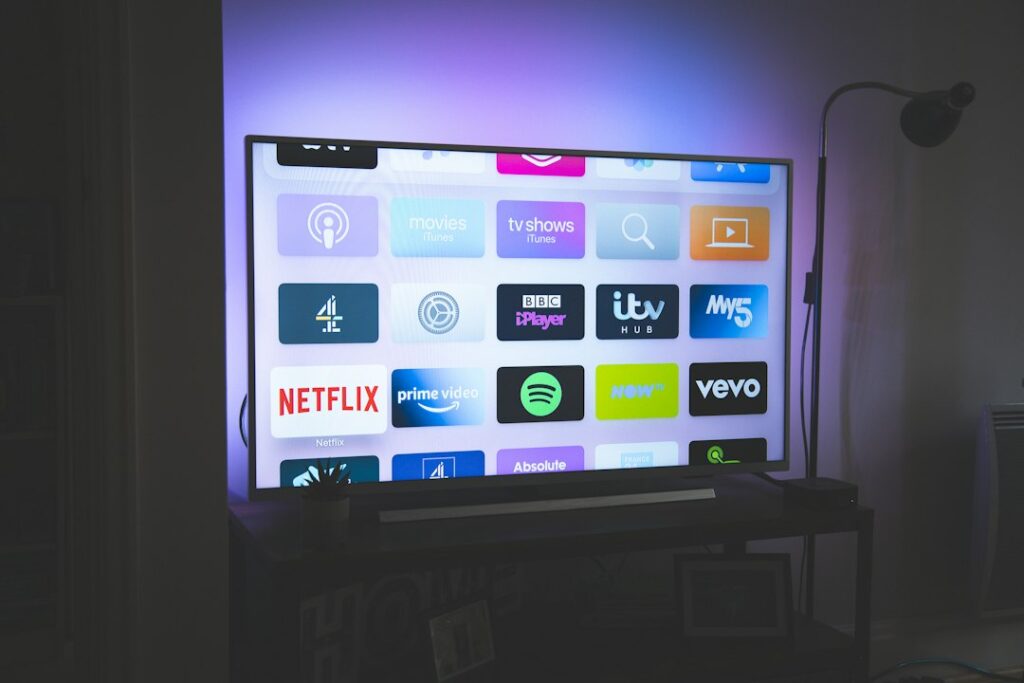
Hardware choices range from small HDMI sticks tucked behind the television to powerful set-top boxes with dedicated Ethernet ports. You need to weigh up app availability, processor speed, and video formats. Let’s look at how the main streaming devices stack up against each other.
Amazon Fire TV Stick and Fire TV Cube
Amazon’s hardware range dominates living rooms across the UK. The Fire TV Stick 4K and the more powerful Fire TV Cube run Fire OS, which is built on top of Android. This means they support most official streaming apps directly from the Amazon Appstore. You get robust 4K and HDR support, including Dolby Vision on higher-end models.
Performance is snappy on current-generation devices. Menus load quickly, and switching between live feeds and on-demand content rarely stutters. Wi-Fi performance is generally solid, though the Fire TV Cube includes a physical Ethernet port out of the box. Fire sticks require an adapter for wired internet. Remote controls feature integrated Alexa voice buttons, making searches simple. Parental controls are comprehensive, allowing you to lock app purchases and restrict content ratings easily.
Apple TV 4K
If you live inside the Apple ecosystem, the Apple TV 4K offers arguably the smoothest user experience available. It runs tvOS, giving you access to the App Store where many official broadcasting apps live. The hardware inside uses mobile-grade chips that tear through video decoding without breaking a sweat.
Picture quality and HDR handling are top-tier. You get both gigabit Ethernet and fast Wi-Fi on every modern unit. The Siri Remote is responsive, though some users find its touch surface overly sensitive. Privacy features on tvOS outpace most competitors. Storage is generous, starting at 64GB, which leaves plenty of room for caching live streams. Setup is effortless if you own an iPhone. You just hold it near the box to transfer your Wi-Fi credentials and Apple ID.
Google TV Streamer and Chromecast Devices
Google TV has largely replaced older Chromecast hardware, offering a proper interface with a remote control. It runs official Android TV, meaning compatibility with official legal IPTV UK apps is very high. You can download major broadcaster apps straight from the Google Play Store.
Performance varies depending on the specific model tier. The newest Google TV Streamer handles heavy multitasking smoothly. Storage and memory are adequate for most users. You get robust voice control via Google Assistant built into the remote. Ethernet ports are included on dedicated set-top boxes, while cheaper dongles rely entirely on Wi-Fi. Parental controls use Google Family Link, giving you remote management capabilities from your phone.
Roku Streaming Players
Roku devices run the Roku OS platform. They are famous for a neutral, ad-supported interface that doesn’t push one streaming service over another. App availability through the Roku Channel Store is massive for standard catch-up services, but specialized or niche streaming applications might have limited support compared to Android-based competitors.
Performance on Roku sticks is dependable for standard HD and 4K streaming. However, advanced video codecs or complex app layouts can occasionally stretch the lower-end processors. Remotes are simple and uncluttered. Most models rely on Wi-Fi connectivity, with wired connections restricted to higher-end ultra units. Setup takes minutes, and parental control PINs protect mature content across all installed channels.
Smart TVs: Samsung and LG
Built-in smart TV platforms mean you don’t need a separate streaming box. Samsung uses Tizen OS, while LG relies on webOS. Both operating systems host official apps from major UK broadcasters. The main advantage is simplicity. You use a single remote and eliminate extra clutter.
Performance depends on the processor inside your specific television model. High-end panels feature powerful chips that navigate menus instantly, while budget models can feel sluggish. Wi-Fi modules are built in, and both brands include physical Ethernet ports. Voice control works via Bixby or Alexa on Samsung, and ThinQ AI on LG. Setup happens during your initial television configuration. Parental controls let you restrict specific apps or broadcast channels with a PIN code.
Smartphones, Tablets, and Mobile Casting
Phones and tablets running iOS or Android act as portable screens for your entertainment. You can install official broadcaster apps directly from the Apple App Store or Google Play. Many users cast these streams to larger televisions using AirPlay or Google Cast.
Processing power on modern phones is exceptional, outperforming many dedicated streaming boxes. App availability is unmatched. However, mobile devices lack Ethernet ports and rely completely on Wi-Fi or mobile data. Remote control doesn’t apply here, as you use touchscreen gestures. Privacy settings on mobile operating systems give you granular control over app permissions. Setup involves logging into your app store account and downloading the software you need.
Hardware Feature Comparison
| Device Family | Operating System | Ethernet Support | 4K/HDR Support | Setup Ease |
|---|---|---|---|---|
| Amazon Fire TV | Fire OS (Android) | Adapter required (Cube has built-in) | Yes (Most models) | Very Easy |
| Apple TV 4K | tvOS | Built-in (Gigabit) | Yes (Dolby Vision/HDR10+) | Effortless (with iPhone) |
| Google TV | Android TV | Model dependent | Yes | Very Easy |
| Roku Players | Roku OS | Model dependent (Ultra only) | Yes | Simple |
| Samsung / LG TVs | Tizen / webOS | Built-in | Yes (On supported panels) | Integrated |
| Phones & Tablets | iOS / Android | No (Wireless only) | Yes (Screen dependent) | Straightforward |
Pros and Cons of Dedicated Streaming Hardware
Using a dedicated box like an Apple TV or Fire Cube isolates your streaming apps from your television’s native operating system. This often results in faster updates and longer software support lifecycles. Smart TV interfaces can slow down after a few years as manufacturers drop support for older chips. Dedicated boxes are also easy to replace if processing standards change.
On the downside, external hardware requires an extra HDMI port, a separate power socket, and another remote control to manage. If you want to keep your living room wire-free, a smart TV running native apps is cleaner. If you want maximum performance and guaranteed app compatibility for legal IPTV UK services, a dedicated media player usually wins.
Step-by-Step Setup Guide
Getting your chosen device running takes just a few moments if you follow a logical sequence. How to set up legal IPTV on Firestick in the UK covers foundational platform configuration if you chose Amazon hardware. For general setups, use these steps:
- Plug your streaming device into a spare HDMI port on your television or AV receiver.
- Connect the power cable to a wall socket using the supplied mains adapter.
- Switch your television input source to match the correct HDMI port.
- Follow the on-screen prompts to connect your device to your home Wi-Fi network or plug in an Ethernet cable.
- Sign in to your device account, such as your Amazon, Google, or Apple ID.
- Open the built-in app store, search for your provider’s official streaming application, and download it.
- Log in using your official subscriber credentials provided by your licensed service operator.
Always verify app compatibility before purchasing hardware. Subscription services update their software requirements regularly, and older boxes occasionally lose support for new security protocols.
For more information, iptv.
Related reading
- Spotting IPTV Scams: How to Buy Legal Sports IPTV UK Safely
- How to Fix UK IPTV Audio Delay on Firestick and Smart TVs
Update: Comparing Firestick and Smart TV Apps for Legal IPTV Setup and Troubleshooting
Update: How to Stream Live UK Football Legally Using Official Apps and Services
- Short Direct Answer
- How Internet Television Works on Modern UK Hardware
- Comparing Popular Streaming Hardware Options
- Performance Factors: Processing Power and Storage
- Connectivity: Wi-Fi Standards and Wired Ethernet
- Remote Controls, Voice Assistants, and Usability
- Setup, Security, and Parental Controls
- Pros and Cons of Certified Streaming Hardware
- Setup Guidance and Compatibility Notes
- Frequently Asked Questions
- Can I use my old television with these devices?
- Do I need a TV licence to watch live streaming apps in the UK?
- Why does my live stream buffer during peak evening hours?
- Are generic Android boxes legal to use?
- How do I update my streaming device software?
- Can I travel with my streaming stick within the UK?
- What internet speed do I need for smooth streaming?
Finding reliable legal IPTV devices UK households can depend on starts with understanding how modern television delivery works. Television signals travel straight through your broadband connection rather than traditional aerials or satellite dishes. This technology powers everything from BBC iPlayer to specialized sports streaming apps. You need the right box or stick plugged into your television to run these applications smoothly.
Hardware choices matter immensely. A sluggish processor leads to frustrating freezes during live broadcasts. Poor Wi-Fi chips cause endless buffering wheels. Buying dedicated streaming equipment ensures your television responds instantly and displays high-definition feeds without hiccups.
Short Direct Answer
Legal IPTV devices in the UK are certified streaming hardware—such as Amazon Fire TV Sticks, Google TV streamers, and Apple TVs—that run officially licensed broadcasting apps from the official app stores to deliver television over the internet securely and reliably.
How Internet Television Works on Modern UK Hardware
Broadband networks handle data packets constantly. When you open a licensed streaming application, it requests live video streams from official servers. Your hardware decodes these packets into moving pictures and sound on your screen.
IPTV is simply the delivery method. Legality depends entirely on who owns the broadcast rights. Licensed providers pay millions for official distribution permissions. Using authorized hardware guarantees access to legitimate services regulated by Ofcom standards.
Many viewers transition away from traditional cable because internet-based delivery offers flexibility. You can move compact streaming sticks between rooms or take them on holiday. Still, your home internet speed dictates your overall experience. Most UK providers recommend at least 15 Mbps for stable high-definition feeds and 30 Mbps for 4K broadcasts.
Comparing Popular Streaming Hardware Options
Different operating systems change how you interact with your television. Amazon Fire TV runs on a customized Android base. Google TV offers a clean interface focused on content recommendations. Apple TV relies on tvOS, providing a private environment for iOS users.
App availability varies significantly between platforms. Mainstream broadcasters support almost every major ecosystem. However, niche official providers might build apps for Android TV before developing versions for smaller platforms. Always check official app stores before making a purchase.
Let’s look at how the top hardware choices stack up across key performance indicators.
| Device | Operating System | 4K / HDR Support | Ethernet Option | Typical UK Price |
|---|---|---|---|---|
| Amazon Fire TV Stick 4K | Fire OS (Android) | Yes (Dolby Vision, HDR10+) | Requires adapter | £60 |
| Google TV Streamer | Google TV | Yes (Dolby Vision, HDR10) | Built-in port | £99 |
| Apple TV 4K | tvOS | Yes (Dolby Vision, HDR10+) | Built-in port (top tier) | £149 |
| Roku Streaming Stick 4K | Roku OS | Yes (Dolby Vision, HDR10+) | Not available | £50 |
If you want to explore more economical hardware choices, you can read our guide on budget streaming hardware options for everyday viewing.
Performance Factors: Processing Power and Storage
Cheap hardware often frustrates users within months. Low random access memory causes apps to crash when switching channels rapidly. Storage space dictates how many applications you can install simultaneously.
High-end boxes like the Apple TV 4K pack powerful processors. Menus glide past instantly. Live sports feeds load in seconds. Cheaper sticks handle basic streaming fine, but they struggle if you hoard dozens of apps.
Storage capacity ranges from 8GB on budget sticks up to 128GB on premium Apple models. If you only watch live television, 8GB is plenty. Gamers or heavy app users should invest in expanded local storage.
Connectivity: Wi-Fi Standards and Wired Ethernet
Wireless signals degrade through thick walls. Modern Wi-Fi 6 routers improve wireless streaming dramatically. Yet, nothing beats a physical copper cable for live sports broadcasts.
Some devices include built-in Ethernet ports. Others require separate network adapters. If your router sits far away from your television, a robust Wi-Fi mesh network keeps your legal IPTV devices UK setup running without sudden drops in resolution.
Remote Controls, Voice Assistants, and Usability
You use the remote control daily. Button layout matters. Backlit remotes help during dark movie nights.
Voice control integration lets you search across apps effortlessly. Amazon uses Alexa. Google relies on its own Assistant. Apple integrates Siri. Pressing a button and speaking a channel name saves endless typing on onscreen keyboards.
Setup, Security, and Parental Controls
Unboxing modern streaming gear takes minutes. Plug the hardware into an HDMI port. Connect power. Follow the onscreen prompts to log into your Wi-Fi and user accounts.
Parental controls protect younger family members from adult content. Official platforms let you lock applications behind PIN codes easily. Security updates arrive automatically on certified hardware, keeping your home network safe from vulnerabilities.
Pros and Cons of Certified Streaming Hardware
Every platform compromises somewhere. Weighing these points helps you pick wisely.
- Pros: Full access to official app stores, regular security patches, high-res 4K HDR playback, reliable customer support, and standard UK warranties.
- Cons: Higher upfront cost than unverified generic boxes, occasional interface ads on budget sticks, and restrictive ecosystems on proprietary hardware.
Setup Guidance and Compatibility Notes
Always download applications directly from official stores. Do not sideload unknown software files found on forums. Ensure your television’s HDMI port supports HDCP 2.2 if you want to watch 4K content.
Remember that no single box runs every proprietary app universally. Check provider compatibility lists before committing your money.
Frequently Asked Questions
Can I use my old television with these devices?
Yes. Most modern streaming sticks plug into standard HDMI ports. If your television lacks HDMI, you’ll need an active HDMI-to-AV converter box.
Do I need a TV licence to watch live streaming apps in the UK?
Yes. Any live television broadcast viewed online via services like BBC iPlayer requires a valid UK TV licence.
Why does my live stream buffer during peak evening hours?
Local internet congestion causes slowdowns. Upgrading your broadband package or switching to a wired Ethernet connection usually fixes this issue.
Are generic Android boxes legal to use?
The hardware itself is legal. However, unbranded boxes preloaded with modified software often violate copyright laws. Stick to certified brands.
How do I update my streaming device software?
Go to your device settings menu, locate the system update tab, and check for available downloads manually. Most devices update automatically overnight.
Can I travel with my streaming stick within the UK?
Yes. You can plug your portable streaming stick into any hotel or holiday home television with Wi-Fi access.
What internet speed do I need for smooth streaming?
Aim for at least 15 Mbps for HD streams and 30 Mbps for 4K sports broadcasts to avoid stuttering.
For more information, iptv.
Related reading
- Understanding How IPTV UK Services Handle Live Broadcasting Rights
- How to Check Legal Sports IPTV UK Packages Before Buying
Update: Spotting IPTV Scams: How to Buy Legal Sports IPTV UK Safely
Update: Legal IPTV UK Device Comparison Guide
- Navigating IPTV Hardware Choices in British Living Rooms
- Amazon Fire TV Stick and Fire TV Cube
- Apple TV 4K and Google TV Hardware
- Smart TV Platforms: Samsung and LG
- Comparing Technical Specifications
- Pros and Cons of Dedicated Streaming Boxes
- Setting Up Your Hardware for Optimal Performance
- Understanding Licensing and Legal Realities
- Frequently Asked Questions
- Can I use any IPTV app on an Apple TV?
- Do Fire TV Sticks support 4K streaming?
- Is an Ethernet connection necessary for live streaming?
- Why do some apps disappear from my Smart TV app store?
- Are IPTV services legal in the UK?
- How much storage do I need on a streaming device?
- Can I use voice control with legal streaming apps?
- Do these devices come with a UK warranty?
Navigating IPTV Hardware Choices in British Living Rooms
Getting your digital television setup right starts with the physical hardware sitting under your television. When shopping for IPTV devices UK options, you aren’t just picking a black box that plugs into the wall. You are choosing the operating system, the remote control layout, and the app ecosystem that will manage your daily viewing. Internet Protocol Television technology delivers live broadcasts and on-demand video packets directly through your broadband router, meaning your hardware needs enough processing power to decode these streams without stuttering. Whether you prefer the compact design of a streaming stick or the robust connectivity of a dedicated box, matching your hardware to official, licensed provider applications makes all the difference.

Amazon Fire TV Stick and Fire TV Cube
Amazon’s hardware range dominates living rooms across the country. The standard Fire TV Stick Lite, regular 4K, and high-end Fire TV Cube run on Fire OS, a heavily modified fork of Android. This means sideloading is restricted, but the official Amazon Appstore hosts major legal broadcast apps like BBC iPlayer, ITVX, Channel 4, and My5. Performance varies noticeably across the lineup. The basic sticks handle standard definition and basic HD fine, while the 4K Max models add Wi-Fi 6 support and faster processors. Voice control via Alexa works reliably for finding shows. Storage remains tight on cheaper models, though you can manage space by following guides like how to clean firestick cache.
Apple TV 4K and Google TV Hardware
Apple TV 4K offers a premium user experience with zero intrusive advertising on its home screen. tvOS runs exceptionally fast, powered by robust mobile processors that handle heavy video decoding effortlessly. Ethernet ports come built into the higher-tier storage models, giving you a rock-solid wired connection for buffer-free live streams. Meanwhile, Google TV hardware, including the Google TV Streamer and Chromecast devices, brings a clean interface heavily integrated with your Google account. Voice search pulls results across dozens of official apps simultaneously. Both ecosystems prioritise privacy and secure app sandboxing, ensuring your personal data stays protected while you watch.
Smart TV Platforms: Samsung and LG
Many households skip external boxes entirely and use the built-in operating systems on modern televisions. Samsung relies on Tizen OS, while LG uses webOS. Both platforms support official catch-up and subscription apps natively. However, app availability for smaller or niche legal streaming providers can be limited compared to Android-based competitors. Processing power inside televisions also tends to lag behind dedicated streaming media players, which can lead to sluggish menu navigation. If you notice your TV struggling with heavy video feeds, checking for storage bloat or reading up on smart TV IPTV setup mistakes UK households keep making can help you avoid common performance bottlenecks.
Comparing Technical Specifications
Hardware capabilities dictate your viewing experience. Here is a breakdown of how popular platforms stack up against each other:
| Device Family | Operating System | 4K / HDR Support | Wired Ethernet | Storage Capacity |
|---|---|---|---|---|
| Amazon Fire TV 4K Max | Fire OS (Android) | Yes (Dolby Vision, HDR10+) | Optional adapter | 16 GB |
| Apple TV 4K | tvOS | Yes (Dolby Vision, HDR10+) | Yes (128GB model only) | 64 GB / 128 GB |
| Google TV Streamer | Android TV | Yes (Dolby Vision, HDR10+) | Yes | 32 GB |
| Samsung Tizen TV | Tizen | Yes (HDR10+) | Yes | Varies by model |
Pros and Cons of Dedicated Streaming Boxes
Dedicated boxes offer distinct advantages over built-in television apps. They usually receive software updates for longer periods, and replacing a faulty streaming stick costs a fraction of buying a new television. Performance is snappier, and remote controls feel more responsive. On the downside, adding another device to your setup means dealing with extra power cables and HDMI ports. You also have to juggle multiple remotes unless you program HDMI-CEC to control everything through a single handset.
Setting Up Your Hardware for Optimal Performance
Unboxing your new device is only the first step. Plug your streaming player directly into a spare HDMI port on your television or soundbar. Connect to your home Wi-Fi network using the 5GHz band for faster data rates, or plug an Ethernet cable straight into your router if available. Log into your primary app store account using your credentials. Download only the official applications provided by your licensed service provider. Avoid downloading unverified APK files or modified software from random web sources. Once installed, log in with your official account details and test a live broadcast stream to confirm audio and video sync properly.
Understanding Licensing and Legal Realities
Internet television technology itself is completely legal. Broadcasters, traditional television networks, and digital subscription platforms use it every day to beam content to homes across the UK. Legality depends entirely on who owns the broadcast rights and whether your provider holds a valid licence to distribute those channels. Ofcom regulates broadcasting standards in the UK, while intellectual property laws protect copyrighted material. Always verify that your chosen provider operates legally. You can learn more about checking provider credentials by reading how to verify licensing for legal sports IPTV UK providers before signing up for any long-term digital package.
Frequently Asked Questions
Can I use any IPTV app on an Apple TV?
No. Apple TV only supports applications officially approved and listed on the tvOS App Store. Check the app store before buying hardware.
Do Fire TV Sticks support 4K streaming?
Selected models do. The standard Fire TV Stick Lite and regular HD models max out at 1080p, while the Fire TV 4K and 4K Max handle ultra-high definition.
Is an Ethernet connection necessary for live streaming?
It isn’t mandatory, but a wired Ethernet connection provides a more stable data transfer rate than Wi-Fi, reducing potential stream drops.
Why do some apps disappear from my Smart TV app store?
Manufacturers periodically drop software support for older television models, meaning newer app versions might no longer install on legacy hardware.
Are IPTV services legal in the UK?
Yes, provided the service provider holds the correct legal distribution rights and broadcasting licenses for the channels they offer.
How much storage do I need on a streaming device?
A minimum of 8GB to 16GB is recommended if you plan to install multiple media applications and catch-up players alongside your primary viewing apps.
Can I use voice control with legal streaming apps?
Most modern devices support voice commands through built-in assistants like Alexa, Siri, or Google Assistant, depending on your hardware platform.
Do these devices come with a UK warranty?
Hardware purchased officially through UK high street retailers or authorised online stores includes standard consumer statutory warranty protections.
For more information, iptv.
Related reading
- Evaluating Legal Sports IPTV UK Packages for Live Football
- Resolving IPTV Login Errors on UK Smart TVs and Firestick
Update: How to Fix UK IPTV Buffering and Freezing on Firestick
Update: How to Check Legal Sports IPTV UK Packages Before Buying
Finding the Right Hardware for Legal Streaming
Choosing the best IPTV devices UK households can buy isn’t about finding a magic box that streams everything for free. It’s about picking reliable hardware that runs official apps smoothly, handles high-definition feeds without stuttering, and fits your living room setup. IPTV is simply a technology delivering television over the internet instead of traditional aerials or cables. Whether it’s legal depends entirely on whether your service provider owns the proper distribution rights.

Hardware performance matters immensely when you’re watching live sports or high-bitrate broadcasts. A sluggish processor will ruin your Friday night football match. Let’s look at how the top streaming boxes and sticks stack up across the UK market.
Amazon Fire TV Stick and Fire TV Cube
Amazon’s lineup dominates UK living rooms because of aggressive pricing and wide availability. The standard Fire TV Stick 4K handles everyday streaming with ease, while the Fire TV Cube offers a faster processor and hands-free Alexa controls. Both run Fire OS, a heavily modified version of Android.
- Operating System: Fire OS (Android-based).
- App Availability: Excellent access to BBC iPlayer, ITVX, Channel 4, and major official subscription apps.
- 4K and HDR Support: Full support for Dolby Vision, HDR10+, and Dolby Atmos on 4K models.
- Connectivity: Wi-Fi 6 on newer variants, with Ethernet requiring a separate adapter for the sticks.
App availability is generally strong here. You won’t find every niche player on the official Amazon Appstore, so check your provider’s requirements first. Remote controls include handy voice buttons, though cheaper models feature basic button layouts. Storage sits around 8GB to 16GB, which fills up fast if you hoard apps.
Android TV and Google TV Boxes
Google TV offers a cleaner, less cluttered interface than Amazon’s ecosystem. Devices like the Chromecast with Google TV and various branded set-top boxes put your content front and centre. They pull recommendations from multiple licensed platforms without pushing commercial clutter into your face.
- Operating System: Google TV or Android TV.
- App Availability: Vast selection via the Google Play Store, including standard UK catch-up services.
- Performance: Quick navigation and solid processing power on mid-to-high tier boxes.
- Setup: Simple pairing with Android phones and Google Home apps.
If you prefer an open ecosystem with side-loading capabilities for custom media players, Android TV ticks the boxes. Privacy controls are standard, allowing you to limit ad tracking in the settings menu.
Apple TV 4K
Apple TV 4K is the luxury option for UK streamers who are already deep into the Apple ecosystem. It packs the A15 Bionic chip inside, making it arguably the snappiest streaming box you can buy today. Menus glide past instantly, and apps open without a second of hesitation.
- Operating System: tvOS.
- App Availability: All major UK TV catch-up platforms and global streaming services are fully supported.
- Networking: High-end Wi-Fi alongside a dedicated Gigabit Ethernet port on the more expensive storage tier.
- Privacy: Apple’s strict privacy framework means fewer targeted adverts compared to free streaming sticks.
The Siri Remote is milled from aluminum and feels premium, though some users find the touch-enabled clickpad frustratingly sensitive. It’s expensive compared to a Fire Stick, but you won’t suffer from random app crashes or laggy menus.
Roku Players
Roku devices keep things simple. The interface hasn’t changed much in years, but that’s a positive for people who hate messy menus. You get a neutral platform that doesn’t favour one specific streaming giant over another.
- Operating System: Roku OS.
- App Availability: Excellent for mainstream UK apps, though third-party app stores are non-existent.
- Remote: Simple, tactile buttons with direct shortcut keys for popular services.
- Security: Locked-down system architecture prevents unauthorized modifications.
Roku works brilliantly if you just want to open BBC iPlayer, Netflix, and NOW without fuss. Power users might find the closed system too restrictive, but families often love the straightforward parental controls and reliable Wi-Fi connections.
Smart TV Built-in Operating Systems
Samsung uses Tizen and LG relies on webOS for their modern smart televisions. These platforms eliminate the need for a separate set-top box cluttering your HDMI ports. You get a single remote and a streamlined setup right out of the box.
App support varies wildly between brands and release years. A Samsung TV from a few years ago might lack newer official streaming applications. Check the manufacturer app store before assuming your TV can run a specific service natively. Wi-Fi and Ethernet options are built-in, though budget smart TVs often feature sluggish processors that lag when loading complex channel guides.
Choosing the Right Device for Your Home
Your ideal hardware choice depends on your budget and existing tech habits. If you want a cheap solution for a spare bedroom, a basic Fire Stick does the job. If you want instant menu responses and premium build quality, spend more on an Apple TV. Always verify that your chosen hardware supports the specific licensed apps you plan to use before handing over your money.
For more information, iptv.
Related reading
- Legal Sports IPTV UK: Evaluating Licensed Channel Packages
- How to Fix Firestick Audio Delay on UK IPTV Channels
Update: Resolving IPTV Login Errors on UK Smart TVs and Firestick
Update: Evaluating Legal Sports IPTV UK Packages for Live Football
- Choosing the Right Hardware for Legal IPTV Streaming
- Platform Comparison: Operating Systems and App Stores
- Hardware Specifications Breakdown
- Connectivity, Storage, and Performance
- Pros and Cons of Top Hardware Choices
- Setting Up Your Hardware for UK Broadcasting
- Frequently Asked Questions
- Do I need a TV licence to watch legal IPTV in the UK?
- Can I use one subscription across multiple devices?
- Why does my live stream stutter during peak evening hours?
- Are smart TV built-in apps better than external streaming boxes?
- How do I know if an app is officially licensed?
- Do all streaming sticks support 4K HDR playback?
- What is the easiest device for elderly family members to use?
Choosing the Right Hardware for Legal IPTV Streaming
Internet Protocol television delivers live channels and on-demand video over your home broadband connection rather than through an aerial or a satellite dish. If you are setting up official, licensed streaming services on your living room screen, the hardware you choose dictates everything from interface speed to app availability. Finding suitable IPTV devices UK users rely on means looking closely at operating systems, remote layout, and overall performance.

Not all streaming boxes handle digital feeds the same way. A budget stick might struggle with high-bitrate live feeds, while a premium box handles heavy workloads effortlessly. Let us look at what makes each major platform tick.
Platform Comparison: Operating Systems and App Stores
Your hardware’s underlying software decides which applications you can install. Amazon Fire TV devices run a heavily modified version of Android, granting access to a massive app store full of official broadcaster apps and media players. Google TV and Android TV offer an even cleaner storefront experience with deep integration for Google Assistant. Apple TV uses tvOS, delivering a smooth, ad-light environment, though you must rely on Apple’s curated App Store. Meanwhile, Roku relies on its own proprietary OS, which limits sideloading entirely but guarantees stability for officially supported UK catch-up apps.
Smart TVs from brands like Samsung and LG run Tizen and webOS respectively. These integrated platforms save you from plugging in external boxes, but their app ecosystems update less frequently than dedicated media streamers. If your television feels sluggish, you might need to speed up slow IPTV apps on your smart tv by clearing system caches or disabling background tasks.
Hardware Specifications Breakdown
| Device | OS | 4K/HDR Support | Connectivity |
|---|---|---|---|
| Amazon Fire TV Cube | Fire OS (Android) | Dolby Vision, HDR10+ | Wi-Fi 6E, Ethernet Port |
| Apple TV 4K | tvOS | Dolby Vision, HDR10+ | Wi-Fi 6, Gigabit Ethernet |
| Google TV Streamer | Android TV | Dolby Vision, HDR10 | Wi-Fi 5, Ethernet Port |
| Amazon Fire TV Stick 4K | Fire OS (Android) | Dolby Vision, HDR10+ | Wi-Fi 6 (Ethernet via adapter) |
Connectivity, Storage, and Performance
Streaming high-definition video requires stable bandwidth. Ethernet ports provide the most reliable connection, eliminating wireless interference entirely. High-end boxes like the Apple TV 4K and Fire TV Cube include built-in Ethernet ports, whereas cheaper sticks require separate adapter accessories. Wireless standards also matter significantly. Wi-Fi 6 and Wi-Fi 6E routers handle multiple heavy streams much better than older generation networking hardware.
Internal storage dictates how many applications and cached electronic programme guides you can maintain. Entry-level hardware often ships with just 8GB of storage, which fills up fast once you install a few media players and catch-up apps. Premium devices offer 16GB to 64GB, giving your operating system room to breathe.
Pros and Cons of Top Hardware Choices
Amazon Fire devices provide unbeatable value and wide compatibility with legitimate media portals, but their interfaces feature prominent promotional banners. Apple TV delivers a pristine, ad-free experience paired with unmatched processing power, though hardware costs run considerably higher than typical streaming sticks. Android TV boxes strike a balance, offering versatile app sideloading capabilities and robust Google Assistant voice controls, though hardware quality varies wildly between budget manufacturers.
Setting Up Your Hardware for UK Broadcasting
Getting started involves plugging your chosen device into an available HDMI port on your television and connecting to your home Wi-Fi network. Sign in with your manufacturer account to access the official app store. Search for your licensed provider’s official application. Never assume that every app works identically across all available IPTV devices UK households use. Check your provider’s official documentation to confirm full compatibility before committing to a long-term subscription.
Frequently Asked Questions
Do I need a TV licence to watch legal IPTV in the UK?
Yes, if you watch live television broadcasts on any channel or use BBC iPlayer, current UK regulations require a valid TV licence regardless of whether you receive broadcasts via an aerial, satellite dish, or internet streaming.
Can I use one subscription across multiple devices?
This depends entirely on your licensed service provider’s account terms. Some legal streaming subscriptions permit multi-screen viewing, while others restrict usage to a single active stream at any given time.
Why does my live stream stutter during peak evening hours?
Network congestion on your local broadband loop often causes temporary speed drops. Switching from Wi-Fi to a wired Ethernet connection usually resolves these bandwidth bottlenecks.
Are smart TV built-in apps better than external streaming boxes?
External boxes generally receive software updates for longer periods and offer faster processors than most built-in television operating systems.
How do I know if an app is officially licensed?
Official applications are downloaded directly from authorized storefronts like the Google Play Store, Amazon Appstore, or Apple App Store, and are published by recognized broadcasting companies.
Do all streaming sticks support 4K HDR playback?
No. Budget streaming sticks often max out at 1080p Full HD resolution. You must specifically purchase 4K-certified hardware to enjoy ultra-high-definition broadcasts.
What is the easiest device for elderly family members to use?
Roku devices and Apple TVs offer straightforward, uncluttered home screens that minimize confusion and make navigating live channels simple.
For more information, iptv.
Related reading
- Legal Sports IPTV UK: Checking Channel Lineups Before You Buy
- Firestick IPTV Connection Guide: Troubleshooting Network Errors in the UK
Update: How to Fix Firestick Audio Delay on UK IPTV Channels
Update: Legal Sports IPTV UK: Evaluating Licensed Channel Packages