- Amazon Fire TV Stick vs Google TV: The Battle for Your UK Living Room
- Operating System and Interface Performance
- App Availability and Official Support
- 4K, HDR, and Audio Standards
- Hardware Specifications Comparison
- Pros and Cons of Amazon Fire TV
- Pros and Cons of Google TV
- Setup Guidance and Network Considerations
- Legality and Compliance
- Frequently Asked Questions
- Can I use any IPTV app on Fire TV?
- Does Google TV support 4K streaming?
- Which platform has a better remote control?
- Do I need a fast broadband connection for live TV?
- Are these devices legal to use in the UK?
- Can I connect an Ethernet cable directly?
- How do I manage parental controls?
- What storage do these devices offer?
Amazon Fire TV Stick vs Google TV: The Battle for Your UK Living Room
Choosing a streaming hardware setup for your legal television subscriptions can feel confusing. You plug a tiny black rectangle into the back of your television, but the software inside dictates how smoothly your channels load. Internet Protocol Television delivers live broadcasts over your home broadband connection. Whether your setup runs smoothly depends entirely on the operating system handling the data. Two major ecosystems dominate British living rooms right now: Amazon’s Fire OS and Google TV.
Operating System and Interface Performance
Fire OS runs on a heavily customized version of Android. It pushes Amazon Prime content aggressively across the home screen. Ads take up substantial banner space. That interface can feel cluttered if you just want to watch live television channels through an official provider app. Google TV feels cleaner. It aggregates content from multiple licensed apps neatly. Google’s recommendation engine generally suggests programmes you actually watch instead of pushing storefront rentals.
App Availability and Official Support
Both platforms give you access to major UK catch-up services like BBC iPlayer, ITVX, Channel 4, and My5. When you download a legal IPTV application from an official app store, compatibility is usually straightforward. However, you must always check the provider’s official guidelines before buying hardware. Not every device supports every app natively. Google TV runs on the Google Play Store. Fire TV uses the Amazon Appstore. Selection varies slightly between them.
4K, HDR, and Audio Standards
Picture quality matters when you stream live sports or HD movies. Both high-end Fire TV sticks and Google TV devices support 4K Ultra HD resolution. Dolby Vision and HDR10+ feature widely across flagship models. Dolby Atmos audio pass-through works reliably on both platforms too. Cheaper budget dongles might drop down to 1080p, so check specifications carefully. Match your hardware capabilities to your living room television setup.
Hardware Specifications Comparison
| Feature | Amazon Fire TV Stick 4K Max | Google TV Streamer / Chromecast |
|---|---|---|
| Operating System | Fire OS 8 | Google TV (Android 14) |
| RAM | 2 GB to 4 GB | 2 GB to 4 GB |
| Wi-Fi Standard | Wi-Fi 6E | Wi-Fi 5 or Wi-Fi 6 |
| Ethernet Support | Via optional adapter | Built-in on select models |
Pros and Cons of Amazon Fire TV
Amazon hardware is affordable and frequently discounted during major retail sales. Setup takes minutes if you link your existing Amazon account during unboxing. Voice control via Alexa works well for launching specific applications. On the downside, the user interface includes persistent advertising. Storage space fills up fast if you cache heavy streaming data.
Pros and Cons of Google TV
Google TV offers a streamlined layout with fewer intrusive adverts on the home screen. Google Assistant integration responds quickly to voice commands. Casting content directly from your smartphone or laptop is effortless. Conversely, hardware options are currently more expensive than Amazon’s budget sticks. Some menu settings feel buried under multiple layers.
Setup Guidance and Network Considerations
Plug your chosen device into an available HDMI port. Connect the power cable to a wall socket rather than a USB port on the television. A stable internet connection is essential for buffering-free live streams. If your Wi-Fi drops frequently, look for a model with a wired Ethernet connection. For help troubleshooting network setups, read our guide on broadband connections and IPTV UK.
Legality and Compliance
Internet television technology itself is entirely legal. Broadcasters use it to deliver content straight to domestic screens. Legality depends strictly on whether your provider holds valid distribution rights. This article strictly discusses official applications and licensed platforms. We never endorse unauthorized streams or modified software applications.
Frequently Asked Questions
Can I use any IPTV app on Fire TV?
No. You must check the provider’s official app store and current compatibility lists.
Does Google TV support 4K streaming?
Yes. Premium models support 4K Ultra HD along with HDR formats.
Which platform has a better remote control?
It depends on personal preference. Both remotes include dedicated streaming buttons and voice search.
Do I need a fast broadband connection for live TV?
Yes. A stable broadband connection prevents stuttering during high-definition live broadcasts.
Are these devices legal to use in the UK?
Yes. Both Amazon and Google devices are completely legal retail hardware items.
Can I connect an Ethernet cable directly?
Some Google TV models include built-in ports, while Fire sticks usually require an adapter.
How do I manage parental controls?
Both operating systems feature dedicated settings menus to restrict content by age rating.
What storage do these devices offer?
Storage varies by model, typically ranging from 8 GB to 32 GB of internal flash memory.
For more information, iptv.
Related reading
Update: Best IPTV subscription for football fans in the UK
Update: Best IPTV alternatives to TNT Sports in the UK
- Choosing the Right Firestick for Your Living Room
- Hardware Breakdown: Processing Power and Storage
- Comparing the Lineup: Specs and Performance
- Operating Systems and App Availability
- Pros and Cons of Amazon Streaming Sticks
- Setup and Daily Use
- FAQ
- Do I need a TV licence to watch IPTV in the UK?
- Can I connect an Ethernet cable to a Firestick?
- Are all IPTV apps legal?
- Why does my streaming stick buffer during live sports?
- Does the remote require special batteries?
- Can I use my phone to control the device?
- What resolution do I need for standard streaming?
- Will my streaming stick get automatic software updates?
Choosing the Right Firestick for Your Living Room
Amazon’s lineup of streaming media players dominates British living rooms. You plug them straight into an HDMI port and get instant access to apps. But finding the Best Firestick for IPTV and legal broadcasting requires looking past the low entry price. Performance varies wildly across the generation line, from the basic Lite model up to the heavy-hitting Fire TV Cube.
IPTV simply delivers television signals over the internet rather than traditional aerial or dish cables. Whether it’s legal depends entirely on the broadcaster holding the correct rights. You need hardware that handles high-bitrate video feeds without stuttering. Let’s look at how the main contenders stack up for UK viewers.
Hardware Breakdown: Processing Power and Storage
Processor speed matters when you run live television streams. The entry-level stick often struggles with complex interface navigation. Upgrading to a beefier processor keeps menus snappy. Storage space also disappears quickly once you install multiple official apps and catch-up services. You want at least 16GB of internal storage if you plan on keeping a busy app drawer. Many users find out too late that cheaper variants run out of room fast.
Comparing the Lineup: Specs and Performance
Let’s break down what separates Amazon’s various streaming sticks. The current generation ranges from basic HD units to premium 4K powerhouses. You’ll want to match your television’s native resolution to the device you buy. If you own an older bedroom TV, basic HD suffices. For a main lounge setup, 4K HDR support is non-negotiable.
Wi-Fi connectivity dictates your stream stability. Dual-band Wi-Fi 6 keeps live feeds locked in solidly. Ethernet adapters remain optional extras for most sticks, though. If your router sits far from the television, wired connections prevent dropped frames during peak evening hours.
Operating Systems and App Availability
Fire OS powers every Amazon streaming device. It’s built on Android, meaning sideloading is technically possible, but official app stores remain the safest bet. When setting up a reliable Best IPTV devices for UK users approach, stick to official applications found directly in the Amazon Appstore. Major legal UK providers like BBC iPlayer, ITVX, and Channel 4 all feature natively. Never touch modified APK files or unverified software from strange web sources. Ofcom and intellectual property holders actively monitor unauthorised streaming tools.
Pros and Cons of Amazon Streaming Sticks
- Pros: Affordable entry price, excellent voice control via Alexa, wide official app support, regular security updates.
- Cons: Heavy Amazon interface promotion, limited storage on base models, occasional Bluetooth remote pairing quirks.
Setup and Daily Use
Unboxing a Fire TV device takes minutes. You plug it into wall power, connect the HDMI extender if space is tight, and sign in with your Amazon account. Remote controls have evolved to include dedicated app buttons and volume rockers. Voice search via Alexa saves endless typing on onscreen keyboards. Parental controls let you lock explicit content behind a PIN, keeping younger family members safe.
FAQ
Do I need a TV licence to watch IPTV in the UK?
Yes. If you watch live broadcasts on any channel or use BBC iPlayer on-demand, you legally require a valid UK TV Licence.
Can I connect an Ethernet cable to a Firestick?
Standard sticks require a separate Ethernet adapter, while the high-end Fire TV Cube includes an ethernet port out of the box.
Are all IPTV apps legal?
Legality depends entirely on whether the provider holds valid distribution rights for the content they broadcast.
Why does my streaming stick buffer during live sports?
Live streams demand stable internet speeds and adequate device processing power to decode high bitrates smoothly.
Does the remote require special batteries?
Standard AAA batteries power the voice remotes, and replacements are easy to swap out when needed.
Can I use my phone to control the device?
Amazon offers a free mobile app that turns your smartphone into a functional remote control.
What resolution do I need for standard streaming?
1080p HD works fine for older screens, but 4K HDR offers sharper visuals on modern living room displays.
Will my streaming stick get automatic software updates?
Amazon pushes security patches and interface updates over the air automatically.
For more information, iptv.
Related reading
Update: How to fix IPTV login problems legally
Update: IPTV vs Sky Sports for UK football fans
- Firestick vs Android TV Boxes for IPTV UK: Hardware Showdown
- Amazon Firestick: The Budget Choice for UK Viewers
- Performance and Storage Limits
- Dedicated Android TV Boxes: Power and Flexibility
- Ethernet Ports and Stability
- Comparing Remote Controls and Daily Usability
- App Compatibility and Ecosystems
- Final Verdict for UK Viewers
Firestick vs Android TV Boxes for IPTV UK: Hardware Showdown
Choosing the right hardware for IPTV UK streaming changes everything. You might stare at a blank screen on a rainy Tuesday evening because your device simply ran out of processing power. Two main contenders dominate British living rooms today. Amazon Firestick units sit plugged into thousands of televisions across the country. Dedicated Android TV boxes sit on media cabinets offering heavier specifications. Which path should you choose?

Hardware limitations frustrate many users. Streaming live television demands consistent processor power and steady memory allocation. A weak streaming stick stutters during peak hours. A robust box handles heavy media streams without breaking a sweat. Let us break down how both options handle British broadcasting demands.
Amazon Firestick: The Budget Choice for UK Viewers
Amazon hardware remains wildly popular in British households. The Fire TV Stick 4K and 4K Max models pack decent specifications into a pocket-sized dongle. They cost very little during regular retail sales. They plug directly into an HDMI port behind your television. Power comes through a standard USB cable.
Setup takes minutes. You log in with an Amazon account, download your preferred media player from the app store, and input your login details. Millions of people use this exact route for their daily entertainment. Portability is a massive bonus. You can pack a Firestick into your holiday bag and stream from a hotel room.
Performance and Storage Limits
Storage space remains a persistent headache on standard Firesticks. Operating systems take up a huge chunk of internal memory. You end up clearing caches constantly. If you want to run a detailed electronic programme guide with heavy caching, internal storage fills up fast. You can learn more about managing this space in our guide on Firestick storage management for IPTV users.
Processor throttling happens during long viewing sessions. A Firestick lacks active cooling fans. Warm air builds up inside the tiny plastic casing. Performance dips slightly when you watch high-bitrate live streams for hours. Most casual viewers won’t notice this stutter. Power users certainly will.
Dedicated Android TV Boxes: Power and Flexibility
Dedicated Android TV boxes take a completely different approach. Devices like the Formuler series or Nvidia Shield operate like mini-computers. They sit on your shelf with a proper power supply and multiple ports. They run full Android TV or certified operating systems designed specifically for large screens.
Processing power outclasses any streaming stick. Quad-core processors and generous RAM allocations make menu navigation lightning fast. Switching between live channels happens instantly. You don’t experience the sluggish lag that affects cheaper hardware when your playlist grows too large.
Ethernet Ports and Stability
Wi-Fi signals in British homes suffer from thick brick walls and local interference. Dedicated boxes solve this easily. Almost every proper Android box includes a physical Ethernet port. Plugging straight into your broadband router delivers maximum speed and rock-solid stability.
According to Ofcom broadband research, wired connections consistently outperform wireless setups during peak evening hours. Live sports streaming demands that reliability. A dropped packet on Wi-Fi ruins a crucial moment in a football match. Wired Ethernet virtually eliminates that random buffering.
Comparing Remote Controls and Daily Usability
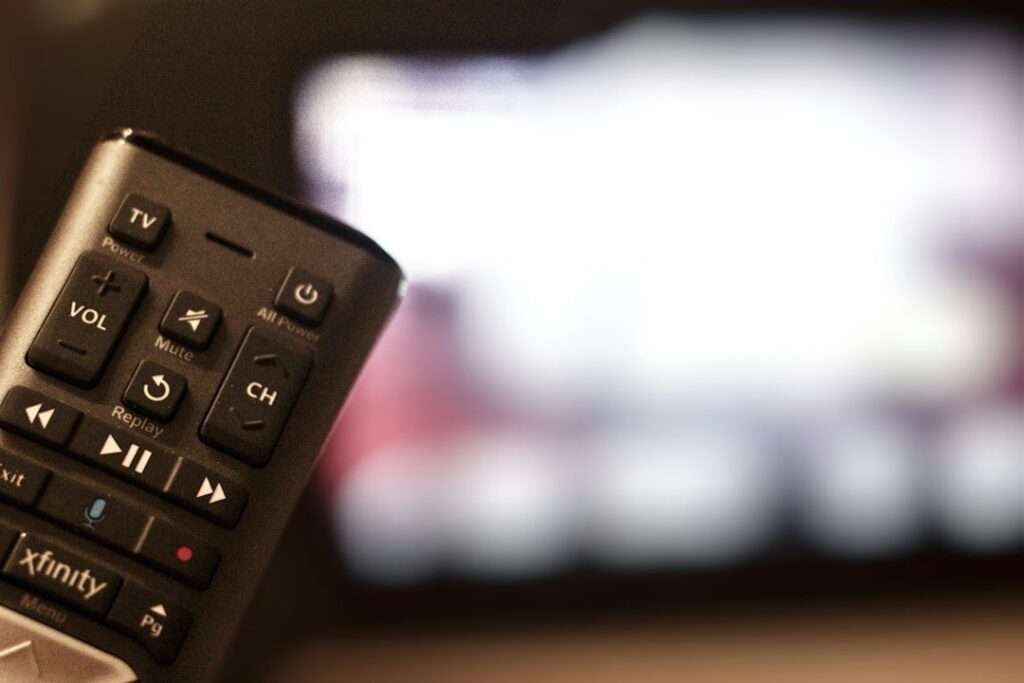
Hardware quality extends beyond the black box itself. The remote control dictates your daily experience. Firesticks use minimalist remotes with very few buttons. Navigating long channel lists requires endless clicking of the directional pad.
Dedicated boxes often ship with feature-rich remotes. Some include numeric keypads. Others feature dedicated shortcut buttons for live TV apps. If you grew up using traditional television remotes, these physical buttons feel much more natural.
| Feature | Amazon Firestick | Android TV Box |
|---|---|---|
| Storage | Very limited (8GB to 16GB) | Expandable via USB / MicroSD |
| Connectivity | Wi-Fi only (requires adapter for Ethernet) | Built-in Gigabit Ethernet port |
| Cooling | Passive cooling | Advanced cooling / heatsink |
| Cost | Inexpensive | Mid-range to premium |
App Compatibility and Ecosystems
Both platforms run major media players like TiviMate and IPTV Smarters Pro. Software support remains strong across both devices. You won’t struggle to find a compatible application for either hardware type.
Side-loading applications feels easier on an Android TV box. File managers run smoothly. Transferring configuration files via USB thumb drives takes seconds. Firesticks require developer mode activation and third-party downloader tools just to install custom apps.
Final Verdict for UK Viewers
Choose an Amazon Firestick if you want a cheap, simple solution for a bedroom television. It handles standard viewing without fuss. It stays out of sight behind your screen.
Invest in a dedicated Android TV box if your main living room setup requires maximum performance. Hardwired Ethernet and superior processing power make a massive difference for heavy streaming. Your live broadcasts remain stable when your home network faces high traffic.
For more information, iptv.
Learn more on Wikipedia: ITV (TV network).
Related reading
Update: Firestick Playlist Backup and Restore: A Step-by-Step Guide for UK Users
Update: Smart TV IPTV EPG Setup: Getting UK TV Guides Working Properly