- Which devices run UK legal IPTV hardware apps best?
- How do popular streaming devices compare for licensed broadcasting?
- How do you set up official streaming devices for licensed broadcasts?
- Which UK legal IPTV hardware offers the best app compatibility?
- Are there important privacy and security differences between these systems?
- What network speeds are required for smooth UK IPTV streaming?
- What do you need to know about UK broadcasting laws and IPTV?
- Frequently Asked Questions
- Can I use any IPTV playlist on a Fire TV Stick?
- Do smart TVs need an external streaming stick?
- Which UK legal IPTV hardware supports Dolby Vision?
- Is an Ethernet cable necessary for live sports?
- Can I control my streaming device with my voice?
- How long do streaming sticks last before replacement?
- Are Roku devices good for live TV streaming?
Which devices run UK legal IPTV hardware apps best?
You need reliable hardware to stream live television over the internet smoothly. UK legal IPTV hardware options range from pocket-sized streaming sticks to premium set-top boxes. Choosing the right device depends on your budget, your TV’s age, and which official apps you plan to use.

Amazon Fire TV sticks dominate British living rooms because they are cheap and simple. Apple TV appeals to households already deep into the iOS ecosystem. Google TV and Android TV boxes offer great flexibility with app sideloading restrictions handled properly. Samsung and LG smart TVs skip external boxes entirely. They run native operating systems like Tizen and webOS.
How do popular streaming devices compare for licensed broadcasting?
| Device | Operating System | 4K/HDR | Ethernet Option |
|---|---|---|---|
| Amazon Fire TV Stick 4K | Fire OS | Yes (Dolby Vision) | Adapter required |
| Apple TV 4K | tvOS | Yes (HDR10+) | Built-in (Ethernet model) |
| Google TV Streamer | Android TV | Yes | Built-in |
| Roku Streaming Stick 4K | Roku OS | Yes | No |
| Samsung Smart TV (2024 models) | Tizen | Yes | Built-in |
Every option handles standard definition feeds easily. High-bitrate 4K sports broadcasts require strong Wi-Fi or wired Ethernet connections. Apple TV and the new Google TV Streamer include Ethernet ports on their top tiers. Fire sticks require an extra Ethernet adapter.
How do you set up official streaming devices for licensed broadcasts?
Unbox your device and plug it into an available HDMI port on your television. Connect the power cable to a wall socket rather than a USB port on the TV. This ensures stable voltage during heavy streaming sessions. Follow the on-screen prompts to connect your home Wi-Fi network.
Sign in with your vendor account details. Navigate to the built-in app store. Search for official broadcaster apps like BBC iPlayer, ITVX, Channel 4, or licensed subscription services. Download your chosen application. Log in with your subscription credentials or TV licence details. You are ready to watch.
Configuring HDMI-CEC settings on your television and streaming device also allows you to control power and volume with a single remote, streamlining your daily entertainment experience.
Which UK legal IPTV hardware offers the best app compatibility?
Android TV and Google TV devices offer the widest selection of media apps. Amazon Fire devices run a modified Android fork with broad developer support. Apple TV features a dedicated App Store with strict quality controls. Roku relies on its own channel store, which lacks some niche IPTV player apps found on Android.
Never assume every app works on every platform. Check the service provider’s official app store listing before buying hardware. Samsung and LG app stores carry major UK catch-up and live TV apps, but they rarely support custom playlist loaders.
Are there important privacy and security differences between these systems?
Apple prioritizes user privacy. They limit data tracking across apps. Google collects viewing habits for targeted recommendations. Amazon integrates shopping ads directly into the Fire TV home screen. Consider these trade-offs if data privacy matters to your household.
What network speeds are required for smooth UK IPTV streaming?
Delivering high-definition and ultra-high-definition live television over the internet demands consistent broadband performance. Ofcom guidelines indicate that standard definition streams require a minimum download speed of about 3 Mbps. However, modern UK legal IPTV platforms broadcasting in high-definition (HD)—such as live Premier League matches on BBC iPlayer or TNT Sports via discovery+—typically demand a stable connection of at least 15 Mbps. For breathtaking 4K HDR streams, network architects recommend sustained speeds of 25 Mbps to 50 Mbps per active stream to prevent buffering and resolution drops during peak evening hours.
Household congestion frequently causes streaming hiccups even on fast fiber-optic packages. When multiple family members simultaneously download large files, play online video games, or run video conference calls, latency spikes can disrupt live broadcast packets. Utilizing Quality of Service (QoS) settings on your home router can prioritize streaming traffic toward your Apple TV or Fire Stick. Furthermore, switching from crowded 2.4 GHz Wi-Fi bands to the less congested 5 GHz or 6 GHz frequencies—or connecting directly via a Cat6 Ethernet cable—drastically reduces packet loss and jitter, ensuring uninterrupted viewing of critical live events.
What do you need to know about UK broadcasting laws and IPTV?
IPTV simply means television delivered via internet protocols rather than traditional aerials or satellite dishes. Legality depends entirely on the broadcaster holding valid transmission rights. Using official apps from licensed networks guarantees compliance with UK copyright law. Unauthorised M3U playlists and pirated streams remain illegal under UK legislation.
Frequently Asked Questions
Can I use any IPTV playlist on a Fire TV Stick?
No. Official app stores block unauthorized playlist readers. You must use licensed applications provided by authorized broadcasters.
Do smart TVs need an external streaming stick?
Usually no. Modern Samsung and LG sets run native apps well. External boxes offer faster processor upgrades over time.
Which UK legal IPTV hardware supports Dolby Vision?
Amazon Fire TV Stick 4K, Apple TV 4K, and high-end Google TV devices support Dolby Vision and HDR10+ formats.
Is an Ethernet cable necessary for live sports?
Wi-Fi works fine for most homes. Wired Ethernet prevents stuttering during high-traffic match days if your router sits far away.
Can I control my streaming device with my voice?
Yes. Amazon uses Alexa, Google uses Assistant, and Apple uses Siri via their respective hardware remotes.
How long do streaming sticks last before replacement?
Expect three to five years of reliable software updates from major manufacturers like Apple, Amazon, and Google.
Are Roku devices good for live TV streaming?
Roku handles major catch-up apps brilliantly. They offer fewer third-party media player options compared to Android TV.
For more information, iptv.
Related reading
- How to Fix IPTV Buffering and Lag on UK Smart TVs and Firestick
- Fire TV Stick vs Apple TV: Choosing the Right Official Streaming Hardware for UK IPTV
Update: Buying Legal Sports IPTV UK Packages: A Fan's Checklist
Update: UK Streaming Device Comparison for Legal IPTV Apps
- Choosing the Right Hardware for Official Streaming
- Operating Systems and App Availability
- Device Comparison Table
- Performance, Storage, and Network Speed
- Remote Controls and Voice Assistants
- Understanding Audio and Visual Formats for Live Broadcasts
- Pros and Cons
- Amazon Fire TV Stick 4K Max
- Apple TV 4K
- Setup Guidance and Compatibility Notes
- Frequently Asked Questions
- Can I install any IPTV app on an Apple TV?
- Do I need a 4K TV to use these devices?
- Does the Fire TV Stick require a monthly fee?
- Which device offers better Wi-Fi stability?
- Are these devices legal to use in the UK?
- Can I control smart home devices with the Fire remote?
- How much storage do I need for IPTV apps?
- Will my remote control my TV's volume?
Choosing the Right Hardware for Official Streaming
Getting live television over the internet works differently depending on the hardware plugged into your telly. IPTV is simply a technology used to deliver broadcast signals through your broadband connection rather than a traditional aerial or dish. But whether those streams run smoothly comes down to the processor and operating system inside your box. Two popular routes for British viewers involve Amazon’s budget-friendly sticks and Apple’s premium media hubs. Both handle official broadcast apps, yet they approach user experience from opposite ends of the market.
Operating Systems and App Availability
Amazon runs Fire OS, which sits on top of Android. You’ll find most major UK catch-up and live apps in the Amazon Appstore, including BBC iPlayer, ITVX, Channel 4, and Sky Go. Apple TV uses tvOS. It offers a clean, ad-free interface with access to the same major broadcasters via the App Store. Neither platform guarantees every single IPTV service app will be listed. You must always check your provider’s official app requirements before buying hardware.
Device Comparison Table
Here is how the top tiers of both ecosystems stack up for legal UK IPTV usage:
- Operating System: Fire TV Stick 4K Max runs Fire OS; Apple TV 4K runs tvOS.
- App Availability: Both support major UK official broadcasters, but third-party app stores vary.
- 4K and HDR Support: Both offer Dolby Vision, HDR10+, and 4K resolution.
- Network Options: Fire sticks rely mostly on Wi-Fi 6; Apple TV 4K has an Ethernet port on the 128GB model.
- Storage: Amazon offers 16GB; Apple provides up to 128GB.
Performance, Storage, and Network Speed
Live streams demand stable bandwidth to avoid stuttering during peak football matches. Apple TV 4K packs the powerful A15 Bionic chip. It switches between menus instantly and handles high-bitrate feeds without breaking a sweat. The top-end Fire TV Stick 4K Max runs on a capable quad-core processor that handles everyday tasks well, though it occasionally stutters when multitasking heavily. If your Wi-Fi router sits far from your living room, you might want to look into getting the best streaming device for IPTV beginners which offers robust wireless connectivity.
Remote Controls and Voice Assistants
Amazon bundles an Alexa voice remote with dedicated buttons for streaming apps. It feels light in the hand and gets the job done. Apple’s Siri Remote uses a touch-sensitive clickpad and an aluminium build that feels much sturdier. Siri handles searches well across UK platforms, though Alexa integrates deeper into smart home setups if you use smart plugs or bulbs.
Understanding Audio and Visual Formats for Live Broadcasts
Modern live television is evolving beyond standard high definition, with major sports fixtures and special events increasingly broadcast in 4K resolution accompanied by advanced spatial audio formats. When evaluating hardware, it is vital to understand how well each device decodes these heavy data streams in real time. The Apple TV 4K excels in audio-visual synchronization, offering full support for Dolby Atmos soundtracks which are becoming standard for premium sports and cinematic events on platforms like Sky Go and TNT Sports. Meanwhile, the Fire TV Stick 4K Max also supports Dolby Atmos and HDR formats, but its lower memory bandwidth can occasionally lead to minor buffering hiccups when switching rapidly between high-framerate sports channels and standard definition menus. Ensuring your television and soundbar match the output capabilities of your chosen streaming box will dramatically improve your overall viewing immersion, turning your living room into a true home cinema setup without requiring a complicated separate cable box or satellite dish receiver.
Pros and Cons
Amazon Fire TV Stick 4K Max
Pros: Affordable price point, frequent sales, compact form factor, extensive app selection.
Cons: Interface features heavy promotional ads, less internal storage.
Apple TV 4K
Pros: Zero ads on the home screen, premium build quality, robust ethernet port option, fast processor.
Cons: Significantly higher upfront cost, remote takes time to master.
Setup Guidance and Compatibility Notes
Plug either device into a spare HDMI port and connect it to power. Follow the on-screen prompts to sign in with your Amazon or Apple account. Remember that the legality of any stream depends entirely on the service provider holding the correct broadcasting rights in the UK. For a deeper look at alternative hardware configurations, check out this guide on choosing official IPTV hardware in the UK to ensure compliance with local broadcasting standards.
Frequently Asked Questions
Can I install any IPTV app on an Apple TV?
No. You can only download apps that are officially approved and listed on the tvOS App Store.
Do I need a 4K TV to use these devices?
No. Both units work with standard 1080p high-definition televisions by scaling the output automatically.
Does the Fire TV Stick require a monthly fee?
The hardware itself requires no subscription, though individual content providers may charge for their services.
Which device offers better Wi-Fi stability?
Apple TV 4K includes Wi-Fi 6 and an Ethernet port on the higher-end model, making wired connections much easier.
Are these devices legal to use in the UK?
Yes. Both Fire TV devices and Apple TV are completely legal hardware products sold by major retailers.
Can I control smart home devices with the Fire remote?
Yes. Alexa integration lets you control compatible lights, heating, and smart plugs directly.
How much storage do I need for IPTV apps?
Official streaming apps take up very little space, so the base storage on either device is plenty.
Will my remote control my TV’s volume?
Both remotes include infrared emitters to control power and volume on most modern television sets.
For more information, iptv.
Related reading
- Choosing Legal Sports IPTV UK Packages for Match Days
- How to Fix IPTV Audio Out of Sync on UK Smart TVs and Firestick
Update: Best Official Streaming Hardware for Legal IPTV in the UK
Update: What to Expect from an IPTV Subscription UK: Setup, Requirements and Everyday Use
- Navigating the Maze of UK IPTV Hardware
- Fire TV Stick and Fire TV Cube
- Apple TV 4K
- Android TV and Google TV Players
- Smart TV Native Platforms
- Understanding Broadband and Network Requirements
- Device Comparison Table
- Setup, Privacy, and Practical Realities
- Frequently Asked Questions
- Do I need a TV licence for internet streaming?
- Can I use an Ethernet cable with a Fire TV Stick?
- Why does my live stream stutter during peak hours?
- Are cheap generic Android boxes safe to use?
- Does Apple TV support standard Bluetooth headphones?
- How much storage do I actually need?
- Are native TV apps better than streaming sticks?
Navigating the Maze of UK IPTV Hardware
Finding a reliable UK IPTV hardware guide shouldn’t feel like hard work. Television delivery has shifted from rooftop aerials to internet streams, and your choice of box matters more than ever. Internet Protocol Television simply means your telly gets its data through your broadband connection rather than a satellite dish. But the exact performance you get depends heavily on the plug-in stick or set-top box sitting under your screen.

Whether you use official apps from the BBC, ITVX, or licensed sports broadcasters, hardware dictates how quickly channels load. It also affects whether you see sharp 4K resolution or fuzzy standard definition. Let’s look at what’s actually available on the UK market.
Fire TV Stick and Fire TV Cube
Amazon’s hardware dominates living rooms across the UK. The entry-level Fire TV Stick Lite and standard models offer basic HD streaming, while the 4K versions handle high-framerate sports without stuttering. Their Fire OS operating system runs on Android roots, meaning sideloaded apps are technically possible, though official app stores provide everything you need for best legal IPTV for football fans in the UK.
Remote controls include Alexa voice search, which works brilliantly for finding specific shows. Storage remains tight on cheaper models, so heavy app installers might run out of room quickly. Wi-Fi performance is generally solid, but you’ll want an Ethernet adapter if your router sits far away.
Apple TV 4K
Apple builds premium hardware, and the Apple TV 4K reflects that ethos in its price tag and build quality. tvOS gives you a clean, ad-free interface that puts all other platforms to shame. Processing power matches high-end smartphones, meaning live streams transition instantly without dropped frames.
Dolby Vision and Dolby Atmos come as standard. If your soundbar supports spatial audio, match it with this box. Ethernet ports ship on every model, guaranteeing stable bandwidth for peak-time Premier League fixtures. It’s expensive, but it just works.
Android TV and Google TV Players
Chromecast with Google TV and dedicated boxes like the Nvidia Shield bring raw versatility. The Google Play Store houses countless official media players and catch-up services. You get extensive customization options, Bluetooth accessory support, and robust file management.
Remote layouts vary by manufacturer. Some include dedicated Netflix buttons, while others keep things minimal. Storage capacity ranges from modest to generous depending on the exact box you buy. Parental controls are granular and easy to lock down for family households.
Smart TV Native Platforms
Samsung uses Tizen OS, while LG relies on webOS. Both eliminate the need for an external dongle, keeping your HDMI ports free and your TV cabinet tidy. App support depends entirely on the manufacturer’s software updates.
Processing chips inside modern TVs are occasionally underpowered compared to standalone streaming sticks. Menus can feel sluggish after a couple of years of software updates. Still, for straightforward viewing of mainstream catch-up services, native apps do the job.
Understanding Broadband and Network Requirements
Even the most advanced streaming hardware will struggle if your home network cannot maintain a consistent download speed. In the UK, high-definition streaming generally requires a minimum of 5 to 10 Mbps, while pristine 4K streams demand at least 25 Mbps of stable bandwidth. Fibre-optic broadband packages from providers like BT, Virgin Media, or Sky ensure that multiple devices can connect simultaneously without causing stream interruptions. Furthermore, wireless interference from thick walls or neighboring routers can heavily degrade Wi-Fi signals in urban flats or older houses. Prioritizing a wired Ethernet connection whenever possible eliminates packet loss, reduces ping times, and ensures seamless, buffer-free playback during high-stakes live sports events and popular weekend entertainment broadcasts.
Device Comparison Table
Here is how the major platform categories stack up across key technical criteria:
- Amazon Fire TV: Fire OS, Good app selection, 4K/HDR supported, Wi-Fi standard (Ethernet extra), Alexa voice.
- Apple TV 4K: tvOS, Premium apps only, 4K/Dolby Vision, Built-in Ethernet, Siri voice.
- Google TV / Android: Android TV, Massive app library, 4K/HDR supported, Varies by model, Google Assistant.
- Samsung / LG Smart TV: Tizen / webOS, Limited to built-in store, 4K/HDR supported, Wi-Fi & Ethernet, Basic voice search.
Setup, Privacy, and Practical Realities
Setting up any modern streaming device takes minutes. Plug it into an HDMI port, connect power, and link your Wi-Fi network. Official apps download straight from the built-in marketplace.
Always verify device compatibility with your specific subscription provider before purchasing hardware. No single box runs every third-party application universally. Check developer guidelines directly. Privacy features across Apple, Google, and Amazon let you limit tracking data in the settings menu. Keep your firmware updated to patch security vulnerabilities automatically.
Frequently Asked Questions
Do I need a TV licence for internet streaming?
Yes, watching live broadcasts on any channel or using BBC iPlayer requires a valid UK TV licence, regardless of the hardware you use.
Can I use an Ethernet cable with a Fire TV Stick?
Not out of the box. You must buy an official Amazon Ethernet adapter separately because the stick lacks a built-in port.
Why does my live stream stutter during peak hours?
Local network congestion or weak Wi-Fi signal usually causes buffering. Switching to a 5GHz band or wired connection fixes most speed drops.
Are cheap generic Android boxes safe to use?
Many unbranded imported boxes lack proper security certificates and official Google Play certification. Stick to well-known brands for reliable updates.
Does Apple TV support standard Bluetooth headphones?
Yes, you can pair AirPods or any generic Bluetooth audio gear directly to watch late-night matches without disturbing others.
How much storage do I actually need?
If you only stream video, 8GB is plenty. If you install numerous apps and cache media, look for 16GB or higher.
Are native TV apps better than streaming sticks?
External sticks usually receive software updates for longer periods and offer snappier menu navigation than older smart TV interfaces.
For more information, iptv.
Related reading
- Choosing Legal IPTV for UK Football Fans: What to Look For
- Firestick vs Smart TV: Which is Better for Streaming in the UK?
Update: Troubleshooting Guide: Fixing Freezing and Playback Errors on Legal UK IPTV Apps
Update: Legal Sports IPTV UK: Choosing Providers with the Best Football Coverage
- What should I look for in a budget streaming box?
- How do Fire TV Stick and Google TV compare for value?
- Device Comparison Table
- Can cheap media players handle 4K and HDR content?
- Do budget streamers include Ethernet ports?
- Pros and Cons of Budget Streaming Sticks
- How do I set up a new streaming device?
- Is IPTV legal in the UK?
- Frequently Asked Questions
- Which streaming stick is best for IPTV?
- Can I use a Roku device for IPTV apps?
- Do I need a fast internet connection for live TV?
- Will cheap streaming devices overheat?
- How do I update applications on Fire OS?
- Can I control budget sticks with my voice?
- Do these devices come with a warranty?
Finding the best low-cost streaming device for IPTV in the UK requires balancing hardware price against app compatibility. You want smooth playback without spending a fortune on high-end boxes. Let us look at what makes a budget media player actually worth your money.
What should I look for in a budget streaming box?
Price matters. Most budget units cost under £50. Still, cheap hardware fails if the operating system feels sluggish. RAM and processor speed dictate how fast your menus load. Look for at least 1GB to 2GB of RAM. Storage space also counts because live television apps and electronic programme guides need room to cache data properly.
Operating systems dictate your app choices. Amazon Fire OS, Android TV, and Google TV dominate the market. Roku runs its own closed system, which limits direct sideloading or third-party media player installs. If you use officially licensed TV provider apps from the Amazon Appstore or Google Play Store, stick with Android or Fire hardware.
How do Fire TV Stick and Google TV compare for value?
Amazon regularly discounts the standard Fire TV Stick. It remains a top pick for affordable setups. Google TV offers a cleaner interface with fewer sponsored adverts on the home screen. Both platforms support major UK catch-up services like BBC iPlayer and ITVX alongside legal streaming apps.
Device Comparison Table
| Device | Operating System | Typical Price (GBP) | 4K Support | Ethernet Option |
|---|---|---|---|---|
| Amazon Fire TV Stick Lite | Fire OS | £30-£35 | No (1080p) | Adapter needed |
| Amazon Fire TV Stick 4K | Fire OS | £50-£60 | Yes | Adapter needed |
| Google TV Streamer / Chromecast HD | Google TV | £35-£45 | Varies by model | Varies by model |
| Roku Express | Roku OS | £30 | No (1080p) | No |
Can cheap media players handle 4K and HDR content?
Basic entry-level sticks max out at 1080p HD. That resolution suits standard broadcast feeds well. If your television supports 4K and you watch ultra-high-definition broadcasts, spend a little extra. The Fire TV Stick 4K and similar Google TV hardware handle high dynamic range formats like HDR10+ and Dolby Vision. Just remember that higher resolutions demand faster broadband speeds.
Do budget streamers include Ethernet ports?
Most cheap streaming sticks rely entirely on Wi-Fi. Wireless connections work fine if your router sits close by. Thick walls cause signal drops during live broadcasts. If your stream lags, you might need fixing buffering issues on your television through wired adapters. Ethernet adapters cost around £10 to £15 extra for devices with micro-USB or USB-C ports.
Pros and Cons of Budget Streaming Sticks
- Pros: Low upfront cost, compact size, regular software updates, simple setup via HDMI and USB power.
- Cons: Limited internal storage, ads on the home screen, occasional interface lag, lack of built-in Ethernet ports on base models.
How do I set up a new streaming device?
Plug the hardware into an available HDMI port on your TV. Connect the power cable to a wall socket using the included plug. Select the correct HDMI source with your TV remote. Connect to your home Wi-Fi network. Sign in with your Amazon or Google account to access the app store. Download your provider’s official application and log in with your subscription details.
Is IPTV legal in the UK?
Internet Protocol Television is simply a technology standard. Broadcasters like Sky and the BBC use IPTV daily. Legality depends entirely on the content provider holding the correct distribution rights. Ofcom regulates broadcasting standards in the UK. Always use official apps from licensed providers to stay on the right side of the law.
Frequently Asked Questions
Which streaming stick is best for IPTV?
The Amazon Fire TV Stick 4K offers the best balance of price, app availability, and performance for most UK homes.
Can I use a Roku device for IPTV apps?
Roku uses a closed operating system. It lacks support for many standard media player applications found on Android platforms.
Do I need a fast internet connection for live TV?
You need at least 15 Mbps for standard definition and 30 Mbps or higher for stable 4K streams.
Will cheap streaming devices overheat?
Basic sticks run warm during heavy use. Keep them in open spaces away from enclosed cabinets to prevent thermal throttling.
How do I update applications on Fire OS?
Go to your profile settings, select applications, and turn on automatic updates so your software stays current.
Can I control budget sticks with my voice?
Yes. Fire sticks include Alexa remotes, and Google TV remotes feature Google Assistant voice search functionality.
Do these devices come with a warranty?
Retail hardware sold in the UK typically includes a standard one-year manufacturer warranty against defects.
For more information, iptv.
Related reading
- How to Configure Audio and Video Settings for Live Football Streaming in the UK
- IPTV subscription comparison for UK households
Update: UK Smart TV IPTV App Freezing: Step-by-Step Troubleshooting Guide
Update: Evaluating Internet Speeds for Legal Sports IPTV UK
Choosing a Reliable IPTV Device for Live Sports
Watching a 3 PM Saturday Premier League blackout match or an international rugby test requires solid hardware. If your hardware lags, you miss the goal. Finding the right IPTV device for sports streaming means looking at processor speeds, Wi-Fi stability, and official app support. Internet Protocol Television delivers television feeds over broadband rather than traditional aerials or cables. Of course, the legality of any stream always depends on whether the provider holds the correct broadcasting rights for the UK market.
You don’t want a sluggish interface when you’re switching between simultaneous Champions League matches. Let’s look at how the top hardware choices stack up.
Amazon Fire TV Stick and Fire TV Cube
Amazon’s hardware dominates living rooms across the UK. The Fire TV Stick 4K Max handles fast-moving motion well, which matters when a tennis ball flies across a grass court. You get Wi-Fi 6 support on newer models. This helps prevent drop-outs during network congestion, especially if you experience matchday network congestion on your local broadband node. Setup is straightforward via an HDMI port and a standard USB power plug.
App availability is broad. You can download official broadcaster apps like BBC iPlayer, ITVX, and Sky Go directly from the Amazon Appstore. Storage is modest on the basic stick, but adequate for a handful of media applications. Voice control via Alexa lets you search for matches without typing on an onscreen keyboard.
Apple TV 4K
If you want sheer processing muscle, Apple TV 4K sits at the top of the pile. The A15 Bionic chip inside makes menu navigation instant. Live sports look remarkably crisp because the upscaling engine handles fast pans smoothly. Ethernet ports come built into the higher-tier models. Hardwiring your box usually beats Wi-Fi for live match viewing.
Apple’s tvOS marketplace features most major legal streaming clients. Privacy controls are strict, and security updates arrive regularly. The remote uses a touch-sensitive clickpad. Some users love it, while others find it overly sensitive during quick replays. You pay a premium price tag for this level of performance, but it lasts for years.
Android TV and Google TV Boxes
Google TV brings a clean, recommendation-heavy interface to devices like the Chromecast with Google TV and various branded set-top boxes. Finding an IPTV device for sports streaming that runs pure Google TV gives you access to the massive Google Play Store. You can install official apps from broadcasters and verified network operators easily.
Performance varies depending on the specific box you buy. Budget sticks might stutter during high-bitrate 4K football feeds. High-end Android boxes include dedicated Ethernet ports and robust storage for local caching. Voice search works via Google Assistant, making it simple to pull up fixture schedules.
Roku and Smart TV Operating Systems
Roku devices offer simplicity. The user interface stays out of your way. However, customisation is limited compared to Android alternatives. Samsung Smart TVs run Tizen, while LG relies on webOS. Both brands offer solid built-in app stores for official sports apps. Check out our guide on smart TV brand IPTV player support to see if your screen handles your preferred provider without external hardware.
Built-in apps save you from juggling extra remotes. Still, smart TV processors often age faster than dedicated streaming sticks. They might struggle with heavy interface updates after a few years.
Quick Hardware Comparison
- Amazon Fire TV Stick 4K Max: Quad-core processor, Wi-Fi 6, excellent official app support.
- Apple TV 4K: A15 chip, optional Ethernet, premium build quality, high price.
- Google TV Streamer: Smooth interface, vast app store, reliable voice search.
- Samsung/LG Smart TVs: No extra box needed, though operating system updates eventually cease.
Getting Everything Set Up Properly
Plug your chosen hardware into an HDMI port on your television. Connect to your home Wi-Fi network or plug in an Ethernet cable. Sign in with your account credentials. Download the official application provided by your licensed service broadcaster. Never rely on unverified third-party APK files or shady M3U playlists found on forums. Stick to official app stores to keep your home network secure and legal.
For more information, iptv.
Related reading
- Choosing Legal Sports IPTV UK Subscriptions for Football Fans
- How to Fix IPTV Buffering on Firestick in the UK
Update: How to Fix IPTV Audio Out of Sync on Firestick and Smart TVs
Update: How to Verify Licensing for Legal Sports IPTV UK Providers
- Checking Your Broadband and Network Setup
- Verifying Hardware and Codec Compatibility
- Evaluating Provider Stream Bitrates
- Configuring Your Media Player Application
- Frequently Asked Questions
- What internet speed do I need for ultra-high-definition streams?
- Why does my ultra-high-definition stream keep buffering?
- Do standard television licences apply to internet streaming?
Checking Your Broadband and Network Setup
Getting ultra-high-definition television streams over the internet requires serious bandwidth. You cannot rely on basic copper wire connections if you want crisp pixels. Fibre broadband is essential for any reliable IPTV UK setup. Most providers recommend a minimum download speed of 25 megabits per second for a single ultra-high-definition stream.

Wi-Fi interference ruins live sports feeds. Thick walls and household appliances block wireless signals easily. Hardwire your streaming box with an Ethernet cable whenever possible. Powerline adapters work well if your router sits in another room. A stable wired connection stops buffering before it starts.
Verifying Hardware and Codec Compatibility
Not all set-top boxes handle ultra-high-definition video codecs properly. Older hardware often lacks HEVC decoding capability. Your device must support H.265 hardware acceleration to process high-resolution feeds smoothly. Check your streaming stick specifications before buying any new TV package.
Popular devices like modern Fire TV sticks or Google TV boxes handle heavy video files with ease. Apple TV units also offer brilliant processing power. Match your player hardware to the demands of modern IPTV streaming UK broadcasts.
Evaluating Provider Stream Bitrates
Marketing claims about ultra-high-definition content often exaggerate reality. Many services label standard high-definition feeds as top-tier resolution. Ask providers about their actual stream bitrates before committing to a long contract. True 4K broadcasts demand much higher data throughput than standard feeds.
You should test any potential service safely before paying for an annual subscription. Short trial periods reveal whether a provider actually delivers stable high-resolution feeds during peak evening hours. According to broadband reports published by Ofcom, network congestion peaks between 7 pm and 10 pm across British households.
Configuring Your Media Player Application
The app you install matters just as much as your service provider. Built-in player software on cheap boxes usually performs poorly. Dedicated applications manage electronic programme guides and buffer sizes much better. Apps like Tivimate or Ibo Player offer advanced video settings.
Adjust your buffer settings inside the app menus. Larger buffers absorb minor network drops without freezing your screen. Turn off unnecessary background processes on your streaming device to free up memory.
Frequently Asked Questions
What internet speed do I need for ultra-high-definition streams?
You need at least 25 megabits per second of stable download speed for a single high-resolution stream. Multiple devices running simultaneously require much faster fibre connections.
Why does my ultra-high-definition stream keep buffering?
Network congestion or weak Wi-Fi usually causes stuttering. Switch to an Ethernet cable or clear background apps on your streaming device.
Do standard television licences apply to internet streaming?
Yes. Watching live broadcasts or BBC iPlayer content via any device requires a valid UK TV licence.
For more information, iptv.
Learn more on Wikipedia: ITV (TV network).
Related reading
Update: What to check before buying a sports IPTV subscription
Update: How to set up legal IPTV on Firestick in the UK
- Why Your Samsung or LG TV Needs an External Box
- Amazon Fire TV Stick 4K and Fire TV Cube
- Apple TV 4K
- Chromecast with Google TV
- Device Comparison Table
- Pros and Cons of External Boxes
- Setting Up Your Hardware
- Legality and Official Apps
- Frequently Asked Questions
- Do I need a special cable for 4K streams?
- Can I use my TV remote with these boxes?
- Are these devices hard to install?
- Will my box work with all apps?
- Does Wi-Fi affect video quality?
- What storage do I need?
- Are free apps safe to download?
Why Your Samsung or LG TV Needs an External Box
Built-in TV operating systems like Tizen and webOS handle basic apps fine, but they often struggle when you load up heavy media players. If you want the best IPTV device to plug into your Samsung or LG set, you’ll need to look beyond the factory remote. Smart TV app stores have strict limits on storage, meaning your cache fills up fast. An external streaming box gives you dedicated hardware, faster processors, and access to proper app stores.

Amazon Fire TV Stick 4K and Fire TV Cube
Amazon’s hardware dominates UK living rooms because it’s cheap and reliable. The Fire TV Stick 4K handles 4K HDR streams without breaking a sweat, and it runs Android-based apps natively. Sideloading is possible here, but you’ll find plenty of official media players right in the Amazon Appstore. Storage is tight on the basic stick, so grab the Cube if you want Ethernet ports and extra breathing room for data.
Apple TV 4K
Apple makes pricey hardware, but it runs rings around budget competitors for pure speed. The tvOS interface is clean, ad-free, and handles fast-moving sports streams smoothly. While app choice is slightly different from Android, top-tier media players have official versions ready to download. You won’t find USB ports or expandable storage, but the internal Wi-Fi 6 chip keeps connections solid.
Chromecast with Google TV
Google TV brings a tidy layout that puts your favourite shows front and centre. It supports all major HDR formats and Dolby Vision, making it a great match for modern OLED panels from LG. You get a voice-activated remote that actually works, plus access to the Google Play Store for all your official app needs.
Before you buy any hardware, remember that checking your home broadband speed is vital for a smooth evening of live viewing. Nobody wants a frozen picture during a crucial moment.
Device Comparison Table
| Device | OS | 4K / HDR | Ethernet |
|---|---|---|---|
| Fire TV Stick 4K | Fire OS | Yes | No (Dongle extra) |
| Apple TV 4K | tvOS | Yes | Yes (Top model) |
| Google TV 4K | Google TV | Yes | No |
Pros and Cons of External Boxes
External boxes transform older screens into modern entertainment hubs. They update software long after manufacturers abandon built-in TV firmware. The downside is clutter. You get an extra remote on the coffee table and another plug taking up socket space behind the cabinet.
Setting Up Your Hardware
Plug the device straight into an HDMI port on your Samsung or LG TV. Connect to your Wi-Fi network or plug in an Ethernet cable for maximum stability. Log into your app store account, download your chosen legal media player from the official store, and sign in with your provider credentials.
Legality and Official Apps
Internet Protocol Television simply means delivering television signals over the internet rather than traditional cables. Legality depends entirely on whether your provider holds proper broadcasting rights. Always stick to official applications found on verified app stores to stay compliant with UK law.
Frequently Asked Questions
Do I need a special cable for 4K streams?
Use a High-Speed or Ultra High-Speed HDMI cable to ensure your 4K HDR feeds pass through correctly.
Can I use my TV remote with these boxes?
Yes, HDMI-CEC technology lets your Samsung or LG remote control the connected box automatically.
Are these devices hard to install?
Setup takes about ten minutes. Just follow the onscreen prompts after plugging the device into power and HDMI.
Will my box work with all apps?
App availability varies by operating system. Check the official store on your chosen device before purchasing.
Does Wi-Fi affect video quality?
Weak Wi-Fi causes stuttering during high-bitrate live feeds. Ethernet is always best if your router sits nearby.
What storage do I need?
Most basic sticks offer 8GB of storage. Grab a model with 16GB or more if you plan to install lots of extra utilities.
Are free apps safe to download?
Stick to verified storefronts like Google Play or Apple App Store to avoid unverified software.
For more information, iptv.
Related reading
Update: When to contact your IPTV provider for technical support
Update: What to check before buying a sports IPTV subscription
- Which IPTV UK providers actually support reliable catch-up TV?
- How many days of catch-up TV do UK providers typically offer?
- Can you record live TV with an IPTV subscription UK package?
- Which streaming devices handle catch-up playback best?
- What internet speed do you need for smooth catch-up streaming?
- How does UK broadcast regulation affect streaming services?
- Common catch-up problems and quick fixes
- How to test a provider before buying a long-term plan
Which IPTV UK providers actually support reliable catch-up TV?
Finding a reliable IPTV UK service that offers stable catch-up television can feel like searching for a needle in a haystack. Many streaming packages boast massive live channel lists, but their replay features often fail. When you miss a drama on BBC One or a documentary on ITV, you want an archive that simply works. Providers relying on standard Xtream Codes API setups usually handle electronic programme guides (EPG) and catch-up logs much better than basic M3U playlist links. You need a service mapping the archive directly to your player’s timeline.
Most UK viewers want to scroll backwards through their TV guide and click a past broadcast. Not all apps support this feature equally. High-end players connect straight to the server archive. If your provider stores programmes for seven days, your app must display those icons correctly. Let’s look at what separates a frustrating replay experience from a smooth viewing session.
How many days of catch-up TV do UK providers typically offer?
A standard archive window spans seven days. Broadcasters like the BBC and ITV offer similar windows on their official apps, so third-party streaming packages try to match this industry norm. Some budget services trim this down to 48 hours to save server storage space. Others stretch past logs up to fourteen days for premium subscribers. Storage costs money, so ultra-cheap providers often cut corners here. They might advertise catch-up, but half the links return a broken stream error when you click them.
Check the EPG metadata before committing to any long-term plan. A good provider updates their archive logs hourly. If the server crashes frequently, your catch-up streams will stutter or fail to load altogether. Real testing matters more than marketing promises on a sales page. Always request a short test period to verify the archive actually functions on your preferred device.
Can you record live TV with an IPTV subscription UK package?
Server-side catch-up differs fundamentally from personal cloud recording. Many users assume they need a built-in DVR feature to watch missed broadcasts. Good catch-up services store everything automatically on their remote servers. You don’t need to press record. You simply browse the past schedule and hit play.
Some advanced IPTV apps let you record live streams directly to local device storage, like a Firestick’s internal memory or an attached USB drive. This approach eats up storage space quickly. High-definition streams consume gigabytes in minutes. Server-side catch-up avoids local storage headaches entirely because the video streams straight from the provider’s cloud infrastructure.
Which streaming devices handle catch-up playback best?
Hardware choice dictates how well your catch-up streams load. Amazon Fire TV sticks dominate living rooms across the country, but budget models struggle with heavy EPG data loads. If your provider indexes thousands of channels with seven-day catch-up links, the app database grows massive. You need a snappy processor to parse that data without freezing.
Dedicated players handle these heavy archives much better than stock software. Choosing the right software makes a noticeable difference, as explored in detail within our TiviMate and IPTV Smarters comparison guide. Premium players cache EPG data locally, which speeds up navigation significantly. Smart TV apps built into older Samsung or LG sets often lag behind external streaming boxes. Investing in a dedicated Android TV box or a modern Firestick ensures your catch-up menus open instantly.
What internet speed do you need for smooth catch-up streaming?
Standard definition streams require very little bandwidth, but nobody watches standard definition today. Catch-up files for HD broadcasts demand stable download speeds of at least 15 megabits per second. If you want smooth playback in 1080p or 4K, aim for 30 megabits per second or higher. Fibre broadband handles these streams easily, but Wi-Fi interference in busy flats can still cause annoying buffering pauses.
Ethernet cables beat Wi-Fi every single time for live and archived video streams. A wired connection eliminates packet loss entirely. If running a cable across your living room floor isn’t an option, use a 5GHz Wi-Fi band instead of the congested 2.4GHz frequency. Your router placement also matters more than you might think.
How does UK broadcast regulation affect streaming services?
The regulatory landscape in Britain is strictly controlled. Organisations like Ofcom monitor traditional broadcasting standards closely, while bodies like the Intellectual Property Office handle copyright enforcement. When using third-party streaming networks, understanding the difference between licensed platforms and unauthorized subscription resellers is vital. Commercial broadcasters invest heavily in their own infrastructure to deliver content legally across the UK.
Legitimate media companies own the distribution rights for every show in their catch-up library. Unauthorized providers often grab feeds without permission. This creates stability issues because upstream sources change constantly. A reliable service provider respects intellectual property laws and operates transparently within legal frameworks.
Common catch-up problems and quick fixes
Even the best services glitch sometimes. Here is how to fix common archive playback issues without losing your mind:
- Missing EPG data: Force a manual refresh inside your IPTV player settings to download the latest channel schedule.
- Audio out of sync: Clear the app cache or toggle the hardware decoding switch in your player preferences.
- Stream loading indefinitely: Check your internet connection speed or restart your streaming device entirely.
- Expired links: Report the broken catch-up link to your provider so they can re-index the source server.
Most minor glitches disappear after a simple device reboot. Don’t panic if a single show fails to load; server maintenance happens frequently during off-peak hours.
How to test a provider before buying a long-term plan
Never buy a twelve-month subscription upfront. Shady operators often take your money and vanish a week later. Always look for a trial option. A proper trial lets you test the catch-up archives during peak evening hours when network traffic peaks. If the service holds up between seven and ten o’clock at night, the infrastructure is probably solid.
Test the EPG loading times specifically. Scroll back three days on a popular channel and try playing an older broadcast. If it buffers endlessly or throws a generic network error, walk away. Good providers stand by their uptime stats and welcome trial users because their servers can handle the load.
For more information, iptv.
Learn more on Wikipedia: ITV (TV network).
Related reading
Update: Best IPTV for rugby and cricket fans in the UK
Update: Best IPTV device for Samsung and LG TV owners
- Direct Answer
- Choosing Your First Hardware
- Device Comparison Table
- Top Hardware Picks for New Users
- Amazon Fire TV Stick
- Google TV Devices
- Apple TV 4K
- Roku Players
- Pros and Cons of Popular Options
- Getting Started With Your Hardware
- Understanding Compatibility
- Staying Legal in the UK
- Frequently Asked Questions
- Do I need a 4K TV for IPTV?
- Can I use my smartphone instead?
- Are monthly subscription fees required for these devices?
- Is a wired Ethernet connection necessary?
- How do I update my apps?
- Can I set parental controls?
Direct Answer
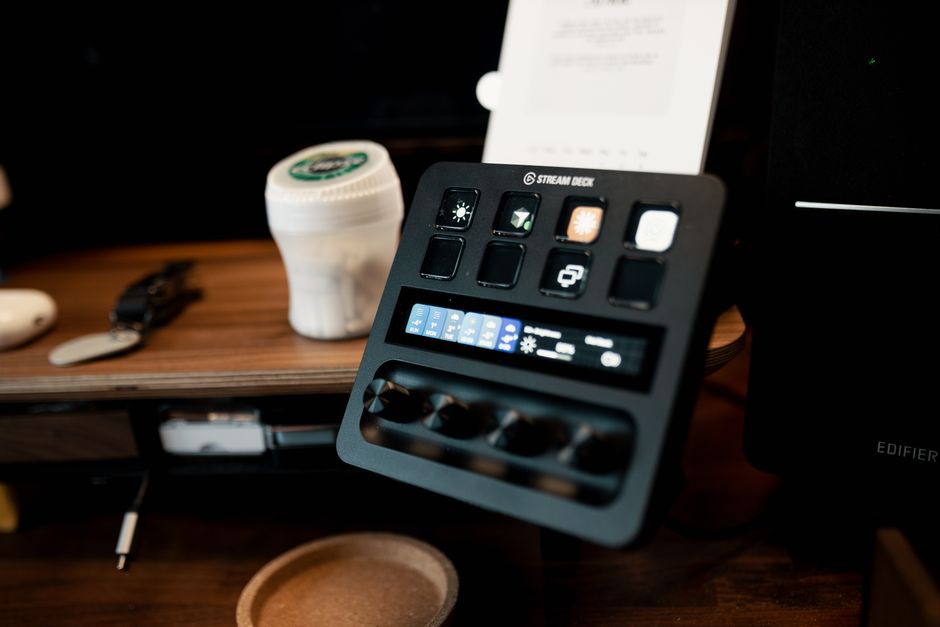
Finding the right streaming device for IPTV beginners depends on app support and ease of use. Amazon Fire TV Stick and Google TV devices offer the friendliest setup for legal IPTV apps in the UK.
Choosing Your First Hardware
Jumping into internet television in the UK can feel confusing. Hundreds of gadgets sit on retail shelves. You want something simple that just works out of the box.
IPTV is simply a method for delivering television channels over your broadband connection instead of via a traditional aerial or satellite dish. Legality relies entirely on whether the service provider holds the correct distribution rights for what they broadcast. Ofcom regulates UK broadcasting standards, and major networks like the BBC provide their official apps across most modern hardware.
Before you buy, let us look at what makes a good dedicated set-top box or media stick for newcomers. You need clear app store access, reliable Wi-Fi, and a responsive remote control.
Device Comparison Table
| Device | Operating System | App Store | 4K Support |
|---|---|---|---|
| Amazon Fire TV Stick 4K | Fire OS (Android based) | Amazon Appstore | Yes |
| Google TV Streamer | Google TV | Google Play Store | Yes |
| Apple TV 4K | tvOS | Apple App Store | Yes |
| Roku Express 4K | Roku OS | Roku Channel Store | Yes |
Top Hardware Picks for New Users
Hardware choices vary wildly in price and capability. Here is how the main contenders stack up for a beginner setting up an IPTV service in the UK.
Amazon Fire TV Stick
Amazon dominates living rooms across the UK. The Fire TV Stick plugs straight into your HDMI port. It runs on Fire OS, which is a modified version of Android.
This means sideloading or downloading official media players is straightforward. The remote includes Alexa voice control. You can search for shows using spoken commands. Prices hover around thirty to sixty pounds depending on sales and whether you choose standard HD or 4K specifications as of 2025.
Google TV Devices
Google TV offers a very clean interface. Devices like the Chromecast with Google TV or newer Google TV boxes give you direct access to the Google Play Store.
App availability is massive here. You will find most legal IPTV player applications listed officially. Setup takes minutes using the Google Home app on your smartphone.
Apple TV 4K
Apple makes premium hardware. It costs considerably more than an Amazon stick, often exceeding one hundred and forty pounds. Performance is lightning fast. The processor handles heavy streams without stuttering. Privacy controls are strict. If you already use an iPhone, integration takes seconds.
Roku Players
Roku boxes are simple. The interface is clutter-free. However, Roku uses a closed operating system. Finding specialized media player apps can prove difficult compared to Android-based hardware.
Pros and Cons of Popular Options
Every piece of tech has downsides. Weighing these points helps you avoid buyer’s remorse.
- Fire TV Stick: Pros include low cost and huge app choice. Cons include annoying ads on the home screen.
- Google TV: Pros include a clean layout and official app variety. Cons include occasional software bloatware on budget boxes.
- Apple TV: Pros include zero lag and top-tier build quality. Cons include high hardware costs.
Getting Started With Your Hardware
Plug the device into a wall socket and your TV’s HDMI port. Connect to your home Wi-Fi network. Log in with your user account credentials.
Next, visit the built-in app store. Search for your legal IPTV provider’s official application. Never download modified APK files from random websites. Always stick to official stores to keep your personal data secure.
Understanding Compatibility
Never assume a device runs every single app. Software availability changes often. Check your chosen provider’s official guidelines before buying any hardware.
Storage space also matters. Cheap sticks often have only eight gigabytes of internal memory. That fills up quickly once you install a few media apps and cache television guides.
Staying Legal in the UK
Broadcasting rules in the UK are strict. Always use authorized services that pay licensing fees for content distribution. Avoid unverified playlist sellers offering cheap sports packages. These services violate copyright law and often disappear overnight.
Frequently Asked Questions
Do I need a 4K TV for IPTV?
No. Standard HD streams look fine on most screens. 4K hardware simply offers future-proofing.
Can I use my smartphone instead?
Yes. Android phones and iPhones run many official streaming apps. You can also cast content to your television screen.
Are monthly subscription fees required for these devices?
No. The hardware is a one-time purchase. You only pay for your broadband and any legal content subscriptions you choose to add.
Is a wired Ethernet connection necessary?
Wi-Fi works well for most homes. Ethernet cables offer better stability if your router sits far away from the television.
How do I update my apps?
Most devices update applications automatically in the background. You can also check manually through the device app store settings.
Can I set parental controls?
Yes. Every major operating system includes options to lock adult content or restrict app downloads using a PIN code.
For more information, iptv.
Related reading
Update: How to fix IPTV audio but no picture problems
Update: Best IPTV features for live sports streaming
- Direct Answer: What to Look For
- Comparing Hardware Options
- Evaluating an Android TV Box for Legal IPTV
- Operating System and App Availability
- Processing Power and Storage
- Connectivity: Wi-Fi Versus Ethernet
- Pros and Cons of Android TV Players
- Setup Guidance for UK Households
- Compatibility Notes
- Legal Advice and Licensing
- Frequently Asked Questions
- Can I use any Android box for official streaming apps?
- Do I need a TV licence for IPTV in the UK?
- Why do some boxes cost under thirty pounds?
- Does Android TV support catch-up services?
- Can I connect a Bluetooth remote or game controller?
- What internet speed do I need for 4K streaming?
Choosing an Android TV box for legal IPTV requires looking beyond flashy marketing and checking raw specifications. Internet Protocol Television simply means streaming TV channels over your broadband connection instead of a traditional aerial or dish. But hardware matters just as much as the service you choose. If you want smooth playback for official broadcasters and licensed subscription apps, your streaming hardware needs enough grunt under the hood to handle high-bitrate feeds without stuttering.

UK viewers have plenty of options, ranging from dedicated media players like the Nvidia Shield to streaming sticks powered by Google TV. Let us break down what makes a solid hardware choice and how to pick the right device for your living room.
Direct Answer: What to Look For
To run official streaming applications properly, you need a device running a certified operating system with access to the Google Play Store. Look for at least 2GB of RAM, a modern quad-core processor, dual-band Wi-Fi, and native support for 4K HDR playback. Avoid unbranded budget boxes found online that lack official software updates or safety certifications.
Comparing Hardware Options
Not all streaming hardware is built the same. Operating systems dictate which apps you can download safely and legally. Below is a quick comparison of popular choices available to UK consumers.
| Device | Operating System | 4K & HDR | Ethernet Port | Approx. UK Price (2024) |
|---|---|---|---|---|
| Google TV Streamer | Google TV (Android 14) | Yes (Dolby Vision) | Yes (Built-in) | £99 |
| Nvidia Shield TV Pro | Android TV 11 | Yes (AI Upscaling) | Yes (Gigabit) | £189 |
| Amazon Fire TV Cube | Fire OS (Android-based) | Yes (HDR10+) | Yes (Via adapter/built-in) | £139 |
If you want to understand how data moves through these networks on matchdays, take a look at our guide on Premier League matchday data usage to see how much broadband live streams consume.
Evaluating an Android TV Box for Legal IPTV
Finding a reliable Android TV box for legal IPTV means checking hardware features carefully. Performance varies wildly between a cheap imported gadget and a certified media player.
Operating System and App Availability
Certified boxes run Android TV or Google TV. This means you get the official Google Play Store. You won’t have to sideload sketchy APK files or worry about apps breaking after a security patch. Major UK services like BBC iPlayer, ITVX, Channel 4, and official subscription apps install with a single click.
Processing Power and Storage
Live streams demand stable decoding power. Cheap chips drop frames during fast motion sports. Aim for devices with at least 16GB of internal storage if you plan on caching live buffer data or installing multiple catch-up apps.
Connectivity: Wi-Fi Versus Ethernet
Wi-Fi works fine for casual browsing, but live television hates packet loss. Ethernet cables provide a rock-solid connection. If your router sits far from the TV, ensure the device supports Wi-Fi 6 for better speeds through walls.
Pros and Cons of Android TV Players
Every piece of tech has trade-offs. Here is the honest breakdown of using these boxes for everyday viewing.
- Pros: Huge app selection, customisable home screens, voice search via Google Assistant, and regular security updates on certified models.
- Cons: Premium models carry a higher upfront cost, some interfaces feature sponsored content recommendations, and cheap generic boxes often lack Netflix certification.
Setup Guidance for UK Households
Getting your new hardware running takes minutes. Plug the device into an HDMI port on your television. Connect the power cable. Follow the on-screen prompts to sign in with your Google account. Connect to your home Wi-Fi network or plug in your Ethernet cable. Once the main interface loads, open the app store, search for your provider’s official viewing application, and sign in with your subscription details.
Compatibility Notes
Never assume an app works just because the box runs Android. Some streaming providers build custom apps for specific platforms. Always check your provider’s official website before purchasing hardware. They will list compatible versions and minimum operating system requirements.
Legal Advice and Licensing
Technology itself is neutral. IPTV is simply a delivery method. However, the legal status depends entirely on who provides the content. Ofcom and UK trading standards crack down heavily on unauthorised services offering premium sports and movie channels without broadcasting rights. Stick to official providers, licensed broadcasters, and verified apps from the main app store to keep your household on the right side of the law.
Frequently Asked Questions
Can I use any Android box for official streaming apps?
No. Many cheap imported boxes lack the digital rights management certifications required by major broadcasters and streaming networks.
Do I need a TV licence for IPTV in the UK?
Yes. If you watch live television broadcasts or use BBC iPlayer on any device, current UK law requires a valid TV licence.
Why do some boxes cost under thirty pounds?
Cheap boxes often use outdated software, lack security updates, and cannot run official HD or 4K streams from major services.
Does Android TV support catch-up services?
Yes. All standard UK catch-up apps run natively on certified Google TV and Android TV operating systems.
Can I connect a Bluetooth remote or game controller?
Most certified media boxes include Bluetooth support for peripherals, headphones, and gaming controllers.
What internet speed do I need for 4K streaming?
You need a stable broadband connection of at least 25Mbps for reliable 4K video playback.
For more information, iptv.