- The Neighbor's Cheer Problem
- Myth Versus Fact: What Actually Causes Streaming Lag?
- Myth: Upgrading to a gigabit fiber package cures all lag
- Myth: Wi-Fi is just as fast as an Ethernet cable for live sports
- Common Problems and Practical Solutions
- Problem: Buffering and Variable Bitrate Drops
- Problem: Outdated Device Cache
- Comparing Broadcast Technologies
- Pros and Cons of Low-Latency Streaming Tweaks
- Buying Checklist for Low-Latency Football Setups
- Legal and Licensing Note
- Frequently Asked Questions
- Why is my stream thirty seconds behind live TV?
- Does switching from Wi-Fi to Ethernet actually help?
- Can a VPN increase my streaming delay?
- Why do mobile data streams sometimes feel faster than home broadband?
- How do I know if my streaming device is causing lag?
The Neighbor’s Cheer Problem
You hear a cheer from next door. Then your screen shows the winger still running down the wing. Seconds later, the ball flies into the net. This annoying lag ruins the matchday atmosphere.
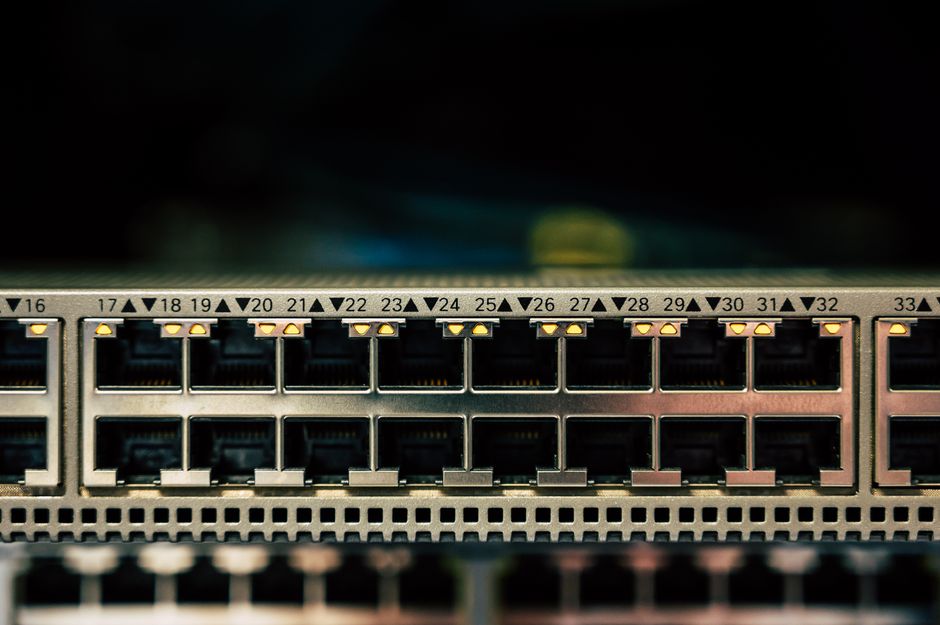
Every football fan streaming matches online deals with this frustrating delay. Broadcast latency happens because digital video takes time to encode, transport, and decode. You cannot eliminate every single second of lag entirely. But you can take concrete steps to reduce delay when watching live football online and get your stream closer to real-time action.
Myth Versus Fact: What Actually Causes Streaming Lag?
Plenty of myths float around fan forums and social media. Let us separate the facts from fiction so you stop wasting time on useless tweaks.
Myth: Upgrading to a gigabit fiber package cures all lag
Fact: Raw bandwidth rarely fixes stream latency. Once you have a stable connection above thirty megabits per second, extra speed does nothing to lower the delay. Packet routing, server distance, and encoder latency matter far more than raw download numbers.
Myth: Wi-Fi is just as fast as an Ethernet cable for live sports
Fact: Wi-Fi introduces tiny packets of interference and jitter. These micro-delays add up across a ninety-minute broadcast. Plugging your streaming box directly into the router cuts out local interference completely.
Common Problems and Practical Solutions
Let us look at what goes wrong during a busy Premier League Saturday and how you can fix it.
Problem: Buffering and Variable Bitrate Drops
When network congestion hits local cabinets, your streaming app automatically lowers video quality to keep the stream running. This encoder adjustment adds processing lag.
Solution: Check your home network before kick-off. If other household members stream 4K video or download massive files during the match, your stream suffers. For a deeper look at network congestion, read our guide on Premier League Matchday Network Congestion to see why connections stumble at whistle time.
Problem: Outdated Device Cache
Streaming devices collect temporary files over weeks of use. This clutter slows down video decoding pipelines.
Solution: Clear your background apps and restart your device before tuning into live sports TV UK fixtures. Fresh memory helps your hardware process incoming video frames faster.
Comparing Broadcast Technologies
Different delivery methods handle latency in distinct ways. Here is how standard options compare for speed and reliability.
| Delivery Method | Typical Latency | Reliability | Setup Complexity |
|---|---|---|---|
| Traditional Satellite (Sky/Freesat) | Lowest (approx. 5 seconds) | High | Requires dish installation |
| Official Broadcaster Apps (iPlayer, Sky Go) | Medium (15–30 seconds) | High | Very simple |
| Legal Sports IPTV UK Services | Variable (20–45 seconds) | Moderate to High | Requires app configuration |
Pros and Cons of Low-Latency Streaming Tweaks
Before you start changing settings, weigh the practical trade-offs involved in chasing a faster stream.
- Pro: Hearing goals at the same time as your neighbors or social media alerts.
- Pro: Fewer random stutter events during fast-moving counter-attacks.
- Con: Lower buffer sizes can occasionally lead to hard freezes if your internet dips momentarily.
- Con: Some hardware tweaks require technical patience and router login access.
Buying Checklist for Low-Latency Football Setups
If you want to upgrade your hardware specifically to reduce delay when watching live football online, keep these points in mind:
- Choose wired Gigabit Ethernet ports over Wi-Fi-only streaming sticks.
- Look for devices with robust processors that handle hardware video decoding efficiently.
- Verify that your chosen legal streaming provider supports direct HLS or DASH streaming profiles without heavy transcoding.
- Check device compatibility with modern video codecs to ensure smooth rendering.
Legal and Licensing Note
Always use fully licensed, authorized platforms to watch live football in the United Kingdom. Services like the BBC, ITVX, Sky Sports, and TNT Sports operate under strict broadcasting regulations. Avoid unauthorized M3U playlists or pirated streams, which violate copyright law and offer terrible reliability alongside massive security risks.
Frequently Asked Questions
Why is my stream thirty seconds behind live TV?
Online video requires packaging, encoding, and content delivery network caching. This pipeline naturally introduces a delay compared to traditional terrestrial or satellite broadcasts.
Does switching from Wi-Fi to Ethernet actually help?
Yes. Ethernet cables remove wireless packet loss and local interference, stabilizing your connection and preventing micro-stutters.
Can a VPN increase my streaming delay?
Routing your traffic through a virtual private network adds an extra physical hop. This extra distance almost always increases your overall latency.
Why do mobile data streams sometimes feel faster than home broadband?
Mobile networks often prioritize low-latency routing for video traffic, though this varies depending on your carrier and local mast congestion.
How do I know if my streaming device is causing lag?
If menus feel sluggish and the video stutters during high-motion scenes, your hardware might be struggling to decode the stream fast enough.
For more information, iptv.