- Premier League streaming questions answered for UK fans
- Why can't I watch every 3 PM Saturday match live in the UK?
- Which official UK broadcasters hold the rights?
- How do I fix buffering during high-traffic matches?
- Can I use my subscription abroad?
- What internet speed do I need for smooth HD football?
- Are unofficial streaming links legal?
- Which devices work best for matchday viewing?
Premier League streaming questions answered for UK fans
Watching every Saturday afternoon fixture used to mean parking in front of a standard television. Things changed. Fans now want matches on phones, tablets, and living room displays. If you watch Premier League streaming content across the UK, you likely have questions about apps, rights, and hardware. Let’s break down the most common queries without the corporate jargon.

Why can’t I watch every 3 PM Saturday match live in the UK?
The 3 PM blackout rule remains a hot topic. It protects lower-league attendances across England. Broadcasters cannot show these matches live on television or through digital feeds inside the UK. You have to wait for highlights or catch the goals on Match of the Day later that evening. It frustrates supporters who pay for multiple subscriptions. Still, the rule isn’t shifting anytime soon.
Which official UK broadcasters hold the rights?
Sky Sports, TNT Sports, and Amazon Prime Video split the package. Sky takes the lion’s share of matches. TNT grabs the lunchtime slots and select midweek games. Amazon broadcasts specific festive rounds and bank holiday blocks. BBC holds highlights rights. You need active subscriptions to all three main services if you want every single televised game involving your club.
How do I fix buffering during high-traffic matches?
Nothing ruins a Merseyside derby faster than a spinning loading wheel. Server loads peak when millions tune in at the same exact minute. First, check your physical connection. Ethernet cables always beat Wi-Fi for stability. If your hardware struggles with high-definition video feeds, you might need to speed up slow IPTV apps on your smart TV by clearing cached data and closing background processes. A quick reboot of your home router often clears stubborn packet loss too.
Can I use my subscription abroad?
Most UK broadcast apps use strict geo-blocking. Sky Go and Discovery+ check your IP address. If you cross the Channel for a weekend break, the app usually blocks playback. Broadcasters license content strictly by territory. Always check terms before travelling.
What internet speed do I need for smooth HD football?
Standard definition requires very little bandwidth. HD feeds demand at least 15 megabits per second. 4K broadcasts need double that amount, ideally 30 megabits or higher. Run a speed test on your streaming device before kickoff. Low speeds lead to dropped frames during fast counterattacks.
Are unofficial streaming links legal?
The Premier League fights unauthorized broadcasts aggressively. Using modified apps or free online feeds to bypass subscription paywalls violates UK copyright law. Rights holders work closely with internet service providers to block illegal servers in real time. Stick to authorized channels to avoid sudden stream drops or legal complications.
Which devices work best for matchday viewing?
Dedicated streaming sticks handle video decoding efficiently. Smart TVs sometimes run sluggish menus because their internal processors lack power. External boxes offer smoother navigation. Pick hardware that receives regular software updates from the manufacturer.
For more information, iptv.
Related reading
- How to Speed Up Slow IPTV Apps on Your Smart TV
- Firestick Storage Management for IPTV Users: How to Free Up Space
- Can I install a football streaming player directly on an Amazon Firestick?
- Which football streaming player app works best for matchday viewing?
- How do I sideload an IPTV app if it's not in the Amazon Appstore?
- What playlist details do I need to enter into the app?
- Why is my live stream buffering on my Fire Stick during peak kickoff times?
Can I install a football streaming player directly on an Amazon Firestick?
Yes, you can easily download apps straight to your Amazon device. Your Fire Stick runs a modified version of Android. That means it supports a wide variety of third-party applications alongside mainstream media tools. When you want to watch weekend fixtures, a dedicated football streaming player makes managing your service simple. You plug the stick into your TV’s HDMI port, connect to your home Wi-Fi, and visit the app store.

Amazon limits some types of apps in official regional stores. You might need to change a few settings first. Don’t worry, the process takes less than five minutes. Many UK viewers prefer using hardware keys because they fit neatly behind the television set. They consume very little power and offer responsive remote controls. You don’t need an expensive smart TV to get a crisp high-definition picture.
Finding the right software matters just as much as having fast broadband. If your device lacks memory, apps crash during high-traffic matches. Older Fire Stick models might struggle with modern high-framerate video feeds. Upgrading to a 4K Max model solves most hardware bottlenecks. You get a faster processor and smoother playback during tense penalty shootouts.
Which football streaming player app works best for matchday viewing?
Several reliable applications dominate the UK market for managing custom media playlists. IPTV Smarters Pro remains a popular choice because its interface resembles standard cable boxes. You can view electronic programme guides without squinting at tiny text. TiviMate offers another stellar option with advanced features like multi-screen viewing. You can watch two matches at once if kickoffs overlap on a busy Saturday afternoon.
Choosing the right tool depends on your personal preference. Some users prefer minimalist designs that load instantly. Others want extensive customisation options for audio tracks and subtitles. Before you commit to one application, consider how often you watch matches. If you only tune in for big derby games, a basic interface works fine. For die-hard fans tracking multiple leagues, a feature-rich app pays off.
Many providers outline their preferred software in their welcome emails. Following their recommendations usually prevents compatibility headaches later. Some apps charge a small one-time fee to unlock premium features like recording or catch-up TV. That small investment often improves your overall viewing experience significantly. You can read more about broad technical setups in our guide on Premier League IPTV fundamentals.
How do I sideload an IPTV app if it’s not in the Amazon Appstore?
Sometimes your chosen app isn’t listed in the official Amazon marketplace. You must install it manually using a technique called sideloading. First, go to your Fire Stick settings menu. Click on My Fire TV, then Developer Options. If you don’t see developer options, click About, then click your device name seven times until a small toast message appears. Enable Apps from Unknown Sources.
Next, download the Downloader app from the official Amazon store. Open Downloader and enter the direct web address or short code for your chosen media player. The tool downloads the installation package directly to your local storage. Click install once the download finishes. You can delete the installation file immediately to save precious storage space.
This method sounds complicated, but it takes only a couple of minutes. Always download apps from trusted official developer websites. Shady third-party app stores often bundle unwanted adware into legitimate software packages. Keep your software updated to patch security vulnerabilities. A clean device runs cooler and drops fewer frames during live sports broadcasts.
What playlist details do I need to enter into the app?
Your subscription provider sends you specific connection credentials after you purchase a plan. You generally receive either an M3U playlist URL or Xtream Codes API details. Xtream Codes login requires three simple pieces of information. You type in your username, your password, and the server address provided by your service vendor.
M3U links look like long website URLs ending with .m3u or include custom tokens. Typing these long strings using the Fire Stick remote feels frustrating. Use the Amazon Fire TV mobile app on your smartphone as a keyboard. You can copy and paste the long web address directly into the television screen. This trick saves you from typos and endless remote clicking.
Double-check every single character before you hit connect. A single misplaced letter stops the app from downloading your channel list. If the connection fails, verify that your subscription hasn’t expired. Vendors sometimes update server domains without warning. Check your customer portal if channels suddenly disappear on match day.
Why is my live stream buffering on my Fire Stick during peak kickoff times?
Buffering ruins the excitement of a last-minute winner. Your internet service provider might throttle connection speeds during peak evening hours. UK broadband networks experience massive traffic spikes when millions stream popular fixtures simultaneously. Running a quick speed test on your device reveals your actual download rate. You need at least twenty megabits per second for stable high-definition sports viewing.
Wi-Fi interference causes frequent stuttering too. Microwaves, thick walls, and nearby routers disrupt wireless signals easily. Move your Fire Stick away from metal objects and power cords. Better yet, buy an official Ethernet adapter for your Amazon device. A wired ethernet connection eliminates wireless drops entirely. Your video stream stays rock solid even when household internet traffic peaks.
Clearing app cache helps free up device memory. Go to your Fire Stick settings, select Applications, and manage installed items. Choose your streaming app and clear its cache files. Restarting your home router weekly also clears stuck data packets. Simple maintenance keeps your hardware performing at its absolute best throughout the football season.
For more information, iptv.
Related reading
- IPTV Playlist Explained: What Beginners Need to Know
- Which Smart TV Brand Has the Best Built-in IPTV Player Support?
Catching every match means dealing with a massive choice of software. If you want to watch football without staring at a blank loading screen, picking the right tools matters. Choosing reliable Premier League streaming apps shapes your entire weekend viewing experience. Let us break down how these applications and media players actually handle live UK broadcasts.
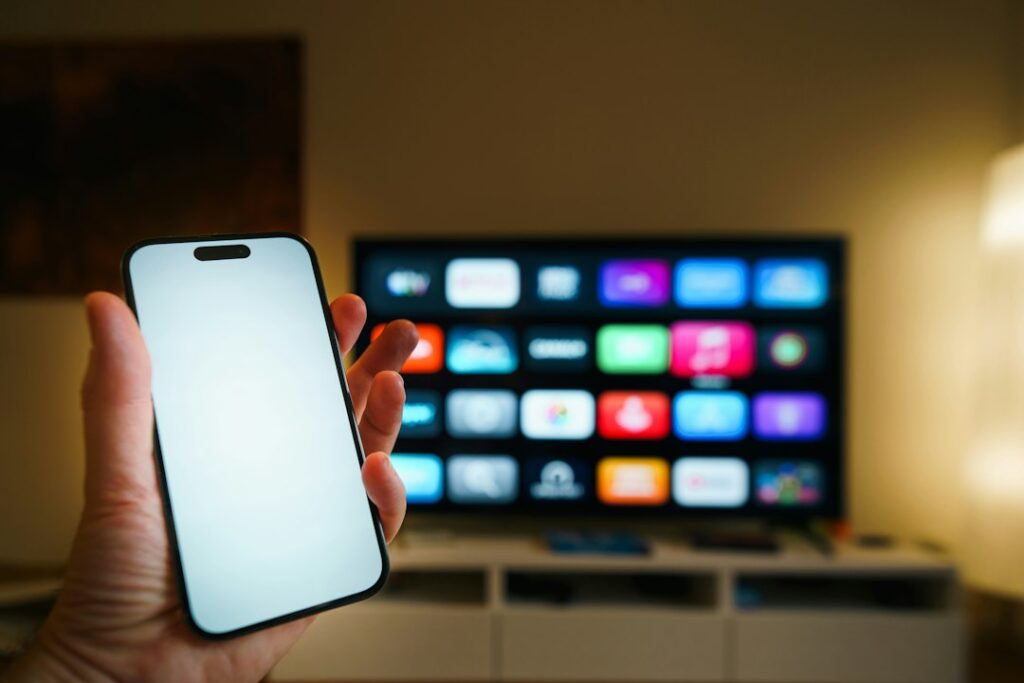
Which Premier League streaming apps dominate the UK market?
Rights for UK matches are split across several official broadcasters. Sky Sports uses its dedicated mobile and smart TV application. TNT Sports broadcasts through the Discovery Plus platform. Amazon Prime Video holds rights for specific fixture blocks each season. BBC Sport shows highlights rather than live games, but their iPlayer app sets the technical standard for smooth video delivery.
Official apps handle heavy traffic differently. Sky scales up server capacity during high-profile derbies like Arsenal versus Tottenham. TNT handles heavy loads through established infrastructure inherited from BT. Each app compresses feeds to save bandwidth while keeping the ball visible against green grass.
Third-party media players operate on a different logic. Software like VLC, TiviMate, or IPTV Smarters doesn’t host content. They act as windows. You plug a playlist link or portal address into the player, and it decodes the video stream. Official apps keep everything inside a closed garden. Third-party players give you total control over aspect ratios, audio tracks, and buffer sizes.
How do media players process live video feeds?
Live video requires intense decoding power. Your device receives compressed data packets over your broadband connection. The player software unpacks these packets instantly. If your processor lags behind, frames drop. That creates the dreaded stuttering effect during a fast counter-attack.
Hardware acceleration plays a huge role here. Modern Fire Sticks and Apple TV boxes have dedicated chips for video decoding. Software players delegate the heavy lifting to these chips. When you use an older phone or a cheap generic Android box, the processor struggles. It attempts software decoding instead. That generates heat and ruins your picture quality.
Adaptive bitrate streaming is another crucial technology. Official apps drop your resolution automatically if your Wi-Fi dips. You might go from 1080p to 720p for a few seconds. Custom IPTV players often let you lock the resolution manually. Locking the stream stops annoying quality shifts, but it causes freezing if your internet speed drops too low.
What hardware pairs best with Premier League streaming apps?
Not all gadgets run football apps equally well. Amazon Fire TV sticks dominate UK living rooms because they are cheap and support almost every app. Apple TV offers a much faster interface and handles high framerates smoothly. Google Chromecast brings the flexibility of Android TV to standard sets.
Smart TV operating systems vary wildly in performance. Samsung uses Tizen. LG relies on WebOS. Sony and Philips build their sets on Google TV. Google-powered televisions usually handle third-party media players best because the Google Play Store allows direct sideloading of APK files. Proprietary systems like Samsung’s Tizen limit you strictly to their official app store.
If you prefer watching on mobile devices, iOS and Android handle official broadcaster streams without breaking a sweat. Tablets offer a great second-screen experience. Just remember that mobile networks handle data throttling during peak evening kick-offs. A solid fibre broadband connection beats 5G mobile data every time for stability.
Why do streams buffer during big matches?
Millions of fans logging on simultaneously creates immense strain. Content Delivery Networks (CDNs) distribute this traffic across regional servers. If a regional server gets overwhelmed, your stream stalls.
Your home network causes issues too. Wi-Fi interference from neighbours ruins data packets. Microwaves and thick brick walls block signals easily. Connecting an Ethernet cable directly to your streaming box solves most home network hiccups.
Internet Service Providers in the UK also manage traffic during busy periods. Some broadband packages throttle heavy data users. Checking your line speed with a wired connection reveals if your ISP is the bottleneck. For a deeper dive into hardware configuration, check out this Smart TV setup guide for UK viewers.
Are third-party media players legal to use?
Media players themselves are completely legal software tools. VLC is a standard media tool used worldwide for playing personal video files. IPTV Smarters is simply a video player interface available on official app stores.
Legality depends entirely on what you feed into those players. Using an authorized service provider via their dedicated app keeps you on the right side of the law. Copyright holders and regulatory bodies like Ofcom monitor unauthorized broadcasting closely.
Stick to official subscriptions for peace of mind. They guarantee stable feeds, expert punditry, and high-definition video without sudden takedowns mid-match. Understanding how these apps function helps you build a reliable home setup for the entire football season.
For more information, iptv.
Related reading
- 1. Football Broadcasting Rights Are Split Across Multiple Networks
- 2. Official Premier League IPTV Streaming in the UK Works Differently Than Cable
- 3. The 3pm Saturday Blackout Is Still Strictly Enforced
- 4. Internet Speeds and Stability Dictate Picture Quality
- 5. Hardware Selection Shapes the Viewing Experience
- 6. Unofficial Premier League IPTV Streams Carry Significant Risks
- 7. Stream Latency Means Your Phone Might Spoil Goals
- Selecting the Right Setup for Your Home
Watching top-flight football in Britain has changed dramatically over the last few years. Satellite dishes and traditional cable boxes are no longer the default choice for domestic supporters. Instead, modern internet protocol television delivers high-definition matches directly over your fibre broadband. If you are exploring Premier League IPTV options in the UK, navigating the rights landscape, tech requirements, and legal rules can feel confusing. Here are seven crucial facts every UK viewer needs to understand before tuning in.

1. Football Broadcasting Rights Are Split Across Multiple Networks
No single provider holds the rights to show all 380 Premier League matches live in the United Kingdom. That reality surprises many foreign fans, but domestic rights are explicitly divided by regulator Ofcom and the league itself to encourage market competition.
Sky Sports holds the largest package of matches, usually broadcasting Friday night, Saturday evening, Sunday afternoon, and Monday night games. TNT Sports (formerly BT Sport) typically covers the Saturday early kickoff slot alongside selected midweek rounds. Amazon Prime Video secures specific holiday packages, including the Boxing Day fixtures. Because rights are split this way, official streaming options require separate subscriptions or a combined package from a major platform like NOW or Virgin Media.
2. Official Premier League IPTV Streaming in the UK Works Differently Than Cable
Traditional television broadcasts signals over coaxial cables or satellite signals pointed at distant orbiters. IPTV delivers video data packets across your home internet connection using standard web protocols. If you want to understand the underlying tech, read our guide on what is IPTV in the UK for a clear breakdown.
When you watch live football via Sky Go, NOW, or TNT Sports on a Smart TV, you are using legitimate IPTV infrastructure. The feed is converted into digital chunks, routed through secure content delivery networks, and reconstructed on your screen within milliseconds. This setup gives you flexibility. You can start watching a match on your living room television, pause it, and continue on a tablet in another room without missing a tackle.
3. The 3pm Saturday Blackout Is Still Strictly Enforced
If you expect to stream every single match live on a Saturday afternoon, you will run into a long-standing British tradition. Article 48 of the UEFA statutes permits national associations to block live televised football during a specific window to protect stadium attendance at lower-league grounds.
In England, no channel or legitimate streaming app can broadcast live football between 2:45 pm and 5:15 pm on Saturdays. That applies regardless of whether the service runs over cable, satellite, or internet streaming. Matches played during this window are covered via audio commentary or live goal updates on services like the BBC, but the full televised picture is withheld until highlights air later that evening.
4. Internet Speeds and Stability Dictate Picture Quality
Streaming live sports puts higher demands on your home broadband connection than playing static movie files on Netflix. Football involves fast movement, panning camera angles, and bright green pitches that showcase compression flaws quickly if bandwidth drops.
- Standard HD (1080p at 50fps): Requires a stable minimum download speed of 12 Mbps.
- Ultra HD / 4K (2160p with HDR): Demands at least 25 Mbps to 35 Mbps of sustained bandwidth.
- Ethernet Connection: Plugging an Ethernet cable directly into your streaming stick or TV prevents Wi-Fi interference.
Frame rate matters immensely for sports. Standard video runs at 25 or 30 frames per second, which causes noticeable motion blur when a goalkeeper kicks the ball downfield. High-quality Premier League IPTV broadcasts output at 50 frames per second, ensuring smooth motion during rapid counter-attacks.
5. Hardware Selection Shapes the Viewing Experience
Not all streaming hardware handles live sports equally well. Modern Smart TVs from brands like LG, Samsung, and Sony come with built-in app stores that support official channels out of the box. However, onboard TV processors can slow down over time as app updates demand more memory.
Dedicated streaming hardware like the Amazon Fire TV Stick 4K, Apple TV 4K, or Roku Streaming Stick often delivers snappier navigation and faster channel switching. Apple TV 4K, in particular, handles high frame rate video processing exceptionally well, making match graphics look crisp. If you are using a new television, take a look at our walkthrough on how to watch Premier League matches in the UK to configure your hardware correctly.
6. Unofficial Premier League IPTV Streams Carry Significant Risks
Search online and you will inevitably encounter unauthorized sellers offering thousands of global channels for a fraction of official subscription prices. While low prices look tempting, using these unofficial platforms comes with steep drawbacks for consumers.
Law enforcement agencies, including the Police Intellectual Property Crime Unit (PIPCU), actively target illegal operations across the UK. Copyright owners regularly obtain court orders forcing major UK internet service providers (ISPs) like BT, Virgin, EE, and Sky to block unauthorized video servers mid-match. That means streams frequently drop out right as a penalty is taken. Furthermore, illicit platforms often expose users to malware, data harvesting, and financial fraud through insecure payment portals.
7. Stream Latency Means Your Phone Might Spoil Goals
Have you ever heard your neighbours cheer a goal five seconds before it happened on your television screen? That delay is called latency, and it is an inherent characteristic of internet streaming.
Satellite and digital terrestrial broadcasts (Freeview) have very low latency, usually around 3 to 5 seconds behind real time. Streaming platforms must buffer data to ensure smooth playback, creating a delay ranging from 15 to 45 seconds depending on your connection and app setup. If you keep phone alerts enabled from betting or sports news apps during a match, turn off push notifications to avoid learning about a goal before you actually see it land in the net.
Selecting the Right Setup for Your Home
Getting the best matchday experience comes down to honest evaluation of your household internet setup. Check your line speed using an online test during peak evening hours rather than quiet mornings. If your router sits far from your main television, invest in a powerline adapter or mesh Wi-Fi node to maintain a reliable stream. Sticking to accredited platforms ensures reliable 50fps video quality without unexpected blackouts or safety concerns when kick-off arrives.
For more information, iptv.
Learn more on Wikipedia: Premier League International Cup.
Related reading
- What Is IPTV UK? A Complete Beginner’s Guide
- 8 Key Considerations When Selecting a Legal IPTV UK Provider
Navigating UK Football Broadcast Rights
Buying a ticket to every single English top-flight fixture is practically impossible for most fans. Between high ticket prices and sold-out stadiums, millions rely on broadcast television and live streams to follow their teams. If you want to watch Premier League matches in the UK, you quickly discover that no single broadcaster holds the rights to show every game.

The current domestic television deal splits the 380 annual league matches across three primary broadcasters: Sky Sports, TNT Sports, and Amazon Prime Video. Sky holds the lion’s share, showing well over 100 live matches per season, including the flagship Sunday afternoon fixtures and Friday evening kick-offs. TNT Sports covers the majority of Saturday lunchtime games, alongside midweek rounds. Amazon Prime Video typically retains two full fixture rounds, usually covering early December games and the Boxing Day schedule.
This fragmented system stems from legal broadcasting regulations designed to encourage competition and protect stadium attendance. As a result, supporters who want complete coverage must navigate multiple subscription services, satellite packages, and digital streaming apps.
The 3pm Saturday Blackout Rule Explained
One unique aspect of watching football in Britain is the traditional 3pm blackout rule. Article 48 of the UEFA statutes permits national associations to block live football transmissions during a designated two-and-a-half-hour window on Saturday afternoons.
In England, this restriction applies between 2:45pm and 5:15pm every Saturday during the domestic season. The rationale behind the rule is straightforward: it protects attendance figures at lower-league grounds across the Football League and non-league system. If fans could watch top-tier games on television at 3pm, local clubs like Leyton Orient, Rochdale, or Altrincham might suffer significant drops in gate revenue.
Because of this policy, no broadcast service—whether traditional satellite, cable, or online internet protocol television—can legally show 3pm Saturday Premier League games within the United Kingdom. Games scheduled for this time slot are only broadcast live to international territories.
Official TV Packages and Subscription Costs
Putting together a viewing setup to cover every televised match requires carefully selecting subscriptions. A basic Sky Sports package via traditional dish or their Now streaming service forms the foundation of most fans’ viewing setups. Adding TNT Sports (formerly BT Sport) increases your monthly outlay, while Amazon Prime requires an annual or monthly membership.
For internet-based viewers, understanding how digital television networks deliver feeds over household broadband is essential. Sky offers its service without a satellite dish via Stream or Glass, while TNT Sports streams through the discovery+ platform. Combined, full coverage across all legitimate platforms can easily exceed £70 to £90 per month, depending on ongoing contracts and special introductory offers.
Hardware and Broadband Requirements for High-Quality Football Streams
Fast sports action places specific technical demands on your home internet connection and viewing hardware. Unlike movies or drama series, live football involves fast-moving objects, rapid camera panning, and high frame rates.
To stream live matches in Standard High Definition (1080p), you need a stable broadband connection with a minimum download speed of 15 to 20 Mbps. If you plan to stream in 4K Ultra HD with High Dynamic Range (HDR), your network must maintain at least 30 to 40 Mbps consistently.
Recommended Setup Checklist
- Broadband Speed: Minimum 25 Mbps download for reliable HD, 50+ Mbps for 4K.
- Connection Type: An Ethernet cable directly from router to device works better than Wi-Fi.
- Display Hardware: A Smart TV, Fire TV Stick 4K, Apple TV 4K, or Nvidia Shield.
- Display Settings: Enable ‘Game Mode’ or set motion smoothing manually to reduce motion blur during long passes.
If you prefer using television smart apps, setting up modern streaming applications on a television screen takes only a few minutes through built-in app stores. Using a direct wired Ethernet connection rather than Wi-Fi prevents latency spikes, buffering wheels, and mid-match resolution drops.
Legal and Safe Viewing Options for British Football Fans
With subscription costs rising, many supporters search online for alternative ways to watch Premier League matches in the UK. However, using unauthorized streams, illegal set-top boxes, or unlicensed internet feeds carries substantial risks. Public authorities like Ofcom and the Police Intellectual Property Crime Unit actively target illegal stream distributors and service providers across the country.
Illegal feeds frequently suffer from heavy server congestion during high-profile matches like the North London or Manchester derbies. Users routinely experience severe video delay, sudden stream outages, and aggressive pop-up advertisements containing dangerous malware. Unofficial services also lack viewer data protection, exposing personal banking details to untrusted operators.
Sticking to official, licensed platforms ensures consistent 50fps picture quality, surround sound audio, professional commentary, and total peace of mind. By comparing rolling monthly passes against long-term 18-month contracts, fans can often find discounts that keep legal access affordable without compromising on security or stream stability.
For more information, iptv.
Related reading
- How Does IPTV Work? Everything UK Viewers Need to Know
- Premier League Streaming in the UK: Complete Guide
- Navigating UK Football Broadcasts
- The 3pm Saturday Blackout Rule
- Official Broadcasters for Premier League Streaming in the UK
- Optimising Internet Speeds and Streaming Quality
- Hardware Choices for Football Fans
- Setting Up Smart TVs for Live Football
- Legal IPTV and Streaming Applications in the UK
- Managing Subscription Costs Effectively
- Future Trends in UK Football Streaming
Navigating UK Football Broadcasts
Watching Premier League streaming content in the UK requires understanding a complex broadcast market. British football fans face a fragmented system where live coverage split across multiple subscription platforms. Unlike international viewers who often get access to every fixture through a single overseas provider, supporters inside the UK must manage several services to catch all televised matches. Getting your setup right ensures you never miss a kickoff while keeping your home entertainment network fast and reliable.

The domestic television rights for English top-flight football are divided into distinct packages. For years, Sky Sports and TNT Sports (formerly BT Sport) have held the primary broadcasting allocations. Amazon Prime Video also holds specific fixture rounds, particularly over the busy winter festive schedule. Knowing which provider holds the rights to specific match slots helps you plan your subscriptions effectively and avoid paying for channels you do not watch.
The 3pm Saturday Blackout Rule
A unique aspect of British football broadcasting is the traditional 3pm Saturday blackout. Article 48 of the UEFA Statutes allows national associations to block live broadcasts during a specific window. In England, no football match can be broadcast live on television or through digital streams between 2:45pm and 5:15pm on a Saturday. This rule aims to protect stadium attendance figures across the Football League and lower grassroots divisions.
Because of this restriction, 3pm Saturday fixtures are never legally shown live on British television. Supporters looking to follow matches in this time window must listen to radio commentary on BBC Radio 5 Live or TalkSPORT, or wait for evening highlights on Match of the Day. For live televised fixtures, games are shifted to Friday evenings, Saturday early and late slots, Sundays, and Monday nights.
Official Broadcasters for Premier League Streaming in the UK
Sky Sports remains the dominant rights holder in the UK. They show the majority of televised fixtures, including major Sunday afternoon games and Friday or Monday night matches. Subscribers can access these games through traditional satellite setups or stream them digitally via the NOW platform. NOW offers flexible day or monthly sports memberships, making it popular for viewers who prefer not to sign long-term TV contracts.
TNT Sports broadcasts the regular Saturday lunchtime kickoff slot alongside mid-week fixture lists and European club competitions. You can stream TNT Sports through the Discovery+ app, which replaced the old BT Sport digital player. Combining these services allows fans to follow almost every legally televised match throughout the ten-month season.
Amazon Prime Video covers specific mid-week rounds and the full schedule of Boxing Day fixtures. If you already hold an Amazon Prime subscription, these games come included at no extra cost. When selecting your subscriptions, review the key considerations when selecting a legal IPTV UK provider to ensure your chosen platform supports the official apps you need.
Optimising Internet Speeds and Streaming Quality
Live sports streaming demands consistent bandwidth and low latency. Unlike pre-recorded movies that can buffer ahead, live football feeds depend on real-time data delivery. A sudden drop in internet speed causes resolution downgrades, freezing, or annoying playback delay. To enjoy crisp 1080p High Definition or 4K Ultra HD coverage, your internet connection must meet stable speed targets.
- Standard HD Streaming: Requires a minimum continuous speed of 10 Mbps per device.
- 4K Ultra HD Streaming: Demands at least 25 Mbps to 30 Mbps of dedicated download bandwidth.
- Frame Rate Requirements: Live sports require 50 frames per second (fps) for smooth ball movement and action.
Using a direct Ethernet cable connection from your router to your smart TV or streaming box provides much better stability than Wi-Fi. Wi-Fi signals suffer from wall interference and channel congestion, especially in densely populated areas. If running a network cable is impractical, consider using powerline adapters or a modern Wi-Fi 6 mesh router setup.
Hardware Choices for Football Fans
Modern smart TVs usually feature built-in app stores that host Sky Go, NOW, Discovery+, and Amazon Prime Video. However, television processors can become sluggish over time as app software updates demand more system memory. Dedicated streaming hardware often delivers faster app loading and superior picture processing for sports feeds.
Popular connected devices include the Amazon Fire TV Stick 4K, Apple TV 4K, and Google TV devices. Apple TV 4K is particularly well-regarded for its fast interface and excellent frame rate matching. Matching the output frame rate to the broadcast source prevents screen jitter during fast panning shots across the pitch. You can read more about network protocols and performance in our guide on IPTV UK services and streaming technology.
Setting Up Smart TVs for Live Football
Getting your living room display ready for matchday involves more than just launching an app. Motion processing settings on modern TVs can introduce unwanted visual artifacts or excessive display lag during fast sports broadcasts. Taking time to adjust your display parameters ensures the action looks sharp and motion stays clean.
First, disable aggressive motion smoothing features, often named Motionflow, TruMotion, or Auto Motion Plus in your TV settings menu. While these features attempt to make low-frame-rate content smoother, they can create a halo effect around the moving football. Set motion controls to a low or custom setting, or switch your TV picture preset to ‘Direct’ or ‘Standard’.
Second, ensure your streaming device matches the visual output of the app feed. Most UK sports streams broadcast at 50Hz. If your streaming stick is locked to a 60Hz output designed for North American content, you will experience micro-stutter every second. Enable automatic frame rate matching in your streaming box settings. For step-by-step installation instructions on popular displays, check out our guide on how to set up IPTV on your Smart TV in the UK.
Legal IPTV and Streaming Applications in the UK
Internet Protocol Television simply refers to delivering television content over internet networks rather than traditional satellite or terrestrial aerials. Official apps like NOW, Discovery+, and BBC iPlayer are standard, legal forms of IPTV operating in Great Britain. They deliver high-quality feeds with reliable servers and official support.
Viewers must avoid illegal streaming portals that offer unauthorized access to Premier League feeds. Unofficial streams are frequently taken down by law enforcement and internet service providers during major fixtures, leading to sudden blank screens mid-match. Furthermore, illicit services carry significant cybersecurity risks, including malware exposure and personal financial data theft. Review the factors for watching Premier League football via IPTV UK services legally to stay safe online.
Managing Subscription Costs Effectively
Subscribing to every official broadcaster can become expensive over a full season. Fortunately, flexible contract structures let supporters manage their spending without missing key fixtures. Instead of locking into twelve-month contracts across every service, consider rolling monthly memberships.
Map out your club’s fixture list a month in advance. If your team has several televised matches on TNT Sports in October, activate a month pass for Discovery+. If they are mostly featured on Sky Sports the following month, switch your focus to a NOW membership. Taking advantage of promotional bundles through your mobile network or broadband provider can also yield substantial annual savings on Premier League streaming passes.
Future Trends in UK Football Streaming
Broadcasting technology continues to evolve rapidly. The shift from linear television channels to web-based streams allows platforms to experiment with interactive features. Broadcasters are testing multi-camera options, real-time statistical overlays, and instant tactical replays within their apps.
Higher dynamic range formats like Dolby Vision and HDR10+ are also becoming standard for major games. These standards deliver realistic stadium lighting, deeper shadows, and vivid pitch greens. As broadband infrastructure improves across the UK with full-fibre rollouts, 4K Ultra HD streams at 50fps will become the standard expectation for football supporters everywhere.
For more information, iptv.
Related reading
- 6 Crucial Factors for Watching Premier League Football via IPTV UK Services legally
- How to Set Up IPTV on Your Smart TV in the UK
- Watching Football via IPTV UK Tech: What Fans Must Understand
- 1. The 3pm Saturday Blackout Remains Fully Active
- 2. Exclusive Domestic Rights Belong to Premier Broadcasters
- 3. Smart Hardware Demands Proper Configuration
- 4. Intellectual Property Laws Protect Broadcast Rights
- 5. TV Licensing Rules Apply to Live IPTV Content
- 6. Identifying Authorised UK IPTV Channels and Providers
- Frequently Asked Questions About IPTV UK Premier League Matches
- Can I legally watch 3pm Saturday Premier League games on IPTV in the UK?
- What internet speed do I need for live football IPTV streaming UK?
- Do official streaming platforms offer an IPTV trial UK option?
- Final Practical Checklist for UK Football Supporters
Watching Football via IPTV UK Tech: What Fans Must Understand
Streaming Premier League matches online has transformed how supporters watch the beautiful game. Traditional satellite dishes are no longer the only way to catch live matches in British living rooms. Modern broadband connections power complete television setups, offering flexibility and sharp picture quality. When exploring an IPTV UK solution for live football, understanding how broadcasting rights work is essential for every supporter.

Television rights in the United Kingdom are strict and complex. Official broadcasters pay billions of pounds for exclusive rights to screen Premier League fixtures. Knowing which legitimate platforms carry these streams helps you stay within British law while enjoying reliable coverage. Here are six crucial factors every football fan in the UK should know before choosing an IPTV service UK setup.
1. The 3pm Saturday Blackout Remains Fully Active
Article 48 of the UEFA Statutes allows national associations to block live television coverage during designated hours. In England, the Football Association enforces this rule between 2:45pm and 5:15pm on Saturdays. The policy aims to protect matchday attendance across lower-league clubs in the EFL and non-league football. If lower-league fans could watch Premier League games at home on Saturday afternoon, ticket sales at local grounds might plunge.
Because of this rule, no legal UK IPTV subscription will broadcast 3pm Saturday kickoff matches live within Great Britain. Platforms like Sky Sports, TNT Sports, and Amazon Prime Video simply cannot broadcast these fixtures. Any provider claiming to offer legal UK streams for 3pm Saturday Premier League games is operating outside British broadcasting laws.
2. Exclusive Domestic Rights Belong to Premier Broadcasters
Premier League rights in the UK are split across distinct broadcast packages to maintain competition. Ofcom oversees communications regulations in Great Britain, while rights auctions decide which platforms show specific matches. Sky Sports holds the largest package of matches, covering Friday nights, Saturday teatimes, Sunday afternoons, and Monday evenings.
TNT Sports (formerly BT Sport) broadcasts early Saturday kickoffs and midweek European fixtures featuring English clubs. Meanwhile, Amazon Prime Video occasionally secures seasonal midweek rounds. Legitimate IPTV streaming UK apps access these channels through official provider platforms like NOW, Discovery+, and Sky Go.
3. Smart Hardware Demands Proper Configuration
Streaming live 4K or HD football requires proper hardware and software setup. Modern Smart TVs, Amazon Fire TV Sticks, and dedicated Android set-top boxes easily run official streaming applications. Ensure your home network delivers stable speeds, preferably over 25 Mbps for HD or 50 Mbps for Ultra HD streams.
Using an Ethernet cable rather than Wi-Fi dramatically reduces buffering during busy Sunday fixtures. If you need help getting started on television screens, our guide on How to Set Up IPTV on Your Smart TV in the UK covers equipment connections, app installations, and network adjustments in detail.
4. Intellectual Property Laws Protect Broadcast Rights
Streaming unauthorised channels carries real risks under British law. The UK Intellectual Property Office works alongside law enforcement to target illicit streaming networks. The Police Intellectual Property Crime Unit (PIPCU) regularly shuts down illegal servers across Britain.
Under the Copyright, Designs and Patents Act 1988, distributing copyright material without authorisation is a serious criminal offence. Copyright owners also target individual viewers through civil enforcement and ISP blocking orders. Major UK internet service providers automatically block illegal streams during live Premier League kickoff windows.
| Broadcaster Platform | Typical Fixture Times | Official Streaming App |
|---|---|---|
| Sky Sports / NOW | Fri 8pm, Sat 5:30pm, Sun 2pm/4:30pm, Mon 8pm | NOW / Sky Go |
| TNT Sports | Sat 12:30pm, Midweek fixtures | Discovery+ |
| Amazon Prime Video | Bank Holiday & select midweek rounds | Prime Video |
5. TV Licensing Rules Apply to Live IPTV Content
Many viewers assume online streaming exempts them from standard British viewing licences. That assumption is completely wrong. According to official rules managed by TV Licensing, you need a valid licence if you watch live TV on any channel or service.
This rule applies regardless of whether you watch via aerial, satellite, or an IPTV UK internet feed. If you stream a Premier League match live on Sky Sports through NOW, a TV licence is required by law. Catch-up services (except BBC iPlayer) do not require a licence, but all live football broadcasts definitely do.
6. Identifying Authorised UK IPTV Channels and Providers
Distinguishing legitimate services from unauthorized providers is straightforward once you know what to check. Official services offer transparent pricing, full contact information, and apps directly inside official app stores like Google Play or the Apple App Store.
- App Availability: Genuine apps appear in official app stores without requiring side-loading.
- Contract Terms: Legitimate providers display clear terms, privacy policies, and verified company numbers.
- Payment Methods: Standard credit cards, direct debits, and PayPal are standard for legitimate providers.
- Pricing: Official sports packages reflect market rates; suspiciously cheap offers usually signal pirated feeds.
For more technical details regarding protocol standards and network security, read our post covering 8 Essential Things to Know About IPTV UK Services and Streaming Technology.
Frequently Asked Questions About IPTV UK Premier League Matches
Can I legally watch 3pm Saturday Premier League games on IPTV in the UK?
No. Under the Saturday blackout rules enforced by the Football Association, no broadcast partner holds live rights for 3pm Saturday kickoffs inside the UK. Any service selling access to 3pm games in Britain is operating unlawfully.
What internet speed do I need for live football IPTV streaming UK?
A stable broadband connection of at least 25 Mbps handles high-definition (HD) streams smoothly. For 4K Ultra HD football matches, aim for 50 Mbps or higher to prevent buffering during peak evening hours.
Do official streaming platforms offer an IPTV trial UK option?
Some legal platforms like Amazon Prime Video offer free trials for new users. Services like NOW occasionally run introductory discounts, though full free trials for premium sports pass subscriptions are rare.
Final Practical Checklist for UK Football Supporters
Enjoying Premier League football via IPTV in the UK offers flexibility, portability, and excellent picture clarity. Stick with verified providers, check your home broadband speeds, and ensure your TV licence is up to date before kickoff.
For more information, iptv.
Learn more on Wikipedia: ITV (TV network).
Related reading
- How to Set Up IPTV on Your Smart TV in the UK
- 8 Essential Things to Know About IPTV UK Services and Streaming Technology