- Step 1: Assessing Your Display Refresh Rate for Fast Sports
- Step 2: Adjusting Motion Processing and Smoothing
- Step 3: Calibrating Audio Sync and Surround Sound
- Display Modes and Sports Performance Comparison
- Pros and Cons of Manual Display Tuning
- Buying Checklist for Streaming Hardware
- Legal and Licensing Note
- Frequently Asked Questions
- Why does the football look blurry during fast passes?
- What is the ideal refresh rate for UK sports?
- How do I fix sound echoing through my soundbar?
- Does game mode actually help with live streaming?
- Should I use HDR for live football?
- Why is my picture dark during evening matches?
- Can Wi-Fi interference cause video stuttering?
Watching a Saturday afternoon Premier League match shouldn’t feel like a blurry mess. When you invest in a legal sports IPTV UK service, hardware settings matter just as much as your broadband package. Small tweaks inside your television menus can transform juddery motion into crystal-clear action. Let’s walk through the exact steps required to dial in your setup for peak performance.

Step 1: Assessing Your Display Refresh Rate for Fast Sports
Football involves rapid camera pans and high-speed ball movement. Standard TV presets often fail to handle this velocity properly. You need to inspect your display settings first.
Dive into your television display menu and locate the refresh rate settings. Most modern screens operate at 60Hz natively. High-end panels push 120Hz or higher. Make sure your streaming device outputs matching frame rates. If your Apple TV or Fire Stick is locked at 50Hz for UK broadcasting standards while your TV expects 60Hz, micro-stutters will ruin the viewing experience.
Turn off eco-mode immediately. Power-saving features dim the backlight dynamically. This ruins contrast during floodlit evening matches at grounds like Anfield or the Etihad.
Step 2: Adjusting Motion Processing and Smoothing
Manufacturers love adding proprietary motion interpolation features. They give soap operas a slick look, but they destroy live sports. They create artificial frames that cause strange blurring around fast-moving players.
Look for terms like TruMotion, MotionFlow, or Auto Motion Plus in your settings. Disable them completely, or set them to their lowest manual value. You want raw, unadulterated frames delivered straight from the broadcast feed. Before you tinker with these display options, make sure your connection handles the stream properly by reviewing what internet speed is suitable for IPTV in the UK so you aren’t fighting bandwidth bottlenecks at the same time.
Next, switch your TV input label to “PC” or “Game Mode” if possible. This disables background image processing entirely. Input lag drops significantly, and picture accuracy improves.
Step 3: Calibrating Audio Sync and Surround Sound
Audio delay ruins the thrill of a last-minute winner. Hearing the crowd roar thirty seconds before the ball crosses the line destroys the atmosphere. Fixing lip sync issues takes patience.
Navigate to your audio output settings. If you use a soundbar or AV receiver via HDMI eARC, latency creeps in naturally. Enable lip-sync correction on your audio device. Adjust the millisecond delay until the referee’s whistle matches the visual cue perfectly.
Disable Dolby Atmos if your hardware doesn’t support it natively. Downmixing multichannel audio formats prevents dialogue channels from disappearing underneath booming stadium noise.
Display Modes and Sports Performance Comparison
| Picture Preset | Motion Processing | Best Use Case |
|---|---|---|
| Standard Mode | Medium | Casual viewing, daytime shows |
| Cinema / Movie | Off | Dark room film watching (poor for sports) |
| Game Mode | Off (Low Latency) | Fast sports streaming, minimal judder |
| Dynamic / Vivid | High | Shop floors (avoid for football) |
Pros and Cons of Manual Display Tuning
Optimising your hardware yields distinct advantages, but it comes with a few trade-offs worth noting.
- Pros: Sharper motion handling during fast counter-attacks, eliminated audio echo, accurate pitch green tones, and reduced eye strain during evening matches.
- Cons: Requires manual tweaking for different apps, game mode can look too warm for casual daytime television, and external audio gear adds calibration complexity.
Buying Checklist for Streaming Hardware
If your current hardware struggles with heavy video processing, upgrading your box makes sense. Keep these factors in mind before purchasing:
- Ethernet port inclusion for wired stability over Wi-Fi.
- Support for 4K HDR playback at 50Hz and 60Hz.
- Modern processor chips capable of heavy bitrate decoding.
- Dedicated audio pass-through for surround sound systems.
- Regular firmware updates from the manufacturer.
Legal and Licensing Note
Configuring your home entertainment hardware requires licensed software sources. This guide focuses entirely on authorized, compliant broadcasters operating within UK regulatory frameworks. Always subscribe through official channels that hold proper domestic sports transmission rights.
Frequently Asked Questions
Why does the football look blurry during fast passes?
Motion smoothing is usually the culprit. Turn off manufacturer processing features in your TV settings menu.
What is the ideal refresh rate for UK sports?
UK broadcasting runs at 50Hz. Matching your streaming box output to this standard prevents frame rate conversion stutters.
How do I fix sound echoing through my soundbar?
Adjust the audio delay offset in your TV or soundbar settings until dialogue matches the screen action.
Does game mode actually help with live streaming?
Yes. It turns off heavy image post-processing, reducing lag and keeping fast-moving video streams clean.
Should I use HDR for live football?
Only if your display handles peak brightness well. Cheap HDR can make grass look unnaturally neon.
Why is my picture dark during evening matches?
Eco-sensors often lower backlighting automatically. Turn off light sensors in your energy saving menu.
Can Wi-Fi interference cause video stuttering?
Thick walls and router distance degrade wireless signals. A wired Ethernet cable solves most stability issues.
For more information, iptv.
Related reading
Update: How to choose the best IPTV subscription in the UK
Update: UK Smart TV IPTV App Freezing: Step-by-Step Troubleshooting Guide
- Choosing the Right Tools for Weekend Matchdays
- Frame Rates and Motion Handling for Fast Action
- Comparing Legal Sports IPTV UK Options
- Minimising Matchday Broadcast Delay
- Catch-Up TV and Multi-Screen Layouts
- Resolution Standards: HD versus 4K Realities
- Pros and Cons of Sports-Focused Streaming Apps
- Legal and Licensing Note
- Buying Checklist for Sports Fans
- Frequently Asked Questions
- Why does my live sports stream stutter on weekends?
- Do I need a special box for modern sports apps?
- How much internet speed do I need for HD sports?
- Can I watch matches abroad using my UK subscription?
- What causes the score to update on my phone before I see the goal?
- Are free sports apps safe to use?
Choosing the Right Tools for Weekend Matchdays
Watching a 3 PM Saturday Premier League blackout lift or tuning into an international rugby fixture requires specific technical capabilities. When you hunt for the understanding internet television technology basics, you quickly realise that standard video apps fall short. Live sport moves fast. It demands higher data rates and stable servers. If your screen freezes just as your striker rounds the keeper, the service fails its primary test.

Finding reliable services means looking beyond basic channel lists. You need specific tools built for high-speed motion and heavy server loads. Let us examine what actually matters when picking a platform for your living room.
Frame Rates and Motion Handling for Fast Action
Standard television usually runs at 25 or 30 frames per second. That looks fine for chat shows and sitcoms. Football is a different beast entirely. A fast-moving ball leaves a blurry trail at lower frame rates. You need 50 frames per second minimum for smooth motion.
Legal providers invest heavily in infrastructure to push higher refresh rates straight to your living room. When a camera pans quickly across a pitch, the grass shouldn’t smear into a green blur. Check if the app supports high frame rate streaming before you commit to any long-term plan. Smooth tracking keeps your eyes from straining during tense ninety-minute fixtures.
Comparing Legal Sports IPTV UK Options
Official broadcasters and authorised app providers structure their services differently. Let us break down how major legal options compare for sports fans:
- Official Broadcaster Apps (Sky Go, TNT Sports): Excellent stability, official broadcast rights, high monthly cost, device limits.
- Aggregator Live TV Apps (Horizon, Tivimate setups with legal EPG): Highly customisable, great interface, requires careful subscription management.
- Smart TV Native Apps: Convenient remote control use, zero extra hardware needed, occasional software updates can cause temporary bugs.
Minimising Matchday Broadcast Delay
Nobody wants to hear their neighbour cheer a goal thirty seconds before it hits their own screen. Broadcast delay plagues internet-delivered television. Traditional satellite broadcasts lag slightly behind live action, but internet protocols often add extra buffer time.
Top-tier legal platforms use content delivery networks to shrink that gap. They shorten chunk sizes in their video streams. You still get a tiny delay compared to sitting in the stadium, but the best systems keep it under ten seconds. That stops your phone notifications from ruining the surprise.
Catch-Up TV and Multi-Screen Layouts
Saturday afternoons present a frustrating dilemma. Three matches kick off at the same time. A robust platform solves this with multiple simultaneous viewing angles or picture-in-picture modes. You can track the main game while keeping an eye on scores elsewhere.
Catch-Up TV is another lifesaver. Maybe your train runs late on a Tuesday night. You miss the first half of the Champions League clash. A proper catch-up archive lets you rewind live broadcasts or jump straight to the start. You don’t have to wait for overnight replays anymore.
Resolution Standards: HD versus 4K Realities
Everyone wants ultra-high definition. Reality is a bit more complicated. Broadcasting a live football match in true 4K requires massive bandwidth. Many providers use upscaling instead of native 4K feeds.
Look for genuine 1080p feeds running at high bitrates rather than low-quality 4K labels that hide compression artifacts. Dark stadium shadows and floodlit pitches expose poor compression quickly. A sharp 1080p stream often beats a blocky, compressed 4K feed every single time.
Pros and Cons of Sports-Focused Streaming Apps
Evaluating these platforms honestly helps set proper expectations before matchday arrives.
- Pros: Access sports without bulky satellite dishes, switch between devices easily, enjoy modern menu layouts, utilise custom electronic programme guides.
- Cons: High bandwidth demands on home broadband, potential lag during peak global fixtures, subscription costs add up if you mix multiple sports packages.
Legal and Licensing Note
All viewing options discussed here apply strictly to licensed, authorised broadcast services operating within UK copyright laws. Unauthorised M3U playlists and pirated streams violate broadcasting regulations and risk security compromises. Stick to legitimate providers holding proper UK distribution rights.
Buying Checklist for Sports Fans
Run through this quick list before entering your payment details on any sports app:
- Confirm the app runs natively on your specific television operating system.
- Check if simultaneous streams cover your household devices.
- Verify the exact sports channel lineup rather than relying on vague marketing slogans.
- Test the customer support response time with a simple pre-sale query.
- Read cancellation terms carefully to avoid locked-in annual fees.
Frequently Asked Questions
Why does my live sports stream stutter on weekends?
Weekend congestion hits internet service providers hard. Too many users stream simultaneously. Upgrading your broadband package or using an ethernet cable instead of Wi-Fi usually fixes the stuttering.
Do I need a special box for modern sports apps?
Most modern smart televisions run dedicated apps natively. Streaming sticks like Amazon Fire TV or Apple TV also handle legal sports apps smoothly without extra equipment.
How much internet speed do I need for HD sports?
You need a stable connection of at least 15 to 25 megabits per second for reliable high-definition live streaming without sudden resolution drops.
Can I watch matches abroad using my UK subscription?
Geoblocking rules apply to most licensed UK sports apps. Streaming rights are restricted by territory, so your access outside the UK depends on the specific provider’s terms.
What causes the score to update on my phone before I see the goal?
Video encoding takes time. Data travels through multiple servers before reaching your screen. That processing delay creates a small gap between live reality and your display.
Are free sports apps safe to use?
Legitimate free apps rely on advertisements. Unofficial free apps often carry malware risks or pop-up scams. Stick to trusted paid platforms for secure viewing.
For more information, iptv.
Related reading
Update: HD vs 4K sports streaming on IPTV in the UK
Update: Roku vs Firestick for IPTV users in the UK
- The Speed Myth That Trips Up Viewers
- Understanding Bitrates and Resolution
- Why Wi-Fi Fails Live Video
- Evaluating Your Internet Provider's Traffic Management
- Practical Steps for Better Streaming Performance
- Frequently Asked Questions
- Why does my stream buffer only during weekend football matches?
- Is fibre broadband mandatory for high-definition streams?
- Does VPN usage affect live video playback?
The Speed Myth That Trips Up Viewers
People often assume that grabbing the fastest broadband package solves every streaming issue. Advertisers promise gigabit speeds, so consumers pay top pound. Yet, live television streams demand more than raw download numbers. Packet stability matters far more than peak speed when you use live stream buffering fixes to sort out stuttering playback. Ofcom reports that average UK broadband connections exceed eighty megabits per second in many areas, but a high headline figure doesn’t guarantee a smooth feed.
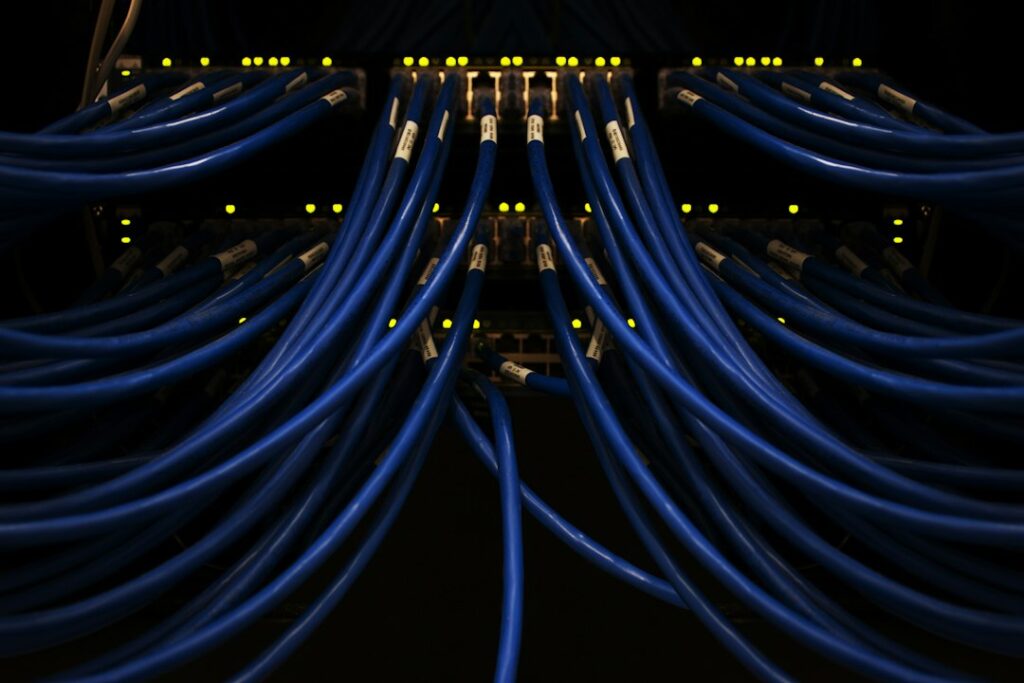
Network congestion during peak evening kick-off times creates bottlenecks. Your internet service provider might throttle specific protocols. Wi-Fi interference from household appliances wrecks packet delivery. Raw bandwidth is just one piece of a complex puzzle.
Understanding Bitrates and Resolution
High-definition feeds require steady data delivery. A standard 1080p stream at fifty frames per second needs around five to eight megabits per second of constant throughput. 4K broadcasts demand double that amount. If your connection dips below these thresholds for even two seconds, the player drops frames or stalls completely.
Buffer bloat occurs when routers queue too many packets. Latency spikes ruin real-time video delivery. Your ping rate matters just as much as your download speed. Wired Ethernet cables beat wireless connections every single time for stability.
Why Wi-Fi Fails Live Video
Radio waves bounce off walls, interfere with microwaves, and share airspace with your neighbours’ routers. Packet loss on Wi-Fi sits around two to five percent on average. Live video protocols hate packet loss. They require continuous, orderly data streams. Dropped packets force the video player to request retransmissions. That extra step introduces visible delays and stutter.
Switching to a wired connection drops packet loss close to zero. Ethernet ports on streaming boxes eliminate interference completely. If running a cable across the lounge isn’t practical, powerline adapters offer a reliable middle ground by using domestic electrical wiring.
Evaluating Your Internet Provider’s Traffic Management
Internet service providers handle traffic differently. Some networks manage peak hours by shaping traffic types. Live video streaming protocols sometimes trigger traffic management policies. Network congestion builds up at local street cabinets during popular weekend fixtures.
Run regular speed tests during actual match times rather than quiet Tuesday mornings. Real-world performance tells the true story of your connection. Check your router settings for Quality of Service options. Prioritising your streaming device gives it network preference over background downloads.
Practical Steps for Better Streaming Performance
Fixing stream stability starts at the physical layer. Unplug your router and streaming stick once a month to clear temporary memory caches. Update your device firmware whenever manufacturers release patches. Check background apps running on your streaming hardware.
Close background tasks to free up RAM. Too many active apps drain system resources and slow down video decoding. Simple maintenance routines keep hardware running smoothly over years of daily use.
Frequently Asked Questions
Why does my stream buffer only during weekend football matches?
Local network congestion causes this issue. Neighbouring households stream high-traffic events at the same time, overloading local street cabinets managed by Openreach or Virgin Media.
Is fibre broadband mandatory for high-definition streams?
Fibre connections provide the stable speeds required for HD feeds. Older copper-based ADSL lines struggle to maintain the consistent bitrates needed for live television broadcasts.
Does VPN usage affect live video playback?
Virtual private networks add routing steps. Encrypting data takes processing power and increases ping times, which sometimes triggers stuttering if server loads run too high.
For more information, iptv.
Learn more on Wikipedia: ITV (TV network).
Related reading
- Choosing the Right Smart TV IPTV Players for Your Living Room Setup
- Firestick Remote Battery Drain: Troubleshooting Tips
Update: Best legal IPTV for football fans in the UK
Update: Best IPTV devices for UK users