- Choosing Legal IPTV Hardware in the UK
- Official Device Comparison
- Hardware Breakdown and Operating Systems
- Step-by-Step Setup Guide
- Pros and Cons of Popular Streaming Platforms
- Compatibility and Legal Realities
- Frequently Asked Questions
- Do I need a TV licence to watch live IPTV in the UK?
- Can I use any IPTV app on an Amazon Fire Stick?
- Does 4K streaming require a fast internet connection?
- Are smart TV built-in apps better than a streaming box?
- How do parental controls work on these devices?
- Can I connect an Ethernet cable to a Roku stick?
- Why is my streaming device running out of storage?
Choosing Legal IPTV Hardware in the UK
Internet Protocol Television delivers live broadcasts and on-demand video straight through your broadband router. When you buy legal IPTV devices UK hardware, you are investing in certified streaming boxes or sticks that run legitimate, licensed apps from broadcasters like BBC iPlayer, ITVX, and Sky’s NOW service. Performance depends heavily on the operating system, the processor speed, and your home Wi-Fi setup.
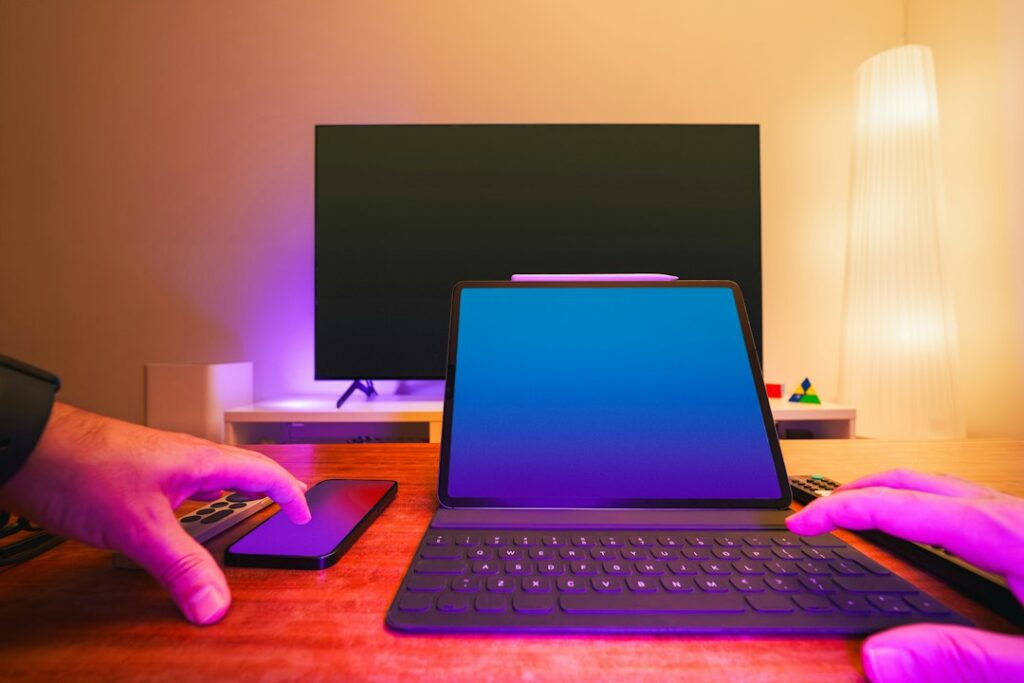
Many people struggle to pick the right gadget because specifications vary wildly across brands. You need a device that handles 4K resolution smoothly, connects easily to your television via HDMI, and supports official application stores without needing risky modifications or unknown APK downloads.
Official Device Comparison
| Device | Operating System | 4K/HDR Support | Ethernet Option |
|---|---|---|---|
| Amazon Fire TV Cube | Fire OS | Yes (Dolby Vision) | Built-in port |
| Apple TV 4K | tvOS | Yes (HDR10+) | Gigabit port (top model) |
| Google TV Streamer | Android TV | Yes (Dolby Vision) | Built-in port |
| Roku Streaming Stick 4K | Roku OS | Yes (HDR10+) | Wi-Fi only |
| Samsung Smart TV | Tizen | Yes (Model dependent) | Built-in port |
Every listed brand provides reliable access to major British television networks through their respective app stores. Let’s look closer at how these platforms handle daily streaming demands, storage limits, and voice controls.
Hardware Breakdown and Operating Systems
The software running your chosen hardware dictates how easily you can install official television applications. Apple TV relies on tvOS, offering a clean, ad-free interface with robust privacy controls. Amazon Fire TV devices use Fire OS, an Android derivative heavily integrated with Prime Video recommendations. Google TV powers modern Chromecast replacements and Sony televisions, featuring a very flexible app store.
Storage capacity matters when you download multiple catch-up apps. Budget sticks often feature 8GB of internal storage, which fills up fast if you cache large video files. Premium boxes like the Apple TV 4K or Fire TV Cube usually offer 32GB to 64GB of space, leaving plenty of room for utilities and games. Wi-Fi performance also varies. If your router sits far from the living room, look for hardware that includes an Ethernet port or supports Wi-Fi 6 for stable high-definition streams.
Remote controls range from simple clickers with five buttons to backlit handsets with built-in microphones for Alexa or Google Assistant. If you frequently watch live sports, a responsive remote with dedicated channel guides or quick-launch buttons makes navigation much faster.
Step-by-Step Setup Guide
Getting your new streaming hardware up and running takes just a few minutes if you follow a clear sequence.
- Unbox your streaming device and plug the included HDMI cable directly into an available port on your television.
- Connect the power adapter to a wall socket and plug the power cable into the back of your streaming box or stick.
- Switch your television input to the correct HDMI channel using your TV remote.
- Follow the on-screen prompts to connect to your home Wi-Fi network or plug in an Ethernet cable for a wired connection.
- Sign in with your user account (such as an Apple ID or Amazon account) to access the official app store.
- Download the licensed streaming applications you need, such as BBC iPlayer, Channel 4, or ITVX, and log in with your valid subscription details.
Once configured, check your display settings to ensure the output matches your television’s maximum resolution. You can learn more about finding the right hardware features by reading our guide on legal IPTV devices UK official hardware buying guide for additional purchasing tips.
Pros and Cons of Popular Streaming Platforms
Every hardware ecosystem comes with distinct advantages and drawbacks. Apple TV delivers top-tier processing speeds and excellent privacy protection, but it carries a higher upfront cost than standard USB sticks. Amazon Fire devices offer frequent discounts and deep Alexa integration, though the user interface displays prominent sponsored advertisements.
Google TV provides incredible flexibility and a massive library of official apps, but cheaper budget dongles can sometimes feel sluggish when switching between heavy applications. Samsung and LG smart television platforms save you from buying an external box, but built-in operating systems rarely receive software updates for as many years as dedicated streaming hardware.
Compatibility and Legal Realities
Legitimate broadcasting technology relies on proper content distribution rights. When you use legal IPTV devices, you are simply viewing television streams delivered over your internet connection by authorised providers who hold valid broadcasting licences. Ofcom regulates UK television services, and using official apps ensures you stay within UK copyright laws.
Never assume that every application works identically across all hardware. App availability changes frequently as broadcasters update their software agreements. Always check the provider’s official website and your device’s app store before purchasing a new subscription.
Frequently Asked Questions
Do I need a TV licence to watch live IPTV in the UK?
Yes. If you watch live television broadcasts on any online service, including BBC iPlayer or live streams via official apps, UK law requires you to hold a valid TV licence.
Can I use any IPTV app on an Amazon Fire Stick?
You can only download applications that are officially approved and hosted on the Amazon Appstore. Avoid sideloading unknown files or modified software.
Does 4K streaming require a fast internet connection?
Yes. Streaming ultra-high-definition video typically requires a reliable broadband speed of at least 25 Mbps to prevent stuttering or resolution drops.
Are smart TV built-in apps better than a streaming box?
Dedicated boxes usually feature faster processors and receive software updates for longer periods than most integrated smart television operating systems.
How do parental controls work on these devices?
Most platforms allow you to set PIN codes and restrict app downloads based on age ratings through the main system settings menu.
Can I connect an Ethernet cable to a Roku stick?
Standard Roku sticks rely entirely on Wi-Fi, though some advanced Roku set-top boxes include physical Ethernet ports for wired networking.
Why is my streaming device running out of storage?
Cached video data, unused applications, and system updates gradually fill internal storage. Uninstalling apps you no longer use frees up space quickly.
For more information, iptv.
Related reading
- Comparing Official UK Sports Streaming Apps and Licensed IPTV Providers
- IPTV Buffering Fixes UK: Step-by-Step Troubleshooting for Smart TVs and Firestick
Update: Why Does My Smart TV IPTV App Keep Crashing? (And How to Fix It)
Update: What UK Football Fans Need to Know About Legal Sports IPTV UK Packages
- Direct Answer
- Understanding IPTV Technology in the UK
- Evaluating Operating Systems and App Availability
- Hardware Performance: 4K, Storage, and Ethernet
- UK Streaming Device Comparison
- Pros and Cons of Popular UK Options
- Setup Guidance and Compatibility Notes
- Legal Advice and Official Broadcasting Rights
- Frequently Asked Questions
- Can I use my smartphone as an IPTV remote?
- Do I need a 4K television to use these streaming devices?
- Why does my streaming stick run out of storage?
- Are wired Ethernet connections better than Wi-Fi?
- Can I watch UK catch-up TV on imported streaming boxes?
- Do streaming devices require a TV licence in the UK?
- How often should I update my streaming hardware?
Direct Answer
Choosing legal IPTV hardware in the UK depends on your television setup, preferred operating system, and the official app store availability of your licensed streaming provider. Devices like the Amazon Fire TV Stick, Apple TV 4K, and Google TV streamers offer robust performance for running authorised television apps over broadband connections.

Television has shifted away from aerials and dishes toward internet delivery. Millions of households across the UK now stream their favourite channels via broadband. This technology is known as IPTV, which stands for Internet Protocol Television. It simply means your television signal arrives through your internet router instead of a traditional broadcast cable.
Yet, buying the right equipment can feel confusing. Do you need a dedicated box or just a small stick plugged into the back of your screen? Will your current television remote work with it? Finding the right gear requires looking past the marketing jargon and examining the technical specs that actually matter for daily viewing.
Understanding IPTV Technology in the UK
Internet television isn’t entirely new. Catch-up players like BBC iPlayer and ITVX use internet streaming daily. Commercial subscription services also rely on this method to deliver live sports, news, and entertainment straight to your living room.
Your internet service provider supplies the bandwidth. A standard fibre connection easily handles high-definition streams. If you want ultra-high-definition broadcasts, your broadband speed becomes even more crucial. Wired Ethernet connections often provide a steadier stream than Wi-Fi. If your router sits far from your television, fixing IPTV buffering issues usually starts with checking your local network layout rather than replacing your hardware.
Hardware acts as the translator. It decodes the data packets coming through your router and turns them into smooth video and audio. Cheap hardware often stutters under heavy processing loads. Investing in a capable processor keeps your menus snappy and your live feeds stable.
Evaluating Operating Systems and App Availability
Software dictates your entire user experience. Android TV and Google TV dominate the market because they offer immense flexibility. You can install thousands of official applications directly from the Google Play Store.
Amazon uses a modified version of Android called Fire OS. While most major broadcasting apps appear on the Amazon Appstore, some regional or niche services might take longer to arrive. Apple TV runs tvOS. It delivers a clean, ad-free interface and integrates tightly with Apple services, though hardware costs sit significantly higher than typical streaming sticks.
Smart television manufacturers build their own operating systems. Samsung uses Tizen, while LG relies on webOS. These platforms work brilliantly for mainstream apps like Netflix and Disney+. However, their app stores are closed ecosystems. If a specific provider doesn’t write an app for Tizen or webOS, you cannot install it without plugging in an external media player.
Hardware Performance: 4K, Storage, and Ethernet
Resolution matters. Most modern streams support 1080p Full HD, but major sports broadcasters increasingly push 4K HDR feeds. Ensure your chosen device supports HDR10, HDR10+, and Dolby Vision if your television does.
Storage space frequently gets overlooked. Cheap streaming sticks often ship with 8GB of internal storage. Operating system updates and cached app data quickly fill that space. Look for devices offering 16GB or more if you plan to install numerous applications.
Ethernet ports are rare on entry-level sticks. You usually need to buy a separate adapter if you prefer a wired cable connection over Wi-Fi. Premium boxes like the Apple TV 4K or Fire TV Cube include built-in Ethernet ports right out of the box.
UK Streaming Device Comparison
| Device | Operating System | 4K Support | Ethernet | Approx. UK Price (2026) |
|---|---|---|---|---|
| Amazon Fire TV Stick 4K | Fire OS | Yes | Via Adapter | £60 |
| Google TV Streamer | Google TV | Yes | Built-in | £100 |
| Apple TV 4K | tvOS | Yes | Built-in (Top Model) | £149 |
| Roku Streaming Stick 4K | Roku OS | Yes | No | £50 |
| Nvidia Shield TV Pro | Android TV | Yes | Built-in | £199 |
Pros and Cons of Popular UK Options
Amazon devices represent fantastic value for money. They frequently go on sale during major shopping events. The remote controls include handy voice search buttons. On the downside, the user interface features prominent promotional banners for Amazon Prime content.
Apple hardware delivers unmatched processing speed and privacy features. There are no intrusive advertisements on the home screen. Still, the remote design attracts criticism for being slippery, and the initial purchase price is tough to swallow for casual viewers.
Google TV bridges the gap nicely. The interface aggregates content recommendations from multiple subscriptions into one tidy screen. Hardware performance on newer Google devices matches high-end competitors without demanding premium prices.
Setup Guidance and Compatibility Notes
Plug your chosen media player into an available HDMI port on your television. Connect the power cable to a wall socket rather than a television USB port. Wall power provides a stable electrical current, preventing random crashes.
Connect to your home Wi-Fi network or plug in your Ethernet cable. Sign in with your account credentials. Navigate to the device app store and search for your provider’s official application.
Never assume a device runs every app under the sun. Always verify compatibility on the official service provider website before buying new hardware. App availability changes as companies update their software agreements.
Legal Advice and Official Broadcasting Rights
Internet television technology itself is completely legal. Broadcasters use it to deliver content globally. Legality depends entirely on the source of the broadcast.
Always use officially licensed applications distributed through official app stores. Avoid third-party APK files found on random forums. Unauthorised streams violate copyright laws and expose your network to security risks. Stick to legitimate subscriptions backed by proper broadcast rights in the UK.
Frequently Asked Questions
Can I use my smartphone as an IPTV remote?
Yes. Most major streaming platforms offer companion apps for iOS and Android. These apps let you type passwords easily and control playback without traditional clickers.
Do I need a 4K television to use these streaming devices?
No. 4K devices automatically downscale video streams to match 1080p or 720p screens. You can upgrade your hardware now and buy a new television later.
Why does my streaming stick run out of storage?
Operating systems and automatic cache updates consume internal space quickly. Clearing app data in the device settings recovers valuable gigabytes.
Are wired Ethernet connections better than Wi-Fi?
Ethernet cables eliminate wireless interference and signal dropouts. They provide a reliable data flow, which helps prevent video stutter during live broadcasts.
Can I watch UK catch-up TV on imported streaming boxes?
Some imported devices lack region-specific licensing for UK catch-up players. Buy hardware intended for the British market to ensure full app availability.
Do streaming devices require a TV licence in the UK?
Watching live television broadcasts or BBC iPlayer on any device requires a valid UK TV licence. On-demand services like Netflix operate under different rules.
How often should I update my streaming hardware?
Manufacturers typically support devices with security updates for four to five years. Once software updates stop, performance may degrade.
For more information, iptv.
Related reading
- How to Choose Legal Sports IPTV UK Packages for Saturday Kickoffs
- How to Fix IPTV Sound Delays on Firestick and Smart TVs
Update: Smart TV IPTV Playlist Loading Issues and How: A Practical UK Fix Guide
Update: How to Check Legal Sports IPTV UK Packages Before Buying
Finding the Right Hardware for Legal Streaming
Choosing the best IPTV devices UK households can buy isn’t about finding a magic box that streams everything for free. It’s about picking reliable hardware that runs official apps smoothly, handles high-definition feeds without stuttering, and fits your living room setup. IPTV is simply a technology delivering television over the internet instead of traditional aerials or cables. Whether it’s legal depends entirely on whether your service provider owns the proper distribution rights.

Hardware performance matters immensely when you’re watching live sports or high-bitrate broadcasts. A sluggish processor will ruin your Friday night football match. Let’s look at how the top streaming boxes and sticks stack up across the UK market.
Amazon Fire TV Stick and Fire TV Cube
Amazon’s lineup dominates UK living rooms because of aggressive pricing and wide availability. The standard Fire TV Stick 4K handles everyday streaming with ease, while the Fire TV Cube offers a faster processor and hands-free Alexa controls. Both run Fire OS, a heavily modified version of Android.
- Operating System: Fire OS (Android-based).
- App Availability: Excellent access to BBC iPlayer, ITVX, Channel 4, and major official subscription apps.
- 4K and HDR Support: Full support for Dolby Vision, HDR10+, and Dolby Atmos on 4K models.
- Connectivity: Wi-Fi 6 on newer variants, with Ethernet requiring a separate adapter for the sticks.
App availability is generally strong here. You won’t find every niche player on the official Amazon Appstore, so check your provider’s requirements first. Remote controls include handy voice buttons, though cheaper models feature basic button layouts. Storage sits around 8GB to 16GB, which fills up fast if you hoard apps.
Android TV and Google TV Boxes
Google TV offers a cleaner, less cluttered interface than Amazon’s ecosystem. Devices like the Chromecast with Google TV and various branded set-top boxes put your content front and centre. They pull recommendations from multiple licensed platforms without pushing commercial clutter into your face.
- Operating System: Google TV or Android TV.
- App Availability: Vast selection via the Google Play Store, including standard UK catch-up services.
- Performance: Quick navigation and solid processing power on mid-to-high tier boxes.
- Setup: Simple pairing with Android phones and Google Home apps.
If you prefer an open ecosystem with side-loading capabilities for custom media players, Android TV ticks the boxes. Privacy controls are standard, allowing you to limit ad tracking in the settings menu.
Apple TV 4K
Apple TV 4K is the luxury option for UK streamers who are already deep into the Apple ecosystem. It packs the A15 Bionic chip inside, making it arguably the snappiest streaming box you can buy today. Menus glide past instantly, and apps open without a second of hesitation.
- Operating System: tvOS.
- App Availability: All major UK TV catch-up platforms and global streaming services are fully supported.
- Networking: High-end Wi-Fi alongside a dedicated Gigabit Ethernet port on the more expensive storage tier.
- Privacy: Apple’s strict privacy framework means fewer targeted adverts compared to free streaming sticks.
The Siri Remote is milled from aluminum and feels premium, though some users find the touch-enabled clickpad frustratingly sensitive. It’s expensive compared to a Fire Stick, but you won’t suffer from random app crashes or laggy menus.
Roku Players
Roku devices keep things simple. The interface hasn’t changed much in years, but that’s a positive for people who hate messy menus. You get a neutral platform that doesn’t favour one specific streaming giant over another.
- Operating System: Roku OS.
- App Availability: Excellent for mainstream UK apps, though third-party app stores are non-existent.
- Remote: Simple, tactile buttons with direct shortcut keys for popular services.
- Security: Locked-down system architecture prevents unauthorized modifications.
Roku works brilliantly if you just want to open BBC iPlayer, Netflix, and NOW without fuss. Power users might find the closed system too restrictive, but families often love the straightforward parental controls and reliable Wi-Fi connections.
Smart TV Built-in Operating Systems
Samsung uses Tizen and LG relies on webOS for their modern smart televisions. These platforms eliminate the need for a separate set-top box cluttering your HDMI ports. You get a single remote and a streamlined setup right out of the box.
App support varies wildly between brands and release years. A Samsung TV from a few years ago might lack newer official streaming applications. Check the manufacturer app store before assuming your TV can run a specific service natively. Wi-Fi and Ethernet options are built-in, though budget smart TVs often feature sluggish processors that lag when loading complex channel guides.
Choosing the Right Device for Your Home
Your ideal hardware choice depends on your budget and existing tech habits. If you want a cheap solution for a spare bedroom, a basic Fire Stick does the job. If you want instant menu responses and premium build quality, spend more on an Apple TV. Always verify that your chosen hardware supports the specific licensed apps you plan to use before handing over your money.
For more information, iptv.
Related reading
- Legal Sports IPTV UK: Evaluating Licensed Channel Packages
- How to Fix Firestick Audio Delay on UK IPTV Channels
Update: Resolving IPTV Login Errors on UK Smart TVs and Firestick
Update: Evaluating Legal Sports IPTV UK Packages for Live Football
- Roku vs Firestick Operating Systems and App Stores
- Hardware Performance and Remote Controls
- Evaluating Roku vs Firestick IPTV Setup and Playback
- UK Device Comparison Table
- Pros and Cons
- Amazon Fire TV Stick
- Roku Streaming Stick
- Compatibility Notes
- Legal Advice and Broadcasting Rights
- Frequently Asked Questions
- Can I install custom media players on Roku?
- Does Firestick require a monthly fee?
- Which device has better Wi-Fi performance?
- Are UK catch-up apps available on both platforms?
- Can I use a VPN on these devices in the UK?
- Do I need a 4K TV to use these sticks?
- What internet speed do I need for smooth streaming?
Choosing between Roku vs Firestick changes how you watch live television on your living room screen. Internet protocol television, or IPTV, delivers television broadcasts directly through your broadband connection rather than traditional aerials or satellite dishes. If you are new to this technology, you can read more about the basics in What Is IPTV UK? A Complete Beginner’s Guide. But hardware matters just as much as the subscription itself. Amazon and Roku dominate the UK streaming market, yet they approach software and third-party media players differently. Let us look at what separates these popular devices.

Many British households struggle to pick the right gadget. You want smooth playback, a responsive remote, and access to your preferred service provider’s official applications. Let us break down how both ecosystems handle live broadcasting.
Roku vs Firestick Operating Systems and App Stores
Amazon builds its Fire TV devices on a customized version of Android, known as Fire OS. This choice gives users immense flexibility. You can sideload applications via developer options if your provider offers a direct APK file. The Amazon Appstore also hosts a wide range of official media players, electronic programme guide tools, and catch-up services commonly used in the UK, such as BBC iPlayer and ITVX.
Roku operates on its own proprietary Roku OS. It is stable, secure, and notoriously closed. You cannot sideload unauthorized apps or access hidden directories. Roku relies entirely on its official Channel Store. If an IPTV provider lacks an officially approved app inside the Roku store, you cannot install it directly. You must use screen mirroring from a phone or tablet instead, which often introduces lag and stuttering during live sports.
Hardware Performance and Remote Controls
Fire TV devices range from the budget-friendly Fire TV Stick Lite to the powerful Fire TV Cube. Most models handle 4K streaming, HDR10+, and Dolby Atmos audio smoothly. Navigation feels snappy on newer hardware, though budget sticks occasionally stutter when loading heavy media guides. Alexa integration comes built into the standard voice remote, letting you launch apps or search for programmes using spoken commands.
Roku devices follow a similar tiered structure, starting with the Roku Express and moving up to the Roku Streaming Stick 4K. Roku remotes are famously simple. They feature dedicated shortcut buttons for popular subscription services like Netflix and Disney+. However, basic Roku remotes lack hands-free voice control or advanced audio settings found on Amazon’s higher-end hardware. Ethernet adapters require separate purchases for both brands unless you buy the Fire TV Cube.
Evaluating Roku vs Firestick IPTV Setup and Playback
Getting started on a Fire TV Stick usually takes minutes. You log in with your Amazon account, search for your provider’s approved application, enter your credentials, and start watching. Because Fire OS supports a broader variety of media player architectures, buffering issues often come down to your broadband speed rather than platform limitations. Wi-Fi stability on Amazon sticks is generally solid, provided you use a 5GHz router band.
Roku setup is equally straightforward for mainstream apps, but deploying television streams presents hurdles. Because direct playlist loading is restricted on Roku OS, you will spend time configuring alternative casting methods or navigating limited third-party portal apps. If your provider does not have an official Roku channel, your viewing experience becomes frustrating very quickly.
UK Device Comparison Table
| Feature | Amazon Fire TV Stick 4K | Roku Streaming Stick 4K |
|---|---|---|
| Operating System | Fire OS (Android-based) | Roku OS (Proprietary) |
| App Sideloading | Supported (via developer mode) | Not supported |
| 4K & HDR Support | Yes (Dolby Vision, HDR10+) | Yes (Dolby Vision, HDR10+) |
| Voice Assistant | Alexa | Roku Voice / Siri / Google |
| Ethernet Option | Via official adapter | Via official adapter |
Pros and Cons
Amazon Fire TV Stick
- Pros: Excellent app availability, supports sideloading, snappy performance on 4K models, integrated Alexa voice search.
- Cons: User interface features heavy sponsored content, occasional software updates alter the home screen layout.
Roku Streaming Stick
- Pros: Clean and neutral user interface, simple remote control, reliable system stability with minimal crashes.
- Cons: Highly restrictive app store, lacks sideloading capabilities, poor native support for custom media portals.
Compatibility Notes
Never assume that every streaming gadget runs every broadcast app. Software availability changes as developers update their platforms. Always check your service provider’s official guidance and the device app store before purchasing hardware. Smart TVs from Samsung and LG run their own operating systems, which also have different limitations compared to dedicated streaming sticks.
Legal Advice and Broadcasting Rights
Internet television technology itself is completely legal. Broadcasters like the BBC and Sky use IPTV protocols every day to stream content to millions of homes. However, the legality of any specific service depends entirely on the provider holding valid distribution rights for the content they broadcast. Ofcom regulates UK communications, and accessing unauthorized streams violates copyright law. Always use officially licensed applications and verified commercial services.
Frequently Asked Questions
Can I install custom media players on Roku?
No. Roku OS is a closed system that does not allow users to install applications outside of the official Roku Channel Store.
Does Firestick require a monthly fee?
Amazon charges nothing to use the Firestick interface, though you need an active Amazon account and subscriptions to individual streaming apps.
Which device has better Wi-Fi performance?
Both devices feature capable wireless chips supporting dual-band Wi-Fi, but real-world performance depends heavily on your home broadband router proximity.
Are UK catch-up apps available on both platforms?
Yes. Mainstream British catch-up services like BBC iPlayer, ITVX, Channel 4, and My5 are fully supported on both Fire OS and Roku OS.
Can I use a VPN on these devices in the UK?
Fire TV sticks support native VPN applications downloaded directly from the Amazon Appstore. Roku devices do not support direct VPN installations, requiring router-level configuration instead.
Do I need a 4K TV to use these sticks?
No. Both 4K and standard HD streaming sticks work perfectly on older high-definition televisions by automatically downscaling the video output.
What internet speed do I need for smooth streaming?
Standard high-definition streams require around 5 to 10 Mbps, while 4K transmissions typically demand a stable connection of 25 Mbps or higher.
For more information, iptv.
Related reading
Update: How to update a legal IPTV app safely
Update: How to Reduce Delay When Watching Live Football Online