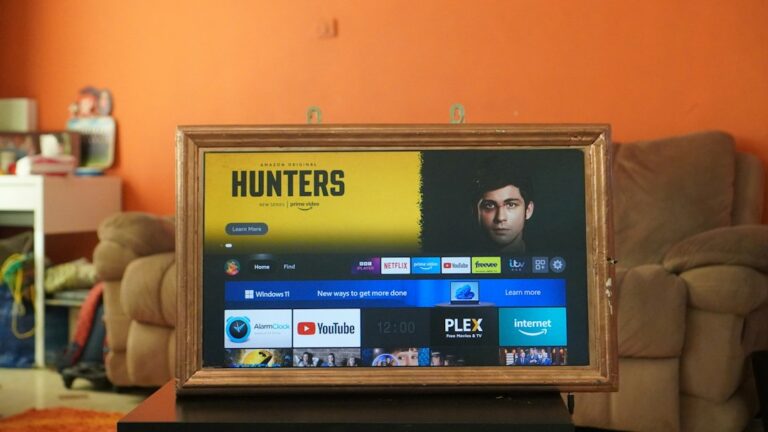
- Myth vs Fact: Clearing Up Confusion Around IPTV UK
- Myth 1: IPTV Is Always Illegal
- Myth 2: You Need a Brand New Smart TV to Stream
- Myth 3: Buffering Is Always Caused by Your Provider
- Myth 4: A Free Trial Guarantees a Stable Service
- Myth 5: More Channels Always Mean Better Quality
- The Reality of Setting Up UK IPTV Services
Myth vs Fact: Clearing Up Confusion Around IPTV UK
Choosing an IPTV UK service can feel confusing when so much conflicting information floats around online forums and social media. Let us separate the myths from reality so you understand how television over internet protocol actually works across British households.

Myth 1: IPTV Is Always Illegal
Many people assume that any internet protocol television feed falls outside the law. That is completely false. Major mainstream broadcasters like the BBC and ITV use internet streaming technology every day to deliver live content to millions of viewers through official applications like BBC iPlayer and ITVX. The technology itself is simply a method of data delivery, much like traditional cable or satellite. Legal considerations only arise depending on who holds the distribution rights for specific content. You can learn more about how official networks handle broadcasting rights by checking official guidelines from organisations such as Ofcom, which regulates UK communications.
To expand on this further, the legal distinction usually boils down to authorisation and licensing. When a broadcaster secures the copyright and distribution permissions to transmit a programme over the internet, it is completely legal. Conversely, unauthorized third-party services that redistribute copyrighted material—such as pay-per-view sports events or premium movie channels—without proper licensing agreements operate outside the law. UK authorities, alongside groups like FACT (Federation Against Copyright Theft), actively monitor and take action against illicit streaming networks. Therefore, distinguishing between official over-the-top (OTT) media services and unauthorized re-streamers is crucial for any consumer navigating the digital television landscape.
Myth 2: You Need a Brand New Smart TV to Stream
Some buyers think older television sets cannot handle digital streams. In practice, affordable media players plug directly into HDMI ports to bring modern streaming capabilities to almost any display. If you plan to use compact hardware, our guide on what to check before buying an IPTV device covers essential hardware features to keep in mind.
Many households across the UK still rely on older flat-screen televisions that lack modern operating systems like Tizen (Samsung) or webOS (LG). Rather than investing hundreds of pounds in a brand-new television, devices such as Amazon Fire TV Sticks, Google Chromecast with Google TV, Roku boxes, or Apple TV can transform an older “dumb” TV into a fully functional smart entertainment hub. These compact dongles and set-top boxes handle modern video codecs like H.264 and HEVC (H.265) effortlessly, ensuring that hardware limitations do not stand in the way of high-definition viewing. As long as your television features an available HDMI port and a standard resolution capability, you can easily integrate digital streaming into your living room setup.
Myth 3: Buffering Is Always Caused by Your Provider
When a stream stutters, viewers usually blame their subscription provider immediately. Local network congestion, Wi-Fi interference, or background downloads on other household devices often cause freezing issues instead. Checking your broadband speed or moving closer to your wireless router frequently resolves performance hiccups without needing any changes to your subscription package.
In a typical British household, multiple devices—smartphones, tablets, gaming consoles, laptops, and smart home appliances—compete for bandwidth simultaneously. If someone in the house is downloading a large video game update or streaming 4K content in another room, your live television stream can suffer from packet loss and increased latency. Furthermore, physical obstructions like thick walls, household appliances, and interference from neighboring Wi-Fi networks on the 2.4GHz band can severely degrade wireless signal quality. Upgrading to a 5GHz Wi-Fi connection, utilizing a wired Ethernet cable directly from your router to your streaming device, or performing a simple router reboot can dramatically improve stream stability and eliminate frustrating stuttering.
Myth 4: A Free Trial Guarantees a Stable Service
Short trial periods help you test video quality and user interfaces before committing to longer plans. However, trial streams can sometimes run on different servers or face heavier traffic loads than paid tiers. Testing a service during peak evening hours gives a much more accurate picture of daily performance than checking it on a quiet Tuesday afternoon.
Many providers allocate separate, high-capacity demonstration servers for free trials, meaning the seamless experience you encounter during a quick test might not reflect the actual production servers used by paying customers. Additionally, server loads fluctuate drastically throughout the day. A service that performs flawlessly at 10:00 AM on a Tuesday may struggle significantly during a high-profile Premier League football match or a major Saturday night entertainment broadcast when thousands of users log on concurrently. Evaluating a service under peak-load conditions is the only reliable way to measure its true capacity and network resilience.
Myth 5: More Channels Always Mean Better Quality
A common marketing tactic in the digital television market is advertising thousands of live channels and video-on-demand titles. However, sheer quantity rarely equates to quality. Having access to ten thousand poorly maintained, low-bitrate feeds provides a far worse user experience than having a curated selection of reliable, high-definition channels.
When evaluating a setup, pay closer attention to frame rates (such as stable 50fps or 60fps for sports) and overall bitrate rather than raw channel counts. High-bitrate streams require robust server infrastructure and dedicated bandwidth. Services that overcrowd their servers often experience frequent dropouts, audio-video desynchronisation, and compressed, pixelated imagery during fast-moving scenes. Prioritising stability and visual clarity over an overwhelming number of redundant international channels ensures a much more enjoyable daily viewing experience.
The Reality of Setting Up UK IPTV Services
Getting started requires a reliable broadband connection and compatible hardware. Most modern internet service providers in the UK easily handle high-definition video streams without breaking a sweat. If you run into any initial playlist loading hurdles on your television app, helpful troubleshooting steps are outlined in our Smart TV IPTV playlist loading fixes.
Beyond basic hardware and connectivity, setting up a smooth viewing experience involves configuring your software correctly. Modern media players and applications rely on Electronic Program Guides (EPG) to display up-to-date schedules, channel logos, and programme descriptions. Ensuring your EPG updates automatically and managing your playlist cache properly will prevent common loading errors and keep your interface responsive. Furthermore, understanding how different media players handle URL formats, M3U playlists, and Xtream Codes API logins can save you considerable time during initial configuration.
Ultimately, understanding the underlying technology helps you make informed choices without falling for common online misconceptions. Keep your setup simple, check your equipment specifications, and always rely on official broadcasters for legitimate viewing options.
For more information, iptv.
Learn more on Wikipedia: ITV (TV network).
Related reading
- Legal IPTV Devices UK: Official Hardware Buying Guide
- Which Official Broadcasters Hold UK Sports Streaming Rights?
Update: Choosing Legal IPTV for UK Football Fans: What to Look For
Update: UK IPTV Hardware Guide: Choosing the Right Device for Legal Streaming