- The Short Answer on UK Bandwidth Requirements
- Before You Start Checklist
- How Different Stream Qualities Affect Your Connection
- Step-by-Step Troubleshooting for Slow Streams
- Common Mistakes to Avoid
- When to Contact Your Internet Provider
- Safety and Legal Notes
- Frequently Asked Questions
- Does upload speed matter for IPTV?
- Why does my speed drop at 8 PM?
- Is Wi-Fi enough for 4K streaming?
You hit play on a live football match, but the screen freezes right as the ball heads toward the goal. Frustrating moments like this usually trace back to your connection. Finding the right internet speed for IPTV stops the endless buffering wheels on your Firestick or Smart TV. Standard definition needs very little bandwidth. High definition and 4K broadcasts demand a lot more data every second.
The Short Answer on UK Bandwidth Requirements
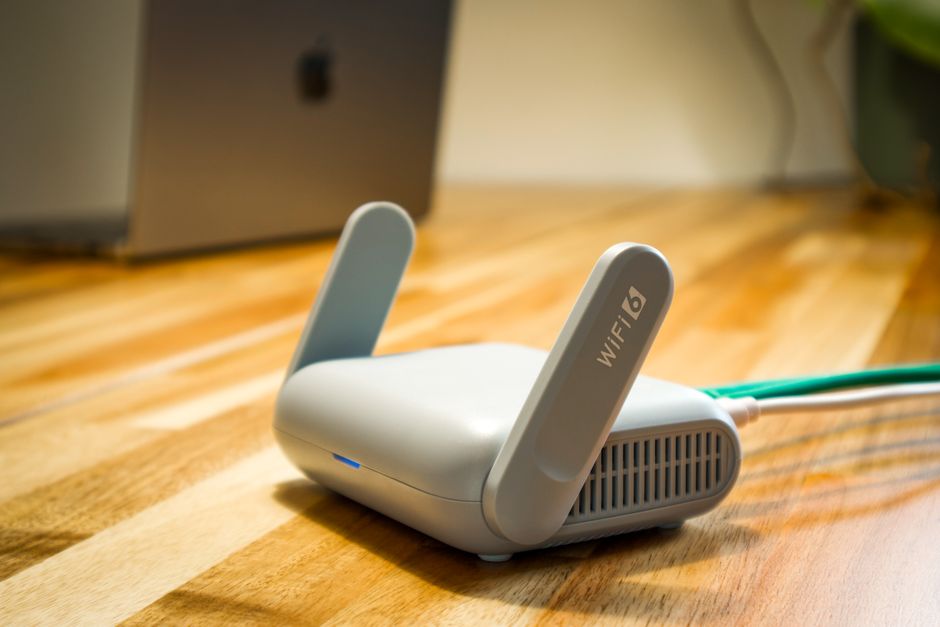
Most UK households need a steady download rate of at least 15 Mbps to stream standard HD channels reliably. If you watch Ultra HD or 4K content, aim for 30 Mbps or higher. Real-world performance depends heavily on Wi-Fi interference and how many devices share your broadband.
Before You Start Checklist
- Run a speed test using a device connected to the same network.
- Check your current broadband package details with your provider.
- Turn off large downloads or console updates running in the background.
- Restart both your router and your streaming player.
How Different Stream Qualities Affect Your Connection
SD streams require roughly 5 to 8 Mbps. That works fine on basic ADSL lines. Most UK streets now have fibre access, which easily clears that hurdle.
HD feeds need 10 to 15 Mbps. If multiple people stream video at once, your total household bandwidth drops fast. A 30 Mbps FTTC connection handles single HD feeds well, but peak evening hours can cause slowdowns.
4K broadcasts push past 25 Mbps. Fibre to the Premises (FTTP) handles these heavy data loads without breaking a sweat.
Step-by-Step Troubleshooting for Slow Streams
- Run a speed test on your TV or Firestick using a diagnostic app.
- Unplug your broadband router for thirty seconds, then plug it back in.
- Move your streaming device closer to the Wi-Fi router to cut down interference.
- Switch to an Ethernet cable if wireless signals keep dropping.
- Clear cached data inside your IPTV application storage.
Common Mistakes to Avoid
Many users rely on old copper wire broadband packages while trying to stream multiple HD channels simultaneously. Another common error involves placing wireless routers behind thick media units or near kitchen appliances, which weakens the signal instantly. Don’t assume your advertised broadband speed matches what actually reaches your living room socket.
When to Contact Your Internet Provider
If speed tests show numbers far below what you pay for, call your broadband supplier. Faulty external lines, degraded master sockets, or exchange congestion often require an engineer visit. Your IPTV provider cannot fix bad local line speeds.
Safety and Legal Notes
Always use official, licensed streaming applications and authorised broadband packages. This guide covers technical performance diagnostics for legitimate network setups only.
Frequently Asked Questions
Does upload speed matter for IPTV?
Not really. IPTV relies almost entirely on download bandwidth.
Why does my speed drop at 8 PM?
Neighbourhood network congestion causes slowdowns during peak evening hours.
Is Wi-Fi enough for 4K streaming?
Sometimes, but a wired Ethernet connection provides better stability.
For more information, iptv.
Related reading
Update: Best IPTV subscription for Smart TV users
Update: How to fix IPTV audio but no picture problems
- Can multiple family members watch different shows at the same time on one UK IPTV subscription?
- What channels do households actually get with an IPTV service UK package?
- Do we need a TV Licence if we use an IPTV provider UK service?
- How hard is it to set up IPTV for Firestick UK or living room TVs?
- What internet speed do UK families need for smooth streaming?
- How do parents manage age restrictions on family packages?
Best IPTV Subscription for UK Families
Finding a reliable TV package that keeps everyone happy under one roof is tricky. Children want cartoons, teenagers want live sports, and adults just want a quiet evening with a decent drama. That is why many households across the country are exploring What Is IPTV UK? A Complete Beginner’s Guide to see how internet-delivered television compares to traditional Sky or Virgin Media bundles. Selecting the right service involves looking at connection limits, device compatibility, and content variety.

Can multiple family members watch different shows at the same time on one UK IPTV subscription?
Yes, but it depends entirely on your connection limits. A standard single-connection plan only lets one device stream live TV at any given moment. Try launching a match on the living room television while someone else fires up a cartoon upstairs, and one stream will usually drop out.
Households with children need multi-connection packages. Most mainstream providers offer two or three simultaneous streams for a small extra fee. Before buying, check your router capabilities. Streaming multiple high-definition channels simultaneously chews through broadband bandwidth fast. If your Wi-Fi struggles with two streams, consider hardwiring your living room setup with Ethernet cables.
What channels do households actually get with an IPTV service UK package?
Channel lineups vary wildly between different services. A typical family package bundles local terrestrial networks like the BBC, ITV, Channel 4, and Channel 5 alongside dedicated children’s channels, documentary hubs, and international sports networks. You also get access to massive catch-up libraries.
Be careful with inflated channel counts. Providers advertising twenty thousand channels often pad their lists with thousands of duplicate foreign feeds or dead links. Quality matters more than quantity. Check whether the provider offers reliable access to standard British high-definition channels without constant freezing during peak evening hours. According to broadcast oversight discussions by Ofcom, streaming quality heavily depends on your local internet infrastructure and how the provider manages server loads.
Do we need a TV Licence if we use an IPTV provider UK service?
Yes. The law does not care whether your television signal arrives via a traditional rooftop aerial, a satellite dish, or a broadband router. If you watch or record live television transmissions as they are broadcast, or if you use BBC iPlayer on any device, UK law requires a valid TV Licence.
The rules enforced by TV Licensing apply equally to smart TVs, Firesticks, and tablets. Skipping a licence because you stream over the internet is a common misunderstanding. Make sure your household stays compliant to avoid unexpected fines.
How hard is it to set up IPTV for Firestick UK or living room TVs?
Setup is straightforward for most modern hardware. You rarely need an engineer visit. You download a media player app from your device app store, enter your custom login details, and wait for the playlist to load.
Amazon Firestick devices are popular because they are cheap and portable. You just plug them into an HDMI port. Smart TVs running Android TV or Tizen OS handle apps directly without extra dongles. If you want a deeper look at hardware choices, read our guide on Choosing the Right Smart TV IPTV Players for Your Living Room Setup to find an interface your whole family can navigate easily.
What internet speed do UK families need for smooth streaming?
Buffering ruins movie night. A stable broadband connection is non-negotiable. For a single high-definition stream, a reliable speed of 15 to 25 megabits per second is plenty. Multiply that if three people stream in different rooms.
Full fibre connections handle heavy household usage best. Traditional copper-wire broadband struggles when the entire street logs on after six in the evening. Run a speed test from your living room before committing to any long-term digital television plan.
How do parents manage age restrictions on family packages?
Managing adult content is a major concern for parents. Traditional platforms have built-in PIN locks. IPTV apps vary wildly in their parental control features.
Some third-party media players let you hide specific channel categories or lock adult folders with a master PIN. Set these restrictions up immediately during your initial configuration. Never leave unfiltered adult content accessible where young children can stumble onto it while clicking through channel guides.
For more information, iptv.
Learn more on Wikipedia: ITV (TV network).
Related reading
Update: Best IPTV subscription for Smart TV users
- Direct Answer: What to Look For
- Comparing Hardware Options
- Evaluating an Android TV Box for Legal IPTV
- Operating System and App Availability
- Processing Power and Storage
- Connectivity: Wi-Fi Versus Ethernet
- Pros and Cons of Android TV Players
- Setup Guidance for UK Households
- Compatibility Notes
- Legal Advice and Licensing
- Frequently Asked Questions
- Can I use any Android box for official streaming apps?
- Do I need a TV licence for IPTV in the UK?
- Why do some boxes cost under thirty pounds?
- Does Android TV support catch-up services?
- Can I connect a Bluetooth remote or game controller?
- What internet speed do I need for 4K streaming?
Choosing an Android TV box for legal IPTV requires looking beyond flashy marketing and checking raw specifications. Internet Protocol Television simply means streaming TV channels over your broadband connection instead of a traditional aerial or dish. But hardware matters just as much as the service you choose. If you want smooth playback for official broadcasters and licensed subscription apps, your streaming hardware needs enough grunt under the hood to handle high-bitrate feeds without stuttering.

UK viewers have plenty of options, ranging from dedicated media players like the Nvidia Shield to streaming sticks powered by Google TV. Let us break down what makes a solid hardware choice and how to pick the right device for your living room.
Direct Answer: What to Look For
To run official streaming applications properly, you need a device running a certified operating system with access to the Google Play Store. Look for at least 2GB of RAM, a modern quad-core processor, dual-band Wi-Fi, and native support for 4K HDR playback. Avoid unbranded budget boxes found online that lack official software updates or safety certifications.
Comparing Hardware Options
Not all streaming hardware is built the same. Operating systems dictate which apps you can download safely and legally. Below is a quick comparison of popular choices available to UK consumers.
| Device | Operating System | 4K & HDR | Ethernet Port | Approx. UK Price (2024) |
|---|---|---|---|---|
| Google TV Streamer | Google TV (Android 14) | Yes (Dolby Vision) | Yes (Built-in) | £99 |
| Nvidia Shield TV Pro | Android TV 11 | Yes (AI Upscaling) | Yes (Gigabit) | £189 |
| Amazon Fire TV Cube | Fire OS (Android-based) | Yes (HDR10+) | Yes (Via adapter/built-in) | £139 |
If you want to understand how data moves through these networks on matchdays, take a look at our guide on Premier League matchday data usage to see how much broadband live streams consume.
Evaluating an Android TV Box for Legal IPTV
Finding a reliable Android TV box for legal IPTV means checking hardware features carefully. Performance varies wildly between a cheap imported gadget and a certified media player.
Operating System and App Availability
Certified boxes run Android TV or Google TV. This means you get the official Google Play Store. You won’t have to sideload sketchy APK files or worry about apps breaking after a security patch. Major UK services like BBC iPlayer, ITVX, Channel 4, and official subscription apps install with a single click.
Processing Power and Storage
Live streams demand stable decoding power. Cheap chips drop frames during fast motion sports. Aim for devices with at least 16GB of internal storage if you plan on caching live buffer data or installing multiple catch-up apps.
Connectivity: Wi-Fi Versus Ethernet
Wi-Fi works fine for casual browsing, but live television hates packet loss. Ethernet cables provide a rock-solid connection. If your router sits far from the TV, ensure the device supports Wi-Fi 6 for better speeds through walls.
Pros and Cons of Android TV Players
Every piece of tech has trade-offs. Here is the honest breakdown of using these boxes for everyday viewing.
- Pros: Huge app selection, customisable home screens, voice search via Google Assistant, and regular security updates on certified models.
- Cons: Premium models carry a higher upfront cost, some interfaces feature sponsored content recommendations, and cheap generic boxes often lack Netflix certification.
Setup Guidance for UK Households
Getting your new hardware running takes minutes. Plug the device into an HDMI port on your television. Connect the power cable. Follow the on-screen prompts to sign in with your Google account. Connect to your home Wi-Fi network or plug in your Ethernet cable. Once the main interface loads, open the app store, search for your provider’s official viewing application, and sign in with your subscription details.
Compatibility Notes
Never assume an app works just because the box runs Android. Some streaming providers build custom apps for specific platforms. Always check your provider’s official website before purchasing hardware. They will list compatible versions and minimum operating system requirements.
Legal Advice and Licensing
Technology itself is neutral. IPTV is simply a delivery method. However, the legal status depends entirely on who provides the content. Ofcom and UK trading standards crack down heavily on unauthorised services offering premium sports and movie channels without broadcasting rights. Stick to official providers, licensed broadcasters, and verified apps from the main app store to keep your household on the right side of the law.
Frequently Asked Questions
Can I use any Android box for official streaming apps?
No. Many cheap imported boxes lack the digital rights management certifications required by major broadcasters and streaming networks.
Do I need a TV licence for IPTV in the UK?
Yes. If you watch live television broadcasts or use BBC iPlayer on any device, current UK law requires a valid TV licence.
Why do some boxes cost under thirty pounds?
Cheap boxes often use outdated software, lack security updates, and cannot run official HD or 4K streams from major services.
Does Android TV support catch-up services?
Yes. All standard UK catch-up apps run natively on certified Google TV and Android TV operating systems.
Can I connect a Bluetooth remote or game controller?
Most certified media boxes include Bluetooth support for peripherals, headphones, and gaming controllers.
What internet speed do I need for 4K streaming?
You need a stable broadband connection of at least 25Mbps for reliable 4K video playback.
For more information, iptv.
Related reading
Update: What internet speed is suitable for IPTV in the UK?
Update: Best streaming device for IPTV beginners
- Finding Legal IPTV Alternatives to TNT Sports in the UK
- Official Broadcasters and App-Based Streaming Services
- Comparing Your Legal Sports Streaming Choices
- Pros and Cons of Switching Your Sports Package
- Advantages
- Drawbacks
- What to Check Before You Buy a Streaming Pass
- Legal and Licensing Note
- Frequently Asked Questions
- Can I get all Premier League matches with one streaming service?
- Do I need a TV licence for streaming live sport online?
- Why is my live sports stream lagging behind live radio?
- Can I share my sports streaming login with friends?
- Are there any free legal IPTV alternatives for UK football?
- What internet speed do I need for HD sports streaming?
- Can I pause and rewind live sports on these apps?
Finding Legal IPTV Alternatives to TNT Sports in the UK
TNT Sports costs a pretty penny each month, especially if you just want to catch the occasional European fixture or rugby match. Plenty of UK viewers search for official IPTV alternatives to save money without breaking broadcast laws. You have several legitimate streaming apps and subscription services available on smart TVs, streaming sticks, and mobile devices. Let’s look at what actually works.

Official Broadcasters and App-Based Streaming Services
Sky Sports remains the primary competitor for live football in the UK. You can access it through NOW without taking out a long-term contract. Daily, monthly, and seasonal memberships give you flexibility. Amazon Prime Video holds rights to select Premier League matches throughout the season. BBC Sport offers free-to-air coverage of certain events like the FA Cup and international rugby. Viaplay Sports covers international football, rugby, and motorsports.
Comparing Your Legal Sports Streaming Choices
Here is how the main official UK sports streaming services stack up against each other for price, contract length, and match coverage.
| Service | Typical Monthly Cost | Contract Type | Main Sports Content |
|---|---|---|---|
| NOW Sports | £26 – £35 (often on offer) | Flexible Day or Month | Premier League, EFL, F1, Cricket |
| Amazon Prime Video | £8.99 (or Prime annual) | Monthly / Annual | Select Premier League, Autumn Internationals |
| BBC Sport / iPlayer | Free (TV Licence required) | None | FA Cup highlights, Match of the Day, Olympics |
| Viaplay Sports | £14.99 | Monthly or Annual | La Liga, United Rugby Championship, NHL |
Pros and Cons of Switching Your Sports Package
Switching away from traditional satellite or cable packages changes how you watch live sport. Consider these practical advantages and drawbacks before you cancel anything.
Advantages
- Lower monthly outgoings when you cancel unused channels.
- No satellite dishes or engineer visits required.
- Flexible rolling contracts that you can pause or cancel easily.
- Multi-device support for watching on tablets, phones, and streaming sticks.
Drawbacks
- Fragmented rights mean you might need multiple subscriptions to watch everything.
- Live streaming delay compared to traditional terrestrial broadcast.
- Broadband speed requirements can cause buffering if your connection drops.
- No 4K availability on certain budget tiers.
What to Check Before You Buy a Streaming Pass
Don’t just jump into a new subscription blindly. Check these buying factors first.
Check your broadband speed. Live HD and 4K streams demand a stable connection. Look at device compatibility. Ensure the app runs smoothly on your Fire Stick, Apple TV, or smart television. Verify simultaneous stream limits if multiple people in your household watch different matches at the same time. Check for catch-up TV features so you can watch full match replays if you miss the live kickoff.
Legal and Licensing Note
All streaming options discussed here are fully licensed broadcasters operating within UK law. We do not support or reference unofficial streaming loops, modified M3U playlists, or unlicensed third-party resellers. Always use legitimate apps downloaded directly from official app stores.
Frequently Asked Questions
Can I get all Premier League matches with one streaming service?
No single provider holds rights to every match in the UK. Rights are split between Sky Sports, TNT Sports, and Amazon Prime Video.
Do I need a TV licence for streaming live sport online?
Yes. If you watch live television broadcasts on any online service including BBC iPlayer, NOW, or Amazon, UK law requires a valid TV licence.
Why is my live sports stream lagging behind live radio?
Digital streaming encoding adds a delay of 30 seconds to over a minute compared to traditional analogue or terrestrial signals.
Can I share my sports streaming login with friends?
Most official services limit simultaneous streams based on your subscription tier to prevent account sharing outside your household.
Are there any free legal IPTV alternatives for UK football?
Live matches rarely air for free, but BBC Sport provides extensive highlights, audio commentaries, and occasional live FA Cup games.
What internet speed do I need for HD sports streaming?
A stable download speed of at least 15 Mbps handles standard HD streaming comfortably, while 4K feeds generally require 30 Mbps or higher.
Can I pause and rewind live sports on these apps?
Most modern streaming apps like NOW and Amazon Prime Video let you pause and restart live matches, though catch-up availability varies.
For more information, iptv.
Related reading
Update: Best IPTV Subscription for UK Families
Update: What internet speed is suitable for IPTV in the UK?
- Step 1: Map Out Your Fixture Schedule
- Step 2: Evaluate Stream Stability and Framerates for IPTV UK
- Step 3: Check Hardware Compatibility
- Step 4: Understand the Legal and Regulatory Landscape
- Frequently Asked Questions
- Can I watch 3 PM Saturday kick-offs with an IPTV UK service?
- What internet speed do I need for smooth football streaming?
- Why does my live football stream buffer during big matches?
- Are free IPTV trials worth using?
Step 1: Map Out Your Fixture Schedule
Watching every single match in the UK requires jumping between multiple official broadcasters. Sky Sports, TNT Sports, and Amazon Prime split the Premier League calendar. Many fans turn to an IPTV UK subscription to simplify their weekend viewing. You need to know which matches you actually care about before buying anything. Do you only watch your local club, or do you want 3 PM kick-offs from lower divisions? Write down your must-watch leagues first. This stops you from paying for international sports packages you will never open.

Broadcasting rules change frequently. Understanding how Premier League broadcasting rights work in the UK helps explain why certain matches vanish from standard TV packages. Knowing these legal frameworks clarifies what legitimate services can offer. Match schedules get messy during winter months. A good service carries all domestic feeds plus international channels showing 3 PM games.
Step 2: Evaluate Stream Stability and Framerates for IPTV UK
Football moves fast. A sluggish video feed ruins a counter-attack. You need a provider that delivers consistent 50fps or 60fps streams. Lower framerates cause a nasty blurring effect when the camera pans across the pitch. Check if the provider offers a short trial period. Never buy a yearly package straight away. Service quality fluctuates during big derby matches when millions log on at once. Ask current users about buffering during peak Saturday afternoon slots.
Internet speeds matter massively here. Ofcom regularly highlights how vital robust broadband is for high-definition video streaming. Run a speed test before subscribing. A stable connection of at least 30Mbps handles high-definition live feeds comfortably. Wi-Fi drops cause instant freezing. Ethernet cables offer the best reliability for live sports.
Step 3: Check Hardware Compatibility
Your hardware dictates your viewing experience. Most UK football fans use an Amazon Fire Stick or a modern Android TV box. Check if your chosen provider supplies an app that runs smoothly on your specific device. Sideloading custom applications requires a bit of patience. Some providers offer custom portals through standard apps like IPTV Smarters or TiviMate. Make sure the Electronic Programme Guide loads quickly. A slow guide makes finding a match an absolute chore when the clock ticks down to kick-off.
Remote controls need to feel responsive. Scrolling through hundreds of international sports channels takes time. Organise your playlist favourites ahead of matchday. Delete categories you never use. A clean interface saves precious minutes when three games kick off simultaneously.
Step 4: Understand the Legal and Regulatory Landscape
Consumer rights protect you when buying digital services in the UK. Always read the terms of service carefully. Legitimate streaming providers operate transparently with clear contact details and standard payment methods. Avoid services demanding cryptocurrency or obscure gift cards. Regulatory bodies monitor online broadcasting practices closely. Protect your personal financial data at all times.
Verify what device connections come with your package. Many providers limit simultaneous streams to a single screen. Families needing multiple screens watching different matches at the same time require multi-connection plans. Check these details before entering your payment details.
Frequently Asked Questions
Can I watch 3 PM Saturday kick-offs with an IPTV UK service?
Traditional UK broadcasting blackouts restrict 3 PM matches from domestic television. Many international feeds carry these games. Availability depends entirely on the specific channel lineup of your chosen provider.
What internet speed do I need for smooth football streaming?
Aim for a minimum download speed of 30Mbps for standard HD streams. 4K content demands significantly higher bandwidth, often requiring 60Mbps or more alongside a wired ethernet connection.
Why does my live football stream buffer during big matches?
Server congestion causes most buffering issues. Thousands of users logging onto the exact same stream overwhelms cheap server infrastructure. Choosing a provider with robust hardware prevents these frustrating mid-match dropouts.
Are free IPTV trials worth using?
Yes. A 24-hour trial lets you test the service during a live Saturday fixture. Always test the exact time slot you plan to use most frequently.
For more information, iptv.
Learn more on Wikipedia: ITV (TV network).
Related reading
Update: Best Android TV box for legal IPTV in the UK
Update: Best IPTV Subscription for UK Families
- Before You Start Checklist
- The Quick Answer
- Why Your Wireless Connection Struggles
- Step-by-Step Guide to Fix Buffering
- Common Mistakes to Avoid
- When to Contact Your Provider
- Safety and Legal Notes
- Frequently Asked Questions
- Will a Wi-Fi extender help my IPTV setup?
- Why does my stream freeze only during peak evening hours?
- Does my TV operating system affect Wi-Fi performance?
When your live football match starts buffering during a penalty shootout, the culprit is rarely your provider alone. Wi-Fi interference ruins countless UK living room viewing sessions every evening. If you want to improve IPTV streaming without drilling holes in your walls for Ethernet cables, you need a targeted fix.

Before You Start Checklist
Take two minutes to check the absolute basics before changing router settings or buying new gear. These simple items save you hours of wasted effort.
- Your broadband subscription meets minimum speeds (at least 25 Mbps for HD).
- The streaming device sits within line of sight of your wireless router.
- Other household members aren’t downloading heavy files or backing up massive cloud drives simultaneously.
- Your app and device firmware are fully updated.
The Quick Answer
Switch your wireless band from 2.4 GHz to 5 GHz. The older 2.4 GHz frequency suffers immense congestion from household microwaves, baby monitors, and your neighbour’s router. Moving your streaming stick or Smart TV to the 5 GHz channel gives you the raw speed needed for uninterrupted playback.
Why Your Wireless Connection Struggles
Brick walls, thick glass, and central heating pipes block wireless waves easily. UK Victorian terrace houses prove particularly brutal for signal propagation. Furthermore, background apps running on Android TV or Fire OS silently chew up your bandwidth. Your streaming player constantly fights for airtime against phones, tablets, and smart bulbs.
Step-by-Step Guide to Fix Buffering
Follow these numbered steps in order to diagnose and resolve your wireless bottlenecks.
- Restart your router: Unplug the power cable for 30 seconds, then plug it back in. This clears temporary memory leaks and lets the router pick a less crowded wireless channel.
- Separate your Wi-Fi bands: Log into your broadband hub admin page (BT, Sky, Virgin Media, or TalkTalk) and give your 2.4 GHz and 5 GHz networks different names. Manually connect your Firestick or Smart TV to the 5 GHz option.
- Clear device cache: Head into your streaming device settings, locate your primary player app, and clear its cached data. Bloated caches cause stuttering video frames.
- Check your DNS settings: Switch from your Internet Service Provider’s default DNS to a faster public alternative like Cloudflare or Google within your network settings.
- Test your actual speed: Run a speed test directly on your television browser or streaming stick to confirm you’re getting the throughput you pay for.
Common Mistakes to Avoid
Don’t hide your router inside a closed television cabinet or behind a stack of books. Cabinets trap heat and block radio waves. Never assume that a high monthly broadband bill guarantees a strong wireless signal in every corner of your lounge. Placement matters just as much as raw speed.
When to Contact Your Provider
If speed tests show fine results on your phone while your television keeps freezing, the issue lies with your device hardware or local app installation. However, if your broadband drops entirely during peak evening hours across all devices, your internet service provider needs to investigate line congestion in your street cabinet.
Safety and Legal Notes
Always use legal, authorized streaming services and official applications downloaded from verified app stores. This guide assumes you are configuring a legitimate subscription service on your own home network. We do not support modifying hardware or bypassing network restrictions.
Frequently Asked Questions
Will a Wi-Fi extender help my IPTV setup?
Basic wireless extenders often cut your available bandwidth in half because they repeat signals on the same frequency. Mesh Wi-Fi systems work much better for large UK homes.
Why does my stream freeze only during peak evening hours?
Local neighborhood network congestion slows down wireless channels and provider backhauls between 7 PM and 10 PM.
Does my TV operating system affect Wi-Fi performance?
Yes. Some older smart television chipsets have weak internal wireless cards. Using an external streaming stick often provides a stronger connection.
For more information, iptv.
Related reading
Update: Best IPTV alternatives to TNT Sports in the UK
Update: Best Android TV box for legal IPTV in the UK
- Amazon Fire TV Stick vs Google TV: The Battle for Your UK Living Room
- Operating System and Interface Performance
- App Availability and Official Support
- 4K, HDR, and Audio Standards
- Hardware Specifications Comparison
- Pros and Cons of Amazon Fire TV
- Pros and Cons of Google TV
- Setup Guidance and Network Considerations
- Legality and Compliance
- Frequently Asked Questions
- Can I use any IPTV app on Fire TV?
- Does Google TV support 4K streaming?
- Which platform has a better remote control?
- Do I need a fast broadband connection for live TV?
- Are these devices legal to use in the UK?
- Can I connect an Ethernet cable directly?
- How do I manage parental controls?
- What storage do these devices offer?
Amazon Fire TV Stick vs Google TV: The Battle for Your UK Living Room
Choosing a streaming hardware setup for your legal television subscriptions can feel confusing. You plug a tiny black rectangle into the back of your television, but the software inside dictates how smoothly your channels load. Internet Protocol Television delivers live broadcasts over your home broadband connection. Whether your setup runs smoothly depends entirely on the operating system handling the data. Two major ecosystems dominate British living rooms right now: Amazon’s Fire OS and Google TV.

Operating System and Interface Performance
Fire OS runs on a heavily customized version of Android. It pushes Amazon Prime content aggressively across the home screen. Ads take up substantial banner space. That interface can feel cluttered if you just want to watch live television channels through an official provider app. Google TV feels cleaner. It aggregates content from multiple licensed apps neatly. Google’s recommendation engine generally suggests programmes you actually watch instead of pushing storefront rentals.
App Availability and Official Support
Both platforms give you access to major UK catch-up services like BBC iPlayer, ITVX, Channel 4, and My5. When you download a legal IPTV application from an official app store, compatibility is usually straightforward. However, you must always check the provider’s official guidelines before buying hardware. Not every device supports every app natively. Google TV runs on the Google Play Store. Fire TV uses the Amazon Appstore. Selection varies slightly between them.
4K, HDR, and Audio Standards
Picture quality matters when you stream live sports or HD movies. Both high-end Fire TV sticks and Google TV devices support 4K Ultra HD resolution. Dolby Vision and HDR10+ feature widely across flagship models. Dolby Atmos audio pass-through works reliably on both platforms too. Cheaper budget dongles might drop down to 1080p, so check specifications carefully. Match your hardware capabilities to your living room television setup.
Hardware Specifications Comparison
| Feature | Amazon Fire TV Stick 4K Max | Google TV Streamer / Chromecast |
|---|---|---|
| Operating System | Fire OS 8 | Google TV (Android 14) |
| RAM | 2 GB to 4 GB | 2 GB to 4 GB |
| Wi-Fi Standard | Wi-Fi 6E | Wi-Fi 5 or Wi-Fi 6 |
| Ethernet Support | Via optional adapter | Built-in on select models |
Pros and Cons of Amazon Fire TV
Amazon hardware is affordable and frequently discounted during major retail sales. Setup takes minutes if you link your existing Amazon account during unboxing. Voice control via Alexa works well for launching specific applications. On the downside, the user interface includes persistent advertising. Storage space fills up fast if you cache heavy streaming data.
Pros and Cons of Google TV
Google TV offers a streamlined layout with fewer intrusive adverts on the home screen. Google Assistant integration responds quickly to voice commands. Casting content directly from your smartphone or laptop is effortless. Conversely, hardware options are currently more expensive than Amazon’s budget sticks. Some menu settings feel buried under multiple layers.
Setup Guidance and Network Considerations
Plug your chosen device into an available HDMI port. Connect the power cable to a wall socket rather than a USB port on the television. A stable internet connection is essential for buffering-free live streams. If your Wi-Fi drops frequently, look for a model with a wired Ethernet connection. For help troubleshooting network setups, read our guide on broadband connections and IPTV UK.
Legality and Compliance
Internet television technology itself is entirely legal. Broadcasters use it to deliver content straight to domestic screens. Legality depends strictly on whether your provider holds valid distribution rights. This article strictly discusses official applications and licensed platforms. We never endorse unauthorized streams or modified software applications.
Frequently Asked Questions
Can I use any IPTV app on Fire TV?
No. You must check the provider’s official app store and current compatibility lists.
Does Google TV support 4K streaming?
Yes. Premium models support 4K Ultra HD along with HDR formats.
Which platform has a better remote control?
It depends on personal preference. Both remotes include dedicated streaming buttons and voice search.
Do I need a fast broadband connection for live TV?
Yes. A stable broadband connection prevents stuttering during high-definition live broadcasts.
Are these devices legal to use in the UK?
Yes. Both Amazon and Google devices are completely legal retail hardware items.
Can I connect an Ethernet cable directly?
Some Google TV models include built-in ports, while Fire sticks usually require an adapter.
How do I manage parental controls?
Both operating systems feature dedicated settings menus to restrict content by age rating.
What storage do these devices offer?
Storage varies by model, typically ranging from 8 GB to 32 GB of internal flash memory.
For more information, iptv.
Related reading
Update: Best IPTV subscription for football fans in the UK
Update: Best IPTV alternatives to TNT Sports in the UK
- The Reality of Matchday Access
- Comparing Costs and Contract Lock-ins
- Pros and Cons for UK Football Fans
- Sky Sports Advantages
- Sky Sports Disadvantages
- Licensed Sports IPTV UK Advantages
- Licensed Sports IPTV UK Disadvantages
- Buying Checklist for Football Streaming UK
- Legal and Licensing Note
- Frequently Asked Questions
- Is IPTV legal in the UK?
- Can I watch 4K football with IPTV alternatives?
- Why does my live stream buffer during kick-off?
- Do I need a satellite dish for Sky Sports?
- How do these services compare on audio delay?
- Can I use one subscription on multiple TVs?
Choosing between IPTV vs Sky Sports shapes how millions of British supporters watch Saturday afternoon fixtures. Traditional satellite dishes are no longer the only way to catch live matches. Modern broadcasting brings high-definition action straight through your broadband router. But which option fits your budget and matchday habits best?

The Reality of Matchday Access
Football broadcasting rights in the UK are split across multiple networks. Sky Sports holds a massive chunk of Premier League games, alongside EFL Championship fixtures and the Scottish Premiership. Yet, they don’t hold every single televised match. TNT Sports and Amazon Prime Video also grab substantial packages.
Many fans assume traditional subscriptions cover everything. They don’t. You still miss matches picked by rival broadcasters.
Licensed internet protocol television services bundle different sports channels into a single app interface. Instead of swapping between multiple costly subscriptions, you get a unified channel guide. You still need to ensure your chosen provider operates legally and holds proper broadcasting rights. Unlicensed streams can vanish overnight.
Quality matters just as much as channel counts. A choppy stream ruins a last-minute winner. You can read more about app performance via our breakdown on Sky Sports App and TNT Sports comparisons to see how official applications handle peak traffic.
Comparing Costs and Contract Lock-ins
Sky Sports has a reputation for high monthly costs. Standard pay-TV bundles often lock households into 18-month agreements. That suits fans who watch sports year-round. It penalises supporters who only care about the nine-month football season.
Legal streaming alternatives often offer flexible month-to-month terms. You pay for the winter months and cancel during summer. That flexibility saves money.
| Feature | Sky Sports | Legal Sports IPTV UK |
|---|---|---|
| Contract Length | Usually 12 to 18 months | Monthly or annual options |
| Hardware | Sky Q, Sky Stream, or Sky Glass | Firestick, Smart TV, Apple TV |
| Simultaneous Streams | Varies by box and multiroom add-on | Depends on provider tier |
| Broadcasting Rights | Direct official rights holder | Must be verified licensed re-seller |
Pros and Cons for UK Football Fans
Every platform comes with compromises. Weighing the advantages against the drawbacks helps clarify your choice.
Sky Sports Advantages
- Rock-solid reliability during high-profile fixtures.
- Official studio analysis, pundits, and pre-match build-up.
- Integrated red-button access for simultaneous goals.
Sky Sports Disadvantages
- Expensive monthly pricing for standalone sports packages.
- Lengthy contract commitments.
- Doesn’t include TNT Sports or foreign league rights without extra fees.
Licensed Sports IPTV UK Advantages
- Often cheaper than traditional satellite subscriptions.
- Works on portable streaming sticks like Amazon Fire TV.
- Flexible terms without multi-year tie-ins.
Licensed Sports IPTV UK Disadvantages
- Requires fast, stable broadband to avoid lag.
- Market contains rogue operators selling unauthorized feeds.
- Customer support varies wildly between providers.
Buying Checklist for Football Streaming UK
Before putting money down on any service, check these specific boxes.
- Broadband Speed: Ensure your internet handles high-bitrate video. You want at least 30 Mbps for stable HD feeds.
- Device Compatibility: Check if the service runs natively on your Firestick, Android TV, or mobile phone.
- Trial Periods: Look for short-term passes or trial options before committing to a 12-month plan.
- Licensing Proof: Verify the company holds proper re-distribution rights for UK commercial sports.
Legal and Licensing Note
Broadcasting laws in the United Kingdom are strict. Ofcom and intellectual property holders actively target unauthorized streaming providers. This article discusses only fully licensed, legitimate streaming services and legal IPTV alternatives operating within UK broadcasting regulations. Always check that your provider pays proper licensing fees to rights holders.
Frequently Asked Questions
Is IPTV legal in the UK?
Yes. Streaming television over internet protocols is completely legal. The legality depends entirely on whether the provider holds valid commercial broadcasting licenses for the channels they distribute.
Can I watch 4K football with IPTV alternatives?
Some licensed services offer ultra-high-definition feeds, but your broadband connection must be exceptionally fast. Most standard live sports broadcasts still deliver 1080p HD.
Why does my live stream buffer during kick-off?
Massive fan turnout creates intense local network congestion. Internet service providers sometimes throttle traffic during high-profile derby matches.
Do I need a satellite dish for Sky Sports?
No. Sky Stream and Sky Glass deliver channels entirely over broadband without any physical dish mounted to your wall.
How do these services compare on audio delay?
Internet streams usually lag behind traditional terrestrial or satellite broadcasts by several seconds. Your neighbours might cheer a goal before you see it.
Can I use one subscription on multiple TVs?
It depends. Official Sky packages require multiroom fees, while third-party apps specify exact limits on simultaneous household streams.
For more information, iptv.
Related reading
Update: Best IPTV subscription for football fans in the UK
- Quick Answer
- Before You Start Checklist
- Common Causes of Authentication Failures
- Step-by-Step Guide to Fixing IPTV Login Problems
- Step 1: Double-Check Your Login Credentials
- Step 2: Clear App Cache and Data
- Step 3: Test Your Broadband and DNS Settings
- Step 4: Verify Server Status with Your Provider
- Device-Specific Troubleshooting Steps
- Amazon Firestick
- Samsung and LG Smart TVs
- Common Mistakes to Avoid
- When to Contact Your Provider
- Frequently Asked Questions
- Why does my app say authentication failed when my password is correct?
- Can a slow internet speed cause sign-in errors?
- How often should I update my streaming app?
- Safety and Legal Notes
Typing your credentials correctly three times only to watch an error message pop up on your screen is intensely frustrating. IPTV login problems happen for several reasons on UK Smart TVs and Firesticks, ranging from simple password typos to temporary server outages at your official provider. You don’t need to panic or reset your entire television set right away.
Quick Answer
To resolve IPTV login problems quickly, check your subscription status with your official provider, verify your internet connection, clear your app cache, and re-enter your username and password carefully. If authentication still fails, restart your router or update the streaming application.
Before You Start Checklist
- Your official subscription details or portal credentials handy.
- A stable broadband connection working on another device in your home.
- Your streaming device remote control with working batteries.
- Knowledge of whether your app uses M3U links, Xtream Codes API, or a direct provider login.
Common Causes of Authentication Failures
Authentication errors rarely happen without a cause. Sometimes your official provider updates their server address or alters the API port numbers without warning. Other times, your home broadband router drops the DNS handshake just as the app tries to connect.
Device storage also plays a big part. If your Firestick runs out of internal memory, apps fail to write temporary login tokens. Knowing what IPTV is helps you understand how these tokens keep your session active.
Step-by-Step Guide to Fixing IPTV Login Problems
Step 1: Double-Check Your Login Credentials
Typos are the number one cause of failed sign-ins. Virtual on-screen keyboards make character mistakes easy to miss. Log out completely if you are partially signed in, then type your password into a notes app first to verify every letter and symbol.
Step 2: Clear App Cache and Data
Corrupted cache files trap old authentication tokens that cause persistent IPTV login problems. On a Firestick, go to Settings, choose Applications, find your streaming app, and select Clear Cache. On Samsung or LG TVs, you may need to delete the app entirely and reinstall it from the official app store.
Step 3: Test Your Broadband and DNS Settings
Your internet service provider might block certain traffic by accident. Restart your home router by unplugging it for thirty seconds. Check if other streaming services like BBC iPlayer or ITVX load normally to confirm your connection is fully operational.
Step 4: Verify Server Status with Your Provider
If your credentials and internet are fine, the issue might sit entirely on the provider’s end. Official legal broadcasters and licensed streaming services undergo routine maintenance. Check your provider’s status page or customer support channel to see if they report an outage.
Device-Specific Troubleshooting Steps
Amazon Firestick
Firestick devices benefit greatly from regular reboots. Unplug the power cable from the back of the stick, wait ten seconds, and plug it back in. This clears temporary RAM blocks that interfere with app sign-ins.
Samsung and LG Smart TVs
Smart TV operating systems occasionally experience firmware glitches that break app authentication. Make sure your television runs the latest software version by checking the system update menu in your TV settings.
Common Mistakes to Avoid
Never share your portal URLs or login credentials in public forums while asking for help. Avoid installing modified APK files from unverified websites just to bypass a sign-in screen, as these compromise your device security. Do not spam the login button repeatedly, as this triggers temporary security lockouts on the remote server.
When to Contact Your Provider
Reach out to official customer support if you receive an account suspension notice, experience billing errors, or confirm that the server is down on their end. Legitimate providers will always verify your account ownership before resetting your credentials.
Frequently Asked Questions
Why does my app say authentication failed when my password is correct?
This usually indicates a server timeout or an expired subscription token. Check your account status directly with your provider.
Can a slow internet speed cause sign-in errors?
Yes. If your broadband drops packets during the handshake phase, the authentication request times out before reaching the server.
How often should I update my streaming app?
Check for updates once a month to ensure compatibility with modern security protocols and server APIs.
Safety and Legal Notes
Always use official, licensed streaming services and authorized apps downloaded directly from official device stores. Respect intellectual property laws and ensure your broadband usage complies with your internet service provider’s terms of service.
For more information, iptv.
Related reading
Update: Amazon Fire TV Stick vs Google TV for IPTV
Update: How to improve IPTV streaming over Wi-Fi
- Myth 1: Every Monthly IPTV Package Available in the UK Operates Within the Law
- Fact 1: Legitimate Streaming Comes From Authorized App Providers
- Myth 2: Monthly Rolling Contracts Mean You Can Never Get Locked Into Hidden Fees
- Fact 2: Legitimate Monthly Plans Offer Consumer Protection and Clear Terms
- Myth 3: You Don't Need a TV Licence If You Only Stream via Internet Apps
- Problem and Solution: Navigating the Maze of UK Streaming Options
- What to Look for in a Monthly Plan That Won't Break Broadcasting Rules
- Testing Before You Commit: Evaluating Service Quality Legally
- Frequently Asked Questions
- Are monthly streaming apps legal to use in the UK?
- Why are unofficial monthly packages so much cheaper than legal providers?
- Can I use a VPN to make an illegal streaming service legal?
- How do I know if a streaming provider is authorized in the UK?
Best Legal IPTV Subscription UK Monthly Plans
Finding a reliable legal IPTV subscription isn’t always straightforward. The internet is full of cheap monthly offers promising thousands of channels for pocket change. Most of those deals break copyright laws. If you want to stream television over your broadband connection without risking fines or sudden blackouts, you need to know what separates legitimate broadcasters from unauthorised grey-market resellers.

Broadcasting rights in the UK are strictly controlled. When you pay for a monthly television plan, your money should support the creators, sports leagues, and network operators holding the actual transmission licences. Let’s break down the common myths surrounding internet television packages and look at how legitimate monthly streaming options actually work in the UK today.
Myth 1: Every Monthly IPTV Package Available in the UK Operates Within the Law
Many viewers assume that if an app installs easily on a Firestick, the underlying service must be legal. That assumption causes trouble. Thousands of third-party sellers market cheap monthly playlists containing premium sports, cinema, and international channels.
These operators rarely hold the commercial broadcasting agreements required by UK media authorities. Ofcom regulates broadcast licensing, and legitimate content distribution requires formal authorization from copyright holders. Unauthorised services simply scrape feeds from legitimate platforms and rebroadcast them without permission. When you buy one of these packages, you are paying an unlicensed middleman who could disappear tomorrow.
Fact 1: Legitimate Streaming Comes From Authorized App Providers
A genuine internet television plan comes directly from licensed media companies. Think of services like BBC iPlayer, ITVX, Channel 4, Sky’s Now, or TNT Sports delivered through digital apps. These platforms use internet Protocol Television technology to stream live and on-demand content straight to your Smart TV, tablet, or streaming stick.
They offer transparent monthly rolling contracts. You pay the network, you use their official app, and you receive stable feeds backed by proper customer support. There’s no hidden Telegram group chat for customer service and no sudden server shutdowns on a Saturday afternoon.
Myth 2: Monthly Rolling Contracts Mean You Can Never Get Locked Into Hidden Fees
Flexibility attracts many buyers to short-term streaming packages. Advertisers love to shout about zero-commitment monthly billing. Unfortunately, unlicensed providers often use month-to-month terms to mask unstable infrastructure.
When a shady streaming panel gets shut down by law enforcement or upstream copyright actions, your paid month ends instantly. You lose your money, and you have no consumer rights protection under UK law. You cannot call a customer helpline or claim a refund from your bank easily when you knowingly paid an unregulated overseas crypto-merchant.
Fact 2: Legitimate Monthly Plans Offer Consumer Protection and Clear Terms
Authorized providers operate under Consumer Rights legislation enforced by the Competition and Markets Authority. If you sign up for a monthly streaming pass with a licensed UK provider, your payment is protected. You get clear cancellation terms, transparent billing dates, and reliable uptime guarantees.
Legitimate services invest heavily in their server architecture. They maintain Content Delivery Networks that prevent buffering during major live events. You pay for infrastructure, not just a scraped link copied from a satellite feed.
Myth 3: You Don’t Need a TV Licence If You Only Stream via Internet Apps
A persistent internet myth claims that internet television exempts you from standard UK broadcasting fees. People think that cutting the aerial cord means cutting ties with the television licensing authority entirely.
The rules are quite specific. According to TV Licensing, you need a valid UK television licence if you watch or record programmes as they are being broadcast on any channel, or if you use BBC iPlayer. This applies whether you receive those programmes via traditional rooftop aerials, cable, satellite, or an internet stream.
Problem and Solution: Navigating the Maze of UK Streaming Options
The biggest problem facing modern viewers is choice fatigue mixed with financial pressure. Subscription costs add up fast when you want sports, movies, and entertainment bundles across multiple separate apps.
Consumers often look for all-in-one unofficial packages because buying every legal channel individually costs a small fortune. But solving your entertainment budget by using pirate resellers creates bigger security risks. Stolen payment details, malware-infected app downloads, and sudden service loss outweigh any temporary financial saving.
The practical solution involves curating your monthly subscriptions based on what you actually watch. Instead of paying for a bloated, illegal mega-playlist, mix and match a couple of authorized monthly passes. Cancel them during months when your favourite sports leagues are on summer break. Rotate your streaming services dynamically to keep costs manageable while staying completely on the right side of the law.
What to Look for in a Monthly Plan That Won’t Break Broadcasting Rules
When evaluating legal streaming options for your home setup, check for specific trust signals. Legitimate companies always display clear company registration details, UK contact addresses, and straightforward privacy policies.
Avoid any service that asks for payment exclusively via cryptocurrency, bank wire transfer to an unknown personal account, or obscure gift card codes. Licensed providers accept standard debit and credit cards, PayPal, or direct debit mandates.
Check the app availability. Genuine providers maintain official listings on major app stores like Amazon Appstore, Google Play Store, or Apple App Store. If an app requires sideloading via obscure developer tools just to bypass security warnings, it is rarely a legitimate commercial broadcaster.
Testing Before You Commit: Evaluating Service Quality Legally
Many authorized streaming platforms offer short introductory periods or flexible monthly tiers without cancellation penalties. Before you commit to a long-term habit with any provider, make sure your home broadband can handle the data load.
Live streaming requires consistent download speeds, especially during peak evening hours when neighbourhood network traffic spikes. If you want to test an IPTV provider safely, always use official free trials or short-term monthly passes offered directly through verified app stores.
Never download cracked APK files or trust random links shared on social media forums. Stick to official application marketplaces where app security has been verified by platform operators.
Frequently Asked Questions
Are monthly streaming apps legal to use in the UK?
Yes, as long as the provider holds the correct broadcasting rights for the content they distribute. Official apps from established media networks operate fully within UK law.
Why are unofficial monthly packages so much cheaper than legal providers?
Unauthorised resellers don’t pay billions for sports broadcast rights, licensing fees, or server maintenance. They simply steal existing streams and sell access illegally, which is why they can afford low prices until authorities shut them down.
Can I use a VPN to make an illegal streaming service legal?
No. Using a Virtual Private Network hides your internet traffic from your internet service provider, but it does not change the copyright status of the content you are viewing. Copyright infringement remains illegal regardless of encryption tools used.
How do I know if a streaming provider is authorized in the UK?
Look for official corporate ownership, transparent terms of service, secure payment methods, and presence on official app marketplaces like Google Play or Amazon.
For more information, iptv.