- Choosing Legal Sports IPTV UK Options for Saturday Kick-Offs
- 1. Channel Line-Up and Broadcaster Rights
- 2. Picture Quality and Frame Rates
- 3. Device Ecosystem and App Support
- Comparison Table of Official UK Sports Streaming Options
- Pros and Cons of Licensed Streaming Packages
- Pros
- Cons
- Legal and Licensing Note
- Buying Checklist for Football Fans
- Frequently Asked Questions
- Can I watch every Premier League match with one subscription?
- Why do some Saturday matches not appear on my streaming app?
- Do official streaming apps require a TV licence?
- Can I share my streaming login with friends?
- What internet speed do I need for HD football streaming?
- Are 4K sports streams available on all devices?
- How do I cancel my sports streaming pass?
- Can I use legal sports IPTV UK services abroad?
Choosing Legal Sports IPTV UK Options for Saturday Kick-Offs
Saturday afternoons hit differently when your team is playing away and you want to watch every minute live. Finding legitimate ways to stream matches without falling into dodgy grey-market traps takes a bit of planning. You have to navigate official broadcaster rights, app compatibility, and subscription costs before picking a package.

Official legal sports IPTV UK services give you peace of mind and steady streams. They also keep your personal details safe from shady operators. Let’s look at what you actually need to compare when shopping for a proper football viewing setup.
1. Channel Line-Up and Broadcaster Rights
You cannot get every single Premier League game on one single platform in the UK. Rights are split between Sky Sports, TNT Sports, and Amazon Prime Video. BBC also holds select highlights and occasional live matches.
When you evaluate a licensed provider, check their exact partner network integration. Some internet service providers bundle Sky Sports or TNT channels directly into their TV boxes. Others require standalone app logins.
2. Picture Quality and Frame Rates
Watching fast-moving football requires high frame rates to avoid motion blur. Standard high-definition at fifty frames per second is the bare minimum for sports. True four-thousand-pixel resolution streams are still relatively rare for live weekend fixtures.
Bandwidth demands jump significantly during peak Saturday fixtures. If your broadband connection struggles at three o’clock, even the best streaming app will drop to standard definition. Take a look at Premier League Matchday Network Congestion: Why Your Live Stream Drops at Kick-Off to understand why your picture might stutter when millions log on at once.
3. Device Ecosystem and App Support
You want your streaming service to work across your main living room television, your tablet, and your phone. Most official UK broadcasters support Amazon Fire TV Sticks, Apple TV, Google TV, and modern Samsung or LG smart sets.
Side-loading unofficial APK files is unnecessary when using legal apps downloaded straight from official app stores. Check if your provider permits multiple concurrent streams if family members want to watch different matches at the same time.
Comparison Table of Official UK Sports Streaming Options
| Provider Type | Typical Match Coverage | Max Resolution | Simultaneous Streams |
|---|---|---|---|
| Telecom Provider TV Add-on | Sky Sports & TNT Sports bundles | Up to 4K (select events) | 2 to 4 devices |
| Standalone Streaming Pass | Single broadcaster focus | 1080p HD at 50fps | 1 to 2 devices |
| Free-to-Air Digital Apps | Highlights & select cup ties | 1080p HD | 1 device |
Pros and Cons of Licensed Streaming Packages
Weighing the advantages and drawbacks helps set realistic expectations before you pay for a monthly pass.
Pros
- Guaranteed legal compliance with UK broadcasting laws
- Reliable server infrastructure that handles high matchday traffic
- High-definition streams with consistent audio sync
- Access to official catch-up shows, highlights, and punditry
Cons
- Subscription costs can add up if you need multiple networks
- Blackout rules still apply to Saturday three o’clock kick-offs
- Geo-restrictions prevent streaming outside the United Kingdom
Legal and Licensing Note
All official broadcasting in the UK operates under strict regulatory frameworks overseen by Ofcom and copyright holders. Unauthorised streaming services violate UK law and put users at risk of malware, data theft, and service disconnection. This article strictly discusses fully licensed, legal platforms and does not endorse piracy.
Buying Checklist for Football Fans
Run through this quick checklist before handing over your credit card details:
- Confirm the provider holds official broadcast rights for your specific team’s league.
- Check your home broadband speed meets the minimum requirements for high-definition streaming.
- Verify that the service supports your preferred living room hardware.
- Read the cancellation terms so you can drop monthly passes during the off-season.
Frequently Asked Questions
Can I watch every Premier League match with one subscription?
No single legal provider holds the rights to show every single Premier League fixture live in the UK.
Why do some Saturday matches not appear on my streaming app?
The traditional Saturday afternoon blackout rule prevents live broadcasting of matches kicking off at three o’clock.
Do official streaming apps require a TV licence?
You need a valid UK TV licence if you watch any live television broadcasts or use BBC iPlayer.
Can I share my streaming login with friends?
Most official platforms limit simultaneous streams and monitor household IP addresses to prevent account sharing.
What internet speed do I need for HD football streaming?
A stable broadband connection of at least fifteen to twenty megabits per second is recommended for smooth HD playback.
Are 4K sports streams available on all devices?
Four-thousand-pixel streaming usually requires specific newer hardware and a premium subscription tier.
How do I cancel my sports streaming pass?
You can manage or cancel your subscription directly through your provider account settings online.
Can I use legal sports IPTV UK services abroad?
Most licensed UK streaming apps are geo-blocked and will not function outside Great Britain and Northern Ireland.
For more information, iptv.
Related reading
- How to Fix IPTV Playback Errors on UK Smart TVs and Firesticks
- Best no-contract IPTV subscription UK
Update: Monthly vs yearly IPTV subscription in the UK
Update: How to Fix IPTV Sound Delays on Smart TVs and Firesticks in the UK
- Quick Fix for IPTV Playback Errors
- Before You Start Checklist
- Step-by-Step Troubleshooting Guide
- 1. Restart Your Streaming Hardware
- 2. Test Your Internet Speed and Wi-Fi Signal
- 3. Update Your IPTV Application
- 4. Clear App Cache and Temporary Data
- 5. Check DNS Settings and Network Configuration
- 6. Verify Account Status and Server Availability
- 7. Fix Audio Sync and Subtitle Delays
- Device-Specific Fixes
- Samsung and LG TVs
- Android TV and Firestick
- Common Mistakes to Avoid
- When to Contact Your Provider
- Safety and Legal Notes
- Frequently Asked Questions
- Why does my stream buffer only during evening peak hours?
- Does clearing the app cache delete my login details?
- Can a faulty HDMI cable cause picture freezing?
Quick Fix for IPTV Playback Errors
Staring at a frozen screen or an error message ruins your evening. You want to watch your favourite authorised broadcast, but the stream keeps stopping. Most IPTV playback errors on UK Smart TVs and Firesticks stem from network hiccups, outdated apps, or temporary server congestion. You can usually fix these issues in just a few minutes without calling technical support.

Before You Start Checklist
Run through these basic checks before changing advanced settings on your streaming hardware:
- Check your broadband connection speed using an online test tool.
- Ensure your TV or streaming stick has a strong Wi-Fi signal.
- Verify your subscription status is active with your legal provider.
- Check for physical cable damage if you use an Ethernet adapter.
Step-by-Step Troubleshooting Guide
Follow this sequence to diagnose and resolve common streaming faults on your device.
1. Restart Your Streaming Hardware
Unplug your Firestick or Smart TV from the wall socket. Wait thirty seconds before plugging it back in. This clears the temporary system cache and forces the device to establish a fresh network handshake. It fixes most random freezing issues immediately.
2. Test Your Internet Speed and Wi-Fi Signal
Live television demands a stable broadband connection. Run a speed test directly on your device. You need at least 15 Mbps for high-definition channels and higher for ultra-high-definition feeds. Move your Wi-Fi router closer to your television if you notice weak signal bars, or switch from a crowded 2.4 GHz band to the faster 5 GHz frequency.
3. Update Your IPTV Application
Old software causes compatibility crashes. Open your device app store and check for pending updates. If you use an Amazon Firestick, press the menu button on your remote over the app icon to check for updates manually. Developers push patches regularly to fix bugs and improve streaming performance.
4. Clear App Cache and Temporary Data
Apps collect junk data over time. Head into your device settings menu, locate your installed applications, and select your IPTV app. Choose the option to clear the cache. Do not clear the data unless you have your login credentials written down, because clearing data removes your saved playlists and settings.
5. Check DNS Settings and Network Configuration
Sometimes your internet service provider blocks certain traffic or routes data poorly. Change your DNS settings to a public provider like Cloudflare or Google within your router settings. This simple adjustment often speeds up connection times for live streams.
6. Verify Account Status and Server Availability
Broadcasters experience maintenance windows and server overloads. Log into your account portal on a phone or laptop. Check if the service website reports an outage. If the provider’s servers are down, you must wait for their engineers to fix the problem on their end.
7. Fix Audio Sync and Subtitle Delays
Audio drifting out of sync ruins your viewing experience. Pause the stream for five seconds and press play again. This forces the app to resynchronise the video and audio tracks. If the problem persists, go into the app audio settings and adjust the audio delay offset manually.
Device-Specific Fixes
Different operating systems require different actions. Here is how to handle specific hardware quirks.
Samsung and LG TVs
Smart TVs from Samsung and LG run proprietary operating systems. If your app crashes repeatedly, uninstall the application completely. Power down the television for one minute, turn it back on, and reinstall the app from the official TV app store. This clears out corrupted installation files.
Android TV and Firestick
These devices run on Android-based software. Force stop the app from the device settings menu if it freezes mid-stream. Check your available storage space. Firesticks need at least one gigabyte of free internal storage to operate smoothly.
Common Mistakes to Avoid
Avoid running heavy downloads on other household devices while watching live television. Do not rely on weak Wi-Fi extenders that cut your bandwidth in half. Never ignore app update prompts, because outdated software breaks compatibility with modern broadcast streams.
When to Contact Your Provider
Contact your official IPTV provider if error messages persist after you restart your router, update your app, and clear your cache. Ask them if their broadcast servers are experiencing local outages in the UK. Give them your account username and details of the exact error code on your screen.
Safety and Legal Notes
Always use licensed, authorized streaming services that comply with UK broadcasting regulations. Avoid installing unverified third-party software or modified applications downloaded from random websites. Protecting your network security keeps your personal data safe from malicious actors.
Frequently Asked Questions
Why does my stream buffer only during evening peak hours?
Local internet congestion causes evening slowdowns. Too many households use the same neighborhood cabinet at once, which reduces available bandwidth.
Does clearing the app cache delete my login details?
No, clearing the cache only deletes temporary files. Clearing app data removes your login credentials and saved playlists.
Can a faulty HDMI cable cause picture freezing?
Yes, a damaged or loose HDMI cable can cause handshake failures, resulting in blank screens or audio dropouts.
For more information, iptv.
Related reading
Update: Can you use IPTV on Apple TV in the UK?
Update: Monthly vs yearly IPTV subscription in the UK
- Why Flexibility Matters When Choosing Your UK IPTV Provider
- The Financial Reality of Rolling Contracts
- Evaluating a No-Contract IPTV Provider UK
- Spotting Red Flags in Month-to-Month Services
- Hardware and Compatibility for Flexible Streaming
- Managing Player Applications
- Navigating the Regulatory Landscape
- Making Your Final Choice
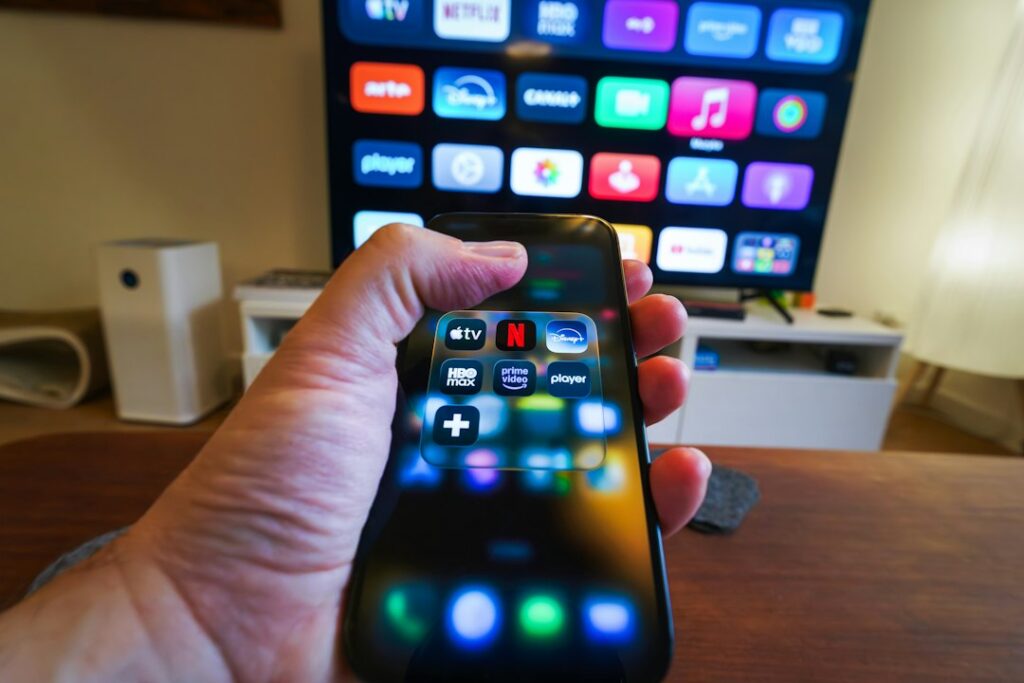
Long-term television contracts frustrate many households across the country. You sign a twelve-month agreement, your viewing habits change, and you remain stuck paying for channels you never watch. Finding the best no-contract IPTV subscription UK changes how you manage home entertainment. Monthly rolling plans give you total control over what you pay and when you stop.
Why Flexibility Matters When Choosing Your UK IPTV Provider
Traditional broadcasters lock consumers into rigid packages. Satellite dishes and cable boxes require professional installation and hefty termination fees if you want to leave early. Streaming technology offers a different path. You pay for thirty days of service. If you cancel, your subscription simply expires at the next billing date.
Many viewers test multiple platforms before settling on a permanent choice. A rolling monthly structure lets you switch services without financial penalty. You aren’t tied to an expensive hardware bundle. You can run your subscription on existing hardware like a Firestick or a compatible Smart TV.
Financial flexibility helps households manage shifting budgets. When utility bills rise, trimming monthly entertainment costs becomes necessary. Dropping an unwanted streaming plan takes seconds. Try doing that with a legacy telecommunications provider.
The Financial Reality of Rolling Contracts
Monthly plans sometimes cost a fraction more than locked-in annual commitments. Providers offset this by building loyalty through consistent service quality rather than legal bindings. You vote with your wallet every single month.
If a service experiences buffering during a major Premier League fixture, you leave. You don’t call a retention hotline. You simply refuse to renew your subscription for the next month. This dynamic forces providers to maintain high server standards.
Evaluating a No-Contract IPTV Provider UK
Not all flexible streaming services offer equal performance. Server capacity matters immensely during peak evening hours. Look for providers that maintain dedicated UK and European nodes. Distance creates latency. Latency causes stuttering video.
Customer support channels also reveal a lot about a company. Providers relying entirely on automated Telegram bots often struggle when technical issues arise. Real human support agents who respond to tickets quickly provide peace of mind.
Before committing your cash, find out how setup works. Many platforms offer straightforward installation guides, similar to how to set up IPTV on your Smart TV. Clear instructions save hours of frustration on your first evening.
Electronic Programme Guide (EPG) reliability is another vital metric. A broken TV guide turns channel surfing into an impossible guessing game. Good providers update their EPG data multiple times daily to keep schedules accurate.
Spotting Red Flags in Month-to-Month Services
Shady operators often demand cryptocurrency payments for multi-year discounts. Legitimate month-to-month sellers usually accept standard debit cards or trusted payment gateways. Watch out for unrealistic channel counts boasting tens of thousands of obscure international feeds.
Quality always beats quantity. Three hundred stable, high-definition channels outperform thirty thousand crashing streams every single time. Test the service during high-traffic broadcast windows before buying a full month.
Hardware and Compatibility for Flexible Streaming
Your choice of hardware dictates how smooth your viewing experience feels. Older Smart TV operating systems often lack the processing power required for modern video codecs. Dedicated streaming sticks handle decoding tasks much faster.
For instance, checking the Best Firestick for IPTV and streaming in the UK helps you pick a device with adequate memory and processor speed. Amazon’s ecosystem handles heavy media apps efficiently without draining your patience.
Network stability underpins every good streaming setup. Wi-Fi interference ruins high-bitrate video feeds. Use an Ethernet adapter where possible. Hardwired connections eliminate sudden drops in picture quality.
Managing Player Applications
The app you install on your device acts as the bridge between you and the content. Dedicated media players offer customisable channel lists, catch-up features, and parental controls. Spend time configuring your preferred player to match your habits.
Keep your app updated. Developers patch security flaws and improve video playback routines regularly. Outdated software causes unexpected crashes during live broadcasts.
Navigating the Regulatory Landscape
Broadcasting standards in the UK are strictly regulated. Organisations like Ofcom oversee traditional television and radio broadcasting. However, internet-delivered video streams operate under a different framework depending on how content is sourced and distributed.
Copyright law remains central to this discussion. The UK Intellectual Property Office provides clear guidance on intellectual property rights. Understanding these boundaries helps consumers make informed choices about the services they invite into their homes.
Furthermore, standard television viewing requirements still apply to live broadcasts. Check official TV Licensing guidance if you watch live television as it’s broadcast across any channel or device in the UK.
Making Your Final Choice
Selecting the ideal month-to-month media plan takes patience. Test a few low-cost trial options. Evaluate channel stability, app compatibility, and customer service responsiveness. Once you find a reliable provider, enjoy the freedom of walking away whenever you want.
For more information, iptv.
Related reading
- Best IPTV device for families and parental controls
- How to Verify Licensing for Legal Sports IPTV UK Providers
Update: Comparing Legal Sports IPTV UK Packages for Weekend Football
Update: Can you use IPTV on Apple TV in the UK?
- Comparing Hardware Options for Households
- Amazon Fire TV Devices
- Apple TV 4K
- Google TV and Android Devices
- Pros and Cons of Family Streaming Hardware
- Amazon Fire TV
- Apple TV
- Google TV
- Step-by-Step Setup for Safe Viewing
- Compatibility and Legal Realities
- Frequently Asked Questions
- Can I lock individual IPTV apps with a PIN?
- Do Roku devices work well with IPTV apps?
- Are smart TV built-in apps better than separate streaming sticks?
- How do I stop kids from buying things on Amazon Fire TV?
- Can I set time limits on Google TV?
- Do I need a fast broadband connection for 4K streaming?
- Is a wired Ethernet connection necessary?
Choosing the right IPTV device for families requires more than just checking 4K resolution or price tags. When kids are sharing the living room screen, robust parental controls and a simple user interface matter just as much as raw performance. IPTV itself is simply a technology delivering television over the internet, but your actual safety and viewing limits depend heavily on the operating system running your hardware. Let’s look at how the main contenders stack up for household use.

Comparing Hardware Options for Households
Not every streaming box handles restricted profiles or pin protection the same way. You’ll want a platform that lets you lock down app stores and hide mature content without constant headaches.
| Device | Operating System | Parental Controls | 4K / HDR | Ethernet Support |
|---|---|---|---|---|
| Amazon Fire TV Cube | Fire OS (Android based) | PIN for purchases, app blocking | Yes (Dolby Vision) | Built-in port |
| Apple TV 4K | tvOS | Granular restrictions by age rating | Yes (Dolby Vision) | Available on top tier |
| Chromecast with Google TV | Google TV | Kids Profiles, app limits, PIN | Yes (HDR10+) | Adapter required |
| Roku Streaming Stick 4K | Roku OS | PIN for store purchases | Yes (HDR10+) | No |
Amazon Fire TV Devices
Fire sticks and cubes are immensely popular across British homes because they’re affordable and easy to plug in. You can set a parental control PIN that stops kids from downloading new apps or buying content from the Amazon store. Keep in mind that individual apps downloaded onto the device might need their own separate safety settings configured within their respective menus.
Apple TV 4K
Apple’s hardware handles household restrictions better than most competitors. You can block specific movie ratings, prevent explicit music, and restrict purchases with a strict passcode. It’s an expensive piece of kit, but the interface stays clean and ad-free, which parents often appreciate.
Google TV and Android Devices
Google TV shines by letting you set up dedicated kids’ profiles. You can choose exactly which apps your children are allowed to see and set daily viewing time limits directly from your phone using the Google Home app. If you need help getting your official apps onto these systems, check out this guide on how to add an IPTV playlist to smart tv for setup pointers.
Pros and Cons of Family Streaming Hardware
Amazon Fire TV
- Pros: Frequent sales, wide app selection, Alexa voice commands.
- Cons: Heavy ad presence on the home screen, menus can feel cluttered.
Apple TV
- Pros: Excellent parental controls, fast processor, no intrusive ads.
- Cons: High initial purchase price, proprietary ecosystem.
Google TV
- Pros: Great dedicated kids profiles, user-friendly layout.
- Cons: Storage space can fill up quickly on budget models.
Step-by-Step Setup for Safe Viewing
Locking down your hardware takes just a few minutes. Follow these steps to secure your living room setup.
- Turn on your streaming device and navigate to the main settings menu.
- Locate the parental controls or restrictions tab.
- Create a strong PIN that children won’t easily guess.
- Enable purchase restrictions so kids can’t buy paid content accidentally.
- Review installed apps and remove anything unsuitable for younger viewers.
Compatibility and Legal Realities
Always verify app availability directly through official stores like the Google Play Store or Apple App Store. Never assume every IPTV app works on every piece of hardware. Legality depends entirely on the broadcaster holding the correct distribution rights in the UK. Stick to officially licensed applications from verified providers to stay on the right side of the law.
Frequently Asked Questions
Can I lock individual IPTV apps with a PIN?
Most official streaming apps feature internal locking mechanisms, though your mileage varies depending on the specific software developer.
Do Roku devices work well with IPTV apps?
Roku has a closed operating system with strict app store rules, meaning many custom media players aren’t available on their platform.
Are smart TV built-in apps better than separate streaming sticks?
Built-in TV software often lags behind dedicated hardware over time. External boxes usually receive software updates for longer periods.
How do I stop kids from buying things on Amazon Fire TV?
Go to Settings, select Preferences, and turn on Parental Controls to require a PIN for all digital purchases.
Can I set time limits on Google TV?
Yes, Google TV allows parents to manage screen time limits and bedtimes via associated family accounts.
Do I need a fast broadband connection for 4K streaming?
You generally need a stable download speed of at least 25 Mbps to stream reliable 4K content without buffering.
Is a wired Ethernet connection necessary?
Wi-Fi works fine for most homes, but an Ethernet cable provides a much more stable connection for live television streams.
For more information, iptv.
Related reading
- How to Verify Licensing for Legal Sports IPTV UK Providers
- How to Fix IPTV Audio Out of Sync on Firestick and Smart TVs
Update: How to Fix IPTV Playback Errors on UK Smart TVs and Firesticks
Update: Comparing Legal Sports IPTV UK Packages for Weekend Football
- Why Licensing Matters When Buying legal sports IPTV UK Packages
- Step One: Checking Company Registration Details
- Step Two: Reviewing Broadcasting Rights and Authorized Channels
- Comparing Options: Free, Grey Market, and Verified Services
- Pros and Cons of Verified Providers
- Pros
- Cons
- Your Buying Checklist Before Subscribing
- Frequently Asked Questions
- Are third-party sports packages legal in the UK?
- How can I spot an unlicensed seller?
- Do legitimate providers offer free trials?
- What payment methods are safest?
- Can I use my subscription on multiple devices?
- What internet speed do I need for HD sports?
- Who regulates broadcasting standards in the UK?
Finding a reliable way to watch live football matches online shouldn’t feel like a guessing game. Many fans stumble across dodgy sites every weekend. You want peace of mind. Choosing a legal sports IPTV UK service protects your personal details and keeps your household on the right side of the law. Let’s look at how you can verify a provider’s credentials before you hand over your credit card details.
Why Licensing Matters When Buying legal sports IPTV UK Packages
Broadcasting rights cost billions of pounds. Sky Sports, TNT Sports, and the BBC pay massive fees to show live games. When a small website offers every single Premier League match for a fiver a month, alarm bells should ring. Unlicensed operators often disappear overnight. Your subscription fee vanishes with them. Worse still, sketchy payment portals put your bank details at risk.
Legitimate companies operate transparently. They hold proper distribution agreements with rights holders. If you want to understand the underlying infrastructure better, you can read more about understanding internet television technology to see how official streams travel from studios to your living room screen. Licensed firms pay taxes in the UK. They employ customer service staff. They answer emails when things go wrong.
Step One: Checking Company Registration Details
Start with the basics. Scroll down to the bottom of the provider’s website. Look for a registered company name and a company number. Every legitimate business operating in the UK must register with Companies House. You can plug that number straight into the government portal online.
Does the address check out? Is it a real office or a virtual PO box in a tax haven? Reputable providers display their physical headquarters clearly. They list a registered VAT number too. If a site hides behind a blank contact form with no phone number or physical address, close the tab immediately. Real companies want you to reach them when you need help.
Step Two: Reviewing Broadcasting Rights and Authorized Channels
Read the channel list carefully. Does the service promise every single football match from every league globally? That is your second red flag. No single provider holds universal rights to every competition. Sky Sports splits games with TNT Sports and Amazon Prime Video in the UK. Domestic cup games sit on different networks entirely.
Authentic sports streaming TV UK packages state their exact partnerships. They tell you which specific channels come bundled in your package. They do not invent fictional channel names or promise impossible access. Check the broadcaster logos on their site. If something looks too good to be true, it definitely is.
Comparing Options: Free, Grey Market, and Verified Services
You have choices when you stream sports online. Let’s break down how different options stack up against each other.
| Service Type | Legal Status | Reliability | Support Quality |
|---|---|---|---|
| Official Broadcaster Apps (Sky, TNT) | Fully Legal | High | Dedicated customer service teams |
| Verified legal sports IPTV UK aggregators | Licensed Reseller | Good | Active ticket systems and live chat |
| Unlicensed grey market M3U sellers | Illegal | Poor (frequent downtime) | None (anonymous Telegram groups) |
Official broadcaster apps set the standard for stability. Verified third-party aggregators offer alternative bundles. Unlicensed sellers offer nothing but headaches. Your connection drops mid-match. The stream stutters during a penalty shootout. You cannot complain because the seller vanished.
Pros and Cons of Verified Providers
Every subscription model has trade-offs. Knowing what to expect keeps your expectations grounded.
Pros
- Consistent HD and 4K picture quality during peak kickoff times.
- Secure checkout pages that accept major credit cards and PayPal.
- Reliable Electronic Programme Guides (EPG) that match UK broadcast schedules.
- Real customer support agents who resolve billing or technical issues quickly.
Cons
- Higher monthly costs compared to sketchy pirate links.
- Geographic restrictions may apply if you travel outside the United Kingdom.
- Device limits on simultaneous streams depending on your tier.
Your Buying Checklist Before Subscribing
Take your time before you pay. Run through this quick checklist to ensure you are buying safely.
- Verify the company registration number on the official UK government registry.
- Confirm the accepted payment methods include secure processors like Visa, Mastercard, or PayPal.
- Read the terms of service to check cancellation policies and refund windows.
- Test their customer support team with a simple pre-sale email question.
- Check user reviews on independent third-party consumer sites rather than testimonials on the provider’s own homepage.
Frequently Asked Questions
Are third-party sports packages legal in the UK?
Yes, provided the company holds valid licensing agreements with the underlying rights holders and broadcasters. Always check their credentials first.
How can I spot an unlicensed seller?
Unlicensed sellers often use cryptocurrency or obscure payment apps. They promise every pay-per-view event and match for a tiny monthly fee.
Do legitimate providers offer free trials?
Some do, but many offer low-cost short-term passes instead. Be cautious of any site demanding long-term upfront commitments without a clear refund policy.
What payment methods are safest?
Credit cards and PayPal offer consumer protection. If a company takes your money and fails to deliver, your bank can help you recover funds.
Can I use my subscription on multiple devices?
Most licensed services permit multiple device logins, though simultaneous viewing limits vary widely across different subscription tiers.
What internet speed do I need for HD sports?
You need a stable broadband connection of at least 15 Mbps for standard HD streams. Higher speeds are necessary if you stream in 4K.
Who regulates broadcasting standards in the UK?
Ofcom sets and enforces broadcast standards across television and video-on-demand services operating within the United Kingdom.
For more information, iptv.
Related reading
- How to Fix IPTV Audio Out of Sync on Firestick and Smart TVs
- Best cheap legal IPTV subscription in the UK
Update: Best no-contract IPTV subscription UK
Update: How to Fix IPTV Playback Errors on UK Smart TVs and Firesticks
- Before You Start Checklist
- Step-by-Step IPTV Audio Out of Sync Fixes
- 1. Restart Your Streaming Device Completely
- 2. Adjust the Audio Delay Settings Within Your App
- 3. Switch Your Hardware Decoder Preferences
- 4. Check Your Audio Output Format on Smart TVs
- Common Mistakes to Avoid
- When to Contact Your Provider
- Frequently Asked Questions
- Why does the sound mismatch only happen on live sports channels?
- Will clearing my app cache fix lagging sound?
- Does my internet speed affect audio sync?
When your screen shows a football striker celebrating a goal two seconds before you actually hear the roar of the crowd, watching live TV turns into an irritating chore. Dealing with IPTV audio out of sync issues can ruin a movie night or a crucial weekend fixture on your living room display. Fortunately, you don’t need to live with mismatched sound and picture. Most of these annoying delays stem from simple software hiccups, temporary app glitches, or minor transmission hiccups that you can sort out at home.

Before You Start Checklist
Before you dive into changing advanced settings or restarting every piece of hardware in your house, run through this quick checklist to rule out the obvious culprits:
- Check if the lip-sync problem happens on every channel or just one specific feed.
- Confirm your internet connection is stable and not currently handling heavy downloads in the background.
- Make sure your streaming application is updated to the latest available version from the official app store.
- Check your TV speakers or soundbar connections for any loose HDMI cables.
Step-by-Step IPTV Audio Out of Sync Fixes
If the quick checks didn’t clear up the lag, follow these practical steps to get your audio and video back in line. We will walk through the process systematically, moving from the easiest software tweaks to hardware adjustments.
1. Restart Your Streaming Device Completely
A simple reboot clears out temporary memory leaks that frequently cause timing drift between video and audio tracks. Unplug your Amazon Firestick, Android TV box, or smart television from the wall socket. Wait roughly thirty seconds to let all internal capacitors drain fully. Plug the power cord back in and let the system boot up fresh before launching your streaming app again.
2. Adjust the Audio Delay Settings Within Your App
Most dedicated players include built-in timing controls designed specifically to combat IPTV audio out of sync problems. Open the settings menu inside your media player while a live channel is running. Look for audio settings, decoder options, or playback tweaks. Find the audio delay or audio offset slider. If the sound arrives too early, add a positive millisecond delay. If the speech lags behind the lip movements, reduce the delay until everything matches up naturally.
3. Switch Your Hardware Decoder Preferences
Your streaming box relies on either software or hardware decoding to process incoming video streams. Sometimes, a specific decoder clashes with certain broadcast codecs, throwing the timing off. Navigate to your app’s playback settings and look for the hardware acceleration or decoder toggle. Switch from hardware decoding to software decoding, or vice versa, then restart the stream to see if the timing improves.
4. Check Your Audio Output Format on Smart TVs
If you use an external soundbar or an AV receiver connected via HDMI ARC or optical cable, your TV’s audio processing might introduce a slight delay. Go to your Samsung or LG TV’s main audio settings menu. Look for Digital Output Audio Format or Passthrough settings. Change PCM to Bitstream, or turn off any advanced Dolby processing features that might be forcing your TV to spend extra milliseconds processing surround sound.
Common Mistakes to Avoid
People often jump straight to factory resetting their entire television when a simple app restart would do the trick. Don’t blindly uninstall your player app without backing up your playlist configuration details first, otherwise you’ll waste valuable time re-entering login credentials. Avoid tinkering with your Wi-Fi router channels unless you’ve already ruled out app-specific timing issues, as wireless adjustments rarely fix a localized sync mismatch.
When to Contact Your Provider
Sometimes the problem originates upstream rather than on your end. If you notice the audio delay persists across multiple different devices in your house—even after rebooting your router and tweaking app settings—the broadcast feed itself might be encoded incorrectly by the service provider. Reach out to your provider’s support team to report a specific channel sync issue, especially if it affects official catch-up or on-demand libraries.
Frequently Asked Questions
Why does the sound mismatch only happen on live sports channels?
Live broadcasts require complex real-time encoding and transcoding processes. If a particular event feed experiences high traffic or variable bitrates, the audio and video packets can arrive slightly out of sequence, resulting in noticeable timing drift.
Will clearing my app cache fix lagging sound?
Clearing the app cache helps resolve stuttering, buffering, and general sluggishness, but it rarely fixes an isolated lip-sync error unless corrupted temporary data was actively interfering with the media player’s timing engine.
Does my internet speed affect audio sync?
A slow internet connection usually causes video freezing, dropping frames, or loading circles rather than a consistent, steady audio offset. If your picture is smooth but the voices are delayed, the issue is almost always a decoding or processing mismatch.
For more information, iptv.
Related reading
Update: Best IPTV device for families and parental controls
Update: Best no-contract IPTV subscription UK
Best cheap legal IPTV subscription in the UK
Finding a reliable, budget-friendly option for watching television online can feel confusing. When you search for a legal IPTV subscription, you are usually looking at official streaming services delivered over your broadband connection rather than traditional aerials or satellite dishes. Understanding how these platforms work helps you save money without running into regulatory trouble with bodies like Ofcom.

Official streaming services vs third-party resellers
Many online sellers promise thousands of channels for a few pounds a month. These offers almost always bypass copyright holders and lack proper authorization. A genuinely legal IPTV service comes directly from licensed broadcasters or recognized platform operators. If a deal looks too good to be true, it usually means the underlying distribution rights haven’t been secured.
Official applications from providers like the BBC, ITV, and Channel 4 deliver live television over the internet completely legally and without monthly subscription fees for standard broadcasts (though a valid TV Licence is still required for live viewing or BBC iPlayer). For broader channel packages, paid services such as NOW or Sky Stream use internet delivery to offer comprehensive entertainment bundles.
Comparing low-cost official options
- Free-to-air apps: BBC iPlayer, ITVX, Channel 4, and My5 offer live and catch-up content over broadband at no extra charge.
- Budget paid bundles: NOW membership passes frequently feature discounts on entertainment and sports tiers without requiring a fixed satellite contract.
- Platform aggregators: Freeview Play brings various broadcaster apps together into smart TVs and set-top boxes.
Hardware considerations for streaming
Your choice of equipment affects your viewing quality just as much as your service choice. Smart TVs handle most official apps natively. If your television lacks modern smart features, an external media player often solves the problem. You can learn more about hardware choices by reading our guide on Android TV boxes for legal IPTV.
Always check that your chosen device supports the standard security certificates required by major UK broadcasters. Older or obscure streaming boxes sometimes struggle to play protected HD streams smoothly.
What the law says about online television
Broadcasting standards in the UK are strictly regulated. The Intellectual Property Office and trading standards actively target unauthorized streaming operations. Choosing a proper legal IPTV subscription protects you from sudden service shutdowns and potential security risks tied to unverified apps.
Remember that paying an unofficial reseller does not make a service legal. Copyright law treats the end-user stream as a consumer responsibility.
Choosing the right setup
If you want to keep monthly bills low, combine free broadcaster apps with occasional promotional passes from paid platforms. Avoid unverified social media ads offering cheap all-in-one packages. Stick to recognized storefronts like the Google Play Store, Amazon Appstore, or official broadcaster websites to download your viewing apps safely.
For more information, iptv.
Related reading
- Best IPTV device for sports streaming in the UK
- Choosing Legal Sports IPTV UK Subscriptions for Football Fans
Update: How to Verify Licensing for Legal Sports IPTV UK Providers
Update: Best IPTV device for families and parental controls
Choosing a Reliable IPTV Device for Live Sports
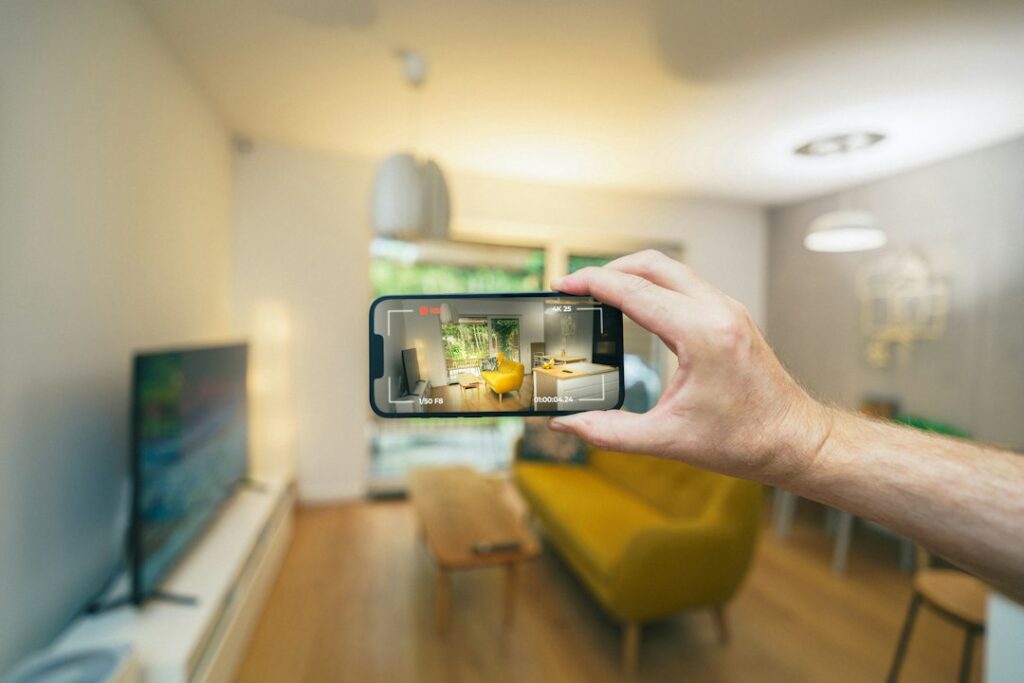
Watching a 3 PM Saturday Premier League blackout match or an international rugby test requires solid hardware. If your hardware lags, you miss the goal. Finding the right IPTV device for sports streaming means looking at processor speeds, Wi-Fi stability, and official app support. Internet Protocol Television delivers television feeds over broadband rather than traditional aerials or cables. Of course, the legality of any stream always depends on whether the provider holds the correct broadcasting rights for the UK market.
You don’t want a sluggish interface when you’re switching between simultaneous Champions League matches. Let’s look at how the top hardware choices stack up.
Amazon Fire TV Stick and Fire TV Cube
Amazon’s hardware dominates living rooms across the UK. The Fire TV Stick 4K Max handles fast-moving motion well, which matters when a tennis ball flies across a grass court. You get Wi-Fi 6 support on newer models. This helps prevent drop-outs during network congestion, especially if you experience matchday network congestion on your local broadband node. Setup is straightforward via an HDMI port and a standard USB power plug.
App availability is broad. You can download official broadcaster apps like BBC iPlayer, ITVX, and Sky Go directly from the Amazon Appstore. Storage is modest on the basic stick, but adequate for a handful of media applications. Voice control via Alexa lets you search for matches without typing on an onscreen keyboard.
Apple TV 4K
If you want sheer processing muscle, Apple TV 4K sits at the top of the pile. The A15 Bionic chip inside makes menu navigation instant. Live sports look remarkably crisp because the upscaling engine handles fast pans smoothly. Ethernet ports come built into the higher-tier models. Hardwiring your box usually beats Wi-Fi for live match viewing.
Apple’s tvOS marketplace features most major legal streaming clients. Privacy controls are strict, and security updates arrive regularly. The remote uses a touch-sensitive clickpad. Some users love it, while others find it overly sensitive during quick replays. You pay a premium price tag for this level of performance, but it lasts for years.
Android TV and Google TV Boxes
Google TV brings a clean, recommendation-heavy interface to devices like the Chromecast with Google TV and various branded set-top boxes. Finding an IPTV device for sports streaming that runs pure Google TV gives you access to the massive Google Play Store. You can install official apps from broadcasters and verified network operators easily.
Performance varies depending on the specific box you buy. Budget sticks might stutter during high-bitrate 4K football feeds. High-end Android boxes include dedicated Ethernet ports and robust storage for local caching. Voice search works via Google Assistant, making it simple to pull up fixture schedules.
Roku and Smart TV Operating Systems
Roku devices offer simplicity. The user interface stays out of your way. However, customisation is limited compared to Android alternatives. Samsung Smart TVs run Tizen, while LG relies on webOS. Both brands offer solid built-in app stores for official sports apps. Check out our guide on smart TV brand IPTV player support to see if your screen handles your preferred provider without external hardware.
Built-in apps save you from juggling extra remotes. Still, smart TV processors often age faster than dedicated streaming sticks. They might struggle with heavy interface updates after a few years.
Quick Hardware Comparison
- Amazon Fire TV Stick 4K Max: Quad-core processor, Wi-Fi 6, excellent official app support.
- Apple TV 4K: A15 chip, optional Ethernet, premium build quality, high price.
- Google TV Streamer: Smooth interface, vast app store, reliable voice search.
- Samsung/LG Smart TVs: No extra box needed, though operating system updates eventually cease.
Getting Everything Set Up Properly
Plug your chosen hardware into an HDMI port on your television. Connect to your home Wi-Fi network or plug in an Ethernet cable. Sign in with your account credentials. Download the official application provided by your licensed service broadcaster. Never rely on unverified third-party APK files or shady M3U playlists found on forums. Stick to official app stores to keep your home network secure and legal.
For more information, iptv.
Related reading
- Choosing Legal Sports IPTV UK Subscriptions for Football Fans
- How to Fix IPTV Buffering on Firestick in the UK
Update: How to Fix IPTV Audio Out of Sync on Firestick and Smart TVs
Update: How to Verify Licensing for Legal Sports IPTV UK Providers
- Navigating Legal Sports IPTV UK Subscriptions
- Comparing Authorized Live Sports TV UK Packages
- Sky Sports and Now Memberships
- TNT Sports and Discovery Plus
- Amazon Prime Video UK
- Evaluating IPTV for Football Fans: Key Factors
- Pros and Cons of Official Streaming Services
- The Pros
- The Cons
- Legal and Licensing Framework
- Essential Buying Checklist
- Frequently Asked Questions
- Can I watch every Premier League match with one legal subscription?
- What internet speed do I need for 4K football streaming?
- Why is there a delay on my football stream?
- Can I share my sports streaming login with friends?
- Are Now sports memberships available on Firestick?
- Do official legal sports apps offer catch-up TV?
Navigating Legal Sports IPTV UK Subscriptions
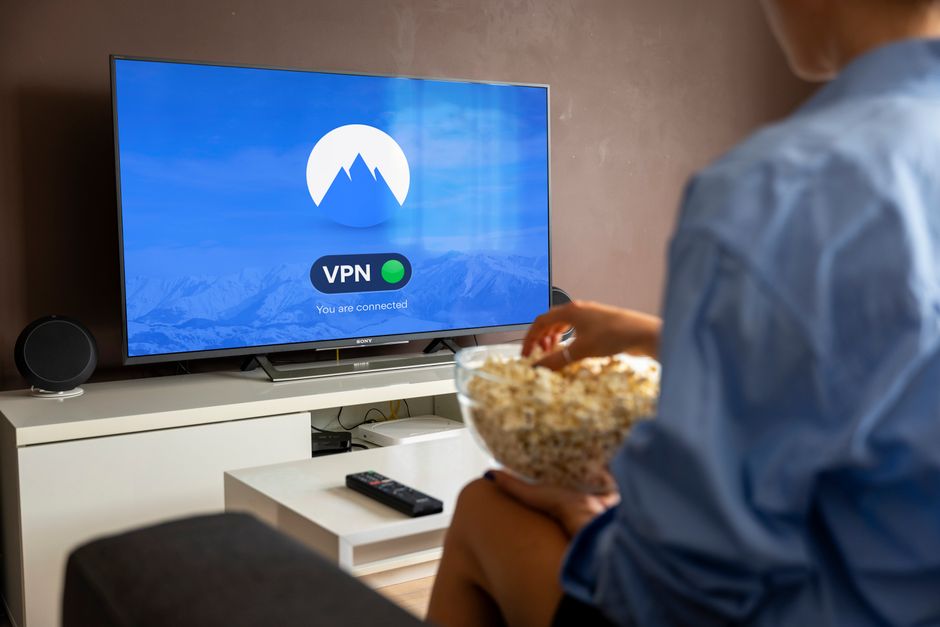
Finding a reliable way to watch weekend fixtures without stumbling into grey-market pitfalls can feel tricky. Choosing legal sports IPTV UK options ensures you stay on the right side of broadcasting laws while catching every crucial match. Official platforms hold the proper licensing agreements for Premier League, EFL, and European competitions. You won’t face sudden stream drops or copyright takedowns during a penalty shootout.
Official broadcasters like Sky Sports, TNT Sports, and the BBC dominate the domestic rights landscape. They deliver feeds through authorized apps and streaming hardware. When you look at legal sports IPTV UK packages, you are essentially paying for authorized digital delivery of these exact licensed channels. It protects your broadband connection from scrutiny by internet service providers and regulatory bodies like Ofcom.
Comparing Authorized Live Sports TV UK Packages
Official providers structure their channel bundles differently. You need to weigh what each platform offers before committing your hard-earned cash to an annual contract or a flexible monthly pass. Let us break down the leading official contenders for live sports TV UK coverage.
Sky Sports and Now Memberships
Sky remains the heavy hitter for domestic football. Their monthly passes or contract subscriptions give you access to most televised Premier League matches, the English Football League, and international tournaments. You can stream via dedicated apps on smart TVs, mobile devices, or dedicated streaming sticks.
TNT Sports and Discovery Plus
Formerly BT Sport, TNT Sports holds exclusive rights to the UEFA Champions League, Europa League, and select Premier League fixtures. Access is typically bundled through Discovery Plus packages in the UK. Integration with modern broadband deals often lowers the monthly cost if you bundle your television and internet services together.
Amazon Prime Video UK
Amazon holds rights to specific blocks of festive fixtures and mid-week Premier League matchdays. While it is not a traditional continuous channel lineup, it forms an essential part of the modern football fan’s streaming rotation. It runs smoothly across almost every modern device without requiring extra configuration.
Evaluating IPTV for Football Fans: Key Factors
When assessing IPTV for football fans, picture quality matters immensely. Most official legal platforms now push out 1080p HD as standard, with select marquee matches broadcast in 4K Ultra HD. You need a stable broadband connection capable of at least 25 Mbps to stream 4K content without stuttering.
Delay is another frustrating factor when watching live games online. Traditional satellite television usually sits about five seconds ahead of standard internet streams. Authorized IPTV apps have narrowed this gap significantly over recent years, but you might still hear your neighbour cheer before the ball hits the back of the net on your screen.
Device compatibility dictates how and where you view your matches. Most major services support Amazon Firestick, Apple TV, Android TV, and Samsung or LG smart televisions. For a deeper look at hardware choices, read our guide on Smart IPTV App vs External Streaming Device: Which Wins for UK Living Rooms? to see which setup suits your living room best.
Pros and Cons of Official Streaming Services
Weighing the advantages and drawbacks helps you decide how to spend your entertainment budget.
The Pros
- Absolute peace of mind regarding copyright law and UK broadcasting regulations.
- Consistent, reliable uptime during high-traffic fixtures like the North London derby.
- High-definition and 4K picture quality with stable audio tracks.
- Access to official studio analysis, pre-match build-up, and post-match highlights.
The Cons
- Subscription costs can add up if you need to subscribe to multiple different networks to catch all competitions.
- Occasional regional blackout restrictions apply to certain Saturday afternoon 3 PM kick-offs.
- Device login limits can restrict how many family members watch different games simultaneously.
Legal and Licensing Framework
The Premier League and other governing bodies invest heavily in protecting their intellectual property. Unauthorized distribution of live feeds violates copyright law under UK legislation. Using legitimate services ensures your subscription fees directly support the clubs, grassroots football, and broadcasting infrastructure. Always verify that any service you purchase holds proper commercial or residential distribution rights for the United Kingdom.
Essential Buying Checklist
Run through this quick checklist before purchasing any sports viewing package:
- Check your broadband download speed using an online tester.
- Confirm the service supports your specific television or streaming stick model.
- Verify which specific leagues and tournaments are included in the base subscription tier.
- Read the cancellation terms and contract length carefully.
- Check simultaneous stream limits if multiple household members watch different sports.
Frequently Asked Questions
Can I watch every Premier League match with one legal subscription?
No single provider holds rights to every single Premier League game in the UK. You must combine subscriptions across Sky Sports, TNT Sports, and Amazon Prime Video to cover all televised fixtures.
What internet speed do I need for 4K football streaming?
Official broadcasters generally recommend a minimum broadband speed of 25 Mbps to maintain a stable 4K Ultra HD stream without buffering interruptions.
Why is there a delay on my football stream?
Digital video encoding and packet transmission create a natural delay of 15 to 30 seconds compared to traditional terrestrial or satellite broadcasts.
Can I share my sports streaming login with friends?
Most official platforms limit simultaneous streams based on your subscription tier to prevent account sharing outside your household.
Are Now sports memberships available on Firestick?
Yes, the Now app is officially available on Amazon Fire TV devices, allowing you to stream Sky Sports channels directly.
Do official legal sports apps offer catch-up TV?
Yes, major broadcasters provide full match replays, highlights, and on-demand analysis shortly after the final whistle blows.
For more information, iptv.
Related reading
Update: Best cheap legal IPTV subscription in the UK
Update: How to Fix IPTV Audio Out of Sync on Firestick and Smart TVs
- Quick Answer: Why Is Your Stream Stuttering?
- Before You Start Checklist
- Step-by-Step Troubleshooting Guide
- 1. Test Your Internet Connection Speed
- 2. Power Cycle Your Wi-Fi Router and Firestick
- 3. Move Your Wi-Fi Router or Switch to 5GHz Bands
- 4. Clear the App Cache and Temporary Data
- 5. Adjust Internal Player Buffer Settings
- Common Mistakes to Avoid
- When to Contact Your Provider
- Frequently Asked Questions
- Does using a VPN cause buffering on my streaming stick?
- Why does my stream only buffer during evening peak hours?
- How often should I restart my Amazon streaming device?
When your screen suddenly freezes during a crucial match or your favourite drama, dealing with IPTV buffering on Firestick is intensely frustrating. You just want your legal live television service to run smoothly without those annoying spinning circles. Thankfully, most stuttering issues stem from simple home network bottlenecks or app cache problems rather than permanent hardware failures. This guide walks you through practical, safe troubleshooting steps to get your Amazon streaming stick back up to speed.

Quick Answer: Why Is Your Stream Stuttering?
Most freezing happens because of temporary Wi-Fi congestion, insufficient broadband download speeds, or an overwhelmed device cache. Restarting your router and clearing your player app memory usually fixes the problem in under five minutes.
Before You Start Checklist
- Check your current broadband download speed using a device browser.
- Verify your subscription status directly with your official provider.
- Ensure your Firestick operating system is fully up to date.
- Locate your physical Wi-Fi router to assess distance and obstacles.
Step-by-Step Troubleshooting Guide
Work through these ordered steps to isolate and resolve your playback delays.
1. Test Your Internet Connection Speed
Live high-definition streaming demands stable bandwidth. If you share your home connection with multiple devices downloading large files, your streaming stick will struggle. Run a speed test through a browser app on your TV. If your numbers fall below standard broadband recommendations, pause other heavy internet tasks in your household. For more details on necessary performance levels, check what internet speed is suitable for IPTV in the UK before making adjustments.
2. Power Cycle Your Wi-Fi Router and Firestick
Routers hold temporary data packets that cause local network lag over time. Unplug your broadband router from the wall socket for thirty seconds. Do the exact same thing with your Amazon streaming stick power cable. Plug the router back in first. Wait for the internet connection light to turn solid. Plug your streaming stick back in last. This simple hard reset clears minor temporary memory bugs.
3. Move Your Wi-Fi Router or Switch to 5GHz Bands
Physical walls and electronic interference wreck wireless signals. Place your router out in the open if possible. Avoid hiding it behind heavy furniture or inside TV cabinets. Most modern routers broadcast two different wireless frequencies. Switch your Firestick connection from the crowded 2.4GHz band to the faster 5GHz band. You will see much better data throughput for live feeds.
4. Clear the App Cache and Temporary Data
Streaming apps accumulate junk files over weeks of daily use. Go to your Firestick settings menu. Select applications, then manage installed applications. Find your official legal television app in the list. Click on clear cache. Never touch clear data unless you want to log in again from scratch. Restart the application immediately after wiping the cache.
5. Adjust Internal Player Buffer Settings
Many reliable media players let you manually change how much video data loads in advance. If you use advanced playback software like TiviMate, you can fine-tune these parameters. Read our guide on how to adjust TiviMate buffer settings for smooth Premier League matches to stop sudden frame drops during peak viewing hours.
Common Mistakes to Avoid
Do not install unofficial third-party cleaning tools or memory-booster apps from unknown sources. These often run background processes that make performance worse. Avoid using cheap HDMI extension adapters that might degrade signal quality. Never disable your device security settings or try to sideload modified application files to bypass network limits.
When to Contact Your Provider
If your broadband speed tests high and your local network runs perfectly fine on other streaming apps, the issue might sit with your service provider. Contact your official customer support team if specific channels refuse to load or if entire broadcast feeds go offline during major scheduled events. Ask them if they are experiencing temporary server availability issues in your region.
Frequently Asked Questions
Does using a VPN cause buffering on my streaming stick?
Yes, routing your traffic through an external server adds extra hops and slows down data transfer speeds. Turn off your virtual private network if you notice severe playback stuttering.
Why does my stream only buffer during evening peak hours?
Local internet service providers often experience heavy neighborhood congestion between 7 PM and 10 PM. This massive drop in available bandwidth affects live video delivery across your entire street.
How often should I restart my Amazon streaming device?
A simple weekly restart clears temporary system memory and keeps your menu navigation feeling snappy and responsive.
For more information, iptv.