- Finding the Right Hardware for Your Living Room
- Operating System and Interface Comparison
- App Availability and Storefronts
- Performance, Storage, and 4K HDR Support
- Connectivity: Wi-Fi and Ethernet Options
- Remote Control Quality and Voice Commands
- Direct Comparison Table
- Setup Guidance and Parental Controls
- Legal Advice and Official Services
- Frequently Asked Questions
- Can I use the same subscription on both devices?
- Do these devices require a TV Licence in the UK?
- Which device lasts longer?
- Does Apple TV support side-loading?
- Which remote is better for older viewers?
- Is ethernet necessary for 4K streaming?
Finding the Right Hardware for Your Living Room
Choosing a proper UK IPTV device often comes down to balancing raw hardware muscle with straightforward software access. Amazon Fire TV sticks sit in millions of British homes because they cost little and fit neatly behind wall-mounted displays. Apple TV 4K boxes cost substantially more, but they bring desktop-grade silicon and a completely ad-free operating system into your lounge. Internet television delivery relies on steady broadband connections, yet the actual viewing experience depends heavily on how well your chosen box handles decoding, menus, and official app updates.
Operating System and Interface Comparison
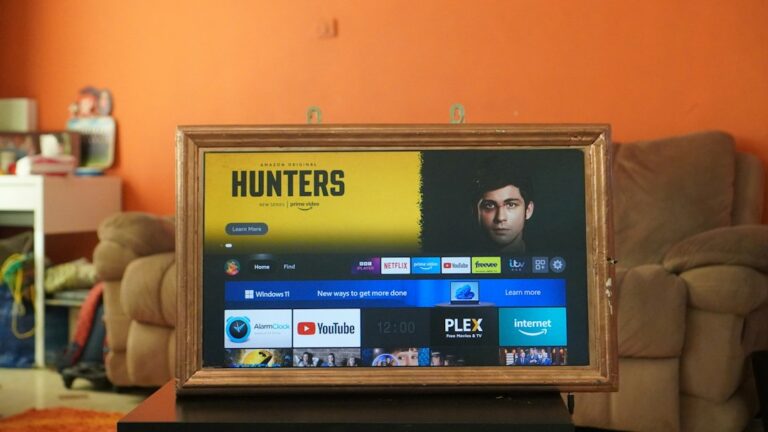
Fire OS runs on all Amazon hardware. It puts Prime content front and centre. You’ll see sponsored banners every time you boot up the main dashboard. Apple tvOS takes the opposite approach. The interface stays remarkably clean. No pop-up adverts distract you from your downloaded apps and official subscription channels. Fire OS handles sideloading quite easily, though legal users stick entirely to official storefronts. Apple’s ecosystem locks things down tightly. That security pleases privacy advocates, but it means you play strictly by Cupertino rules.
App Availability and Storefronts
Never assume every streaming client works identically across both platforms. Amazon’s Appstore carries mainstream UK catch-up players like BBC iPlayer, ITVX, Channel 4, and My5 alongside major subscription hubs. Apple’s tvOS App Store hosts the exact same official broadcasters. However, niche legal streaming apps sometimes land on Fire OS months before developers code an Apple TV version. Always check the service provider’s official app compatibility list before purchasing hardware.
Performance, Storage, and 4K HDR Support
The Apple TV 4K runs on mobile chips that easily outperform budget streaming sticks. Navigation snaps along without a single stutter. Fire TV devices range from the basic Lite model to the powerful Fire TV Cube. The high-end Cube handles 4K HDR10+ and Dolby Vision smoothly. Budget sticks can occasionally lag when loading heavy guide grids or large channel lists. Storage capacity also differs vastly. Apple starts at 64GB, while basic Fire sticks offer only 8GB.
Connectivity: Wi-Fi and Ethernet Options
Wireless standards matter when you stream live high-definition feeds. Most Fire sticks rely on Wi-Fi, though you can buy an ethernet adapter separately for certain models. The top-tier Apple TV 4K includes a built-in Gigabit ethernet port as standard. If your living room broadband router sits far from the television, a wired connection prevents sudden drops in picture quality during peak evening viewing hours.
Remote Control Quality and Voice Commands
Amazon packs a compact remote with dedicated shortcut buttons for Netflix and Prime Video. Alexa responds quickly to voice requests for launching apps. The Siri Remote on Apple TV features a touch-enabled clickpad that feels genuinely premium in the hand. Aluminium construction beats cheap plastic any day. Both remotes control your television’s power and volume via infrared.
Direct Comparison Table
- Fire TV Stick 4K Max: Quad-core processor, 16GB storage, Wi-Fi 6E, Fire OS, approx £70
- Apple TV 4K (3rd Gen): A15 Bionic chip, 64GB storage, Wi-Fi 6 + Ethernet, tvOS, approx £149
- Fire TV Lite: Budget processor, 8GB storage, Wi-Fi 5, Fire OS, approx £35
Setup Guidance and Parental Controls
Unboxing either device takes minutes. Plug the HDMI cable into your television, connect the power plug, and follow the on-screen prompts. Amazon asks for your regular retail login details immediately. Apple prompts you to tap an iPhone against the box for instant Wi-Fi and account transfer. Parental controls on Apple TV block purchases and restrict content by age rating across all apps universally. Amazon lets you set PIN codes specifically for app downloads and adult content inside individual profiles.
Legal Advice and Official Services
Television delivered over internet protocols remains entirely lawful when broadcasters hold proper distribution rights. Ofcom regulates UK broadcasting standards, ensuring licensed providers meet strict statutory rules. Never install modified software or unverified streaming playlists obtained from social media ads. Stick strictly to officially licensed applications found in the official Amazon Appstore or Apple App Store to stay completely within the law.
Frequently Asked Questions
Can I use the same subscription on both devices?
Yes, most licensed streaming providers let you log into your active account on multiple compatible gadgets.
Do these devices require a TV Licence in the UK?
You need a valid UK TV Licence if you watch live broadcasts on any channel or use BBC iPlayer.
Which device lasts longer?
Apple hardware typically receives software updates for many more years than budget streaming sticks.
Does Apple TV support side-loading?
No, Apple restricts app installation strictly to its curated app store.
Which remote is better for older viewers?
The Fire TV remote offers clearly labelled buttons and straightforward voice search via Alexa.
Is ethernet necessary for 4K streaming?
Good Wi-Fi 6 routers handle 4K streams easily, but ethernet offers maximum stability.
For more information, iptv.
Related reading
- 5 Things to Check Before Buying Legal Sports IPTV UK Services
- How to Fix Buffering and Freezing on UK Smart TV IPTV Apps
Update: Firestick IPTV Connection Guide: Troubleshooting Network Errors in the UK
Update: Legal Sports IPTV UK: Checking Channel Lineups Before You Buy