- Choosing Legal Sports IPTV UK Packages Wisely
- 1. Official Channel Lineups and Match Coverage
- 2. Hardware Compatibility and App Quality
- 3. Picture Quality, HD, and 4K Limits
- 4. Simultaneous Streams and Household Limits
- 5. Contract Flexibility and Cancellation Terms
- 6. Customer Support and Troubleshooting Resources
- Pros and Cons of Legal Streaming Packages
- Buying Checklist for Match Days
- Frequently Asked Questions
- Can I watch 3 PM Saturday kickoffs legally with UK streaming apps?
- What internet speed do I need for live sports streaming?
- Do official streaming apps require an aerial or satellite dish?
- Why do legal sports packages cost more than unofficial ones?
- Can I share my sports streaming login with friends?
- How do I fix lag during peak match times?
- Are catch-up highlights included with legal sports apps?
Choosing Legal Sports IPTV UK Packages Wisely
Saturday afternoons hit differently when your team is playing away. You grab a brew, settle on the sofa, and pray the stream doesn’t stall during a penalty shout. Shopping for legal sports IPTV UK packages can feel overwhelming with so many licensed providers and app-based services fighting for your monthly subscription fee. Official broadcast rights are split between Sky Sports, TNT Sports, and Amazon Prime Video, meaning no single app holds every fixture. You need a clear strategy before entering your payment details.

We have previously looked at how to pick a provider for Saturday 3PM fixtures, but broader subscription factors matter just as much. Let’s break down five essential points to check before you commit your hard-earned cash to any streaming service.
1. Official Channel Lineups and Match Coverage
Never assume an app carries every match your club plays. Premier League and EFL broadcast rights are tightly controlled in the United Kingdom. Sky Sports broadcasts the bulk of televised games, while TNT Sports holds European competitions like the Champions League. If a provider claims they offer absolute access to every single football match globally for a tenner a month, run away. That is a massive red flag for unlicensed pirated services. Always verify the exact channel list on the provider’s official website. If you want a deep dive into matchday availability, check out our guide on how to pick a legal UK IPTV provider for Saturday 3PM football to understand blackout rules and broadcasting windows.
2. Hardware Compatibility and App Quality
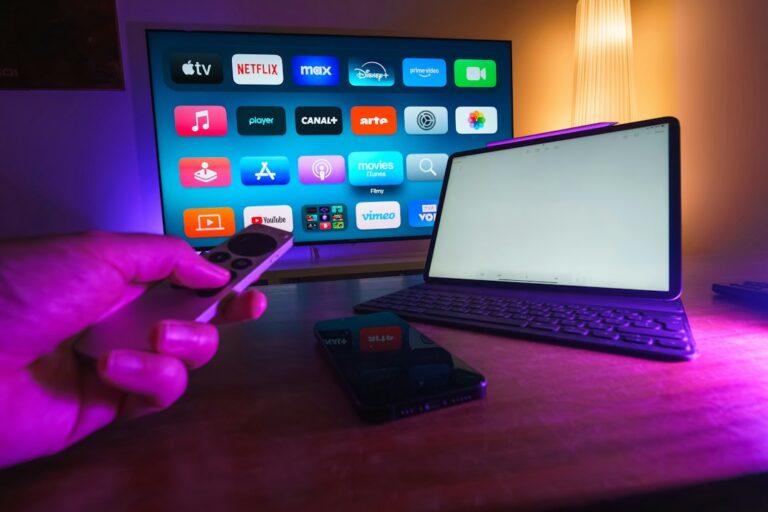
Your existing setup dictates what you can actually run. Some official streaming apps demand specific hardware to unlock high-definition or 4K streams. Fire TV sticks, Apple TV units, and modern smart TVs handle apps differently. Check whether the service offers a native app for your specific living room setup or if you need to cast from a tablet. You also want an interface that lets you browse fixtures quickly without lagging when goals fly in across multiple matches.
3. Picture Quality, HD, and 4K Limits
Resolution matters when you are tracking a fast-moving football on a large screen. Many legitimate broadcasters stream live sports in 1080p at 50 frames per second to keep motion smooth. True 4K coverage is still relatively rare and usually reserved for marquee weekend fixtures on dedicated channels. Be sceptical of vague promises regarding ultra-high-definition feeds. Check your home broadband speed too. You typically need a stable connection above 25 Mbps to stream sports reliably in top quality without annoying drops in resolution.
4. Simultaneous Streams and Household Limits
Does your household watch different matches at the same time? Football fans often face household clashes when two crucial games kick off simultaneously. Licensed providers enforce strict rules on how many devices can stream under one account. Some packages restrict you to a single screen, while others permit two or three simultaneous connections. Read the small print on multi-device policies so family members don’t kick each other offline mid-match.
5. Contract Flexibility and Cancellation Terms
Sports broadcasting rights shift constantly. A provider that carries your favourite league this season might lose the rights next year. Avoid locking yourself into rigid, multi-year contracts unless there is a clear discount and a guaranteed refund policy if coverage changes. Monthly rolling subscriptions give you the freedom to cancel during the off-season or switch services if coverage quality dips. Always check the notice period required to cancel your direct debit.
6. Customer Support and Troubleshooting Resources
When a crucial match is hanging in the balance, encountering a frozen screen or an authentication error is immensely frustrating. Legitimate providers invest heavily in robust customer support infrastructure, offering live web chat, comprehensive help centres, and responsive email ticketing systems. Unofficial streams typically leave you stranded with a dead link and zero recourse when their servers inevitably crash under high traffic. Always test the responsiveness of a provider’s support team before committing to a long-term subscription, ensuring you have reliable help channels available when technical glitches threaten your matchday experience.
Pros and Cons of Legal Streaming Packages
- Pros: Guaranteed legal compliance, reliable uptime during major fixtures, high-definition official feeds, and access to proper customer support when things break.
- Cons: Official subscriptions can get expensive when you combine multiple broadcasters, regional blackout rules still apply, and no single app bundles everything together.
Buying Checklist for Match Days
- Confirm the provider holds valid UK broadcasting partnerships.
- Test your home broadband download speed.
- Check device compatibility for your Firestick or smart TV.
- Review simultaneous stream limits for your household.
- Opt for rolling monthly contracts where available.
Frequently Asked Questions
Can I watch 3 PM Saturday kickoffs legally with UK streaming apps?
No. The traditional Saturday afternoon blackout rule prevents live broadcasting of 3 PM matches within the UK to protect stadium attendance.
What internet speed do I need for live sports streaming?
A stable broadband connection of at least 15 Mbps handles standard HD, but 25 Mbps or higher is safer for uninterrupted 50fps sports feeds.
Do official streaming apps require an aerial or satellite dish?
Most modern services run entirely over your broadband connection via apps, eliminating the need for traditional rooftop hardware.
Why do legal sports packages cost more than unofficial ones?
Licensed providers pay billions of pounds in official rights fees to leagues and governing bodies, which reflects in their subscription pricing.
Can I share my sports streaming login with friends?
Official platforms monitor concurrent streams and IP addresses, often blocking accounts that exceed their permitted device limits.
How do I fix lag during peak match times?
Restart your streaming device, clear app caches, or switch from Wi-Fi to a wired Ethernet cable for a more stable connection.
Are catch-up highlights included with legal sports apps?
Most major licensed platforms provide full match replays and highlight packages shortly after the final whistle blows.
For more information, iptv.
Related reading
- Fixing IPTV Freezing and Buffering on Firestick and Smart TVs
- A Step-by-Step Guide to Setting Up and Using an IPTV Service in the UK
Update: How to Fix IPTV Sound Delays on Firestick and Smart TVs
Update: How to Choose Legal Sports IPTV UK Packages for Saturday Kickoffs