- Short Direct Answer
- How Internet Television Works on Modern UK Hardware
- Comparing Popular Streaming Hardware Options
- Performance Factors: Processing Power and Storage
- Connectivity: Wi-Fi Standards and Wired Ethernet
- Remote Controls, Voice Assistants, and Usability
- Setup, Security, and Parental Controls
- Pros and Cons of Certified Streaming Hardware
- Setup Guidance and Compatibility Notes
- Frequently Asked Questions
- Can I use my old television with these devices?
- Do I need a TV licence to watch live streaming apps in the UK?
- Why does my live stream buffer during peak evening hours?
- Are generic Android boxes legal to use?
- How do I update my streaming device software?
- Can I travel with my streaming stick within the UK?
- What internet speed do I need for smooth streaming?
Finding reliable legal IPTV devices UK households can depend on starts with understanding how modern television delivery works. Television signals travel straight through your broadband connection rather than traditional aerials or satellite dishes. This technology powers everything from BBC iPlayer to specialized sports streaming apps. You need the right box or stick plugged into your television to run these applications smoothly.

Hardware choices matter immensely. A sluggish processor leads to frustrating freezes during live broadcasts. Poor Wi-Fi chips cause endless buffering wheels. Buying dedicated streaming equipment ensures your television responds instantly and displays high-definition feeds without hiccups.
Short Direct Answer
Legal IPTV devices in the UK are certified streaming hardware—such as Amazon Fire TV Sticks, Google TV streamers, and Apple TVs—that run officially licensed broadcasting apps from the official app stores to deliver television over the internet securely and reliably.
How Internet Television Works on Modern UK Hardware
Broadband networks handle data packets constantly. When you open a licensed streaming application, it requests live video streams from official servers. Your hardware decodes these packets into moving pictures and sound on your screen.
IPTV is simply the delivery method. Legality depends entirely on who owns the broadcast rights. Licensed providers pay millions for official distribution permissions. Using authorized hardware guarantees access to legitimate services regulated by Ofcom standards.
Many viewers transition away from traditional cable because internet-based delivery offers flexibility. You can move compact streaming sticks between rooms or take them on holiday. Still, your home internet speed dictates your overall experience. Most UK providers recommend at least 15 Mbps for stable high-definition feeds and 30 Mbps for 4K broadcasts.
Comparing Popular Streaming Hardware Options
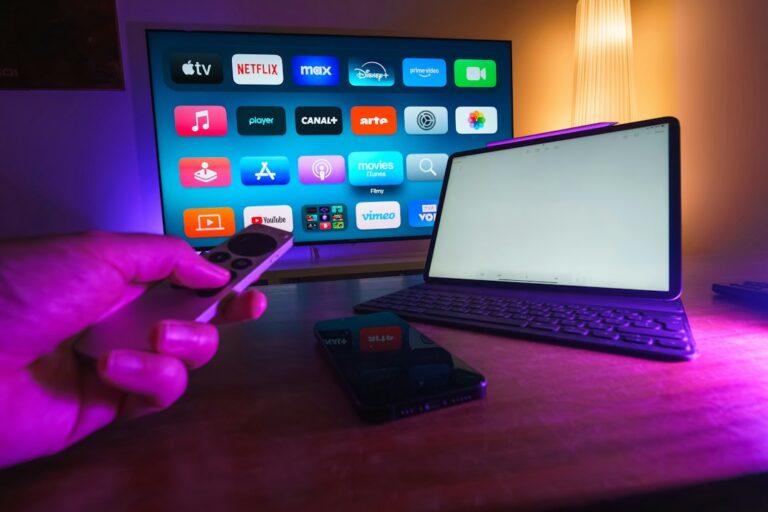
Different operating systems change how you interact with your television. Amazon Fire TV runs on a customized Android base. Google TV offers a clean interface focused on content recommendations. Apple TV relies on tvOS, providing a private environment for iOS users.
App availability varies significantly between platforms. Mainstream broadcasters support almost every major ecosystem. However, niche official providers might build apps for Android TV before developing versions for smaller platforms. Always check official app stores before making a purchase.
Let’s look at how the top hardware choices stack up across key performance indicators.
| Device | Operating System | 4K / HDR Support | Ethernet Option | Typical UK Price |
|---|---|---|---|---|
| Amazon Fire TV Stick 4K | Fire OS (Android) | Yes (Dolby Vision, HDR10+) | Requires adapter | £60 |
| Google TV Streamer | Google TV | Yes (Dolby Vision, HDR10) | Built-in port | £99 |
| Apple TV 4K | tvOS | Yes (Dolby Vision, HDR10+) | Built-in port (top tier) | £149 |
| Roku Streaming Stick 4K | Roku OS | Yes (Dolby Vision, HDR10+) | Not available | £50 |
If you want to explore more economical hardware choices, you can read our guide on budget streaming hardware options for everyday viewing.
Performance Factors: Processing Power and Storage
Cheap hardware often frustrates users within months. Low random access memory causes apps to crash when switching channels rapidly. Storage space dictates how many applications you can install simultaneously.
High-end boxes like the Apple TV 4K pack powerful processors. Menus glide past instantly. Live sports feeds load in seconds. Cheaper sticks handle basic streaming fine, but they struggle if you hoard dozens of apps.
Storage capacity ranges from 8GB on budget sticks up to 128GB on premium Apple models. If you only watch live television, 8GB is plenty. Gamers or heavy app users should invest in expanded local storage.
Connectivity: Wi-Fi Standards and Wired Ethernet
Wireless signals degrade through thick walls. Modern Wi-Fi 6 routers improve wireless streaming dramatically. Yet, nothing beats a physical copper cable for live sports broadcasts.
Some devices include built-in Ethernet ports. Others require separate network adapters. If your router sits far away from your television, a robust Wi-Fi mesh network keeps your legal IPTV devices UK setup running without sudden drops in resolution.
Remote Controls, Voice Assistants, and Usability
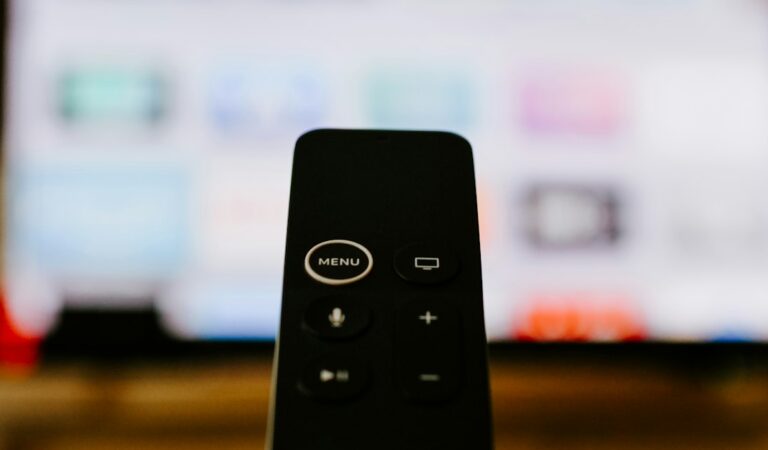
You use the remote control daily. Button layout matters. Backlit remotes help during dark movie nights.
Voice control integration lets you search across apps effortlessly. Amazon uses Alexa. Google relies on its own Assistant. Apple integrates Siri. Pressing a button and speaking a channel name saves endless typing on onscreen keyboards.
Setup, Security, and Parental Controls
Unboxing modern streaming gear takes minutes. Plug the hardware into an HDMI port. Connect power. Follow the onscreen prompts to log into your Wi-Fi and user accounts.
Parental controls protect younger family members from adult content. Official platforms let you lock applications behind PIN codes easily. Security updates arrive automatically on certified hardware, keeping your home network safe from vulnerabilities.
Pros and Cons of Certified Streaming Hardware
Every platform compromises somewhere. Weighing these points helps you pick wisely.
- Pros: Full access to official app stores, regular security patches, high-res 4K HDR playback, reliable customer support, and standard UK warranties.
- Cons: Higher upfront cost than unverified generic boxes, occasional interface ads on budget sticks, and restrictive ecosystems on proprietary hardware.
Setup Guidance and Compatibility Notes
Always download applications directly from official stores. Do not sideload unknown software files found on forums. Ensure your television’s HDMI port supports HDCP 2.2 if you want to watch 4K content.
Remember that no single box runs every proprietary app universally. Check provider compatibility lists before committing your money.
Frequently Asked Questions
Can I use my old television with these devices?
Yes. Most modern streaming sticks plug into standard HDMI ports. If your television lacks HDMI, you’ll need an active HDMI-to-AV converter box.
Do I need a TV licence to watch live streaming apps in the UK?
Yes. Any live television broadcast viewed online via services like BBC iPlayer requires a valid UK TV licence.
Why does my live stream buffer during peak evening hours?
Local internet congestion causes slowdowns. Upgrading your broadband package or switching to a wired Ethernet connection usually fixes this issue.
Are generic Android boxes legal to use?
The hardware itself is legal. However, unbranded boxes preloaded with modified software often violate copyright laws. Stick to certified brands.
How do I update my streaming device software?
Go to your device settings menu, locate the system update tab, and check for available downloads manually. Most devices update automatically overnight.
Can I travel with my streaming stick within the UK?
Yes. You can plug your portable streaming stick into any hotel or holiday home television with Wi-Fi access.
What internet speed do I need for smooth streaming?
Aim for at least 15 Mbps for HD streams and 30 Mbps for 4K sports broadcasts to avoid stuttering.
For more information, iptv.
Related reading
- Understanding How IPTV UK Services Handle Live Broadcasting Rights
- How to Check Legal Sports IPTV UK Packages Before Buying
Update: Spotting IPTV Scams: How to Buy Legal Sports IPTV UK Safely