- Choosing the Right Hardware for Legal IPTV Streaming
- Platform Comparison: Operating Systems and App Stores
- Hardware Specifications Breakdown
- Connectivity, Storage, and Performance
- Pros and Cons of Top Hardware Choices
- Setting Up Your Hardware for UK Broadcasting
- Frequently Asked Questions
- Do I need a TV licence to watch legal IPTV in the UK?
- Can I use one subscription across multiple devices?
- Why does my live stream stutter during peak evening hours?
- Are smart TV built-in apps better than external streaming boxes?
- How do I know if an app is officially licensed?
- Do all streaming sticks support 4K HDR playback?
- What is the easiest device for elderly family members to use?
Choosing the Right Hardware for Legal IPTV Streaming
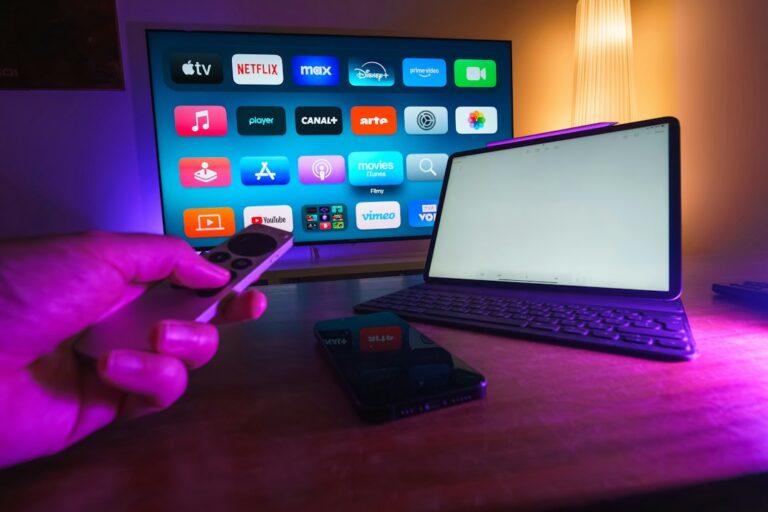
Internet Protocol television delivers live channels and on-demand video over your home broadband connection rather than through an aerial or a satellite dish. If you are setting up official, licensed streaming services on your living room screen, the hardware you choose dictates everything from interface speed to app availability. Finding suitable IPTV devices UK users rely on means looking closely at operating systems, remote layout, and overall performance.

Not all streaming boxes handle digital feeds the same way. A budget stick might struggle with high-bitrate live feeds, while a premium box handles heavy workloads effortlessly. Let us look at what makes each major platform tick.
Platform Comparison: Operating Systems and App Stores
Your hardware’s underlying software decides which applications you can install. Amazon Fire TV devices run a heavily modified version of Android, granting access to a massive app store full of official broadcaster apps and media players. Google TV and Android TV offer an even cleaner storefront experience with deep integration for Google Assistant. Apple TV uses tvOS, delivering a smooth, ad-light environment, though you must rely on Apple’s curated App Store. Meanwhile, Roku relies on its own proprietary OS, which limits sideloading entirely but guarantees stability for officially supported UK catch-up apps.
Smart TVs from brands like Samsung and LG run Tizen and webOS respectively. These integrated platforms save you from plugging in external boxes, but their app ecosystems update less frequently than dedicated media streamers. If your television feels sluggish, you might need to speed up slow IPTV apps on your smart tv by clearing system caches or disabling background tasks.
Hardware Specifications Breakdown
| Device | OS | 4K/HDR Support | Connectivity |
|---|---|---|---|
| Amazon Fire TV Cube | Fire OS (Android) | Dolby Vision, HDR10+ | Wi-Fi 6E, Ethernet Port |
| Apple TV 4K | tvOS | Dolby Vision, HDR10+ | Wi-Fi 6, Gigabit Ethernet |
| Google TV Streamer | Android TV | Dolby Vision, HDR10 | Wi-Fi 5, Ethernet Port |
| Amazon Fire TV Stick 4K | Fire OS (Android) | Dolby Vision, HDR10+ | Wi-Fi 6 (Ethernet via adapter) |
Connectivity, Storage, and Performance
Streaming high-definition video requires stable bandwidth. Ethernet ports provide the most reliable connection, eliminating wireless interference entirely. High-end boxes like the Apple TV 4K and Fire TV Cube include built-in Ethernet ports, whereas cheaper sticks require separate adapter accessories. Wireless standards also matter significantly. Wi-Fi 6 and Wi-Fi 6E routers handle multiple heavy streams much better than older generation networking hardware.
Internal storage dictates how many applications and cached electronic programme guides you can maintain. Entry-level hardware often ships with just 8GB of storage, which fills up fast once you install a few media players and catch-up apps. Premium devices offer 16GB to 64GB, giving your operating system room to breathe.
Pros and Cons of Top Hardware Choices
Amazon Fire devices provide unbeatable value and wide compatibility with legitimate media portals, but their interfaces feature prominent promotional banners. Apple TV delivers a pristine, ad-free experience paired with unmatched processing power, though hardware costs run considerably higher than typical streaming sticks. Android TV boxes strike a balance, offering versatile app sideloading capabilities and robust Google Assistant voice controls, though hardware quality varies wildly between budget manufacturers.
Setting Up Your Hardware for UK Broadcasting
Getting started involves plugging your chosen device into an available HDMI port on your television and connecting to your home Wi-Fi network. Sign in with your manufacturer account to access the official app store. Search for your licensed provider’s official application. Never assume that every app works identically across all available IPTV devices UK households use. Check your provider’s official documentation to confirm full compatibility before committing to a long-term subscription.
Frequently Asked Questions
Do I need a TV licence to watch legal IPTV in the UK?
Yes, if you watch live television broadcasts on any channel or use BBC iPlayer, current UK regulations require a valid TV licence regardless of whether you receive broadcasts via an aerial, satellite dish, or internet streaming.
Can I use one subscription across multiple devices?
This depends entirely on your licensed service provider’s account terms. Some legal streaming subscriptions permit multi-screen viewing, while others restrict usage to a single active stream at any given time.
Why does my live stream stutter during peak evening hours?
Network congestion on your local broadband loop often causes temporary speed drops. Switching from Wi-Fi to a wired Ethernet connection usually resolves these bandwidth bottlenecks.
Are smart TV built-in apps better than external streaming boxes?
External boxes generally receive software updates for longer periods and offer faster processors than most built-in television operating systems.
How do I know if an app is officially licensed?
Official applications are downloaded directly from authorized storefronts like the Google Play Store, Amazon Appstore, or Apple App Store, and are published by recognized broadcasting companies.
Do all streaming sticks support 4K HDR playback?
No. Budget streaming sticks often max out at 1080p Full HD resolution. You must specifically purchase 4K-certified hardware to enjoy ultra-high-definition broadcasts.
What is the easiest device for elderly family members to use?
Roku devices and Apple TVs offer straightforward, uncluttered home screens that minimize confusion and make navigating live channels simple.
For more information, iptv.
Related reading
- Legal Sports IPTV UK: Checking Channel Lineups Before You Buy
- Firestick IPTV Connection Guide: Troubleshooting Network Errors in the UK
Update: How to Fix Firestick Audio Delay on UK IPTV Channels
Update: Legal Sports IPTV UK: Evaluating Licensed Channel Packages