- Why Your Samsung or LG TV Needs an External Box
- Amazon Fire TV Stick 4K and Fire TV Cube
- Apple TV 4K
- Chromecast with Google TV
- Device Comparison Table
- Pros and Cons of External Boxes
- Setting Up Your Hardware
- Legality and Official Apps
- Frequently Asked Questions
- Do I need a special cable for 4K streams?
- Can I use my TV remote with these boxes?
- Are these devices hard to install?
- Will my box work with all apps?
- Does Wi-Fi affect video quality?
- What storage do I need?
- Are free apps safe to download?
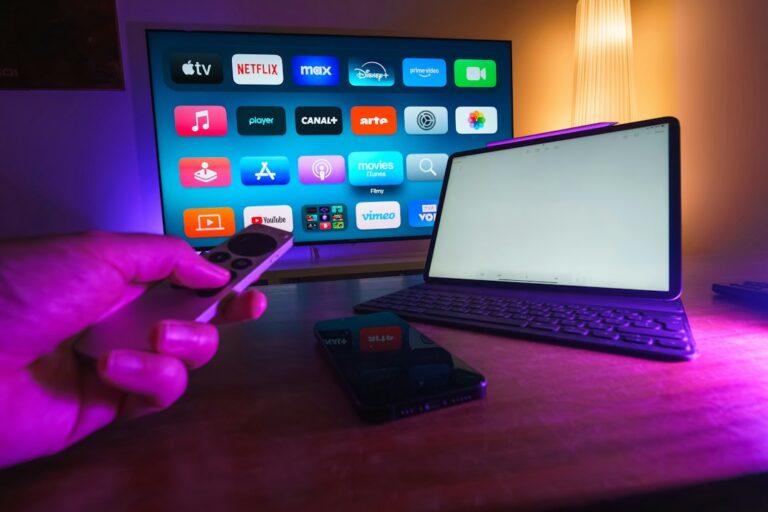
Why Your Samsung or LG TV Needs an External Box
Built-in TV operating systems like Tizen and webOS handle basic apps fine, but they often struggle when you load up heavy media players. If you want the best IPTV device to plug into your Samsung or LG set, you’ll need to look beyond the factory remote. Smart TV app stores have strict limits on storage, meaning your cache fills up fast. An external streaming box gives you dedicated hardware, faster processors, and access to proper app stores.

Amazon Fire TV Stick 4K and Fire TV Cube
Amazon’s hardware dominates UK living rooms because it’s cheap and reliable. The Fire TV Stick 4K handles 4K HDR streams without breaking a sweat, and it runs Android-based apps natively. Sideloading is possible here, but you’ll find plenty of official media players right in the Amazon Appstore. Storage is tight on the basic stick, so grab the Cube if you want Ethernet ports and extra breathing room for data.
Apple TV 4K
Apple makes pricey hardware, but it runs rings around budget competitors for pure speed. The tvOS interface is clean, ad-free, and handles fast-moving sports streams smoothly. While app choice is slightly different from Android, top-tier media players have official versions ready to download. You won’t find USB ports or expandable storage, but the internal Wi-Fi 6 chip keeps connections solid.
Chromecast with Google TV
Google TV brings a tidy layout that puts your favourite shows front and centre. It supports all major HDR formats and Dolby Vision, making it a great match for modern OLED panels from LG. You get a voice-activated remote that actually works, plus access to the Google Play Store for all your official app needs.
Before you buy any hardware, remember that checking your home broadband speed is vital for a smooth evening of live viewing. Nobody wants a frozen picture during a crucial moment.
Device Comparison Table
| Device | OS | 4K / HDR | Ethernet |
|---|---|---|---|
| Fire TV Stick 4K | Fire OS | Yes | No (Dongle extra) |
| Apple TV 4K | tvOS | Yes | Yes (Top model) |
| Google TV 4K | Google TV | Yes | No |
Pros and Cons of External Boxes
External boxes transform older screens into modern entertainment hubs. They update software long after manufacturers abandon built-in TV firmware. The downside is clutter. You get an extra remote on the coffee table and another plug taking up socket space behind the cabinet.
Setting Up Your Hardware
Plug the device straight into an HDMI port on your Samsung or LG TV. Connect to your Wi-Fi network or plug in an Ethernet cable for maximum stability. Log into your app store account, download your chosen legal media player from the official store, and sign in with your provider credentials.
Legality and Official Apps
Internet Protocol Television simply means delivering television signals over the internet rather than traditional cables. Legality depends entirely on whether your provider holds proper broadcasting rights. Always stick to official applications found on verified app stores to stay compliant with UK law.
Frequently Asked Questions
Do I need a special cable for 4K streams?
Use a High-Speed or Ultra High-Speed HDMI cable to ensure your 4K HDR feeds pass through correctly.
Can I use my TV remote with these boxes?
Yes, HDMI-CEC technology lets your Samsung or LG remote control the connected box automatically.
Are these devices hard to install?
Setup takes about ten minutes. Just follow the onscreen prompts after plugging the device into power and HDMI.
Will my box work with all apps?
App availability varies by operating system. Check the official store on your chosen device before purchasing.
Does Wi-Fi affect video quality?
Weak Wi-Fi causes stuttering during high-bitrate live feeds. Ethernet is always best if your router sits nearby.
What storage do I need?
Most basic sticks offer 8GB of storage. Grab a model with 16GB or more if you plan to install lots of extra utilities.
Are free apps safe to download?
Stick to verified storefronts like Google Play or Apple App Store to avoid unverified software.
For more information, iptv.
Related reading
Update: When to contact your IPTV provider for technical support
Update: What to check before buying a sports IPTV subscription