- Amazon Fire TV Stick vs Google TV: The Battle for Your UK Living Room
- Operating System and Interface Performance
- App Availability and Official Support
- 4K, HDR, and Audio Standards
- Hardware Specifications Comparison
- Pros and Cons of Amazon Fire TV
- Pros and Cons of Google TV
- Setup Guidance and Network Considerations
- Legality and Compliance
- Frequently Asked Questions
- Can I use any IPTV app on Fire TV?
- Does Google TV support 4K streaming?
- Which platform has a better remote control?
- Do I need a fast broadband connection for live TV?
- Are these devices legal to use in the UK?
- Can I connect an Ethernet cable directly?
- How do I manage parental controls?
- What storage do these devices offer?
Amazon Fire TV Stick vs Google TV: The Battle for Your UK Living Room
Choosing a streaming hardware setup for your legal television subscriptions can feel confusing. You plug a tiny black rectangle into the back of your television, but the software inside dictates how smoothly your channels load. Internet Protocol Television delivers live broadcasts over your home broadband connection. Whether your setup runs smoothly depends entirely on the operating system handling the data. Two major ecosystems dominate British living rooms right now: Amazon’s Fire OS and Google TV.
Operating System and Interface Performance
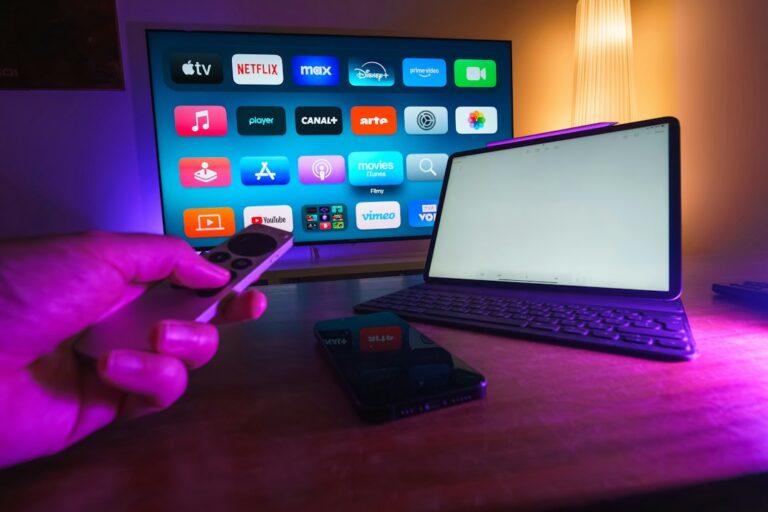
Fire OS runs on a heavily customized version of Android. It pushes Amazon Prime content aggressively across the home screen. Ads take up substantial banner space. That interface can feel cluttered if you just want to watch live television channels through an official provider app. Google TV feels cleaner. It aggregates content from multiple licensed apps neatly. Google’s recommendation engine generally suggests programmes you actually watch instead of pushing storefront rentals.
App Availability and Official Support
Both platforms give you access to major UK catch-up services like BBC iPlayer, ITVX, Channel 4, and My5. When you download a legal IPTV application from an official app store, compatibility is usually straightforward. However, you must always check the provider’s official guidelines before buying hardware. Not every device supports every app natively. Google TV runs on the Google Play Store. Fire TV uses the Amazon Appstore. Selection varies slightly between them.
4K, HDR, and Audio Standards
Picture quality matters when you stream live sports or HD movies. Both high-end Fire TV sticks and Google TV devices support 4K Ultra HD resolution. Dolby Vision and HDR10+ feature widely across flagship models. Dolby Atmos audio pass-through works reliably on both platforms too. Cheaper budget dongles might drop down to 1080p, so check specifications carefully. Match your hardware capabilities to your living room television setup.
Hardware Specifications Comparison
| Feature | Amazon Fire TV Stick 4K Max | Google TV Streamer / Chromecast |
|---|---|---|
| Operating System | Fire OS 8 | Google TV (Android 14) |
| RAM | 2 GB to 4 GB | 2 GB to 4 GB |
| Wi-Fi Standard | Wi-Fi 6E | Wi-Fi 5 or Wi-Fi 6 |
| Ethernet Support | Via optional adapter | Built-in on select models |
Pros and Cons of Amazon Fire TV
Amazon hardware is affordable and frequently discounted during major retail sales. Setup takes minutes if you link your existing Amazon account during unboxing. Voice control via Alexa works well for launching specific applications. On the downside, the user interface includes persistent advertising. Storage space fills up fast if you cache heavy streaming data.
Pros and Cons of Google TV
Google TV offers a streamlined layout with fewer intrusive adverts on the home screen. Google Assistant integration responds quickly to voice commands. Casting content directly from your smartphone or laptop is effortless. Conversely, hardware options are currently more expensive than Amazon’s budget sticks. Some menu settings feel buried under multiple layers.
Setup Guidance and Network Considerations
Plug your chosen device into an available HDMI port. Connect the power cable to a wall socket rather than a USB port on the television. A stable internet connection is essential for buffering-free live streams. If your Wi-Fi drops frequently, look for a model with a wired Ethernet connection. For help troubleshooting network setups, read our guide on broadband connections and IPTV UK.
Legality and Compliance
Internet television technology itself is entirely legal. Broadcasters use it to deliver content straight to domestic screens. Legality depends strictly on whether your provider holds valid distribution rights. This article strictly discusses official applications and licensed platforms. We never endorse unauthorized streams or modified software applications.
Frequently Asked Questions
Can I use any IPTV app on Fire TV?
No. You must check the provider’s official app store and current compatibility lists.
Does Google TV support 4K streaming?
Yes. Premium models support 4K Ultra HD along with HDR formats.
Which platform has a better remote control?
It depends on personal preference. Both remotes include dedicated streaming buttons and voice search.
Do I need a fast broadband connection for live TV?
Yes. A stable broadband connection prevents stuttering during high-definition live broadcasts.
Are these devices legal to use in the UK?
Yes. Both Amazon and Google devices are completely legal retail hardware items.
Can I connect an Ethernet cable directly?
Some Google TV models include built-in ports, while Fire sticks usually require an adapter.
How do I manage parental controls?
Both operating systems feature dedicated settings menus to restrict content by age rating.
What storage do these devices offer?
Storage varies by model, typically ranging from 8 GB to 32 GB of internal flash memory.
For more information, iptv.