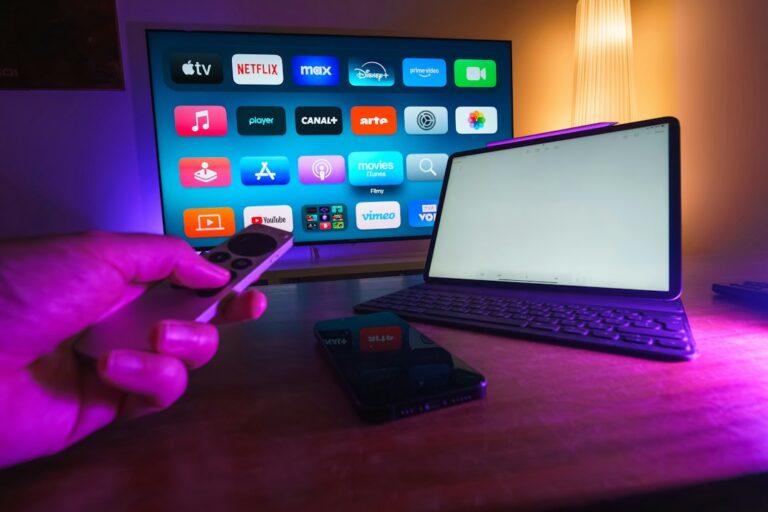
Your live TV stream freezes right as the ball hits the back of the net. Frustration sets in immediately. Most people blame their provider straight away. Often, the real culprit is your living room network setup. When looking at a wired vs wireless firestick configuration, small technical differences change your entire viewing experience.

Setting Up a Wired vs Wireless Firestick Connection
Amazon ships every Fire TV Stick with built-in wireless hardware. You plug it in, type your Wi-Fi password, and watch. Simple. Out of the box, wireless wins on convenience. Cables stay hidden. Setup takes two minutes. But Wi-Fi in British homes faces heavy interference from thick brick walls, microwave ovens, and neighbour networks sharing the same airspace.
Ethernet requires extra gear. Fire sticks lack built-in LAN ports. You need an official Ethernet adapter or a compatible micro-USB hub with power pass-through. Plug an Ethernet cable straight from your BT, Sky, or Virgin Media router into the adapter. Your streaming stick now talks directly to your broadband box without airwaves getting in the way.
Wi-Fi Performance Realities in British Homes
Modern Wi-Fi routers use dual-band or tri-band frequencies. The five gigahertz band offers fast speeds over short distances. Walk behind a wall or a piece of furniture, and that signal drops fast. The older two-point-four gigahertz band punches through walls better. It also suffers from massive congestion because smart doorbells, baby monitors, and phones crowd that same frequency.
Live television demands steady packet delivery. Wi-Fi sends data in bursts through the air. Packets get lost when interference spikes. Your player compensates by buffering. Ethernet eliminates that invisible air struggle entirely. Before changing hardware, run a quick broadband speed test to see what your line actually delivers.
The Ethernet Adapter Option for Fire TV Sticks
Adding a cable to a wireless streaming device sounds counterintuitive. It works surprisingly well. You remove the power cable, plug it into the USB port on the Ethernet adapter, run the network cable to your router, and connect the adapter’s micro-USB lead into your Fire stick.
Power delivery matters here. Cheap third-party adapters sometimes starve the stick of juice, causing random reboots. Buy a reliable unit that supports full power pass-through. Once connected, your Fire stick detects the wired network automatically. You won’t see a Wi-Fi icon in the corner anymore. You will see a small ethernet symbol, signalling a direct link.
Buffering and Stability During Peak Viewing Hours
Evening viewing brings heavy strain to local internet exchanges across the UK. Neighbourhood bandwidth usage peaks between seven and ten at night. Wireless networks inside houses take an extra hit during these hours as families stream multiple devices at once.
Packet loss ruins live feeds faster than slow download speeds. A wireless connection might register fifty megabits per second, yet still stutter during a live football match because micro-drops disrupt the continuous stream. A wired connection keeps packet loss near zero. Latency drops significantly too. Your channels change faster. Streams load quicker when you click them.
Older Fire TV Stick models benefit the most from a wired upgrade. Their internal Wi-Fi chips are weaker than those found in modern 4K Max models. Giving an older stick a direct line bypasses aging wireless receivers completely, breathing new life into hardware you might otherwise replace.
Final Verdict: Which Connection Wins for Your Living Room?
Choosing a wired vs wireless firestick setup comes down to your router location and your tolerance for buffering. If your router sits right next to your television, running a short cable takes five minutes and solves half your streaming headaches.
Wireless still works fine if your broadband router is in the same room with clear line-of-sight. Modern Wi-Fi handles high-definition streams easily under ideal conditions. But for zero compromise on live matchdays, a wired ethernet adapter wins every time. Buy a cheap adapter, plug it in, and enjoy uninterrupted streams.
For more information, iptv.
Related reading
- Sky Sports vs TNT Sports: Premier League TV Packages Compared
- Understanding IPTV Channels UK Lineups: How to Navigate Live TV and Catch-Up
Update: Evaluating an IPTV Trial UK: Myths, Facts, and What to Test
Update: How Premier League Broadcasters Deliver Live Football Across the UK